> ## Documentation Index
> Fetch the complete documentation index at: https://docs.sevalla.com/llms.txt
> Use this file to discover all available pages before exploring further.
> ## Agent Instructions
> These are the docs for Sevalla, a platform for deploying applications, databases, static sites, object storage and load balancers. The dashboard is at https://app.sevalla.com.
> Bold text in steps is an exact dashboard label.
> To act on a Sevalla account, prefer the Sevalla MCP server (https://mcp.sevalla.com/mcp, see https://docs.sevalla.com/ai-agents/overview.md), then the Sevalla CLI (https://docs.sevalla.com/developer-tools/cli.md), then the REST API (https://api-docs.sevalla.com, OpenAPI spec at https://api.sevalla.com/v3/openapi.json).
> Every page index is at https://docs.sevalla.com/llms.txt.
# Dockerfile
> Build an application from a Dockerfile in its repository: Dockerfile path and context, build arguments, multi-stage builds, private base images, the port and the start command.
The Dockerfile build strategy builds the `Dockerfile` in your repository with Docker, exactly as written: you choose the base image, the system packages and the language. Use it when your language or setup isn't detected by [Nixpacks](/applications/builds/nixpacks), [Railpack](/applications/builds/railpack) or [Buildpacks](/applications/builds/buildpacks), or when you want full control over the image. To deploy an image you've already built elsewhere, use a [Docker image](/applications/docker-images) source instead.
## How Sevalla builds your Dockerfile
Sevalla clones the repository and runs a Docker build with:
* the **Dockerfile path** as the Dockerfile,
* the **Docker context** as the build context, with its `.dockerignore`,
* every [environment variable](/applications/environment-variables) marked **Available during buildtime**, and the [variables Sevalla sets](/applications/environment-variables#variables-sevalla-sets), as build arguments,
* a `docker login` with the **Docker registry credential** first, when you choose one.
The image is the Dockerfile's last stage. Sevalla doesn't pass a `--target`, so you can't build an earlier stage of a multi-stage Dockerfile.
## Use a Dockerfile
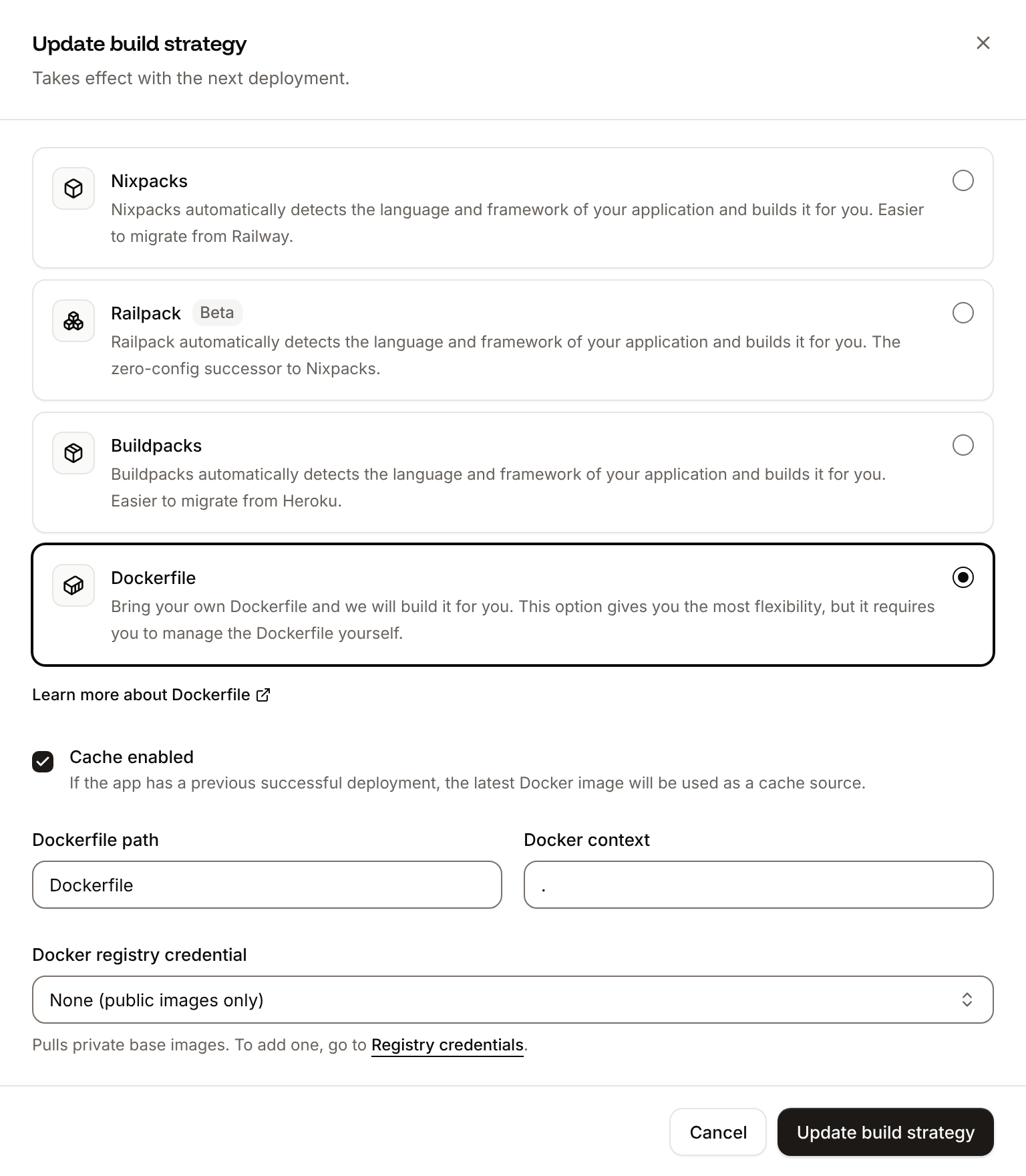
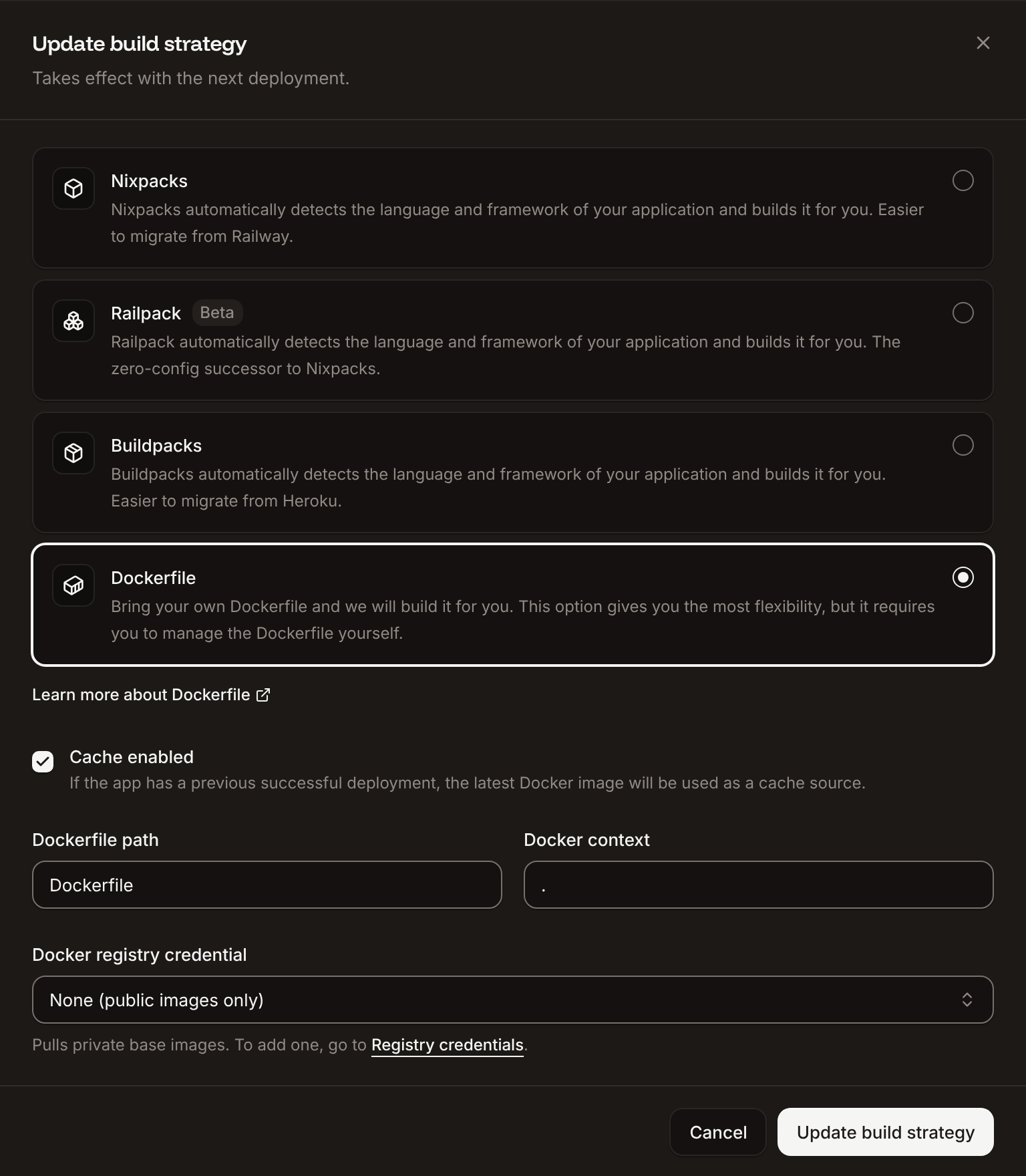
In the sidebar, click **Applications**, then click the application. On the **Settings** tab, in the **Build strategy** section, click **Update build strategy**.
Click **Dockerfile**. Enter the **Dockerfile path** and the **Docker context**, both relative to the repository root.
In **Docker registry credential**, choose the [registry credential](/applications/docker-images#add-a-registry-credential) for the registry your `FROM` images come from. Leave **None (public images only)** for public base images.
Click **Update build strategy**, then deploy the application.
The **Build strategy** section shows **Dockerfile** with the **Dockerfile path**, the **Docker context** and the **Registry credential**.
 | Field | What it is | Default |
| - | - | - |
| **Dockerfile path** | The Dockerfile, relative to the repository root. Required. | `Dockerfile` |
| **Docker context** | The folder sent to the build, relative to the repository root. `COPY` paths in the Dockerfile are relative to it. Required. | `.` |
| **Docker registry credential** | Logs in to a registry to pull private base images | **None (public images only)** |
In a monorepo, point both at the application's folder, for example **Dockerfile path** `apps/storefront/Dockerfile` and **Docker context** `apps/storefront`. If the build fails to log in with the credential, the log says `Docker registry authentication failed` and the build continues without it.
## Make the image run on Sevalla
| Requirement | Why |
| - | - |
| Listen on `PORT` | Sevalla sets `PORT` at runtime to the web process's port (`8080` unless you change it on the **Networking** tab) and sends traffic there. Read it instead of hard-coding a port, for example `process.env.PORT` in Node.js. |
| A start command | The image's `ENTRYPOINT` and `CMD` start the web process. A start command set on the web process replaces both, and runs with `/bin/sh -l -c`, so the image needs `/bin/sh`. |
| Built for `linux/amd64` | The platform Sevalla runs |
| A shell for the web terminal | The [web terminal](/applications/web-terminal) opens `sh`, `bash` or `zsh` in a running instance. Images without a shell, such as distroless ones, can't open it; install `bash` if you want it, for example `RUN apk add --no-cache bash` on Alpine. |
## Use build arguments
Every build-time environment variable is passed as a build argument. Declare it with `ARG` in the stage that needs it:
```dockerfile Dockerfile theme={null}
FROM node:22-alpine AS build
WORKDIR /app
ARG VITE_API_URL
COPY package*.json ./
RUN npm ci
COPY . .
RUN npm run build
```
An `ARG` is available only in the stage that declares it. Don't copy secrets into `ENV` or into files in the final stage: anyone who can pull the image can read them. Runtime-only variables don't need to be in the Dockerfile; Sevalla sets them in the running container.
## Example Dockerfile
A multi-stage Dockerfile for a Node.js application that builds in one stage and runs a smaller image in the last one:
```dockerfile Dockerfile theme={null}
FROM node:22-alpine AS build
WORKDIR /app
COPY package*.json ./
RUN npm ci
COPY . .
RUN npm run build && npm prune --omit=dev
FROM node:22-alpine
WORKDIR /app
ENV NODE_ENV=production
COPY --from=build /app/node_modules ./node_modules
COPY --from=build /app/dist ./dist
COPY package.json ./
CMD ["node", "dist/server.js"]
```
The server reads `process.env.PORT`. Add a `.dockerignore` with `node_modules` and `.git` so the context stays small and the build fast.
## Run software that needs a disk
With a Dockerfile you can run software Sevalla doesn't offer as a managed service, for example a database engine, as long as it runs in a container. Its data must be on a [disk](/applications/disks), or it's lost on every deployment and restart, and a process with a disk is briefly interrupted during each rollout. For PostgreSQL, MySQL, MariaDB, Redis and Valkey, a [managed database](/databases/overview) gives you backups and no downtime on deployments.
This documentation is built and hosted on [Mintlify](https://mintlify.com), a developer documentation platform.
| Field | What it is | Default |
| - | - | - |
| **Dockerfile path** | The Dockerfile, relative to the repository root. Required. | `Dockerfile` |
| **Docker context** | The folder sent to the build, relative to the repository root. `COPY` paths in the Dockerfile are relative to it. Required. | `.` |
| **Docker registry credential** | Logs in to a registry to pull private base images | **None (public images only)** |
In a monorepo, point both at the application's folder, for example **Dockerfile path** `apps/storefront/Dockerfile` and **Docker context** `apps/storefront`. If the build fails to log in with the credential, the log says `Docker registry authentication failed` and the build continues without it.
## Make the image run on Sevalla
| Requirement | Why |
| - | - |
| Listen on `PORT` | Sevalla sets `PORT` at runtime to the web process's port (`8080` unless you change it on the **Networking** tab) and sends traffic there. Read it instead of hard-coding a port, for example `process.env.PORT` in Node.js. |
| A start command | The image's `ENTRYPOINT` and `CMD` start the web process. A start command set on the web process replaces both, and runs with `/bin/sh -l -c`, so the image needs `/bin/sh`. |
| Built for `linux/amd64` | The platform Sevalla runs |
| A shell for the web terminal | The [web terminal](/applications/web-terminal) opens `sh`, `bash` or `zsh` in a running instance. Images without a shell, such as distroless ones, can't open it; install `bash` if you want it, for example `RUN apk add --no-cache bash` on Alpine. |
## Use build arguments
Every build-time environment variable is passed as a build argument. Declare it with `ARG` in the stage that needs it:
```dockerfile Dockerfile theme={null}
FROM node:22-alpine AS build
WORKDIR /app
ARG VITE_API_URL
COPY package*.json ./
RUN npm ci
COPY . .
RUN npm run build
```
An `ARG` is available only in the stage that declares it. Don't copy secrets into `ENV` or into files in the final stage: anyone who can pull the image can read them. Runtime-only variables don't need to be in the Dockerfile; Sevalla sets them in the running container.
## Example Dockerfile
A multi-stage Dockerfile for a Node.js application that builds in one stage and runs a smaller image in the last one:
```dockerfile Dockerfile theme={null}
FROM node:22-alpine AS build
WORKDIR /app
COPY package*.json ./
RUN npm ci
COPY . .
RUN npm run build && npm prune --omit=dev
FROM node:22-alpine
WORKDIR /app
ENV NODE_ENV=production
COPY --from=build /app/node_modules ./node_modules
COPY --from=build /app/dist ./dist
COPY package.json ./
CMD ["node", "dist/server.js"]
```
The server reads `process.env.PORT`. Add a `.dockerignore` with `node_modules` and `.git` so the context stays small and the build fast.
## Run software that needs a disk
With a Dockerfile you can run software Sevalla doesn't offer as a managed service, for example a database engine, as long as it runs in a container. Its data must be on a [disk](/applications/disks), or it's lost on every deployment and restart, and a process with a disk is briefly interrupted during each rollout. For PostgreSQL, MySQL, MariaDB, Redis and Valkey, a [managed database](/databases/overview) gives you backups and no downtime on deployments.
This documentation is built and hosted on [Mintlify](https://mintlify.com), a developer documentation platform.