> ## Documentation Index
> Fetch the complete documentation index at: https://docs.sevalla.com/llms.txt
> Use this file to discover all available pages before exploring further.
> ## Agent Instructions
> These are the docs for Sevalla, a platform for deploying applications, databases, static sites, object storage and load balancers. The dashboard is at https://app.sevalla.com.
> Bold text in steps is an exact dashboard label.
> To act on a Sevalla account, prefer the Sevalla MCP server (https://mcp.sevalla.com/mcp, see https://docs.sevalla.com/ai-agents/overview.md), then the Sevalla CLI (https://docs.sevalla.com/developer-tools/cli.md), then the REST API (https://api-docs.sevalla.com, OpenAPI spec at https://api.sevalla.com/v3/openapi.json).
> Every page index is at https://docs.sevalla.com/llms.txt.
# Builds
> How Sevalla builds an application from Git: choosing Nixpacks, Railpack, Buildpacks or a Dockerfile, build path, cache, build-time variables, build machine, time limit and logs.
A build turns an application's Git repository into a container image. Sevalla builds on every deployment from a Git source (except restarts, rollbacks and promotions, which reuse an image), with the application's build strategy: Nixpacks, Railpack, Buildpacks or a Dockerfile. Applications deployed from a [Docker image](/applications/docker-images) aren't built.
## How a build works
1. Sevalla clones the repository at the deployment's commit, with its submodules and, unless you turned it off, its [Git LFS](/applications/settings#git-lfs) files.
2. The builder runs in the [build path](#build-settings) (or the Docker context) on a build machine, with the [build-time environment variables](#environment-variables-during-the-build) and, when it's on, the [build cache](#build-cache).
3. Sevalla pushes the image to the application's private registry, then rolls it out to every process. See [Deployments](/applications/deployments).
Everything the build prints is in the deployment's **Build log**, on its page on the **Deployments** tab.
## Choose a build strategy
New applications from Git use Nixpacks 1.41. Change the strategy when your language isn't detected, when you're moving from a platform that uses another builder, or when you need full control.
| Build strategy | How it builds | Configure it with | Choose it when |
| - | - | - | - |
| [Nixpacks](/applications/builds/nixpacks) (default) | Detects the language and framework, installs dependencies with Nix packages | `nixpacks.toml`, `NIXPACKS_*` variables | Most applications, and when you come from Railway |
| [Railpack](/applications/builds/railpack) (**Beta**) | Detects the language and framework, builds with BuildKit | `railpack.json`, `RAILPACK_*` variables | You want the actively developed successor to Nixpacks, which is in maintenance mode |
| [Buildpacks](/applications/builds/buildpacks) | Runs Heroku's Cloud Native Buildpacks | `Procfile`, the buildpack list, language files | You come from Heroku |
| [Dockerfile](/applications/builds/dockerfile) | Builds the Dockerfile in your repository | Your `Dockerfile` | You need system packages, a language no builder detects, or full control |
With Nixpacks, Railpack and Buildpacks, the web process's start command (on the [Processes](/applications/processes) tab) overrides the start command the builder detects. Leave it empty to use the detected one.
## Update the build strategy
You need permission to update the application. The build strategy applies to Git sources only.
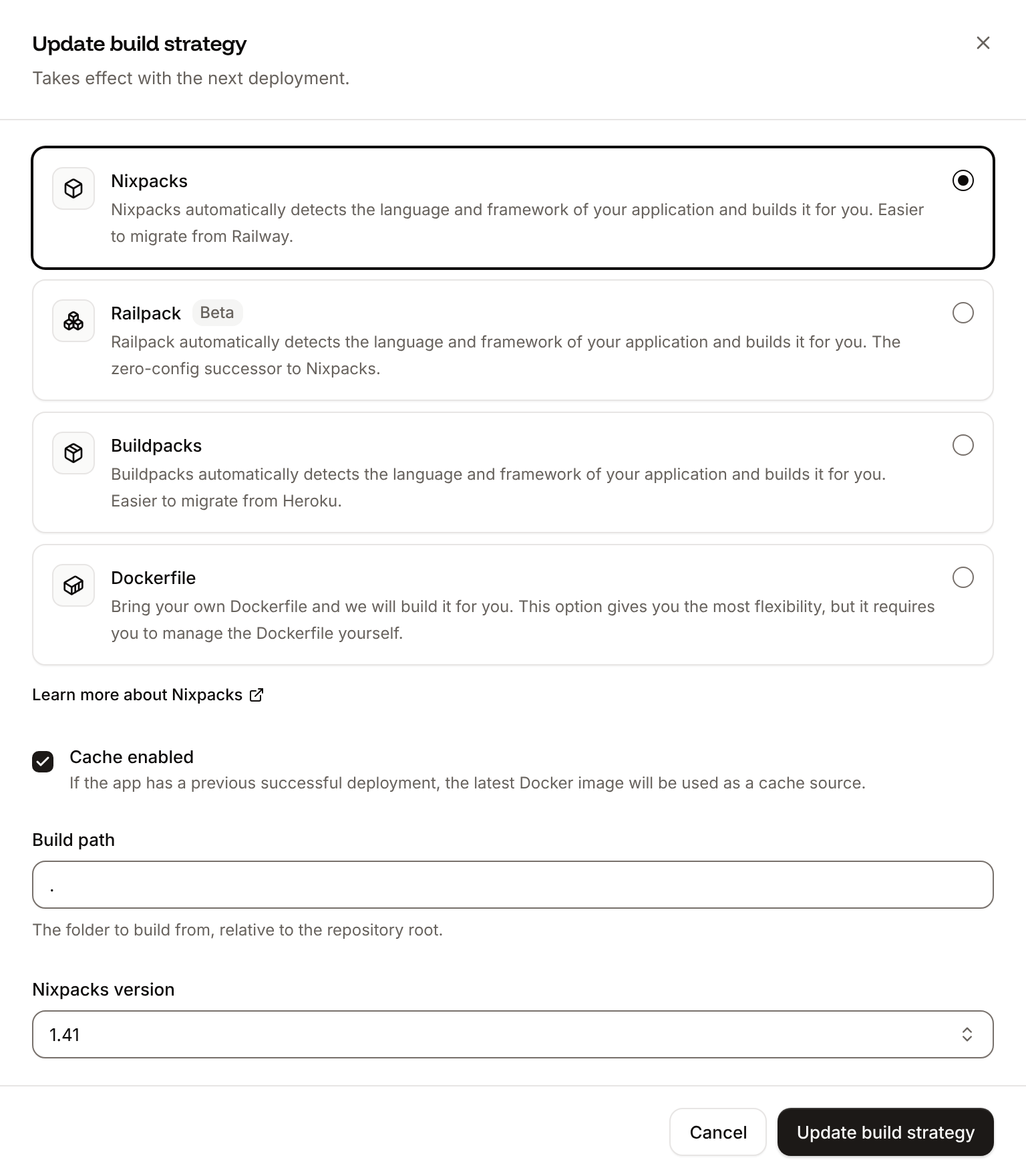
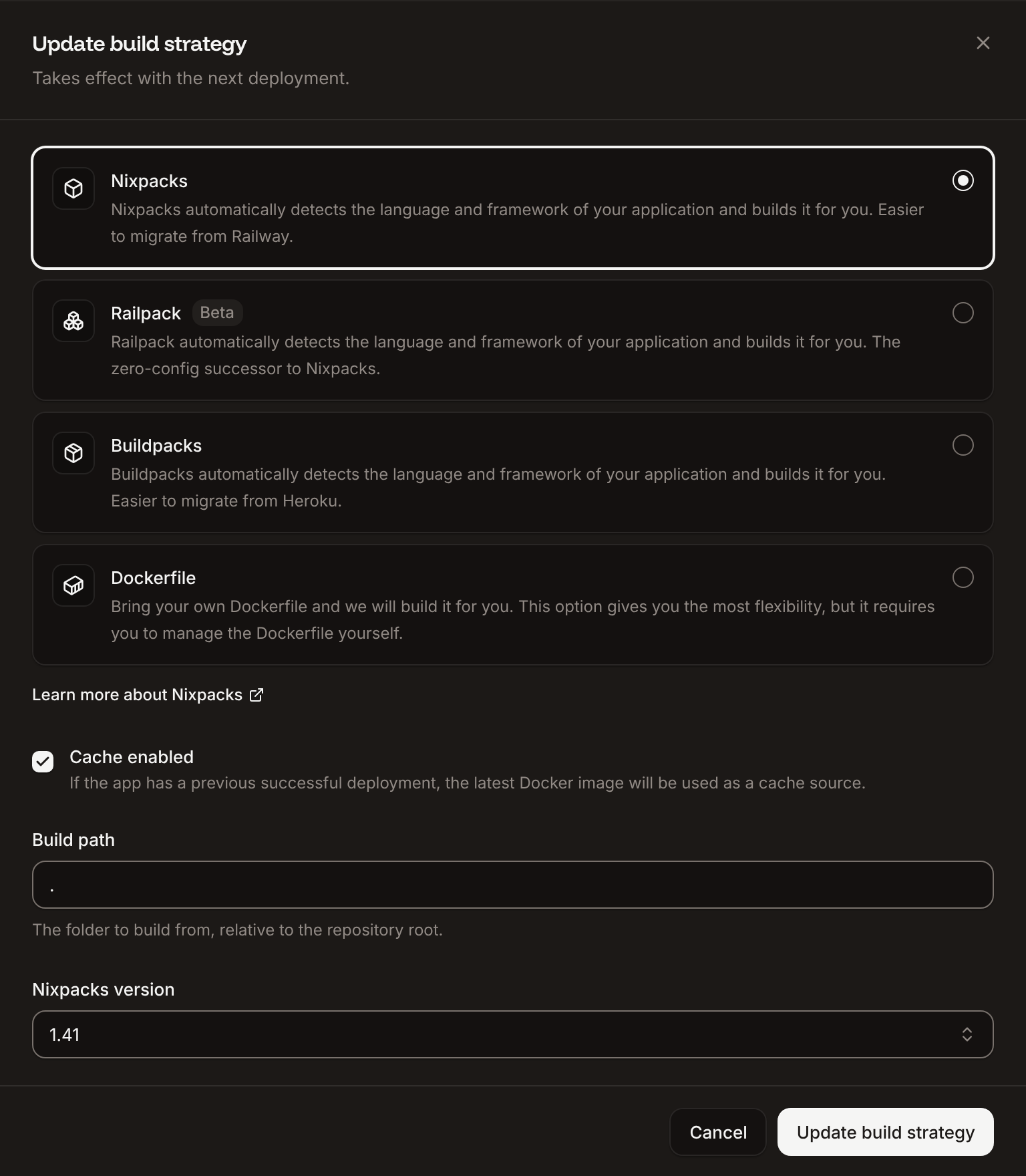
In the sidebar, click **Applications**, then click the application. On the **Settings** tab, in the **Build strategy** section, click **Update build strategy**. The same sheet opens from **Update build strategy** on the **Deployments** tab.
Click **Nixpacks**, **Railpack**, **Buildpacks** or **Dockerfile**, then fill in its settings.
Click **Update build strategy**.
The change takes effect with the next deployment. Click **Deploy** in the undeployed changes bar, or deploy from the **Deployments** tab.
The new deployment's **Build** card and its build log show the builder it used.
 ## Build settings
| Setting | Builders | What it does | Default |
| - | - | - | - |
| Build type | All | **Nixpacks**, **Railpack**, **Buildpacks** or **Dockerfile** | **Nixpacks** |
| **Cache enabled** | All | Reuses layers of the latest image of a successful deployment. See [Build cache](#build-cache). | On |
| **Build path** | Nixpacks, Railpack, Buildpacks | The folder to build from, relative to the repository root, for example `apps/storefront` in a monorepo. `.` is the root. | `.` |
| **Nixpacks version** | Nixpacks | **1.41**, **1.39** or **1.29** | **1.41** |
| **Pack builder** | Buildpacks | **heroku/builder:24** or **heroku/builder:22** (deprecated by Heroku) | **heroku/builder:22** for new applications; choose **heroku/builder:24** |
| **Add buildpack** | Buildpacks | Buildpacks to run, in order | None |
| **Dockerfile path** | Dockerfile | The Dockerfile, relative to the repository root | `Dockerfile` |
| **Docker context** | Dockerfile | The folder sent to the build, relative to the repository root | `.` |
| **Docker registry credential** | Dockerfile | A [registry credential](/applications/docker-images#add-a-registry-credential) to pull private base images | **None (public images only)** |
Paths can use letters, digits, `.`, `_`, `-`, `/` and `\`, up to 400 characters. Otherwise the sheet shows `Path contains invalid characters.` or `Must be at most 400 characters`.
## Build cache
With **Cache enabled**, each build starts from the image of the application's latest successful deployment: steps whose inputs didn't change, such as installing unchanged dependencies, are reused instead of run again. The first build of an application, and the first build after you turn the cache on, run in full.
Turn the cache off to force a clean build, for example when a cached layer keeps a broken dependency. Clear **Cache enabled** in the **Update build strategy** sheet, deploy, then turn it back on. The **Build cache** row in the **Build strategy** section shows **Enabled** or **Disabled**.
## Environment variables during the build
The build gets every [environment variable](/applications/environment-variables) marked **Available during buildtime**: the application's own and the company's [global variables](/applications/environment-variables#global-variables), with the application's value winning when both set the same key. New variables are available during both build and runtime by default. How each builder receives them:
| Builder | How variables reach the build |
| - | - |
| Nixpacks | As build environment variables (`--env`), available to every build phase |
| Railpack | As build environment variables and as BuildKit secrets |
| Buildpacks | As build environment variables (`--env`) |
| Dockerfile | As build arguments (`--build-arg`): declare each one with `ARG` in the Dockerfile to use it |
A variable changed after a build isn't in that build's image. If your framework inlines variables into the bundle at build time (for example `NEXT_PUBLIC_*` in Next.js or `VITE_*` in Vite), deploy with a new build after you change them, not a restart.
Avoid `$` in build-time values: the build shell can expand it. See [Special characters](/applications/environment-variables#special-characters).
Sevalla also sets its own `SVL_*` variables during the build, such as `SVL_APP_ID`, `SVL_DEPLOYMENT_ID`, `SVL_DEPLOYMENT_COMMIT_SHA` and `SVL_DEPLOYMENT_BRANCH`. It doesn't set `PORT` during the build, only at runtime. See [Variables Sevalla sets](/applications/environment-variables#variables-sevalla-sets).
## Build machine
Every build runs on a build machine with 4 vCPU and 8 GB of memory. The **Build resources** row in the **Build strategy** section shows it; you can't change it in the dashboard. Build time is billed per minute; see [Pricing](/billing/pricing).
## Time limit
A deployment has 30 minutes to clone, build and roll out. If it runs longer, it fails; see [Time limits and failures](/applications/deployments#time-limits-and-failures). To make builds faster, keep the [build cache](#build-cache) on, build only the folder you need with the **Build path**, and exclude files the build doesn't need (for example with `.dockerignore` for a Dockerfile).
## Read the build log
On the application's **Deployments** tab, click the deployment, then the **Build log** tab. The log streams while the build runs and stays with the deployment afterwards. A failed build ends with the error that stopped it; [Troubleshoot builds and deployments](/applications/troubleshooting/builds-and-deployments) explains the common ones.
## API and CLI
| Task | API | CLI |
| - | - | - |
| Read the build strategy | [Get application](https://api-docs.sevalla.com/v3/applications/get-application) | `sevalla apps get ` |
| Update the build strategy | [Update application](https://api-docs.sevalla.com/v3/applications/update-application) (`build_type`, `build_path`, `build_cache_enabled`, `nixpacks_version`, `pack_builder`, `buildpacks`, `dockerfile_path`, `docker_context`, `docker_registry_credential_id`) | `sevalla apps update --build-type ` (also `--dockerfile-path`) |
| Read a build log | [Get application deployment logs](https://api-docs.sevalla.com/v3/applications/get-application-deployment-logs) | `sevalla apps deployments logs --app-id ` |
In the API, `build_type` is `nixpacks`, `railpack`, `pack` (Buildpacks) or `dockerfile`.
This documentation is built and hosted on [Mintlify](https://mintlify.com), a developer documentation platform.
## Build settings
| Setting | Builders | What it does | Default |
| - | - | - | - |
| Build type | All | **Nixpacks**, **Railpack**, **Buildpacks** or **Dockerfile** | **Nixpacks** |
| **Cache enabled** | All | Reuses layers of the latest image of a successful deployment. See [Build cache](#build-cache). | On |
| **Build path** | Nixpacks, Railpack, Buildpacks | The folder to build from, relative to the repository root, for example `apps/storefront` in a monorepo. `.` is the root. | `.` |
| **Nixpacks version** | Nixpacks | **1.41**, **1.39** or **1.29** | **1.41** |
| **Pack builder** | Buildpacks | **heroku/builder:24** or **heroku/builder:22** (deprecated by Heroku) | **heroku/builder:22** for new applications; choose **heroku/builder:24** |
| **Add buildpack** | Buildpacks | Buildpacks to run, in order | None |
| **Dockerfile path** | Dockerfile | The Dockerfile, relative to the repository root | `Dockerfile` |
| **Docker context** | Dockerfile | The folder sent to the build, relative to the repository root | `.` |
| **Docker registry credential** | Dockerfile | A [registry credential](/applications/docker-images#add-a-registry-credential) to pull private base images | **None (public images only)** |
Paths can use letters, digits, `.`, `_`, `-`, `/` and `\`, up to 400 characters. Otherwise the sheet shows `Path contains invalid characters.` or `Must be at most 400 characters`.
## Build cache
With **Cache enabled**, each build starts from the image of the application's latest successful deployment: steps whose inputs didn't change, such as installing unchanged dependencies, are reused instead of run again. The first build of an application, and the first build after you turn the cache on, run in full.
Turn the cache off to force a clean build, for example when a cached layer keeps a broken dependency. Clear **Cache enabled** in the **Update build strategy** sheet, deploy, then turn it back on. The **Build cache** row in the **Build strategy** section shows **Enabled** or **Disabled**.
## Environment variables during the build
The build gets every [environment variable](/applications/environment-variables) marked **Available during buildtime**: the application's own and the company's [global variables](/applications/environment-variables#global-variables), with the application's value winning when both set the same key. New variables are available during both build and runtime by default. How each builder receives them:
| Builder | How variables reach the build |
| - | - |
| Nixpacks | As build environment variables (`--env`), available to every build phase |
| Railpack | As build environment variables and as BuildKit secrets |
| Buildpacks | As build environment variables (`--env`) |
| Dockerfile | As build arguments (`--build-arg`): declare each one with `ARG` in the Dockerfile to use it |
A variable changed after a build isn't in that build's image. If your framework inlines variables into the bundle at build time (for example `NEXT_PUBLIC_*` in Next.js or `VITE_*` in Vite), deploy with a new build after you change them, not a restart.
Avoid `$` in build-time values: the build shell can expand it. See [Special characters](/applications/environment-variables#special-characters).
Sevalla also sets its own `SVL_*` variables during the build, such as `SVL_APP_ID`, `SVL_DEPLOYMENT_ID`, `SVL_DEPLOYMENT_COMMIT_SHA` and `SVL_DEPLOYMENT_BRANCH`. It doesn't set `PORT` during the build, only at runtime. See [Variables Sevalla sets](/applications/environment-variables#variables-sevalla-sets).
## Build machine
Every build runs on a build machine with 4 vCPU and 8 GB of memory. The **Build resources** row in the **Build strategy** section shows it; you can't change it in the dashboard. Build time is billed per minute; see [Pricing](/billing/pricing).
## Time limit
A deployment has 30 minutes to clone, build and roll out. If it runs longer, it fails; see [Time limits and failures](/applications/deployments#time-limits-and-failures). To make builds faster, keep the [build cache](#build-cache) on, build only the folder you need with the **Build path**, and exclude files the build doesn't need (for example with `.dockerignore` for a Dockerfile).
## Read the build log
On the application's **Deployments** tab, click the deployment, then the **Build log** tab. The log streams while the build runs and stays with the deployment afterwards. A failed build ends with the error that stopped it; [Troubleshoot builds and deployments](/applications/troubleshooting/builds-and-deployments) explains the common ones.
## API and CLI
| Task | API | CLI |
| - | - | - |
| Read the build strategy | [Get application](https://api-docs.sevalla.com/v3/applications/get-application) | `sevalla apps get ` |
| Update the build strategy | [Update application](https://api-docs.sevalla.com/v3/applications/update-application) (`build_type`, `build_path`, `build_cache_enabled`, `nixpacks_version`, `pack_builder`, `buildpacks`, `dockerfile_path`, `docker_context`, `docker_registry_credential_id`) | `sevalla apps update --build-type ` (also `--dockerfile-path`) |
| Read a build log | [Get application deployment logs](https://api-docs.sevalla.com/v3/applications/get-application-deployment-logs) | `sevalla apps deployments logs --app-id ` |
In the API, `build_type` is `nixpacks`, `railpack`, `pack` (Buildpacks) or `dockerfile`.
This documentation is built and hosted on [Mintlify](https://mintlify.com), a developer documentation platform.