> ## Documentation Index
> Fetch the complete documentation index at: https://docs.sevalla.com/llms.txt
> Use this file to discover all available pages before exploring further.
# CDN
> Set up and manage your content delivery network for faster app performance.
A content delivery network (CDN) is a crucial component of a modern hosting stack. We're proud to offer a premium CDN powered by Cloudflare for Sevalla's Application Hosting at no additional cost.
Our free Cloudflare integration secures your applications hosted on Sevalla. In addition to an enterprise-level firewall and DDoS protection, Sevalla customers also have access to a high-performance HTTP/3 CDN powered by Cloudflare's robust global network.
With a network that spans 260+ cities in more than 100 countries, Cloudflare operates one of the largest CDN networks in the world. This means your application will be able to serve static assets from many more locations without the need to pay for additional services.
Sevalla's CDN is **not** enabled by default on Application Hosting. The application's **Overview** page shows if the CDN is enabled or disabled.
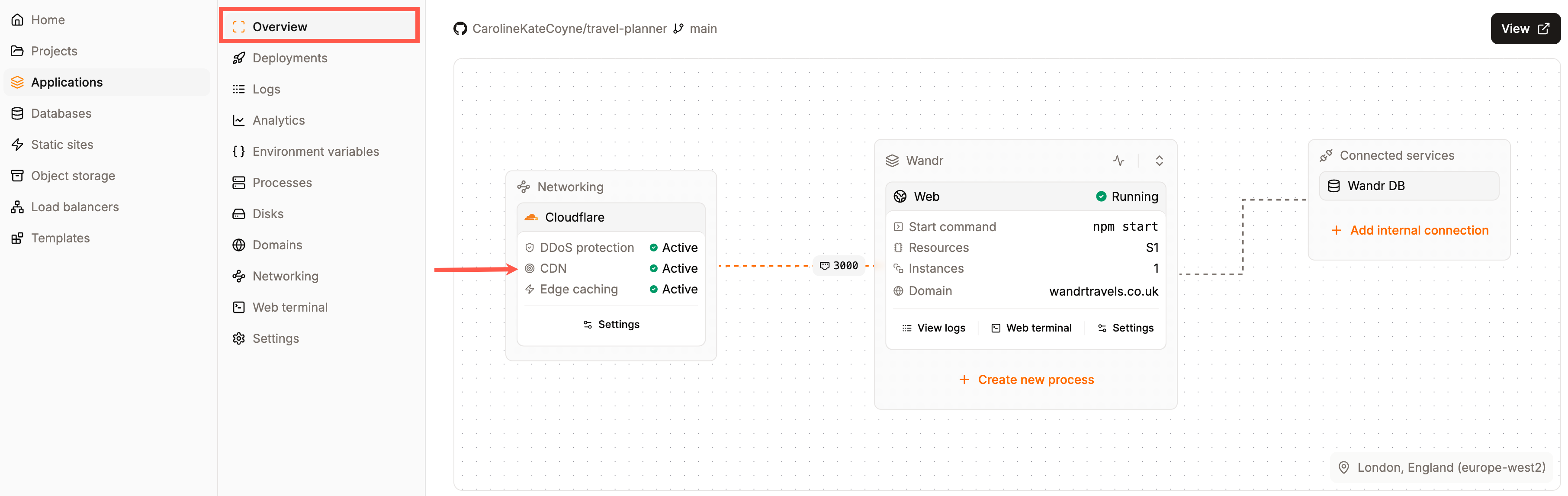
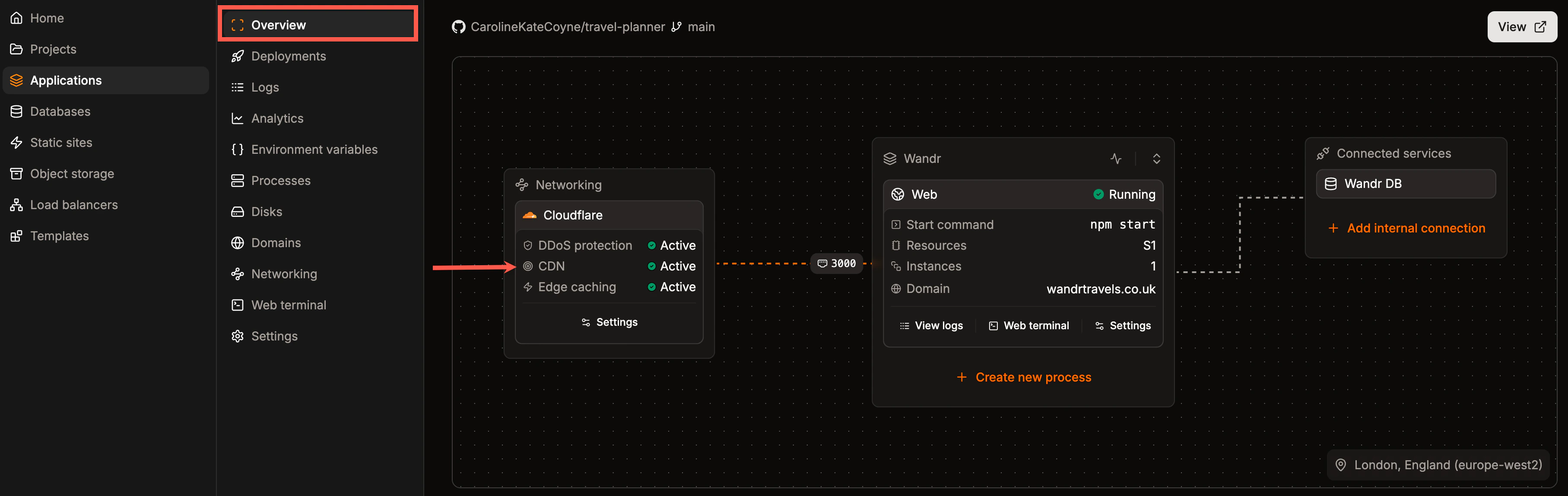 ## Enable or disable Sevalla's CDN
To enable the CDN within Sevalla, click **Applications** > **app name** > **Networking**, and within **CDN & Edge caching**, click **Update settings**.
## Enable or disable Sevalla's CDN
To enable the CDN within Sevalla, click **Applications** > **app name** > **Networking**, and within **CDN & Edge caching**, click **Update settings**.

 To enable the CDN, select **CDN**.
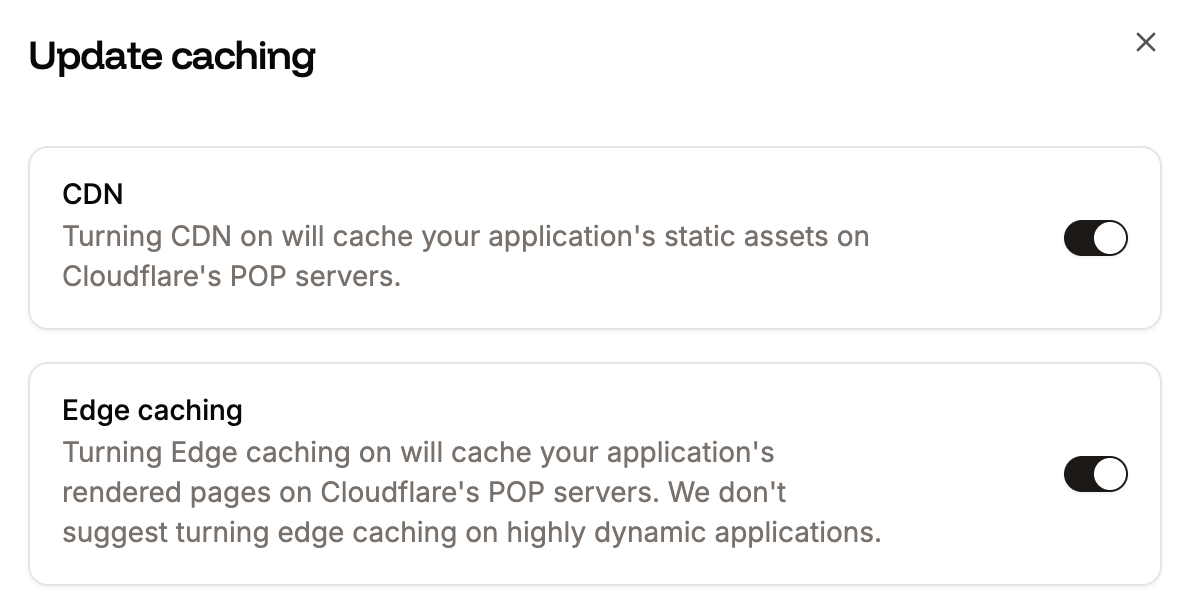
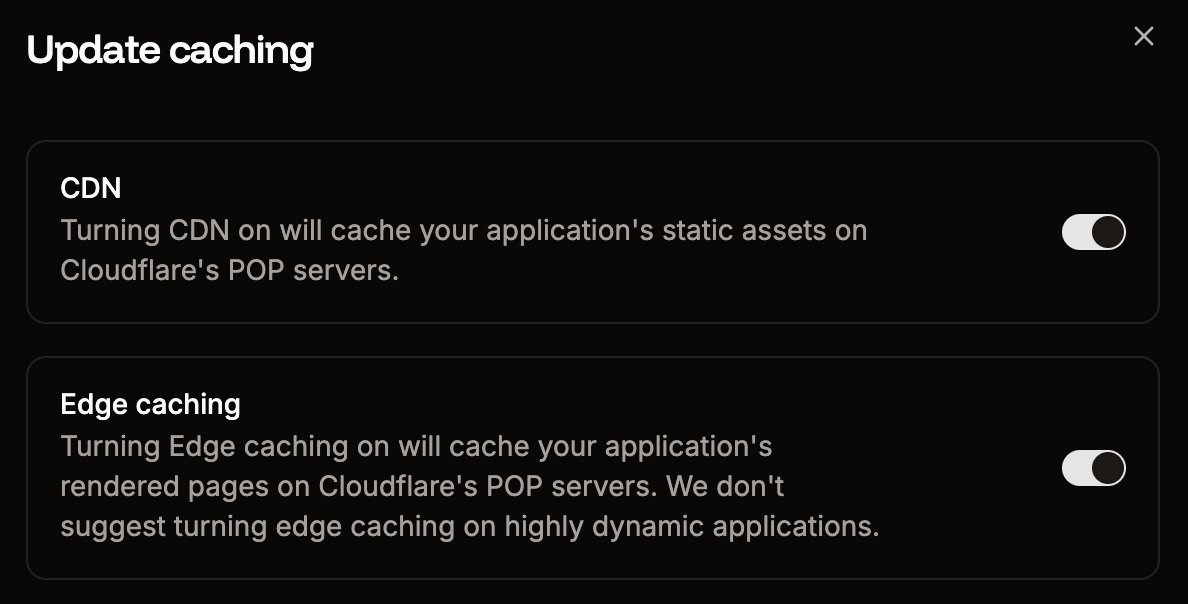 You can also enable or disable the CDN by sending a `POST` request with the [CDN API endpoint](https://api-docs.sevalla.com/v3/applications/toggle-cdn). To access and use the API with your account, you need to generate an API Key under **Integration** > **API keys**.
To use the CDN API endpoint, you need your application's unique ID. You can obtain this programmatically by listing all applications associated with your Sevalla company with the [applications endpoint](https://api-docs.sevalla.com/v3/applications/list-applications), which provides essential details about each application.
## File types cached by Sevalla's CDN
Files are cached based on the file extension, not the MIME type. We **do not** cache requests or responses containing the `Authorization` header.
| 7z | afm | apk | avi | avif | bmp | bz2 | cff |
| :---- | :----- | :--- | :-- | :--- | :--- | :--- | :--- |
| css | cur | data | dmg | doc | docx | eot | epub |
| exe | ffil | flac | flv | gif | glb | gz | heic |
| heif | ico | img | iso | jfif | jpeg | jpg | js |
| json | lottie | lwfn | m4a | m4v | map | md | mid |
| midi | mkv | mov | mp3 | mp4 | mpga | odp | ods |
| odt | ogg | ogv | otf | pdf | pfb | pfm | png |
| ppt | pptx | pro | qt | rar | rtf | scss | std |
| svg | svgz | tar | tgz | tif | tiff | ts | ttf |
| txt | usdz | wasm | wav | webm | webp | wmv | woff |
| woff2 | xls | xlsx | xml | xsf | zip | zst | |
## Clear the CDN cache
To clear the CDN cache, within Sevalla, click **Applications** > **app name** > **Networking**, and within **CDN & Edge caching**, click **Purge cache**. If both CDN and edge caching are enabled, purging the cache will apply to both.
You can also enable or disable the CDN by sending a `POST` request with the [CDN API endpoint](https://api-docs.sevalla.com/v3/applications/toggle-cdn). To access and use the API with your account, you need to generate an API Key under **Integration** > **API keys**.
To use the CDN API endpoint, you need your application's unique ID. You can obtain this programmatically by listing all applications associated with your Sevalla company with the [applications endpoint](https://api-docs.sevalla.com/v3/applications/list-applications), which provides essential details about each application.
## File types cached by Sevalla's CDN
Files are cached based on the file extension, not the MIME type. We **do not** cache requests or responses containing the `Authorization` header.
| 7z | afm | apk | avi | avif | bmp | bz2 | cff |
| :---- | :----- | :--- | :-- | :--- | :--- | :--- | :--- |
| css | cur | data | dmg | doc | docx | eot | epub |
| exe | ffil | flac | flv | gif | glb | gz | heic |
| heif | ico | img | iso | jfif | jpeg | jpg | js |
| json | lottie | lwfn | m4a | m4v | map | md | mid |
| midi | mkv | mov | mp3 | mp4 | mpga | odp | ods |
| odt | ogg | ogv | otf | pdf | pfb | pfm | png |
| ppt | pptx | pro | qt | rar | rtf | scss | std |
| svg | svgz | tar | tgz | tif | tiff | ts | ttf |
| txt | usdz | wasm | wav | webm | webp | wmv | woff |
| woff2 | xls | xlsx | xml | xsf | zip | zst | |
## Clear the CDN cache
To clear the CDN cache, within Sevalla, click **Applications** > **app name** > **Networking**, and within **CDN & Edge caching**, click **Purge cache**. If both CDN and edge caching are enabled, purging the cache will apply to both.

 You can also clear the CDN cache by sending a `POST` request with the [clear-cache API endpoint](https://api-docs.sevalla.com/v3/applications/purge-edge-cache). If you have enabled [Edge Caching](/applications/edge-caching/), this also clears the Edge Cache.
Clearing the CDN Cache in all of Cloudflare's data centers may take 2-5 minutes to fully complete.
You can also clear the CDN cache by sending a `POST` request with the [clear-cache API endpoint](https://api-docs.sevalla.com/v3/applications/purge-edge-cache). If you have enabled [Edge Caching](/applications/edge-caching/), this also clears the Edge Cache.
Clearing the CDN Cache in all of Cloudflare's data centers may take 2-5 minutes to fully complete.