> ## Documentation Index
> Fetch the complete documentation index at: https://docs.sevalla.com/llms.txt
> Use this file to discover all available pages before exploring further.
> ## Agent Instructions
> These are the docs for Sevalla, a platform for deploying applications, databases, static sites, object storage and load balancers. The dashboard is at https://app.sevalla.com.
> Bold text in steps is an exact dashboard label.
> To act on a Sevalla account, prefer the Sevalla MCP server (https://mcp.sevalla.com/mcp, see https://docs.sevalla.com/ai-agents/overview.md), then the Sevalla CLI (https://docs.sevalla.com/developer-tools/cli.md), then the REST API (https://api-docs.sevalla.com, OpenAPI spec at https://api.sevalla.com/v3/openapi.json).
> Every page index is at https://docs.sevalla.com/llms.txt.
# Create an application
> Create an application from a private or public Git repository: every field of the create form, the defaults Sevalla sets, the cost summary, and the first deployment.
Creating an application connects a Git repository (or a Docker image) to Sevalla, sets where it runs and how big its web process is, and gives it a `sevalla.app` domain. Creating it doesn't deploy it: you start the first deployment from the application's page. This page covers Git sources; for a prebuilt image, see [Deploy a Docker image](/applications/docker-images).
## Before you begin
* Add a valid payment method to the company on the [Billing](https://app.sevalla.com/billing) page. Without one, Sevalla rejects the application with `No valid payment method found. Add one at https://app.sevalla.com/billing/payment-methods to continue.`
* For a private repository, have an account on GitHub, GitLab or Bitbucket with access to it. You connect it during the steps; see [Git providers](/git/overview).
* You need permission to create applications in the company, or in the project you'll put the application in.
## Create the application
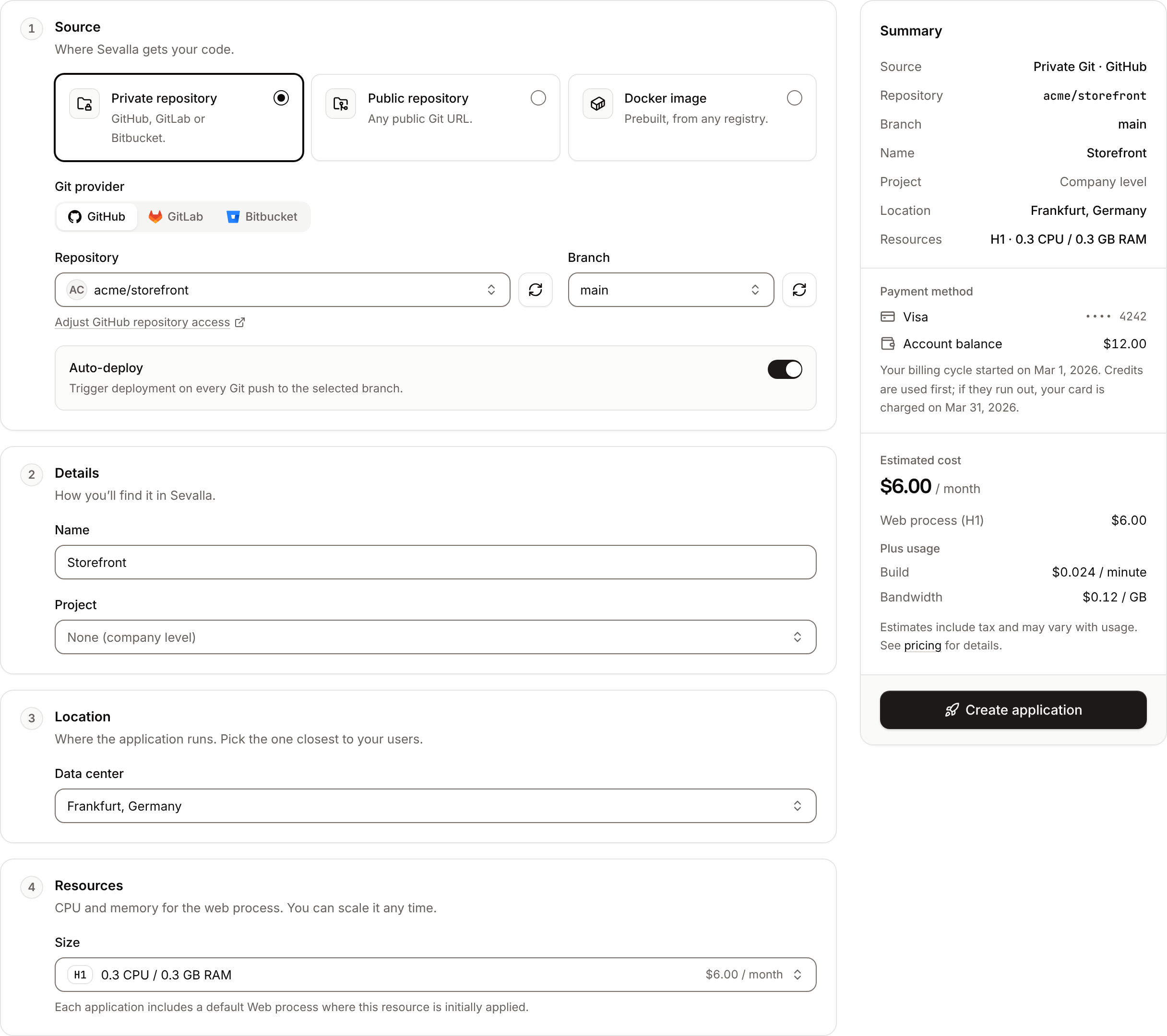
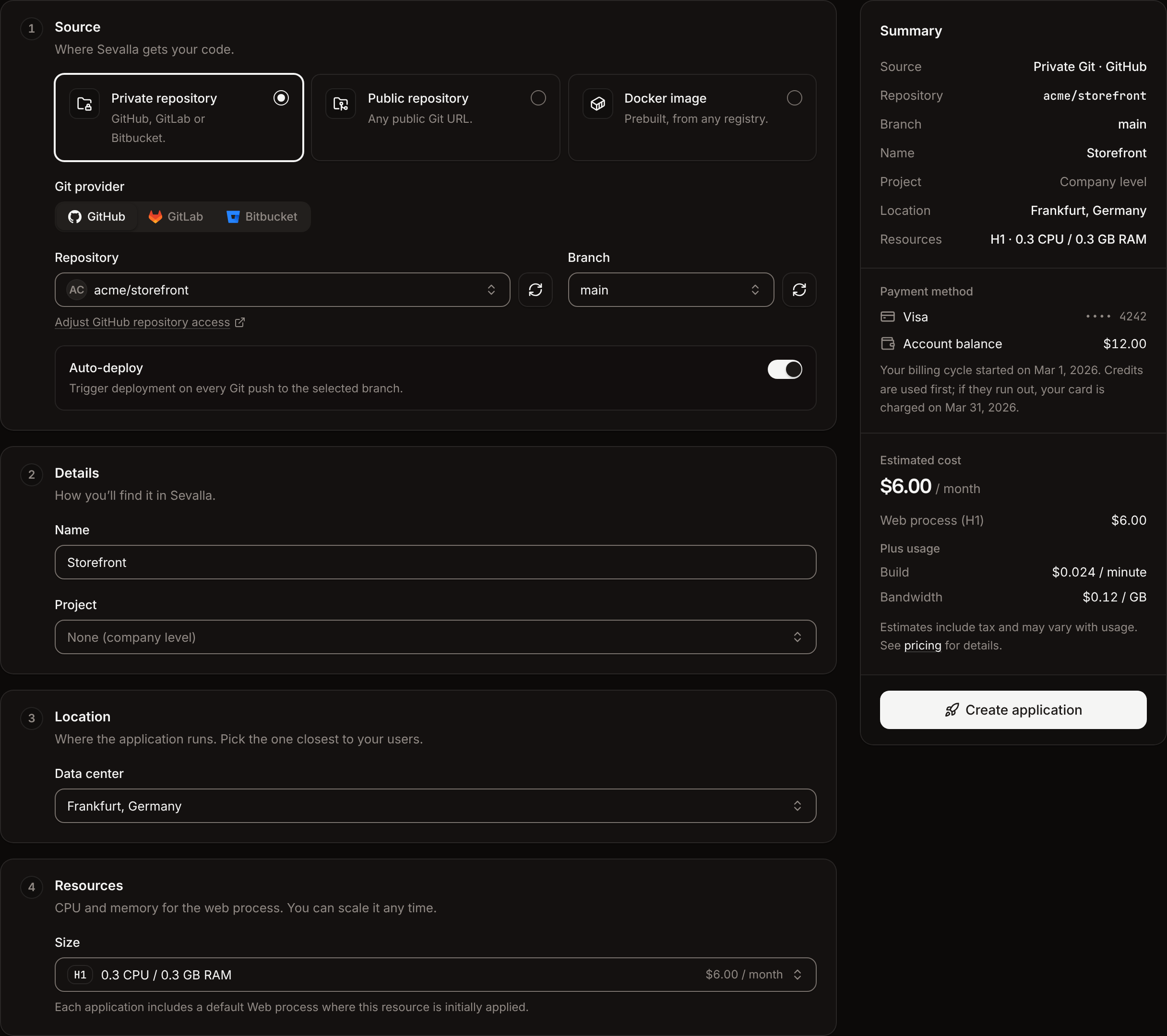
In the sidebar, click **Applications**, then click **Create** > **Application**. If the company has no applications yet, click **Create an application**.
Under **Source**, click **Private repository** for a repository on your GitHub, GitLab or Bitbucket account, or **Public repository** for any public Git URL.
For a private repository, click the **Git provider** (**GitHub**, **GitLab** or **Bitbucket**). If it isn't connected yet, click **Connect to GitHub** (or GitLab, Bitbucket), finish in the new tab, and the form picks up the connection. Choose the **Repository** and the **Branch**.
For a public repository, enter the **Repository URL**, for example `https://github.com/acme/storefront`, and the **Branch**, for example `main`.
Under **Details**, check the **Name**. It starts as the repository's name. If your company has projects, choose a **Project** or **None (company level)**.
Under **Location**, choose the **Data center** closest to your users and to the databases the application will use.
Under **Resources**, choose the **Size** of the web process.
Check the **Summary** and the estimated cost, then click **Create application**.
The application opens on its **Overview** tab with the status **Not deployed yet**. To deploy it, click **Deploy now** under **Recent deployments** (or on the **Deployments** tab), check the branch, and click **Deploy**. When the deployment's status changes to **Deployed**, the application's status changes to **Running**: click the domain under its name to open it. See [Deployments](/applications/deployments) to follow the build.
 ## Form fields
### Source
| Field | What it is | Default |
| - | - | - |
| Source | **Private repository** (GitHub, GitLab or Bitbucket), **Public repository** (any public Git URL) or **Docker image** (see [Deploy a Docker image](/applications/docker-images)) | **Private repository** |
| **Git provider** | Private repositories only: **GitHub**, **GitLab** or **Bitbucket**. Switching provider clears the repository and branch. | **GitHub** |
| **Repository** | Private repositories only: a repository from your connected account, searchable by `organization/name`. The refresh button reloads the list after you create a repository or grant access to one. | None |
| **Branch** | The branch Sevalla deploys by default. For private repositories, a list of the repository's branches. | `main`, else `master` |
| **Repository URL** | Public repositories only: the repository's URL, for example `https://github.com/acme/storefront`. Sevalla sets the Git provider from the host: `gitlab.com` is GitLab, `bitbucket.org` is Bitbucket, anything else is GitHub. | None |
| **Auto-deploy** | Private repositories only. The switch is on by default, but Sevalla doesn't apply it: every new application starts with automatic deployments off. Turn them on from the **Settings** tab after you create the application. See [automatic deployments](/applications/deployments#deploy-automatically-on-push). | On (not applied) |
For GitHub, **Adjust GitHub repository access** under the repository list opens GitHub, where you choose which repositories the Kinsta GitHub App can read. Public repositories don't need a connected account, but they can't deploy automatically on push.
A new application doesn't deploy on push, whatever the **Auto-deploy** switch shows. To deploy every push to the branch, open the application's **Settings** tab, click **Update auto-deploy** in the **Auto-deploy** section, turn on **Auto-deploy**, and click **Update auto-deploy**. The section's **Status** then reads **Enabled**.
### Details
| Field | What it is | Rules |
| - | - | - |
| **Name** | The display name in the dashboard. It follows the repository you pick until you type your own. | Required, 2 to 64 characters, not only digits |
| **Project** | Shown when the company has projects. The project the application belongs to, or **None (company level)**. | Required if you can create applications only inside projects |
Sevalla also derives the application's permanent **Name** (used in its hostname and in URLs) from the display name: lowercase, special characters removed, spaces turned into hyphens, cut to 27 characters, plus a random suffix, for example `storefront-x7k2m`. The application's default domain is `.sevalla.app`. You can update the display name later; the permanent name never changes.
### Location
| Field | What it is | Default |
| - | - | - |
| **Data center** | Where the application's processes run. Recently used locations come first, then every location by continent. | The location closest to you, by your time zone |
The location can't be changed after you create the application. [Internal connections](/applications/networking) to databases and other applications work only within the same location, so create the application where its database is. See [Choose a location](/platform/locations#choose-a-location).
### Resources
| Field | What it is | Default |
| - | - | - |
| **Size** | CPU and memory for each instance of the web process, grouped as **Hobby**, **Standard**, **CPU optimized** and **Memory optimized**, with the monthly price of each | **H1** (0.3 vCPU, 0.3 GB) |
The web process starts with 1 instance. You can change its size, add instances or turn on autoscaling at any time; see [Scaling](/applications/scaling). A web process on the **H1** size can't have [custom domains](/domains/overview): move it to a larger size first.
### Summary
The **Summary** card repeats what will be created (**Source**, **Repository**, **Branch**, **Name**, **Project**, **Location**, **Resources**), shows the company's **Payment method**, and the **Estimated cost**:
* The monthly price of the web process at the chosen size.
* **Plus usage**: **Build** time per minute (Git sources only) and **Bandwidth** per GB.
Estimates include tax. See [Pricing](/billing/pricing) for every price.
## What Sevalla sets up
A new application from a Git repository starts with these settings. Change any of them before or after the first deployment.
| Setting | Value | Change it on |
| - | - | - |
| Processes | One web process named **Web**, 1 instance, listening on port `8080`, with the start command detected by the build | [Processes](/applications/processes) |
| Build strategy | Nixpacks 1.41, built from the repository root, build cache on | [Builds](/applications/builds/overview) |
| Git LFS | On | [Settings](/applications/settings#git-lfs) |
| Domain | `.sevalla.app` | [Custom domains](/domains/overview) |
| Environment variables | None | [Environment variables](/applications/environment-variables) |
Your application must listen on the port in the `PORT` environment variable, which Sevalla sets to the web process's port. Add the environment variables your build and your application need before the first deployment, so the first build has them.
## Troubleshoot creating an application
| Message or symptom | Cause | Fix |
| - | - | - |
| `No valid payment method found. Add one at https://app.sevalla.com/billing/payment-methods to continue.` | The company has no card, or its card expired. | Add a card on the [Billing](https://app.sevalla.com/billing) page, then create the application again. |
| `Repository not found` | Sevalla can't read the repository: the URL is wrong, the repository is private, or the Git connection has no access to it. | Check the URL. For private repositories, use **Private repository** and grant access to the repository on the provider (for GitHub, **Adjust GitHub repository access**). |
| **Git account blocked** | Fraud prevention blocked the Git account temporarily. | Add a payment method, then contact [support](/support/get-help) with your Git handle. |
| The repository isn't in the list | The repository was created, or access was granted, after the list loaded. | Click the refresh button next to **Repository**. |
| Sizes other than **H1** are locked | The company has no payment method. | Add a payment method on the [Billing](https://app.sevalla.com/billing) page. |
| `Invalid branch name` | The branch name isn't a valid Git branch name. | Enter the branch exactly as it appears in the repository. |
## API and CLI
| Task | API | CLI |
| - | - | - |
| Create an application | [Create application](https://api-docs.sevalla.com/v3/applications/create-application) | `sevalla apps create --name --cluster --source privateGit --repository --branch main` |
| Start the first deployment | [Trigger deployment](https://api-docs.sevalla.com/v3/applications/trigger-deployment) | `sevalla apps deployments trigger ` |
Applications created through the API also start with automatic deployments off; turn them on with [Update application](https://api-docs.sevalla.com/v3/applications/update-application) (`auto_deploy`). To find the `cluster_id` of a location, run `sevalla resources clusters`.
This documentation is built and hosted on [Mintlify](https://mintlify.com), a developer documentation platform.
## Form fields
### Source
| Field | What it is | Default |
| - | - | - |
| Source | **Private repository** (GitHub, GitLab or Bitbucket), **Public repository** (any public Git URL) or **Docker image** (see [Deploy a Docker image](/applications/docker-images)) | **Private repository** |
| **Git provider** | Private repositories only: **GitHub**, **GitLab** or **Bitbucket**. Switching provider clears the repository and branch. | **GitHub** |
| **Repository** | Private repositories only: a repository from your connected account, searchable by `organization/name`. The refresh button reloads the list after you create a repository or grant access to one. | None |
| **Branch** | The branch Sevalla deploys by default. For private repositories, a list of the repository's branches. | `main`, else `master` |
| **Repository URL** | Public repositories only: the repository's URL, for example `https://github.com/acme/storefront`. Sevalla sets the Git provider from the host: `gitlab.com` is GitLab, `bitbucket.org` is Bitbucket, anything else is GitHub. | None |
| **Auto-deploy** | Private repositories only. The switch is on by default, but Sevalla doesn't apply it: every new application starts with automatic deployments off. Turn them on from the **Settings** tab after you create the application. See [automatic deployments](/applications/deployments#deploy-automatically-on-push). | On (not applied) |
For GitHub, **Adjust GitHub repository access** under the repository list opens GitHub, where you choose which repositories the Kinsta GitHub App can read. Public repositories don't need a connected account, but they can't deploy automatically on push.
A new application doesn't deploy on push, whatever the **Auto-deploy** switch shows. To deploy every push to the branch, open the application's **Settings** tab, click **Update auto-deploy** in the **Auto-deploy** section, turn on **Auto-deploy**, and click **Update auto-deploy**. The section's **Status** then reads **Enabled**.
### Details
| Field | What it is | Rules |
| - | - | - |
| **Name** | The display name in the dashboard. It follows the repository you pick until you type your own. | Required, 2 to 64 characters, not only digits |
| **Project** | Shown when the company has projects. The project the application belongs to, or **None (company level)**. | Required if you can create applications only inside projects |
Sevalla also derives the application's permanent **Name** (used in its hostname and in URLs) from the display name: lowercase, special characters removed, spaces turned into hyphens, cut to 27 characters, plus a random suffix, for example `storefront-x7k2m`. The application's default domain is `.sevalla.app`. You can update the display name later; the permanent name never changes.
### Location
| Field | What it is | Default |
| - | - | - |
| **Data center** | Where the application's processes run. Recently used locations come first, then every location by continent. | The location closest to you, by your time zone |
The location can't be changed after you create the application. [Internal connections](/applications/networking) to databases and other applications work only within the same location, so create the application where its database is. See [Choose a location](/platform/locations#choose-a-location).
### Resources
| Field | What it is | Default |
| - | - | - |
| **Size** | CPU and memory for each instance of the web process, grouped as **Hobby**, **Standard**, **CPU optimized** and **Memory optimized**, with the monthly price of each | **H1** (0.3 vCPU, 0.3 GB) |
The web process starts with 1 instance. You can change its size, add instances or turn on autoscaling at any time; see [Scaling](/applications/scaling). A web process on the **H1** size can't have [custom domains](/domains/overview): move it to a larger size first.
### Summary
The **Summary** card repeats what will be created (**Source**, **Repository**, **Branch**, **Name**, **Project**, **Location**, **Resources**), shows the company's **Payment method**, and the **Estimated cost**:
* The monthly price of the web process at the chosen size.
* **Plus usage**: **Build** time per minute (Git sources only) and **Bandwidth** per GB.
Estimates include tax. See [Pricing](/billing/pricing) for every price.
## What Sevalla sets up
A new application from a Git repository starts with these settings. Change any of them before or after the first deployment.
| Setting | Value | Change it on |
| - | - | - |
| Processes | One web process named **Web**, 1 instance, listening on port `8080`, with the start command detected by the build | [Processes](/applications/processes) |
| Build strategy | Nixpacks 1.41, built from the repository root, build cache on | [Builds](/applications/builds/overview) |
| Git LFS | On | [Settings](/applications/settings#git-lfs) |
| Domain | `.sevalla.app` | [Custom domains](/domains/overview) |
| Environment variables | None | [Environment variables](/applications/environment-variables) |
Your application must listen on the port in the `PORT` environment variable, which Sevalla sets to the web process's port. Add the environment variables your build and your application need before the first deployment, so the first build has them.
## Troubleshoot creating an application
| Message or symptom | Cause | Fix |
| - | - | - |
| `No valid payment method found. Add one at https://app.sevalla.com/billing/payment-methods to continue.` | The company has no card, or its card expired. | Add a card on the [Billing](https://app.sevalla.com/billing) page, then create the application again. |
| `Repository not found` | Sevalla can't read the repository: the URL is wrong, the repository is private, or the Git connection has no access to it. | Check the URL. For private repositories, use **Private repository** and grant access to the repository on the provider (for GitHub, **Adjust GitHub repository access**). |
| **Git account blocked** | Fraud prevention blocked the Git account temporarily. | Add a payment method, then contact [support](/support/get-help) with your Git handle. |
| The repository isn't in the list | The repository was created, or access was granted, after the list loaded. | Click the refresh button next to **Repository**. |
| Sizes other than **H1** are locked | The company has no payment method. | Add a payment method on the [Billing](https://app.sevalla.com/billing) page. |
| `Invalid branch name` | The branch name isn't a valid Git branch name. | Enter the branch exactly as it appears in the repository. |
## API and CLI
| Task | API | CLI |
| - | - | - |
| Create an application | [Create application](https://api-docs.sevalla.com/v3/applications/create-application) | `sevalla apps create --name --cluster --source privateGit --repository --branch main` |
| Start the first deployment | [Trigger deployment](https://api-docs.sevalla.com/v3/applications/trigger-deployment) | `sevalla apps deployments trigger ` |
Applications created through the API also start with automatic deployments off; turn them on with [Update application](https://api-docs.sevalla.com/v3/applications/update-application) (`auto_deploy`). To find the `cluster_id` of a location, run `sevalla resources clusters`.
This documentation is built and hosted on [Mintlify](https://mintlify.com), a developer documentation platform.