> ## Documentation Index
> Fetch the complete documentation index at: https://docs.sevalla.com/llms.txt
> Use this file to discover all available pages before exploring further.
# Edge caching
> Optimize your content delivery using edge caching strategies.
Edge Caching saves your Sevalla site/page cache (which is only saved to your site's data center) to any of Cloudflare's global network of 260+ data centers. When your visitors load your application in their browser, cached responses will be delivered from the location closest to them, increasing the performance and speed of your application.
Edge Caching serves your Sevalla site/page cache but does not serve static assets like images, JavaScript files, and CSS files. Sevalla's [CDN](/applications/cdn/), which is independent of Edge Caching, can be enabled to serve your static assets. If Sevalla CDN is enabled, your site has an additional caching layer managed separately from Edge Caching. When you clear the Edge Cache for applications, this also clears the CDN cache.
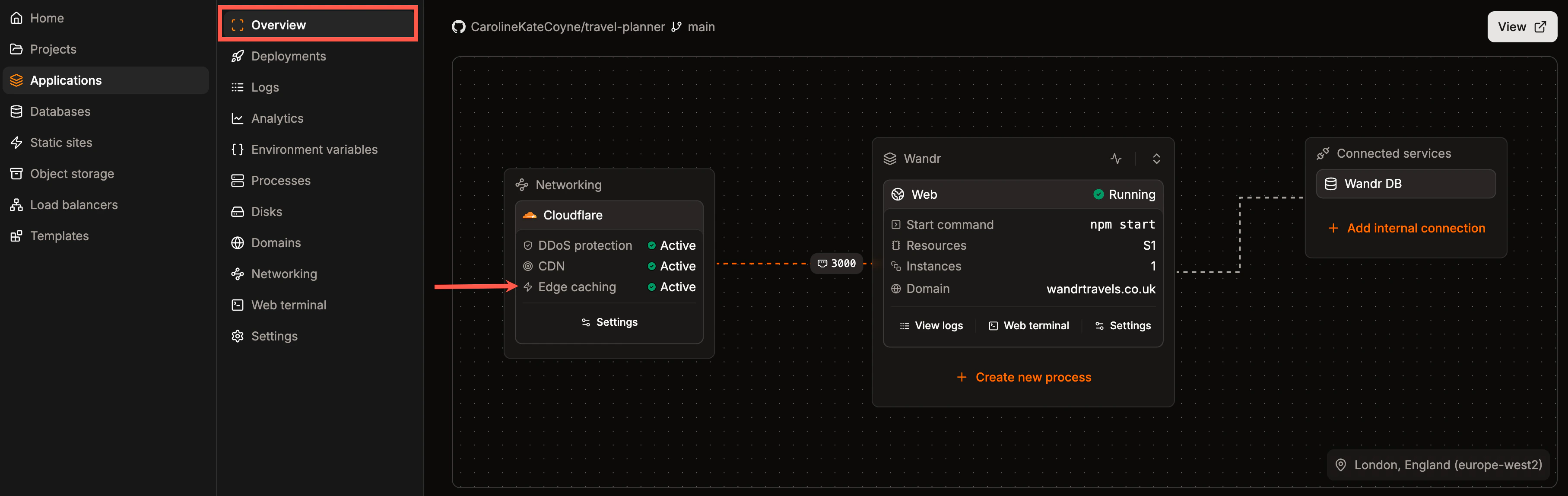
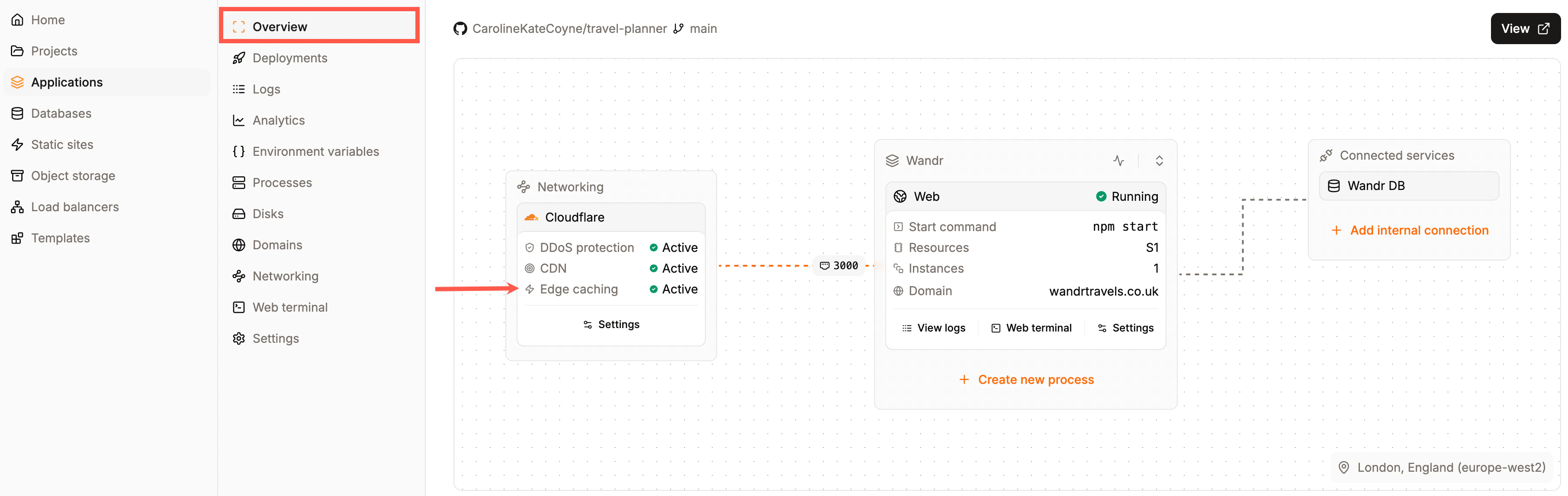
Edge Caching is **not** enabled by default on Application Hosting. The application's **Overview** page shows if Edge Caching is enabled or disabled.
 ## Enable or disable edge caching
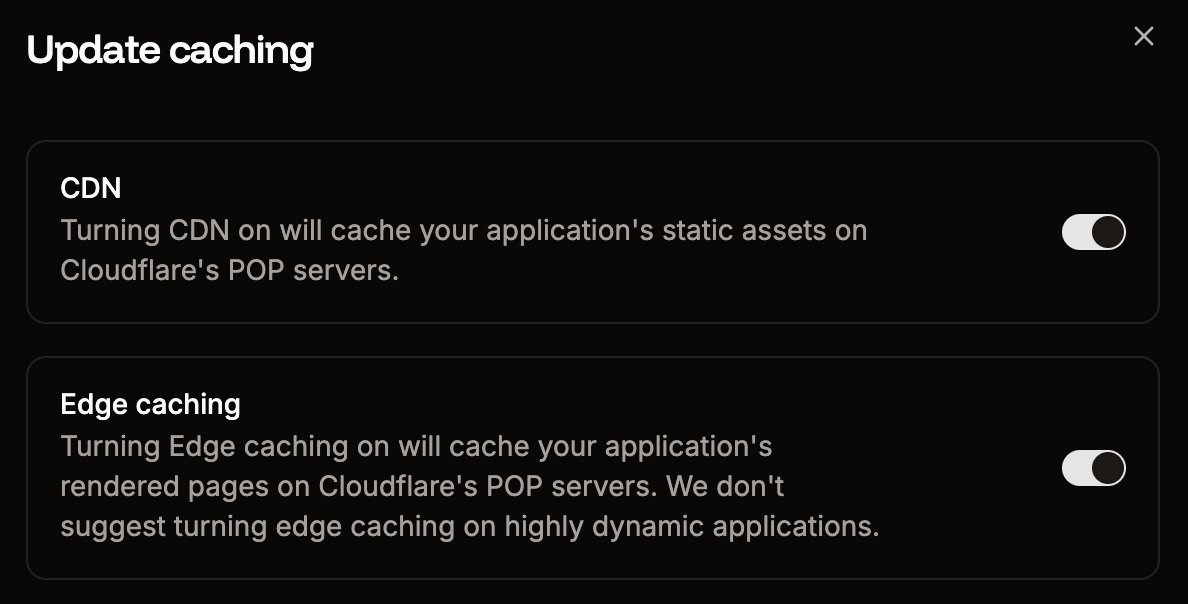
To enable edge caching within Sevalla, click **Applications** > **app name** > **Networking**, and within **CDN & Edge caching**, click **Update settings**.
## Enable or disable edge caching
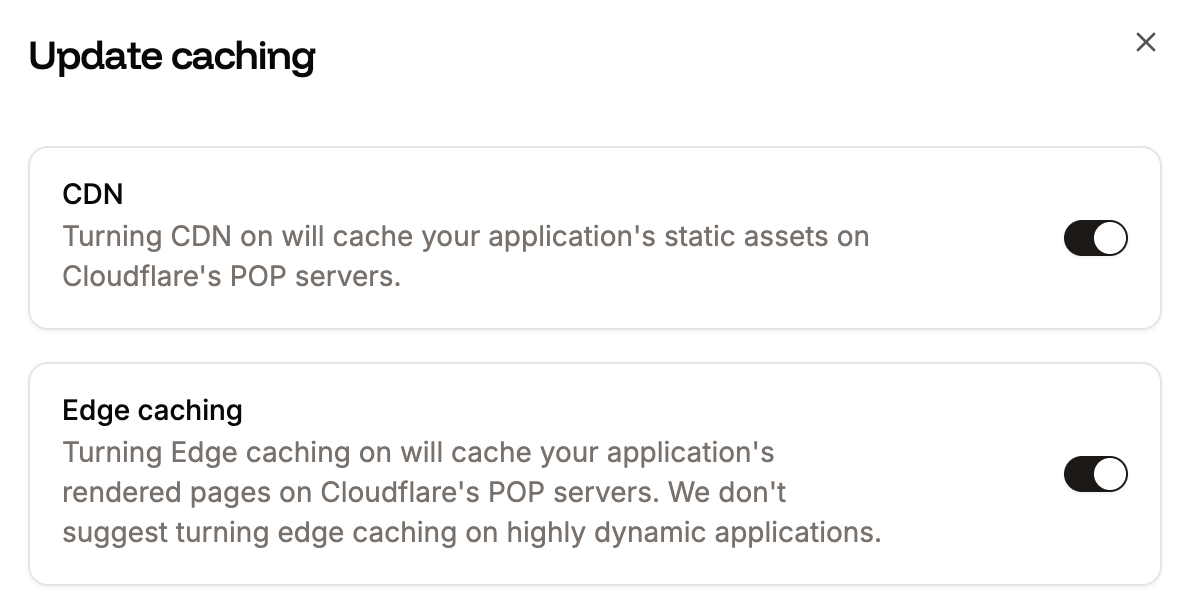
To enable edge caching within Sevalla, click **Applications** > **app name** > **Networking**, and within **CDN & Edge caching**, click **Update settings**.

 To enable edge caching, select **Edge caching**.
 ## Clear edge cache
To clear the edge cache, within Sevalla, click **Applications** > **app name** > **Networking**, and within **CDN & Edge caching**, click **Purge cache**. If both CDN and edge caching are enabled, purging the cache will apply to both.
## Clear edge cache
To clear the edge cache, within Sevalla, click **Applications** > **app name** > **Networking**, and within **CDN & Edge caching**, click **Purge cache**. If both CDN and edge caching are enabled, purging the cache will apply to both.

 You can also clear the Edge Cache by sending a `POST` request with the [clear-cache API endpoint](https://api-docs.sevalla.com/v3/applications/purge-edge-cache). If you have enabled the [CDN](/applications/cdn/), this also clears the CDN cache.
Clearing Edge Cache in all of Cloudflare's data centers may take 2-5 minutes to fully complete.
You can also clear the Edge Cache by sending a `POST` request with the [clear-cache API endpoint](https://api-docs.sevalla.com/v3/applications/purge-edge-cache). If you have enabled the [CDN](/applications/cdn/), this also clears the CDN cache.
Clearing Edge Cache in all of Cloudflare's data centers may take 2-5 minutes to fully complete.