> ## Documentation Index
> Fetch the complete documentation index at: https://docs.sevalla.com/llms.txt
> Use this file to discover all available pages before exploring further.
# Applications - Environment variables
> Set and manage environment variables for your app configurations.
Environment variables are useful for feeding your application information from outside the running of that application. They are typically used to set things like database connection details and API keys.
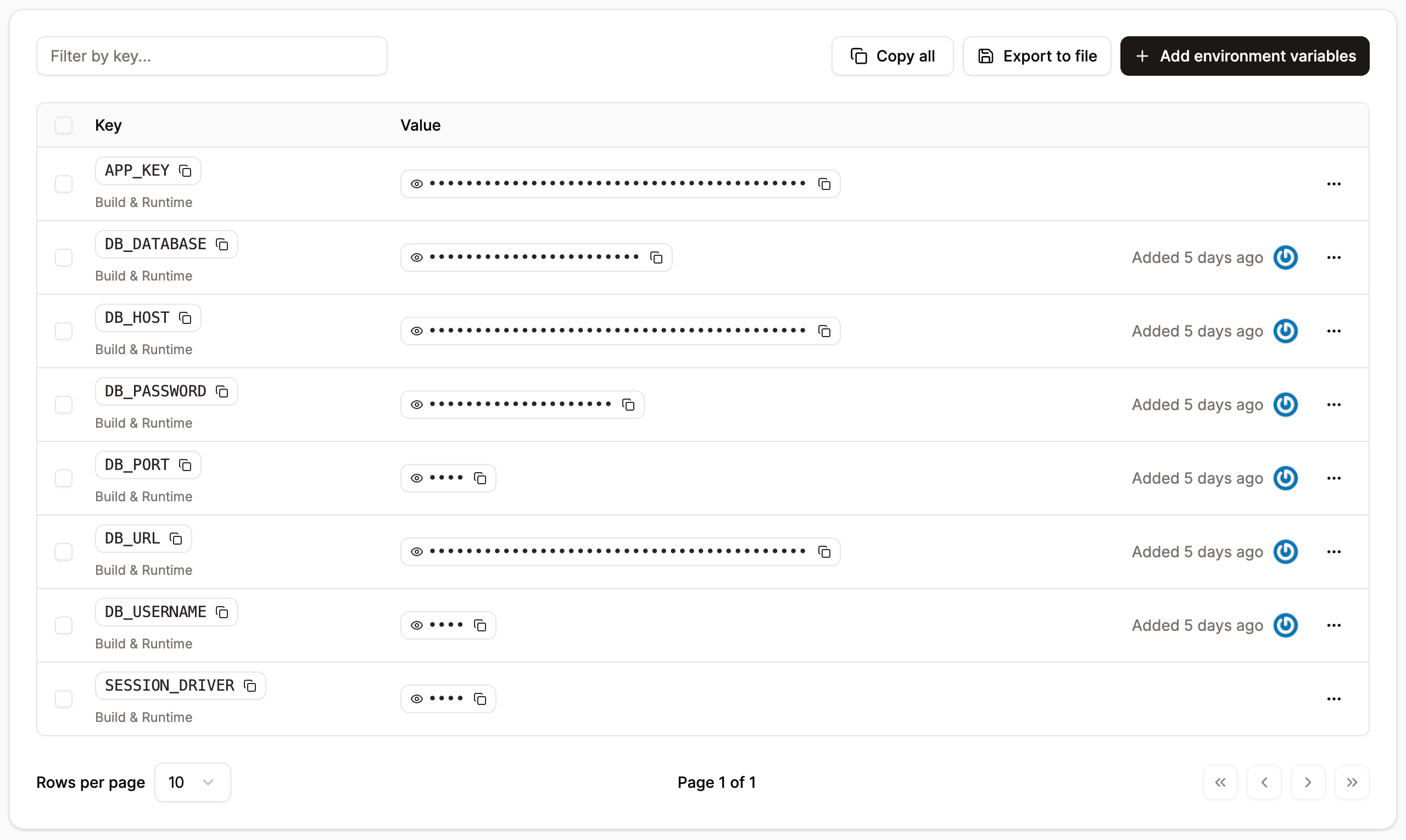
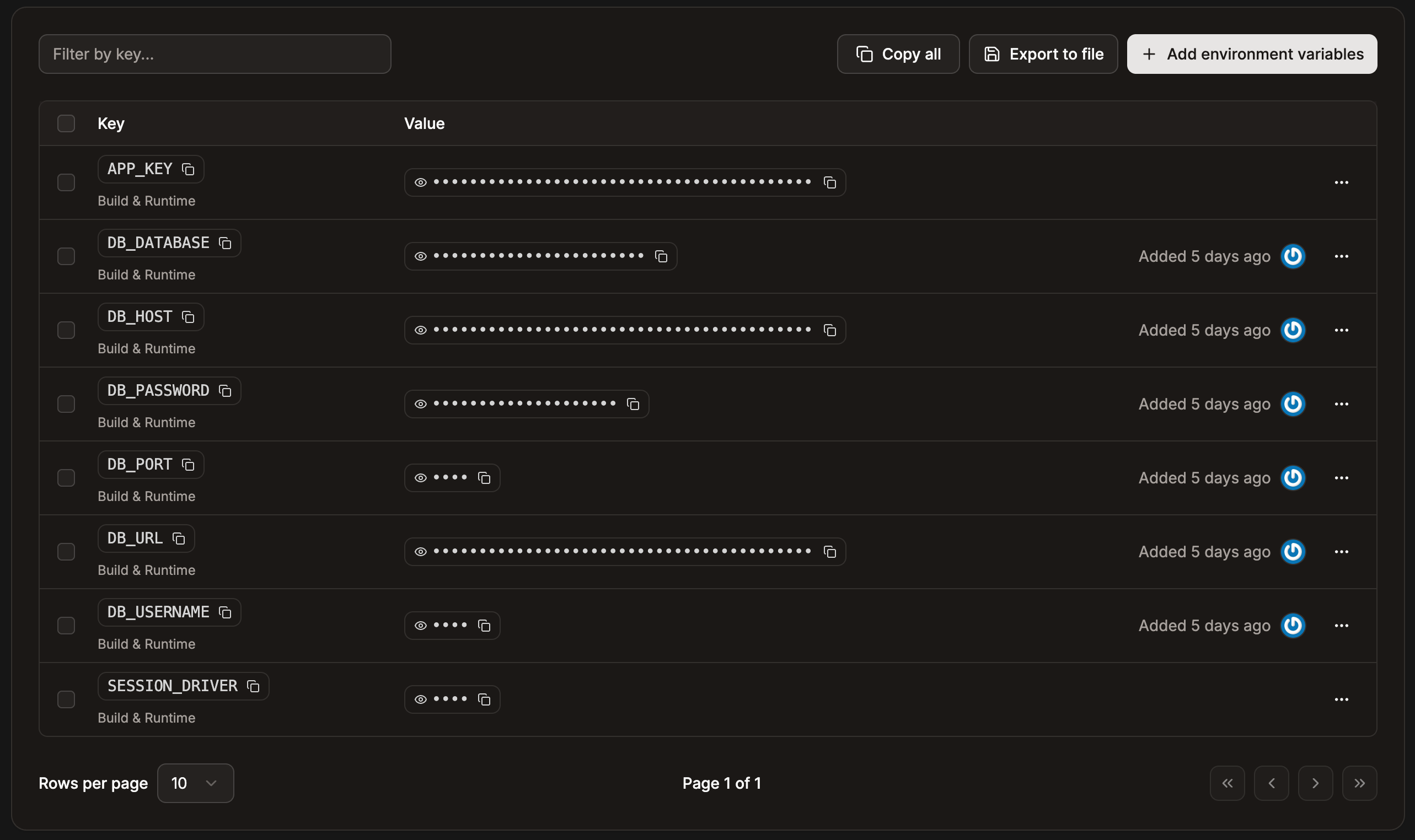
You can access your environment variables within **Applications** > ***app name*** > **Environment variables**.
**Copy all** copies all environment variables, allowing you to paste them elsewhere. **Export to file** exports all the environment variables; if you only want to export certain values, select the required environment variables and then click **Export to file**.
You cannot use a `.env` file to pass environment variables to the application; you must set them in Sevalla. You can import the contents of a `.env` file when you add environment variables.
 ## Special characters in environment variables
In the environment variable keys, you can only use a-z, 0-9, or underscore (`_`). Environment variable values are applied literally, with the exception of parentheses, commas, and double quotes.
### Parentheses
Parentheses can cause the build or rollout process to fail, depending on when they are available during deployment. They cannot be used in environment variables.
### Commas
Unescaped [commas are interpreted as delimiters](/applications/troubleshooting/failed-deployment#environment-variables) and cannot be used in environment variables.
* For example: `write_stock,read_orders` will cause the rollout process to fail.
* To keep a comma inside a string, escape it with a backslash (`\`) like this: `write_stock\,read_orders` — which will be applied as `write_stock,read_orders`.
### Double quotes
Unescaped double quotes are either disregarded or will cause the rollout process to fail.
* For example, `"my_example_variable"` will be applied as `my_example_variable`.
* To keep double quotes around a variable, escape them with a backslash (`\`) like this: `\"my_example_var\"` — which will be applied as `"my_example_var"`.
* If double quotes are inside of a string (e.g. `my_exampl"e_text`), the [rollout process will fail](/applications/troubleshooting/failed-deployment).
* To keep double quotes inside a string, escape them with a backslash (`\`) like this: `my_examp\"le_var` — which will be applied as `my_examp"le_var`.
### Base64 encoded variables
If your environment variable is Base64 encoded and you experience issues (e.g. 500 errors in the browser, build errors, runtime errors, etc.), try wrapping the value of the variable with single quotes.
## Add environment variables
If you use a Dockerfile to build your application and you want the environment variable to be available during build time, you must add ARG ENVVAR\_XY to your Dockerfile, where ENVVAR\_XY is the environment variable. For example, if your environment variable is DB\_CONNECTION\_URL you would need to add ARG DB\_CONNECTION\_URL.
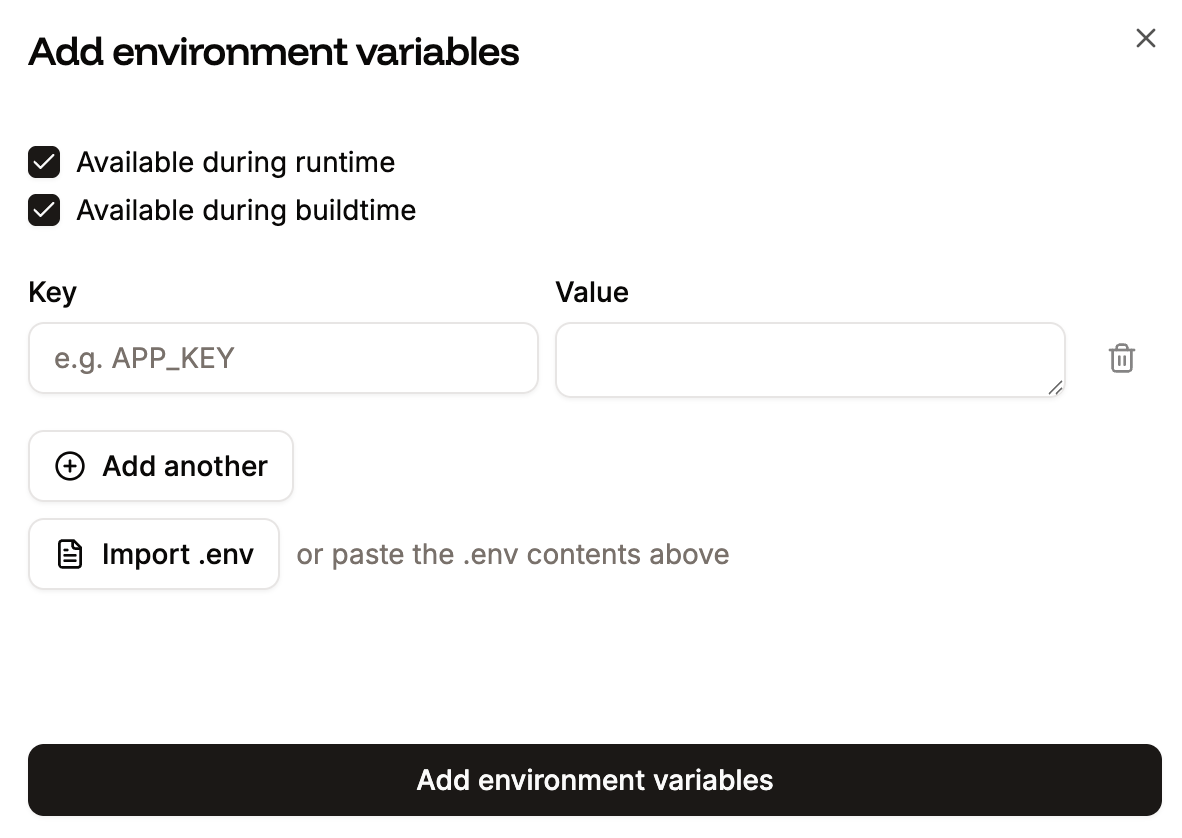
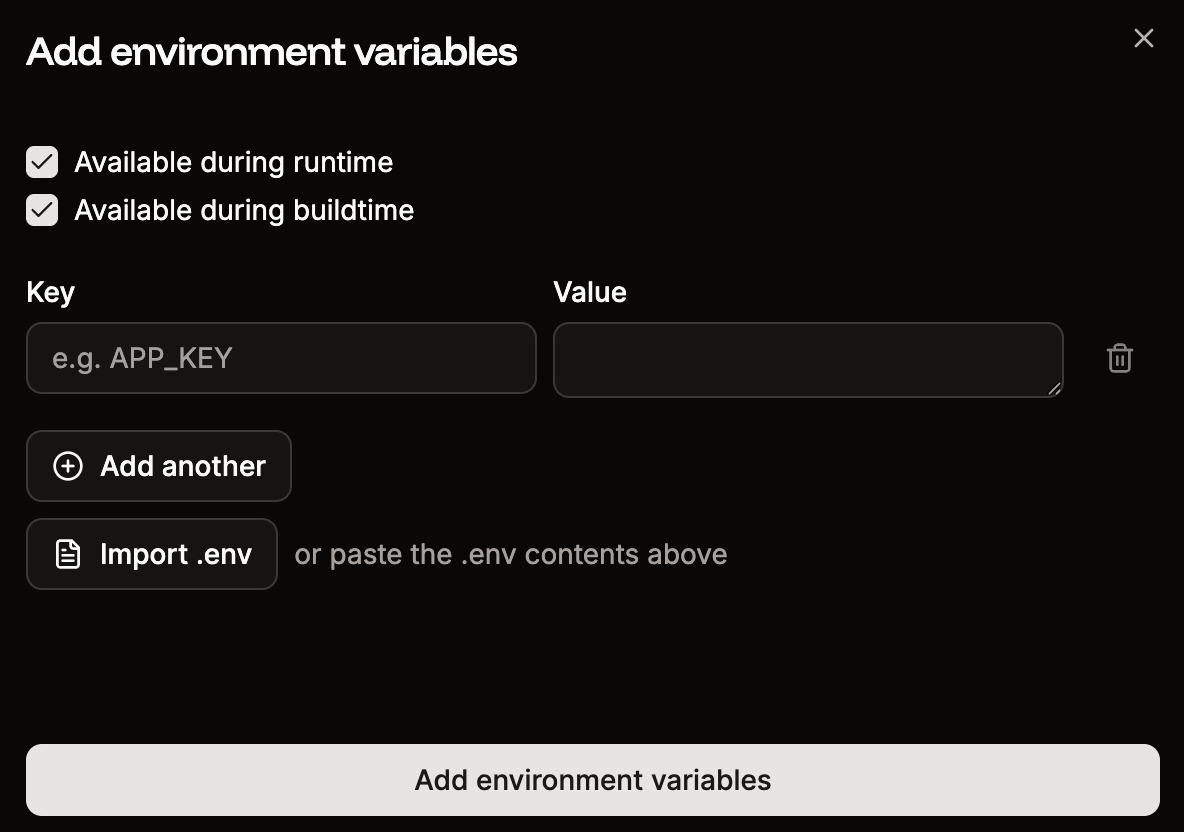
To add environment variables, click **Add environment variables**. Add the key-value pairs in the **Add environment variable** modal/pop-up window, select if the variables are to be available during runtime and/or the build process, and click **Add environment variables**.
You can reference another environment variable using the `${key}` format. For example, to reference an environment variable with the key `DB_PASSWORD` use `${DB_PASSWORD}`.
To add multiple environment variables, copy the keys and values using CMD + C (Mac) or CTRL + C (Windows), and in the **Add environment variable** window, press CMD + V (Mac) or CTRL + V (Windows). You can also paste the contents of a `.env` file or import the `.env` file using **Import .env**.
## Special characters in environment variables
In the environment variable keys, you can only use a-z, 0-9, or underscore (`_`). Environment variable values are applied literally, with the exception of parentheses, commas, and double quotes.
### Parentheses
Parentheses can cause the build or rollout process to fail, depending on when they are available during deployment. They cannot be used in environment variables.
### Commas
Unescaped [commas are interpreted as delimiters](/applications/troubleshooting/failed-deployment#environment-variables) and cannot be used in environment variables.
* For example: `write_stock,read_orders` will cause the rollout process to fail.
* To keep a comma inside a string, escape it with a backslash (`\`) like this: `write_stock\,read_orders` — which will be applied as `write_stock,read_orders`.
### Double quotes
Unescaped double quotes are either disregarded or will cause the rollout process to fail.
* For example, `"my_example_variable"` will be applied as `my_example_variable`.
* To keep double quotes around a variable, escape them with a backslash (`\`) like this: `\"my_example_var\"` — which will be applied as `"my_example_var"`.
* If double quotes are inside of a string (e.g. `my_exampl"e_text`), the [rollout process will fail](/applications/troubleshooting/failed-deployment).
* To keep double quotes inside a string, escape them with a backslash (`\`) like this: `my_examp\"le_var` — which will be applied as `my_examp"le_var`.
### Base64 encoded variables
If your environment variable is Base64 encoded and you experience issues (e.g. 500 errors in the browser, build errors, runtime errors, etc.), try wrapping the value of the variable with single quotes.
## Add environment variables
If you use a Dockerfile to build your application and you want the environment variable to be available during build time, you must add ARG ENVVAR\_XY to your Dockerfile, where ENVVAR\_XY is the environment variable. For example, if your environment variable is DB\_CONNECTION\_URL you would need to add ARG DB\_CONNECTION\_URL.
To add environment variables, click **Add environment variables**. Add the key-value pairs in the **Add environment variable** modal/pop-up window, select if the variables are to be available during runtime and/or the build process, and click **Add environment variables**.
You can reference another environment variable using the `${key}` format. For example, to reference an environment variable with the key `DB_PASSWORD` use `${DB_PASSWORD}`.
To add multiple environment variables, copy the keys and values using CMD + C (Mac) or CTRL + C (Windows), and in the **Add environment variable** window, press CMD + V (Mac) or CTRL + V (Windows). You can also paste the contents of a `.env` file or import the `.env` file using **Import .env**.
 To deploy the changes, click **Deployments** > **Deploy now**.
## Edit environment variables
You can edit variable names (keys) or values on the **Environment variables** page. To edit a variable, click the ellipsis (three dots) and click **Update**, make your changes, and click **Update environment variable**. To deploy the changes, click **Deployments** > **Deploy now**.
When you create an [internal connection](/applications/networking/) and select the **Add environment variables…** checkbox, the variable names (keys) are automatically created. Some applications may expect environment variables with different names. For example, if you want to use a database with Laravel, the **database.php** file contains variable names different from those automatically created in Sevalla. To use the variable names defined in the application, edit each variable as needed and change the key to match what's defined in the **database.php** file.
## Use environment variables
How you use environment variables depends on your application. In Node, for example, you can access a variable named `API_KEY` with `process.env.API_KEY`. In PHP, you would use `getenv('API_KEY')`.
## Environment variables set by Sevalla
The following environment variables are automatically injected into applications during both the **build** and **runtime** phases:
* `SVL_COMPANY_ID`
* `SVL_APP_ID`
* `SVL_APP_NAME`
* `SVL_PROCESS_ID`
* `SVL_PROCESS_TYPE`
* `SVL_DEPLOYMENT_ID`
* `SVL_DEPLOYMENT_INITIATED_BY`
* `SVL_DEPLOYMENT_TRIGGER`
* `SVL_DEPLOYMENT_COMMIT_SHA`
* `SVL_DEPLOYMENT_BRANCH`
* `SVL_DEPLOYMENT_DOCKER_IMAGE`
These variables make it easier to automate tasks, track deployments, and access key deployment metadata directly from within your application.
Sevalla always sets `PORT` as the [port used by the web server](/applications/networking#edit-application-port). If you'd like your application to interact with the web server, you will need to use this environment variable. For example, in Node.js, this is how you would start a server:
```javascript theme={null}
app.listen(process.env.PORT, () => {
console.log("Weather server is up and running")
})
```
## Environment variables not set by Sevalla
By default, the `NODE_ENV` environment variable is **not** set to `production` for Node.js applications, you must add this environment variable manually.
## Environment variable language examples
How you use environment variables depends on your application. The following table shows how to call an environment variable named API\_KEY in various languages:
| Language | Code |
| -------- | --------------------------- |
| Ruby | `ENV["API_KEY"]` |
| Node.js | `process.env.API_KEY;` |
| Python | `os.environ.get('API_KEY')` |
| Java | `System.getenv("API_KEY");` |
| Scala | `System.getenv("API_KEY");` |
| PHP | `getenv('API_KEY');` |
| Go | `os.Getenv("API_KEY")` |
To deploy the changes, click **Deployments** > **Deploy now**.
## Edit environment variables
You can edit variable names (keys) or values on the **Environment variables** page. To edit a variable, click the ellipsis (three dots) and click **Update**, make your changes, and click **Update environment variable**. To deploy the changes, click **Deployments** > **Deploy now**.
When you create an [internal connection](/applications/networking/) and select the **Add environment variables…** checkbox, the variable names (keys) are automatically created. Some applications may expect environment variables with different names. For example, if you want to use a database with Laravel, the **database.php** file contains variable names different from those automatically created in Sevalla. To use the variable names defined in the application, edit each variable as needed and change the key to match what's defined in the **database.php** file.
## Use environment variables
How you use environment variables depends on your application. In Node, for example, you can access a variable named `API_KEY` with `process.env.API_KEY`. In PHP, you would use `getenv('API_KEY')`.
## Environment variables set by Sevalla
The following environment variables are automatically injected into applications during both the **build** and **runtime** phases:
* `SVL_COMPANY_ID`
* `SVL_APP_ID`
* `SVL_APP_NAME`
* `SVL_PROCESS_ID`
* `SVL_PROCESS_TYPE`
* `SVL_DEPLOYMENT_ID`
* `SVL_DEPLOYMENT_INITIATED_BY`
* `SVL_DEPLOYMENT_TRIGGER`
* `SVL_DEPLOYMENT_COMMIT_SHA`
* `SVL_DEPLOYMENT_BRANCH`
* `SVL_DEPLOYMENT_DOCKER_IMAGE`
These variables make it easier to automate tasks, track deployments, and access key deployment metadata directly from within your application.
Sevalla always sets `PORT` as the [port used by the web server](/applications/networking#edit-application-port). If you'd like your application to interact with the web server, you will need to use this environment variable. For example, in Node.js, this is how you would start a server:
```javascript theme={null}
app.listen(process.env.PORT, () => {
console.log("Weather server is up and running")
})
```
## Environment variables not set by Sevalla
By default, the `NODE_ENV` environment variable is **not** set to `production` for Node.js applications, you must add this environment variable manually.
## Environment variable language examples
How you use environment variables depends on your application. The following table shows how to call an environment variable named API\_KEY in various languages:
| Language | Code |
| -------- | --------------------------- |
| Ruby | `ENV["API_KEY"]` |
| Node.js | `process.env.API_KEY;` |
| Python | `os.environ.get('API_KEY')` |
| Java | `System.getenv("API_KEY");` |
| Scala | `System.getenv("API_KEY");` |
| PHP | `getenv('API_KEY');` |
| Go | `os.Getenv("API_KEY")` |