> ## Documentation Index
> Fetch the complete documentation index at: https://docs.sevalla.com/llms.txt
> Use this file to discover all available pages before exploring further.
# Database pricing
> See detailed pricing details for database hosting plans.
[Database Hosting](https://sevalla.com/database-hosting/) pricing is usage-based. You can estimate your monthly costs with the [Sevalla pricing calculator](https://sevalla.com/pricing/calculator/) before you deploy. Billing cycles run from the 1st day of the month to the 1st day of the following month, and we charge your default payment method on the 1st of each month for the previous cycle's usage.
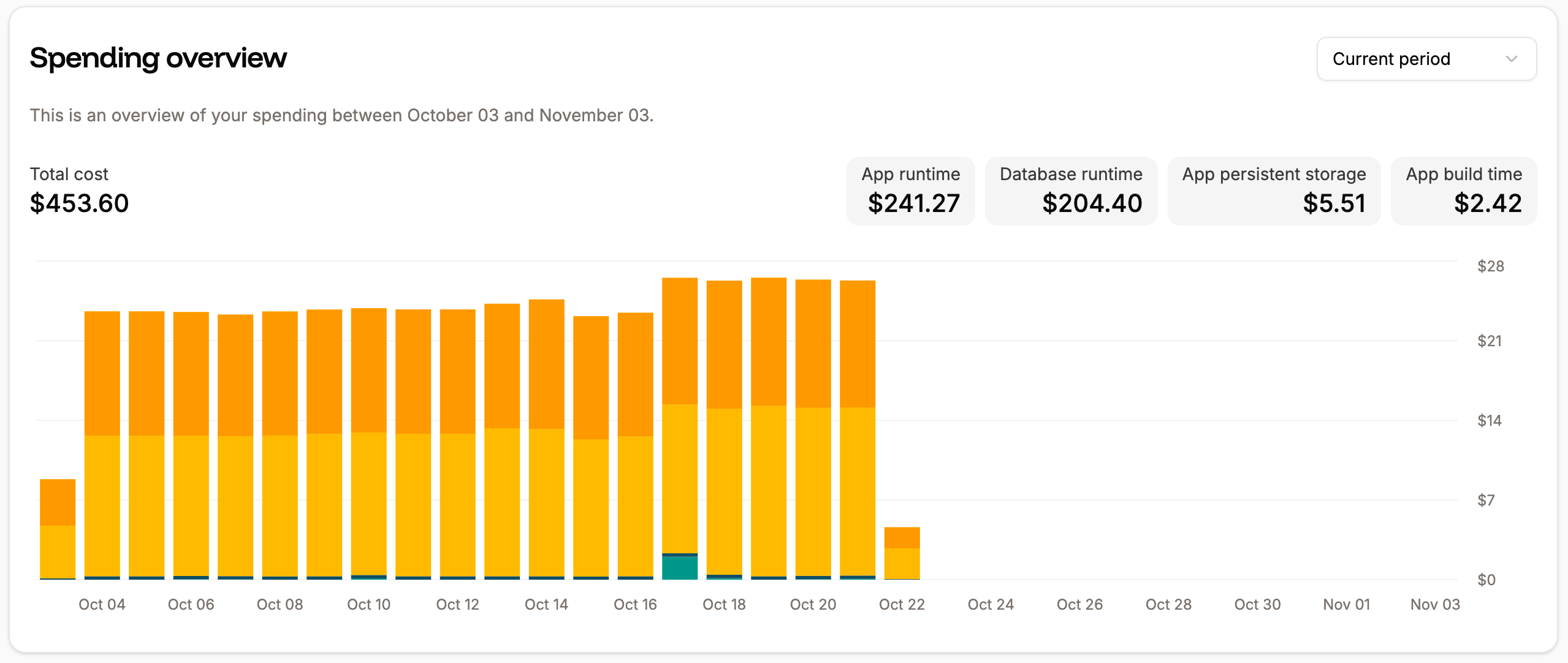
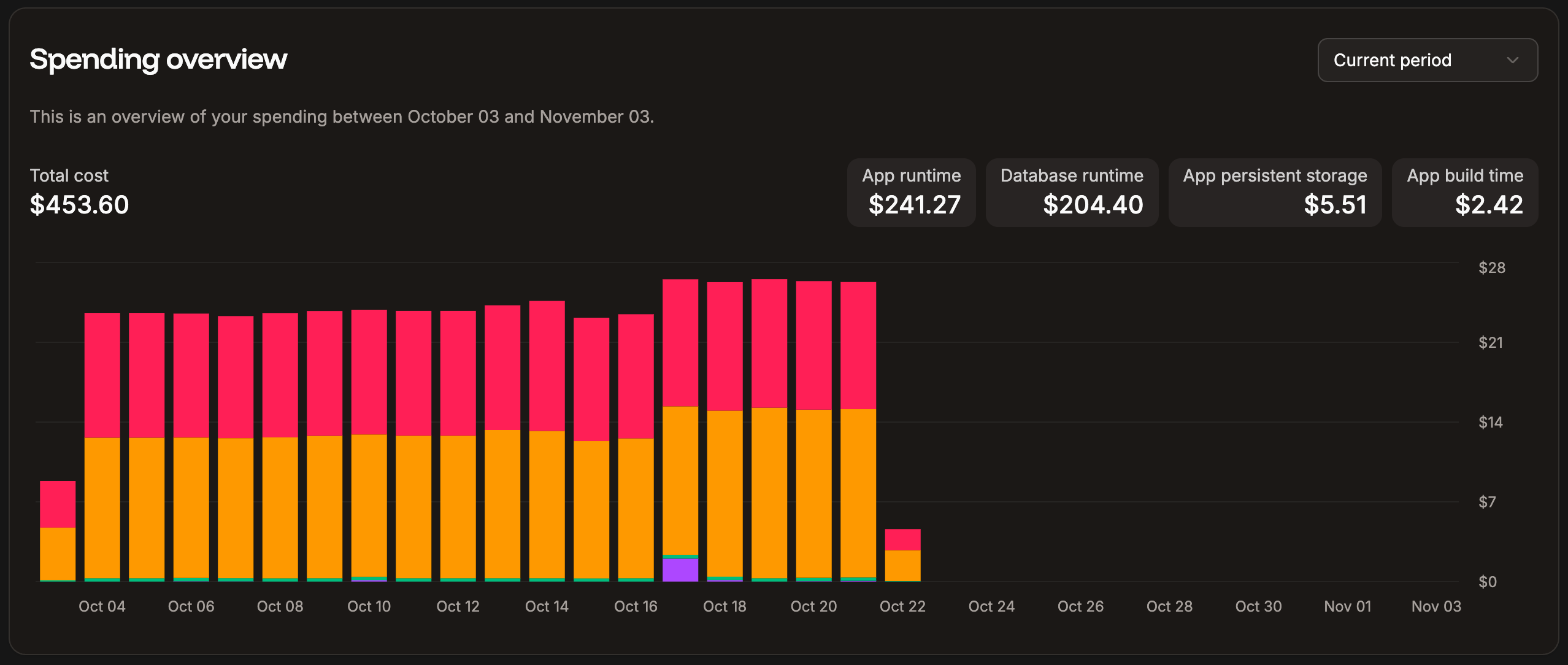
The database billing amounts are included in the **Spending overview** chart on your Sevalla Dashboard. This chart shows the spending overview for all Sevalla services.
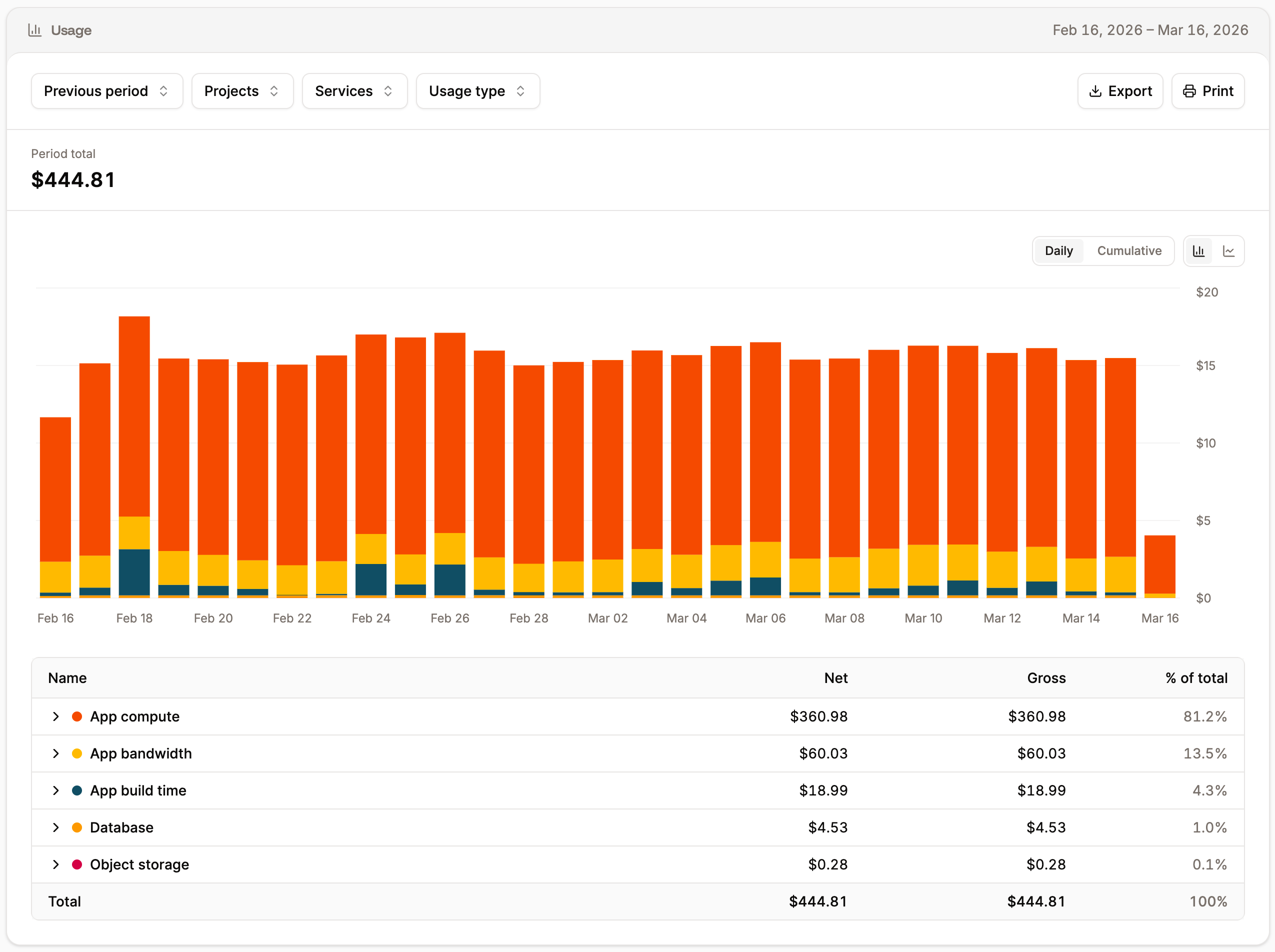
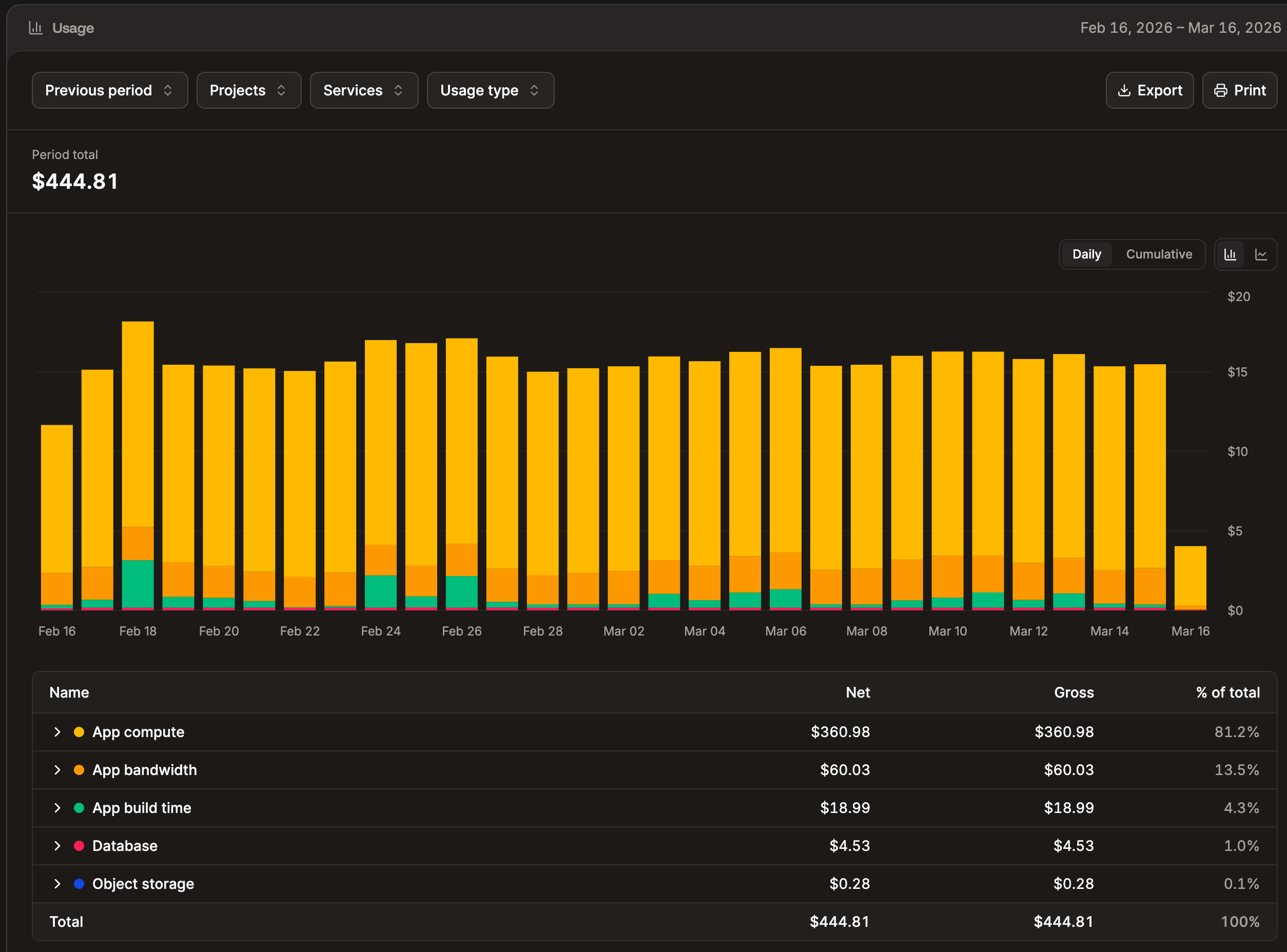
 For detailed information about your database costs, the **Usage** page within **Company settings** provides complete visibility into your resource consumption and costs for both the current and previous billing periods across all your services.
 Your invoice will be based on:
* The [database size](/databases/get-started/add-a-database) (database resource type) and [runtime](/databases/analytics#runtime)
* Egress bandwidth, if applicable
## Database size and runtime
Each database size contains a set amount of CPU, RAM, and disk space available. Database runtime is calculated based on seconds of usage.
If you require more disk space but don’t want to increase the RAM or CPU, you can purchase a database disk space add-on for \$10 per 10 GB.
Due to the size of the databases in Database Hosting plans 7-9, to ensure the stability and speed of the database application, the amount of usable RAM and CPU may be 4.4% – 9.4% less than indicated. These resources remain dedicated to the underlying system that runs your database.
### Database disk space add-on
The database disk space add-on allows you to increase your database disk space without increasing the RAM or CPU. You can purchase the database disk space add-on in 10 GB increments at \$10/month per database and purchase as many of these add-ons as you want.
This add-on is billed monthly and is prorated for the first month. For example, if you add 4 of the database disk space add-ons (a total of 40 GB) on the 20th of January, you’ll be charged for 11 days in January: ($10 \*4) / 31 \* 11 = $14.19.
### Add the database disk space add-on
If you would like to add the database disk space add-on to your database, follow the steps below.
If you do not have a database, you’ll need to create one before requesting the disk space add-on. Make sure the database has the appropriate RAM and CPU for your database.
1. [Open a new chat](/support/contact-support/) with our Support team and request that the database disk space add-on be added to your database. Please note that only users with billing permissions (Company owners, Company admins, and Company billing) can request the addition of the add-on.
2. Our Engineering team will increase your database disk space. Our Billing team will add the database disk space add-on subscription to your account. The add-on is \$10 a month per 10GB of space. Please allow 1 business day (weekends are not included in business hours) for the increase in database disk space.
3. Our Support team will notify you once the database size has been increased.
### View the database disk space add-on in Sevalla
The add-on will appear in your upcoming or paid invoices in **Company settings** > **Billing** > **Manage billing**.
The total database disk size, including any disk space add-on, is shown in the Database **Overview**.
Your invoice will be based on:
* The [database size](/databases/get-started/add-a-database) (database resource type) and [runtime](/databases/analytics#runtime)
* Egress bandwidth, if applicable
## Database size and runtime
Each database size contains a set amount of CPU, RAM, and disk space available. Database runtime is calculated based on seconds of usage.
If you require more disk space but don’t want to increase the RAM or CPU, you can purchase a database disk space add-on for \$10 per 10 GB.
Due to the size of the databases in Database Hosting plans 7-9, to ensure the stability and speed of the database application, the amount of usable RAM and CPU may be 4.4% – 9.4% less than indicated. These resources remain dedicated to the underlying system that runs your database.
### Database disk space add-on
The database disk space add-on allows you to increase your database disk space without increasing the RAM or CPU. You can purchase the database disk space add-on in 10 GB increments at \$10/month per database and purchase as many of these add-ons as you want.
This add-on is billed monthly and is prorated for the first month. For example, if you add 4 of the database disk space add-ons (a total of 40 GB) on the 20th of January, you’ll be charged for 11 days in January: ($10 \*4) / 31 \* 11 = $14.19.
### Add the database disk space add-on
If you would like to add the database disk space add-on to your database, follow the steps below.
If you do not have a database, you’ll need to create one before requesting the disk space add-on. Make sure the database has the appropriate RAM and CPU for your database.
1. [Open a new chat](/support/contact-support/) with our Support team and request that the database disk space add-on be added to your database. Please note that only users with billing permissions (Company owners, Company admins, and Company billing) can request the addition of the add-on.
2. Our Engineering team will increase your database disk space. Our Billing team will add the database disk space add-on subscription to your account. The add-on is \$10 a month per 10GB of space. Please allow 1 business day (weekends are not included in business hours) for the increase in database disk space.
3. Our Support team will notify you once the database size has been increased.
### View the database disk space add-on in Sevalla
The add-on will appear in your upcoming or paid invoices in **Company settings** > **Billing** > **Manage billing**.
The total database disk size, including any disk space add-on, is shown in the Database **Overview**.
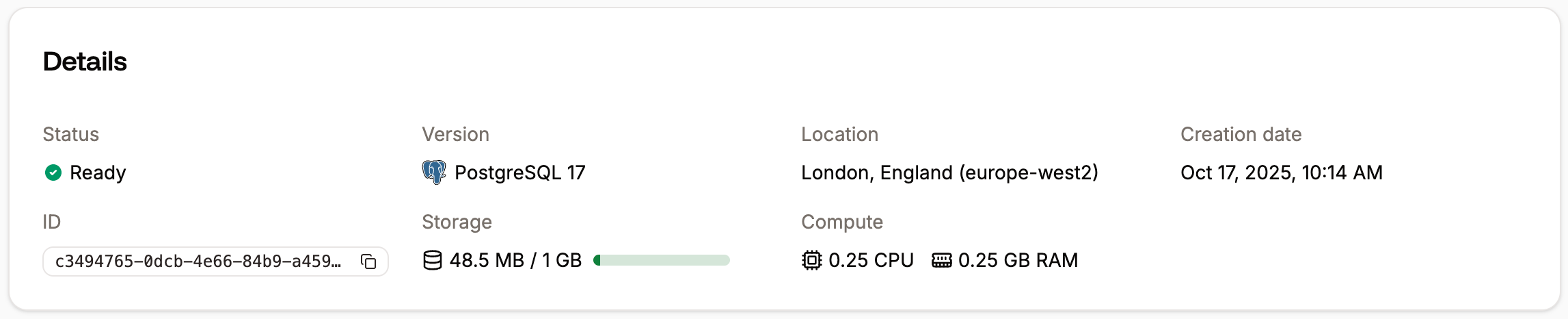
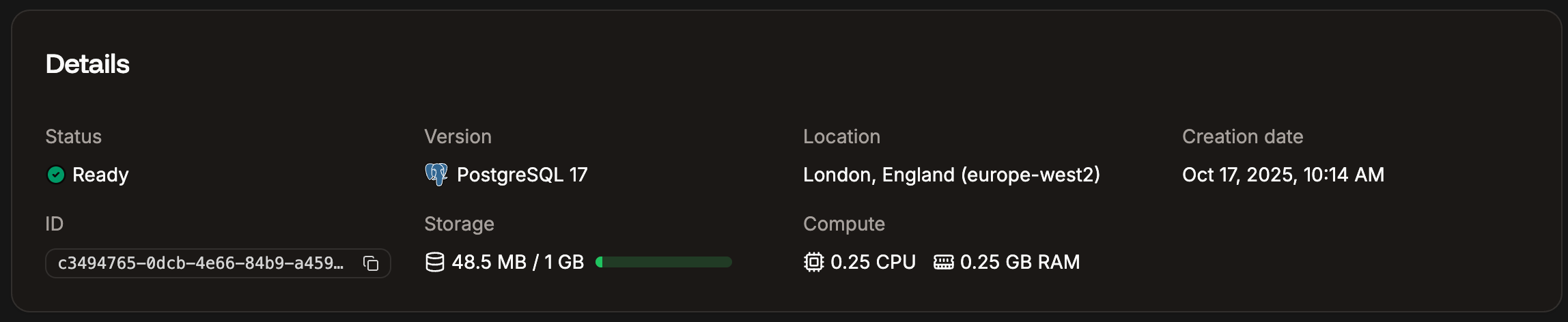 The **Storage** chart in [Database Analytics](/databases/analytics#storage) shows the current amount of data storage, including any add-on storage space.
### Modify or remove the database and database disk space add-on
#### Upgrade database
If you upgrade your database resources within **Settings** > **Update details**, this removes the additional disk space for the database, but you will continue to be **billed for the add-on** **subscription**. The upgrade must be the same disk space as the total database disk size, including the add-on or higher. For example, if you have a disk space add-on that increases the total disk space to 60 GB, you must choose a DB 6 plan or higher.
If you want to upgrade your database and no longer need the disk space add-on, you’ll need to contact our Billing team to cancel the subscription.
If you need to upgrade your database resources **and** keep the disk space add-on, you must contact our Support team for any changes to ensure the upgrade is implemented properly and you are invoiced correctly.
#### Downgrade database
You cannot downgrade (decrease) a database's resource type through **Settings** > **Update details**. The **Update details** flow only lets you increase the size. This applies to any database type.
If you need a smaller database, [create a new database](/databases/get-started/add-a-database) with the desired resource type and move your data over. The easiest way is to [restore a backup](/databases/backups#restore-a-backup) to the new database, which works as long as it's the same database type and in the same data center. Once the data has been moved, you can delete the old database. See [Database settings](/databases/settings) for more on changing database resources.
If you have a disk space add-on, deleting the old database does not cancel the add-on subscription. You'll need to contact our Billing team to cancel it.
#### Delete database
If you delete your database, you’ll need to contact our Billing team to cancel the database disk space add-on subscription. Removing the database does not automatically cancel the add-on subscription, and adding a new database does not associate the add-on with the new database.
### Important notes
* The database disk space add-on is only available in 10 GB increments. For example, if you need 15 GB of additional space, you’ll need to purchase 2 add-ons for a total of 20 GB of additional space.
* Upgrading or deleting your database doesn’t change the add-on subscription. You will continue to be billed for the add-on subscription until you contact our Billing team.
## Egress bandwidth
If you use an [external connection with your database](/databases/connections), external bandwidth usage charges may also apply. This egress bandwidth is calculated and billed on a per-byte basis at a price of $0.0000000001 per byte ($0.1 per GB). This means no rounding or charges based on every “started” Gigabyte. You will only be charged for **actual** usage. You can see your usage on the [Bandwidth](/databases/analytics#bandwidth) chart in **Analytics**.
[Internal connections](/databases/connections) between an application and a database are free.
## Summary
With our direct usage-based approach, if you create a database and delete it after a day, you only pay for the time used that day. If you need more disk space for your database, you can increase its size or add more storage space with the database disk space add-on.
The **Storage** chart in [Database Analytics](/databases/analytics#storage) shows the current amount of data storage, including any add-on storage space.
### Modify or remove the database and database disk space add-on
#### Upgrade database
If you upgrade your database resources within **Settings** > **Update details**, this removes the additional disk space for the database, but you will continue to be **billed for the add-on** **subscription**. The upgrade must be the same disk space as the total database disk size, including the add-on or higher. For example, if you have a disk space add-on that increases the total disk space to 60 GB, you must choose a DB 6 plan or higher.
If you want to upgrade your database and no longer need the disk space add-on, you’ll need to contact our Billing team to cancel the subscription.
If you need to upgrade your database resources **and** keep the disk space add-on, you must contact our Support team for any changes to ensure the upgrade is implemented properly and you are invoiced correctly.
#### Downgrade database
You cannot downgrade (decrease) a database's resource type through **Settings** > **Update details**. The **Update details** flow only lets you increase the size. This applies to any database type.
If you need a smaller database, [create a new database](/databases/get-started/add-a-database) with the desired resource type and move your data over. The easiest way is to [restore a backup](/databases/backups#restore-a-backup) to the new database, which works as long as it's the same database type and in the same data center. Once the data has been moved, you can delete the old database. See [Database settings](/databases/settings) for more on changing database resources.
If you have a disk space add-on, deleting the old database does not cancel the add-on subscription. You'll need to contact our Billing team to cancel it.
#### Delete database
If you delete your database, you’ll need to contact our Billing team to cancel the database disk space add-on subscription. Removing the database does not automatically cancel the add-on subscription, and adding a new database does not associate the add-on with the new database.
### Important notes
* The database disk space add-on is only available in 10 GB increments. For example, if you need 15 GB of additional space, you’ll need to purchase 2 add-ons for a total of 20 GB of additional space.
* Upgrading or deleting your database doesn’t change the add-on subscription. You will continue to be billed for the add-on subscription until you contact our Billing team.
## Egress bandwidth
If you use an [external connection with your database](/databases/connections), external bandwidth usage charges may also apply. This egress bandwidth is calculated and billed on a per-byte basis at a price of $0.0000000001 per byte ($0.1 per GB). This means no rounding or charges based on every “started” Gigabyte. You will only be charged for **actual** usage. You can see your usage on the [Bandwidth](/databases/analytics#bandwidth) chart in **Analytics**.
[Internal connections](/databases/connections) between an application and a database are free.
## Summary
With our direct usage-based approach, if you create a database and delete it after a day, you only pay for the time used that day. If you need more disk space for your database, you can increase its size or add more storage space with the database disk space add-on.