> ## Documentation Index
> Fetch the complete documentation index at: https://docs.sevalla.com/llms.txt
> Use this file to discover all available pages before exploring further.
> ## Agent Instructions
> These are the docs for Sevalla, a platform for deploying applications, databases, static sites, object storage and load balancers. The dashboard is at https://app.sevalla.com.
> Bold text in steps is an exact dashboard label.
> To act on a Sevalla account, prefer the Sevalla MCP server (https://mcp.sevalla.com/mcp, see https://docs.sevalla.com/ai-agents/overview.md), then the Sevalla CLI (https://docs.sevalla.com/developer-tools/cli.md), then the REST API (https://api-docs.sevalla.com, OpenAPI spec at https://api.sevalla.com/v3/openapi.json).
> Every page index is at https://docs.sevalla.com/llms.txt.
# How billing works
> Sevalla bills each company monthly, in USD, for the resources its services use, metered by the second and charged on the 1st to a card through Stripe.
Sevalla bills each company for the resources its services use: there are no plans, seats or long-term contracts. Usage is metered by the second (or by the byte for bandwidth), totaled over a monthly billing period that runs from the 1st to the 1st, and charged in USD to the company's default card at the end of the period.
## Billing at a glance
| What | How it works |
| - | - |
| Who is billed | The [company](/company/overview). Every service in the company, in any project, adds to the same bill. |
| Billing period | From the 1st of a month to the 1st of the next month. The first period starts when you create the company's first service. |
| When you pay | After the period ends. On the 1st, Stripe creates the invoice for the previous period's usage and charges the company's default card. |
| How usage is measured | By the second for running processes, databases, disks, builds and load balancers, by the byte for bandwidth, and by the hour's peak size for object storage. See [what's billed](#what-is-billed). |
| Currency | USD. Your bank converts the charge if your card is in another currency. |
| Payment method | A credit or debit card on file with Stripe. Only the default card is charged. See [Payment methods and invoices](/billing/payments). |
| Taxes | Added on top of the prices, based on the company's billing address. See [Taxes](/billing/taxes). |
| Free credit | New companies get \$20 of credit, used before the card is charged. See [Free credit](#free-credit). |
| Prepayment | Not possible. You can't pay in advance or carry unused resources over to the next period. |
| Contract | None. To stop paying, delete the company's services, or [delete the company](/company/overview) to cancel the subscription and settle the final balance. |
## What is billed
Each usage type in this table appears by this name on the [Usage page](/billing/usage); invoices use similar product names, such as Application compute. [Pricing](/billing/pricing) lists every price.
| Usage type | What's measured | Unit |
| - | - | - |
| **App compute** | Every running instance of every application process (web, worker, cron, job), at its size's price | Second |
| **App persistent storage** | Disks attached to application processes, at the disk size's price, while the process runs | Second |
| **App build time** | Time spent building applications from Git (Docker image applications aren't built) | Second |
| **App bandwidth** | Response data your applications' domains send to visitors | Byte |
| **Database** | Every running database, at its size's price (CPU, RAM and storage together) | Second |
| **Static site build time** | Build time beyond the free allowance | Second |
| **Static site bandwidth** | Response data beyond the free allowance | Byte |
| **Object storage** | Data stored in buckets, measured each hour at its peak size | Byte per month |
| **Load balancer** | Every load balancer, a flat monthly fee | Second |
| **Load balancer bandwidth** | Response data load balancers send to visitors | Byte |
A process with no running instances (scaled to zero, hibernated or suspended) isn't billed for compute, and a suspended database isn't billed. Deleting a service stops its billing right away; usage up to the deletion stays on the period's invoice.
### What is free
* Static site hosting: 100 GB of bandwidth and 600 build minutes per company per billing period, then usage-based.
* Incoming traffic (ingress) to every service.
* Traffic over [internal connections](/applications/networking) between services in the same location.
* Object storage operations and egress: buckets are billed for stored data only.
* Projects, pipelines, users, API keys and webhooks.
## Free credit
When you create your first company, Sevalla adds \$20 of credit to it. Credits pay for usage before your card is charged.
| Rule | Detail |
| - | - |
| Amount | \$20, once per person: only the first company you create gets it |
| Covers | All usage types |
| Expiry | The 2nd day of the second month after the company was created. A company created on Oct 18, 2026 has credit until Dec 2, 2026. Unused credit expires. |
| Where to see it | The **Credits** card on the **Billing** page shows the **available credits** and the days **until credit expiry** while the balance is above \$0 |
The credit doesn't replace a payment method: a company needs a card and billing details on file before it can use any resources. Sevalla verifies the card with Stripe without charging it, and charges it only for usage beyond the credit.
## See your spending
Sevalla shows spending in four places. All amounts include tax.
| Where | What it shows | Who sees it |
| - | - | - |
| **Home**, **Spending** card | This period so far, the projected total, the previous period, the change, the top usage types and daily bars with a forecast | People who can view usage |
| **Usage** (sidebar group **Company**) | Every usage type and service, filters, both periods, export | Company owners, admins and developers |
| A project's **Usage** tab | The same for one project's services | People who can view the project's usage |
| Invoices in the Stripe customer portal | What you were charged, with tax | Company owners, admins and billing users |
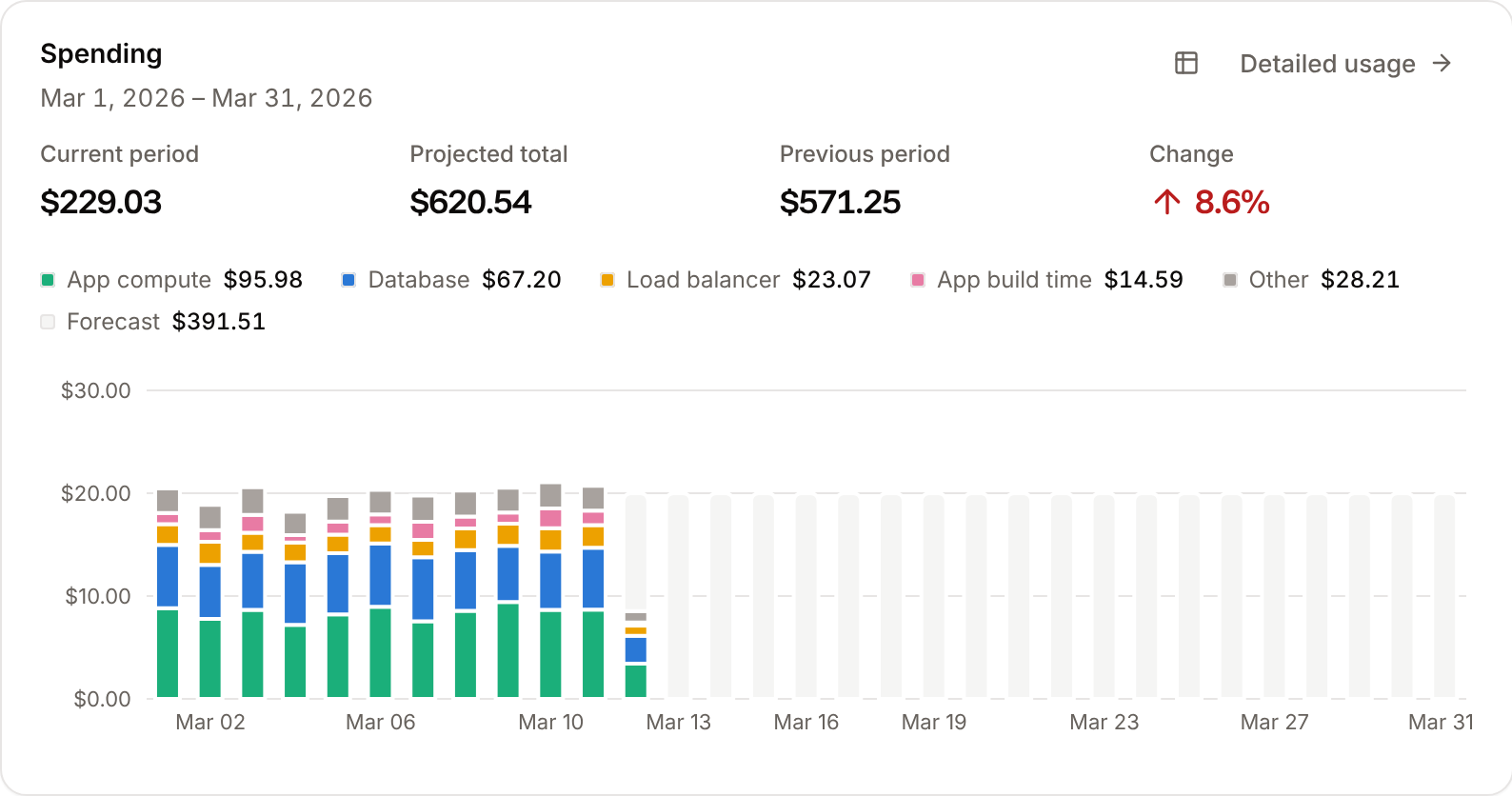
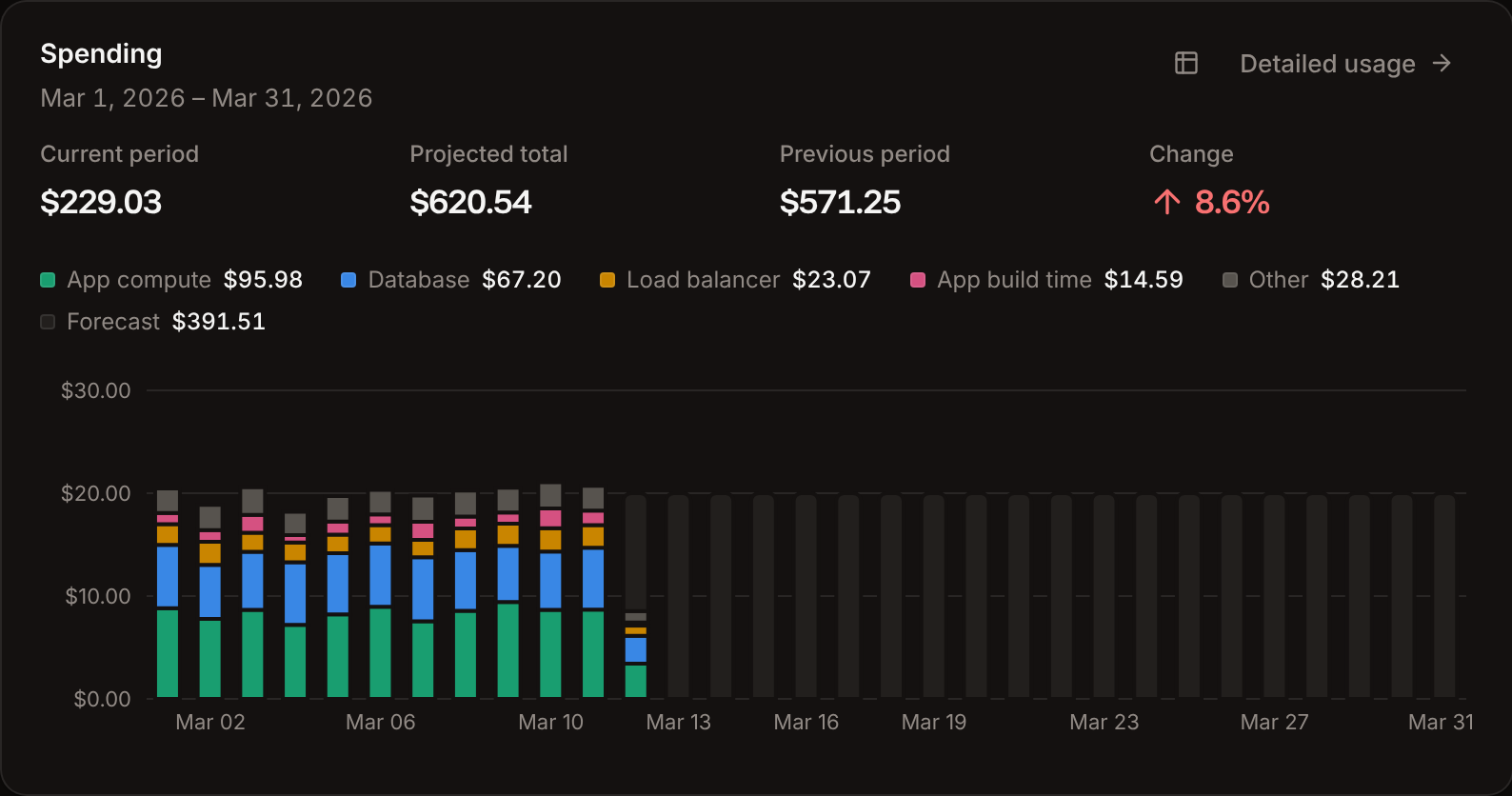 The **Spending** card shows the four largest usage types by name and folds the rest into **Other**. Click the table icon to see the numbers as a table, or **Detailed usage** to open the [Usage page](/billing/usage). Usage takes 6 to 8 hours to appear. To get an email before spending passes a budget, set a [usage alert](/billing/usage#usage-alerts).
## Who can see and manage billing
Company owners, admins and billing users see the **Billing** page and invoices, and update payment methods and billing details. Company owners, admins and developers see the **Usage** page, and only owners and admins create, update or delete usage alerts. Only the company owner can [delete the company](/company/overview). [Users and roles](/company/users-and-roles) lists what every role can do.
## Estimate your costs
Add up the [prices](/billing/pricing) of the sizes you plan to run, or use the calculator on [sevalla.com/pricing](https://sevalla.com/pricing). The create forms for applications, databases, static sites and load balancers show the monthly cost of what you pick, with your tax included.
Every price: process and database sizes, disks, builds, bandwidth, object storage, load balancers.
Break down spending by service and type, and get an email at a budget threshold.
Manage cards, billing details and invoices in the Stripe customer portal.
Retries, reminders, suspension after 15 days and deletion after 90.
This documentation is built and hosted on [Mintlify](https://mintlify.com), a developer documentation platform.
The **Spending** card shows the four largest usage types by name and folds the rest into **Other**. Click the table icon to see the numbers as a table, or **Detailed usage** to open the [Usage page](/billing/usage). Usage takes 6 to 8 hours to appear. To get an email before spending passes a budget, set a [usage alert](/billing/usage#usage-alerts).
## Who can see and manage billing
Company owners, admins and billing users see the **Billing** page and invoices, and update payment methods and billing details. Company owners, admins and developers see the **Usage** page, and only owners and admins create, update or delete usage alerts. Only the company owner can [delete the company](/company/overview). [Users and roles](/company/users-and-roles) lists what every role can do.
## Estimate your costs
Add up the [prices](/billing/pricing) of the sizes you plan to run, or use the calculator on [sevalla.com/pricing](https://sevalla.com/pricing). The create forms for applications, databases, static sites and load balancers show the monthly cost of what you pick, with your tax included.
Every price: process and database sizes, disks, builds, bandwidth, object storage, load balancers.
Break down spending by service and type, and get an email at a budget threshold.
Manage cards, billing details and invoices in the Stripe customer portal.
Retries, reminders, suspension after 15 days and deletion after 90.
This documentation is built and hosted on [Mintlify](https://mintlify.com), a developer documentation platform.