> ## Documentation Index
> Fetch the complete documentation index at: https://docs.sevalla.com/llms.txt
> Use this file to discover all available pages before exploring further.
# Usage alerts
> Set spending limits and get notified by email when your usage exceeds them.
Usage alerts let you set a spending limit and choose threshold percentages of that limit. When usage in the current billing period crosses a threshold, Sevalla sends an email to the recipients you configure.
You can set alerts at two levels:
* **Company**: tracks total spending across every project, application, database, static site, object storage, and load balancer in your company.
* **Project**: tracks spending for the services that belong to a single project.
You can have one alert configuration for the company and one for each project.
## How alerts work
Each alert configuration has:
* A **spending limit** in USD.
* One or more **threshold percentages** (between 1 and 100, up to 10 per configuration). For example, 50%, 75%, and 90%.
* One or more **email recipients**.
Sevalla checks usage against your alerts every hour. When the current period's usage crosses a threshold, an email is sent to every recipient on the configuration. Each threshold triggers at most once per billing period, so you receive a single notification per threshold even if usage continues to grow.
When the next billing period starts, all thresholds reset and become eligible to trigger again.
## Create a company-wide alert
Click **Company settings** > [Usage](/billing/usage) and then click **Add alert**.
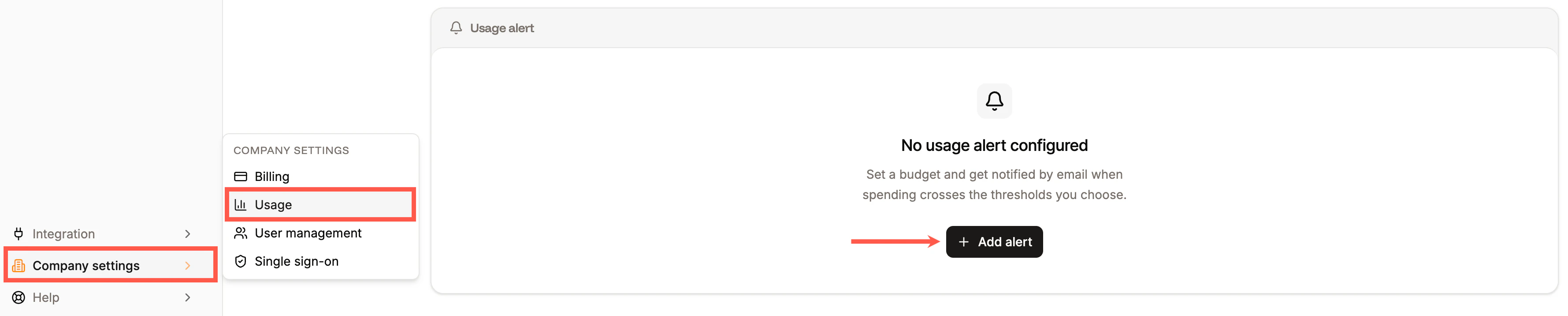
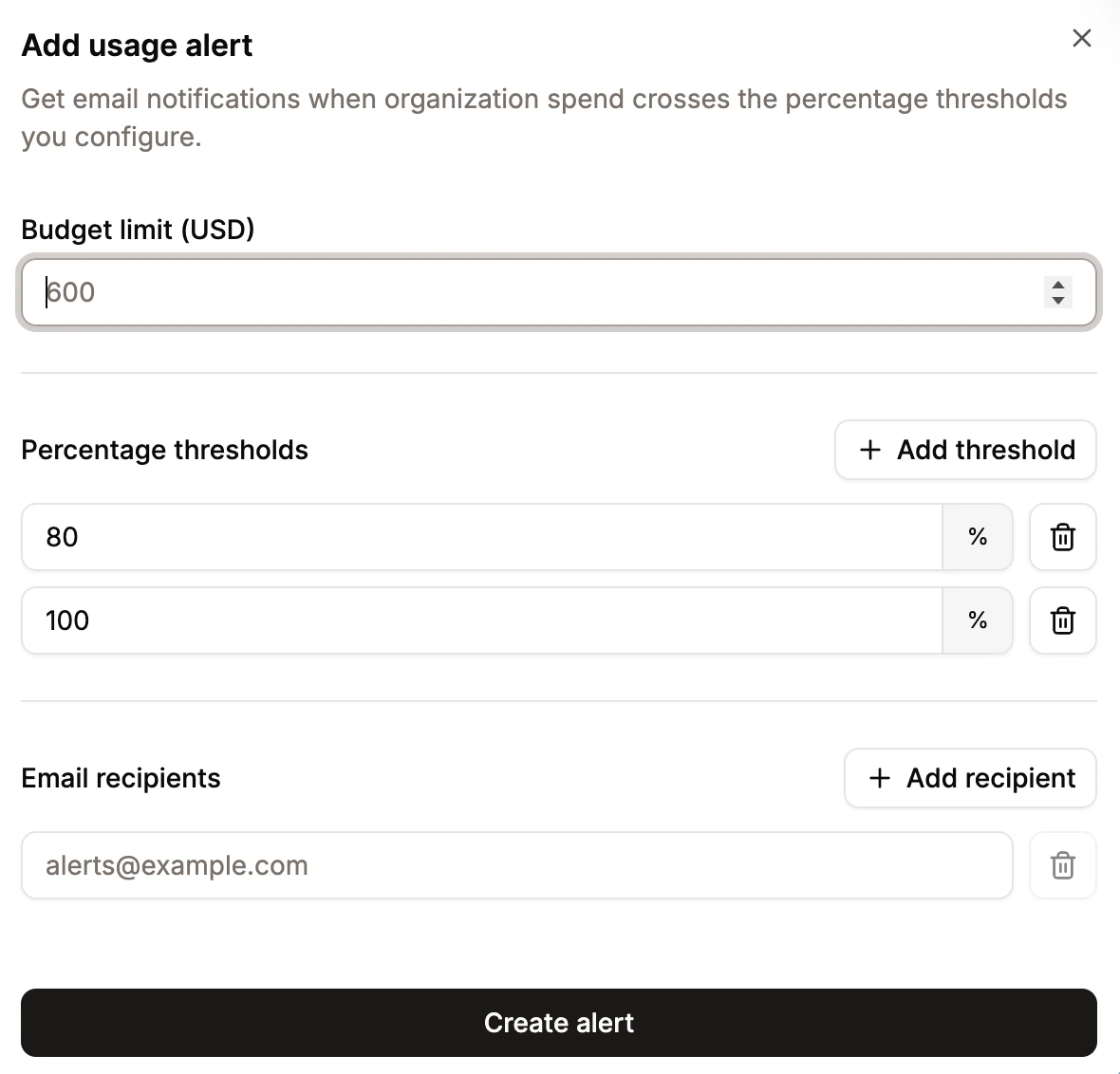
 Set the following:
* **Budget limit** - the USD amount from which the thresholds are calculated.
* **Percentage thresholds** - one or more percentages of the limit. Add up to 10 thresholds.
* **Email recipients** - one or more email addresses to notify. Click **Add recipient** to add more email addresses.
Click **Create alert** to save. The alert applies to the total spending of every service in your company.
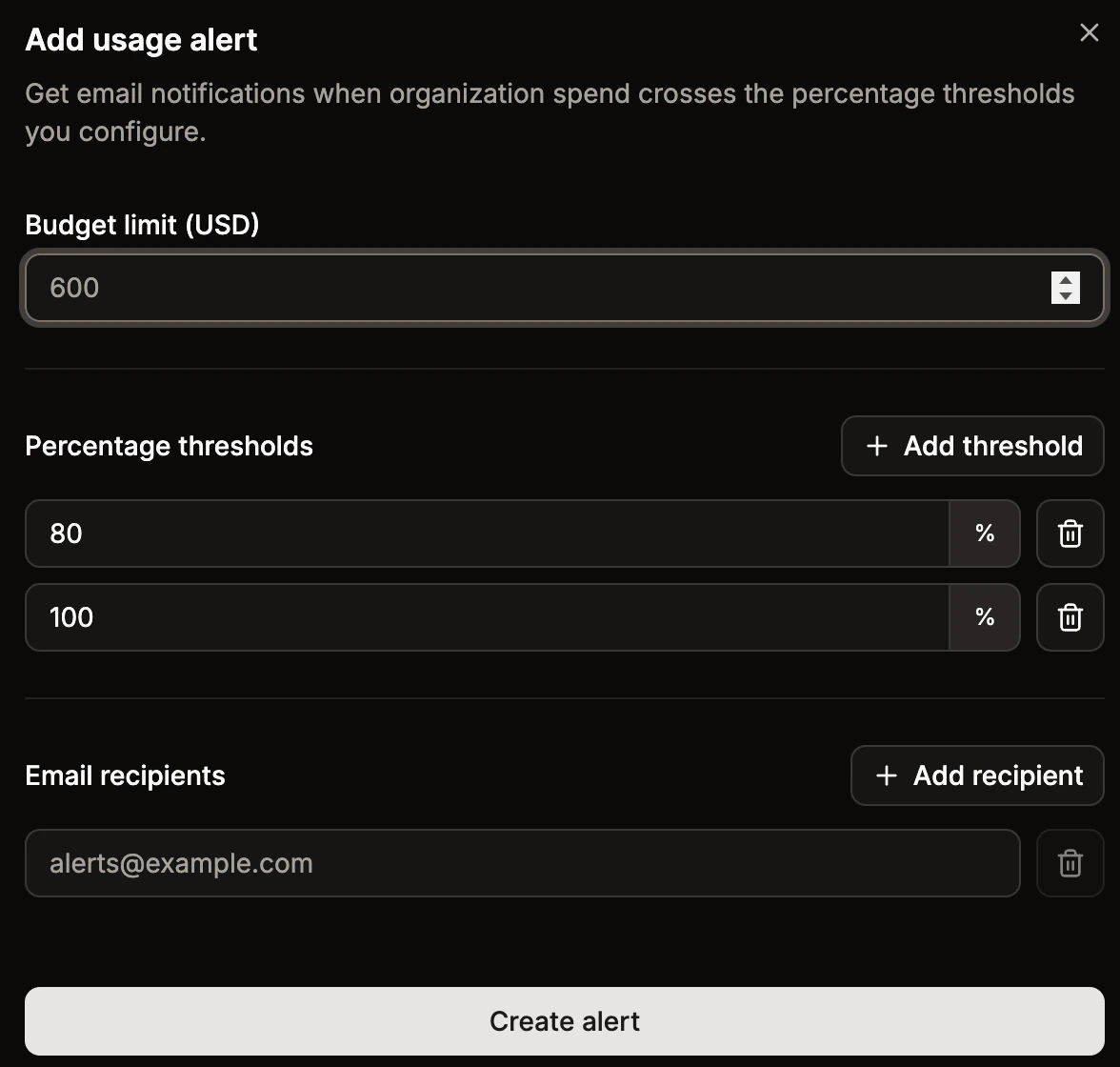
Set the following:
* **Budget limit** - the USD amount from which the thresholds are calculated.
* **Percentage thresholds** - one or more percentages of the limit. Add up to 10 thresholds.
* **Email recipients** - one or more email addresses to notify. Click **Add recipient** to add more email addresses.
Click **Create alert** to save. The alert applies to the total spending of every service in your company.
 ## Create a project alert
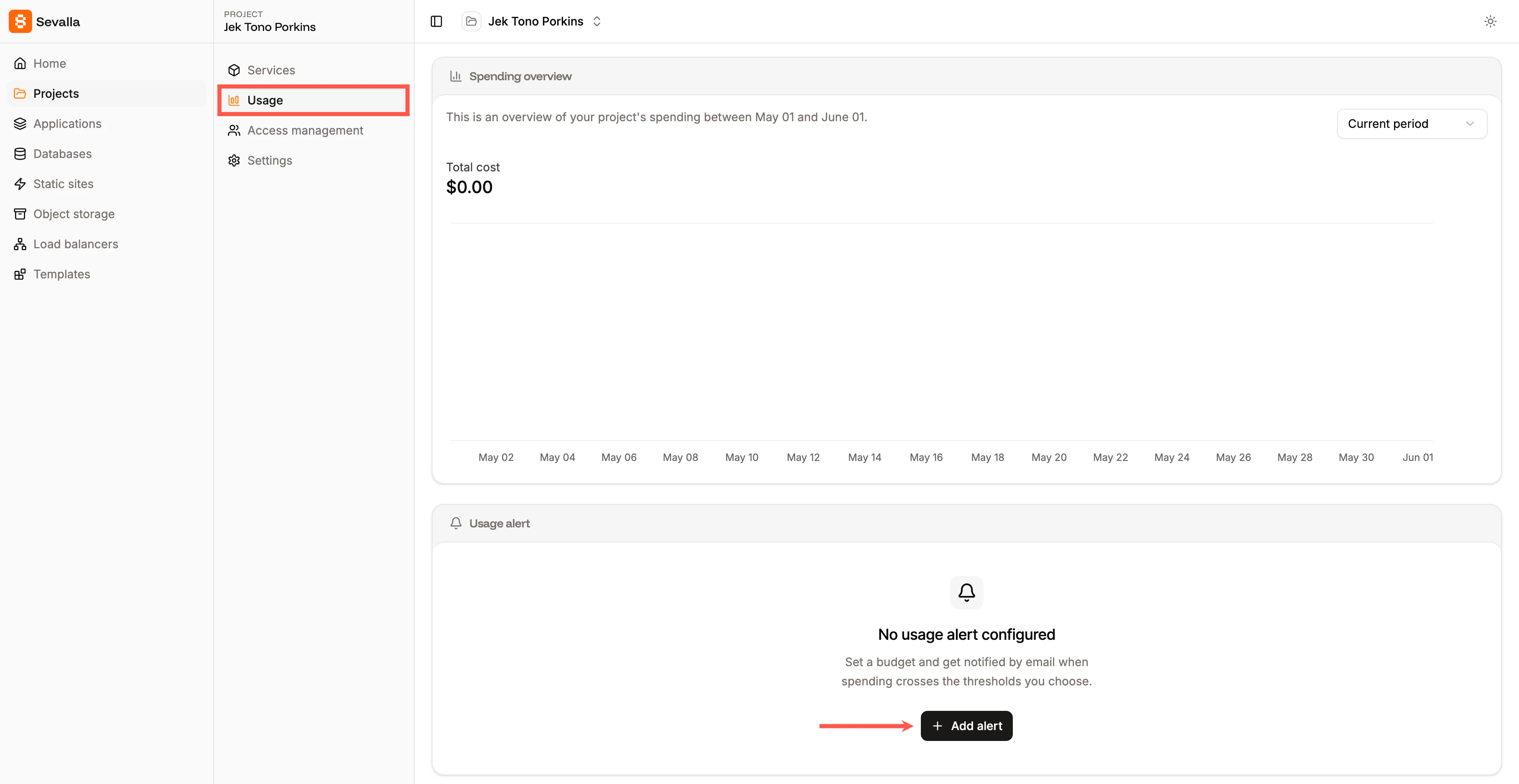
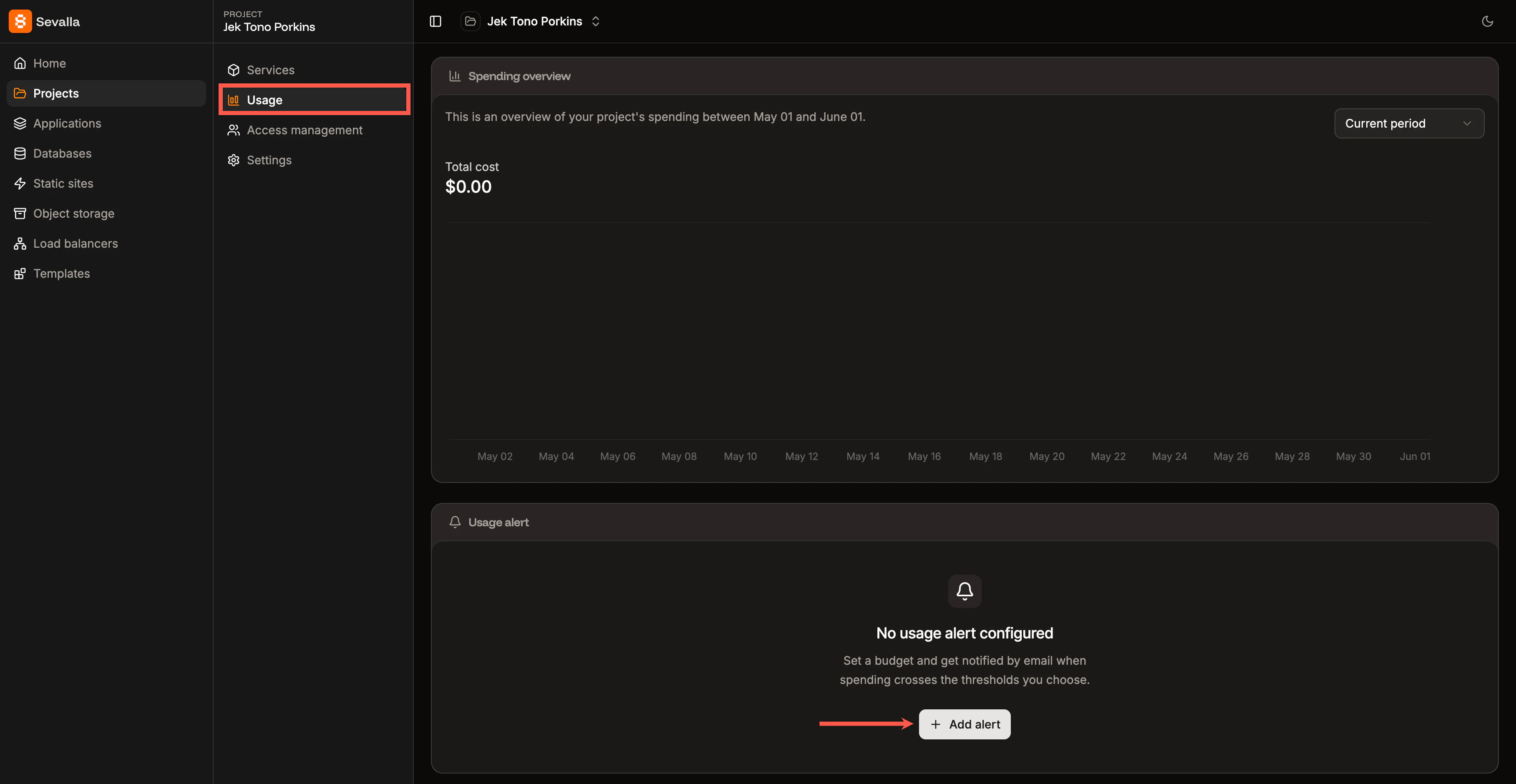
Open the project, go to its [Usage](/projects/usage) tab, and click **Add alert**. The fields are the same as for a company alert, but the thresholds are calculated only against the spending of services that belong to that project.
A project alert is independent of the company alert. If you have both, you can be notified when the project or the company crosses its limit, or both.
## Create a project alert
Open the project, go to its [Usage](/projects/usage) tab, and click **Add alert**. The fields are the same as for a company alert, but the thresholds are calculated only against the spending of services that belong to that project.
A project alert is independent of the company alert. If you have both, you can be notified when the project or the company crosses its limit, or both.
 ## Update or delete an alert
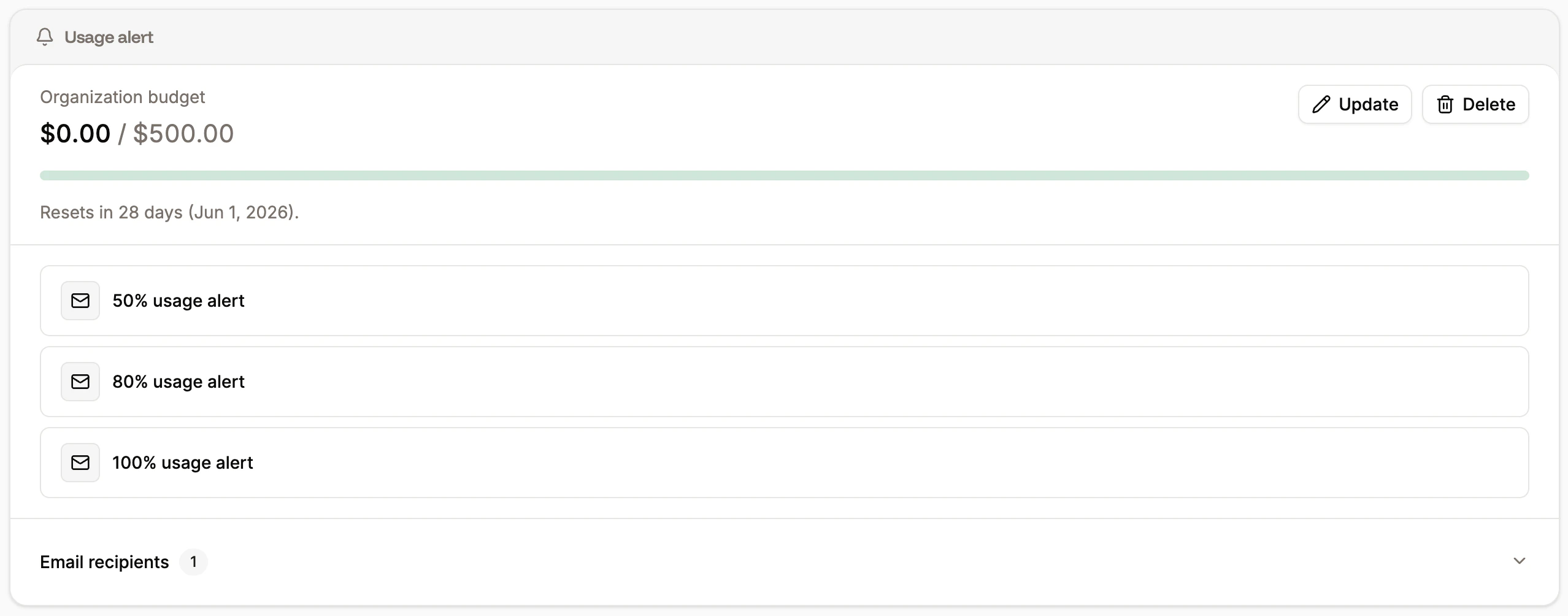
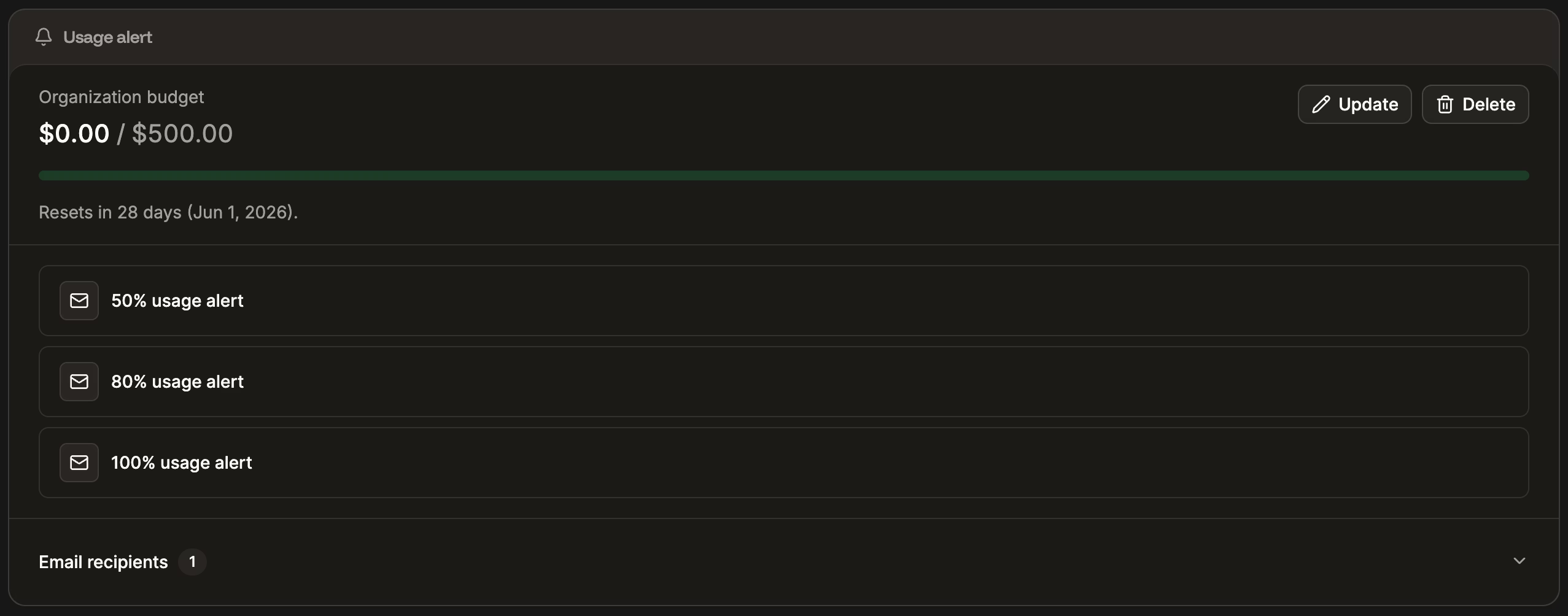
Within the **Usage alerts**, you can:
* **Update:** Change the spending limit, thresholds, or recipients.
* **Delete:** Delete the alert. Once deleted, no further emails are sent for it.
When a project is deleted, its usage alert is removed automatically.
## Update or delete an alert
Within the **Usage alerts**, you can:
* **Update:** Change the spending limit, thresholds, or recipients.
* **Delete:** Delete the alert. Once deleted, no further emails are sent for it.
When a project is deleted, its usage alert is removed automatically.
 ## Notes
* Usage alerts are notifications only. They do not pause, suspend, or limit any of your services when a threshold is reached.
* Thresholds are evaluated against gross usage (including tax) for the current billing period, matching the totals shown on the [Usage page](/billing/usage).
* If you change the spending limit or thresholds mid-period, the new values take effect on the next hourly check. Thresholds that already fired this period stay fired until the next period starts.
## Notes
* Usage alerts are notifications only. They do not pause, suspend, or limit any of your services when a threshold is reached.
* Thresholds are evaluated against gross usage (including tax) for the current billing period, matching the totals shown on the [Usage page](/billing/usage).
* If you change the spending limit or thresholds mid-period, the new values take effect on the next hourly check. Thresholds that already fired this period stay fired until the next period starts.