> ## Documentation Index
> Fetch the complete documentation index at: https://docs.sevalla.com/llms.txt
> Use this file to discover all available pages before exploring further.
> ## Agent Instructions
> These are the docs for Sevalla, a platform for deploying applications, databases, static sites, object storage and load balancers. The dashboard is at https://app.sevalla.com.
> Bold text in steps is an exact dashboard label.
> To act on a Sevalla account, prefer the Sevalla MCP server (https://mcp.sevalla.com/mcp, see https://docs.sevalla.com/ai-agents/overview.md), then the Sevalla CLI (https://docs.sevalla.com/developer-tools/cli.md), then the REST API (https://api-docs.sevalla.com, OpenAPI spec at https://api.sevalla.com/v3/openapi.json).
> Every page index is at https://docs.sevalla.com/llms.txt.
# Create a database
> Create a PostgreSQL, MySQL, MariaDB, Redis or Valkey database: every field of the create form, the name and password rules, defaults, and what happens after you click Create database.
Creating a database starts a managed database server in the location you choose, with the engine, version and size you pick and one database and user. It's ready to connect in a few minutes. This page covers every field of the create form.
## Before you begin
* Add a valid payment method to the company on the [Billing](https://app.sevalla.com/billing) page. Without one, Sevalla rejects the database with `No valid payment method found. Add one at https://app.sevalla.com/billing/payment-methods to continue.`
* You need permission to create databases in the company, or in the project you'll put the database in.
* Pick the location of the applications that will use the database: [internal connections](/databases/connect#connect-an-application) work only within one location.
## Create the database
In the sidebar, click **Databases**, then click **Create database**. If the company has no databases yet, click **Create a database**.
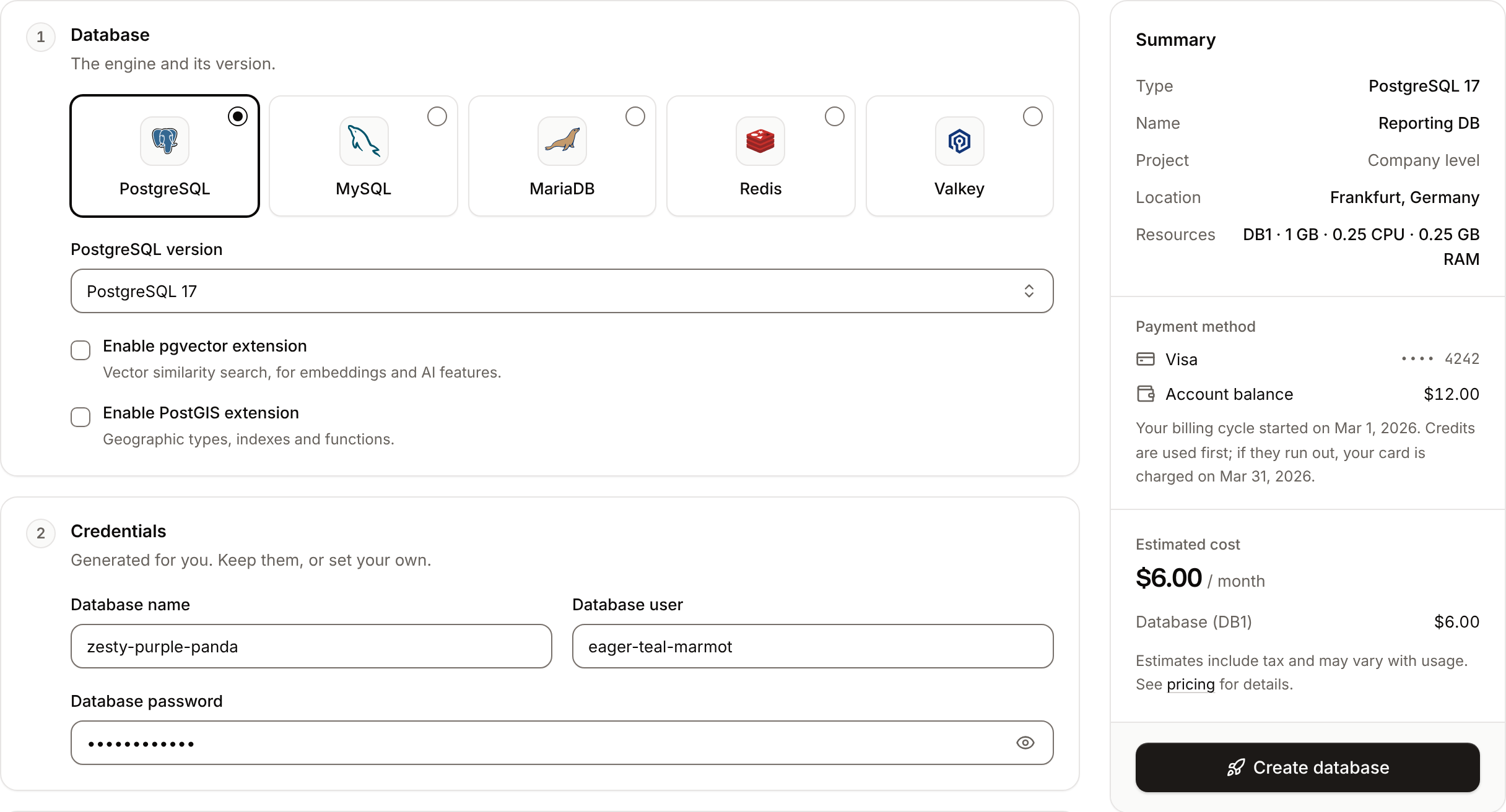
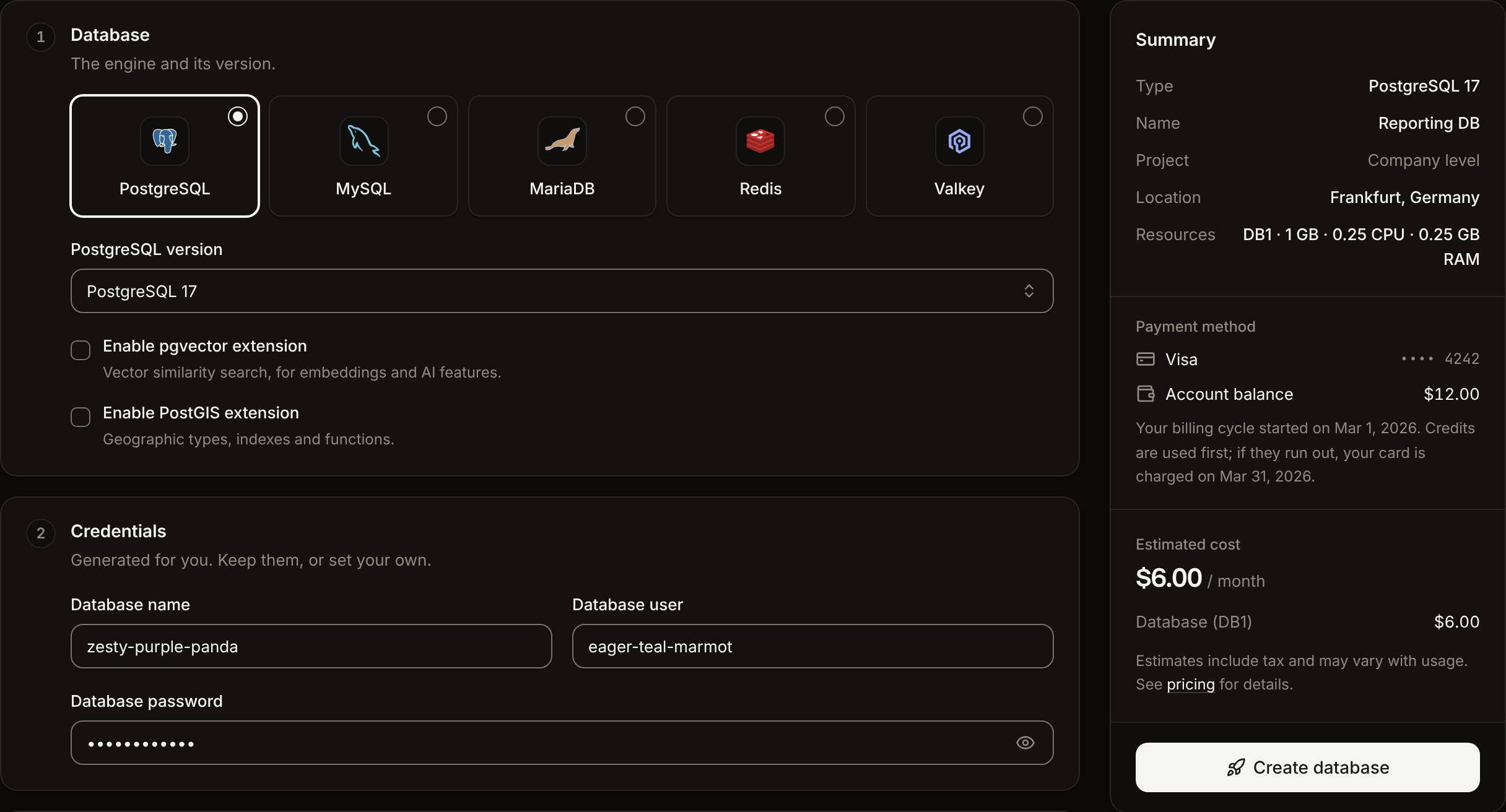
Under **Database**, click **PostgreSQL**, **MySQL**, **MariaDB**, **Redis** or **Valkey**, then choose the version. For PostgreSQL, turn on the extensions you need.
Under **Credentials**, keep the generated **Database name**, **Database user** and **Database password**, or set your own.
Under **Details**, enter the **Display name**, for example `orders-db`. If your company has projects, choose a **Project** or **None (company level)**.
Under **Location**, choose the **Data center** where your applications run.
Under **Resources**, choose the **Size**. See [Sizes](/databases/overview#sizes).
In OCI locations, a **Backups** section appears. Keep **External backups** on to back the database up every day to a Sevalla bucket. See [Backups](#backups).
Check the summary and the estimated cost, then click **Create database**.
The database opens on its **Overview** tab with the status **Creating**. When the status changes to **Ready**, it accepts connections. Next, [connect an application](/databases/connect#connect-an-application) to it.
 ## Form fields
### Database
| Field | What it is | Default |
| - | - | - |
| Engine | **PostgreSQL**, **MySQL**, **MariaDB**, **Redis** or **Valkey**. You can't change it later. | **PostgreSQL** |
| **PostgreSQL version** (named after the engine) | The engine version. The list depends on the location's cloud; see [Engines and versions](/databases/overview#engines-and-versions). If the location doesn't offer the chosen version, the form switches to that location's default. You can't change it later. | The newest version in the location |
| **Enable pgvector extension** | PostgreSQL only. Creates the `vector` extension for vector similarity search (embeddings, AI features). | Off |
| **Enable PostGIS extension** | PostgreSQL only. Creates the `postgis` extension for geographic types, indexes and functions. In Google Cloud locations it also creates `postgis_topology`, `fuzzystrmatch`, `address_standardizer`, `address_standardizer_data_us` and `postgis_tiger_geocoder`. | Off |
You can turn the extensions on only when you create the database.
### Credentials
The form generates the credentials for you: a three-word name such as `brave-olive-tiger` for the database and the user, and a 12-letter lowercase password.
| Field | Rules |
| - | - |
| **Database name** | 2 to 100 characters: letters, numbers, `_`, `-` and `+`. PostgreSQL can't use `postgres`, `template0`, `template1`, `information_schema`, `performance_schema` or `sys`; MySQL can't use `mysql`, `information_schema`, `performance_schema` or `sys`. For Redis and Valkey the name isn't used to connect: clients use logical database `0`. |
| **Database user** | PostgreSQL, MySQL and MariaDB only. 2 to 32 characters: letters, numbers, `_`, `-` and `+`. Can't be `root` or `postgres`. |
| **Database password** | 4 to 100 characters: letters, numbers and `_ ? < > # @ - = +`. |
You can't change the database name or user later. You can [change the password](/databases/connect#change-the-database-password) at any time.
### Details
| Field | What it is | Rules |
| - | - | - |
| **Display name** | The name you see in the dashboard. Starts as the generated database name. | 2 to 64 characters, not only digits |
| **Project** | Shown when the company has projects. The project the database belongs to, or **None (company level)**. | Required if you can create databases only inside projects |
Sevalla also derives the database's permanent name from the display name: lowercase, special characters removed, spaces turned into hyphens, cut to 27 characters, plus a random suffix, for example `orders-db-k3j4h`. It appears in the database's URL, its internal hostname and its external hostname, and it never changes. You can [rename](/databases/settings#update-the-name-or-size) the display name later.
### Location
| Field | What it is | Default |
| - | - | - |
| **Data center** | Where the database runs, grouped by continent, with recently used locations first. Applications connect to it over the private network only from the same location. See [Locations](/platform/locations). | The location closest to your browser's time zone |
You can't move a database to another location. To move one, create a database in the new location and restore or import the data.
### Resources
| Field | What it is | Default |
| - | - | - |
| **Size** | CPU, memory and storage, with the monthly price including tax. See [Sizes](/databases/overview#sizes). | DB1 |
Choosing DB1 for MySQL or MariaDB shows **DB1 is not recommended for production**: those engines can run out of memory on DB1 under load.
### Backups
This section appears only in OCI locations, and only if you can create object storage. Databases in Google Cloud locations get daily snapshot backups without any setup.
| Field | What it is | Default |
| - | - | - |
| **External backups** | Store a dump of the database every day at 00:00 UTC in a Sevalla bucket and keep the last 7 days. | On |
| **Backup destination** | **New object storage** creates a bucket together with the database, in the same project. **Existing object storage** uses one of the company's active buckets. | **New object storage** |
| **Object storage name** | New object storage only. The new bucket's name, 2 to 64 characters. It follows the database name until you change it. | The database name followed by `-backups` |
| **Object storage** | Existing object storage only. The bucket to back up into. | The first active bucket |
The bucket is billed as [object storage](/object-storage/overview). After the database is created, the bucket appears as a backup target on its **Backups** tab, where you can change the schedule and retention or add more targets. See [External backups](/databases/backups#external-backups-on-oci).
## Summary
The summary card lists the **Type**, **Name**, **Project**, **Location**, **Resources** and, in OCI locations, **Backups**, with the **Estimated cost** per month including tax and the company's **Payment method**.
## API and CLI
| Task | API | CLI |
| - | - | - |
| Create a database | [Create database](https://api-docs.sevalla.com/v3/databases/create-database) | `sevalla databases create --name orders-db --type postgresql --db-version 17 --cluster --resource-type --db-name orders --db-password ` |
| List sizes | [List database resource types](https://api-docs.sevalla.com/v3/resources/list-database-resource-types) | `sevalla resources db-types` |
| List locations | [List clusters](https://api-docs.sevalla.com/v3/resources/list-clusters) | `sevalla resources clusters` |
The API also accepts `extensions.enable_cron` to create the pg\_cron extension on PostgreSQL, which the dashboard doesn't offer. If you omit `db_user`, Sevalla generates one.
This documentation is built and hosted on [Mintlify](https://mintlify.com), a developer documentation platform.
## Form fields
### Database
| Field | What it is | Default |
| - | - | - |
| Engine | **PostgreSQL**, **MySQL**, **MariaDB**, **Redis** or **Valkey**. You can't change it later. | **PostgreSQL** |
| **PostgreSQL version** (named after the engine) | The engine version. The list depends on the location's cloud; see [Engines and versions](/databases/overview#engines-and-versions). If the location doesn't offer the chosen version, the form switches to that location's default. You can't change it later. | The newest version in the location |
| **Enable pgvector extension** | PostgreSQL only. Creates the `vector` extension for vector similarity search (embeddings, AI features). | Off |
| **Enable PostGIS extension** | PostgreSQL only. Creates the `postgis` extension for geographic types, indexes and functions. In Google Cloud locations it also creates `postgis_topology`, `fuzzystrmatch`, `address_standardizer`, `address_standardizer_data_us` and `postgis_tiger_geocoder`. | Off |
You can turn the extensions on only when you create the database.
### Credentials
The form generates the credentials for you: a three-word name such as `brave-olive-tiger` for the database and the user, and a 12-letter lowercase password.
| Field | Rules |
| - | - |
| **Database name** | 2 to 100 characters: letters, numbers, `_`, `-` and `+`. PostgreSQL can't use `postgres`, `template0`, `template1`, `information_schema`, `performance_schema` or `sys`; MySQL can't use `mysql`, `information_schema`, `performance_schema` or `sys`. For Redis and Valkey the name isn't used to connect: clients use logical database `0`. |
| **Database user** | PostgreSQL, MySQL and MariaDB only. 2 to 32 characters: letters, numbers, `_`, `-` and `+`. Can't be `root` or `postgres`. |
| **Database password** | 4 to 100 characters: letters, numbers and `_ ? < > # @ - = +`. |
You can't change the database name or user later. You can [change the password](/databases/connect#change-the-database-password) at any time.
### Details
| Field | What it is | Rules |
| - | - | - |
| **Display name** | The name you see in the dashboard. Starts as the generated database name. | 2 to 64 characters, not only digits |
| **Project** | Shown when the company has projects. The project the database belongs to, or **None (company level)**. | Required if you can create databases only inside projects |
Sevalla also derives the database's permanent name from the display name: lowercase, special characters removed, spaces turned into hyphens, cut to 27 characters, plus a random suffix, for example `orders-db-k3j4h`. It appears in the database's URL, its internal hostname and its external hostname, and it never changes. You can [rename](/databases/settings#update-the-name-or-size) the display name later.
### Location
| Field | What it is | Default |
| - | - | - |
| **Data center** | Where the database runs, grouped by continent, with recently used locations first. Applications connect to it over the private network only from the same location. See [Locations](/platform/locations). | The location closest to your browser's time zone |
You can't move a database to another location. To move one, create a database in the new location and restore or import the data.
### Resources
| Field | What it is | Default |
| - | - | - |
| **Size** | CPU, memory and storage, with the monthly price including tax. See [Sizes](/databases/overview#sizes). | DB1 |
Choosing DB1 for MySQL or MariaDB shows **DB1 is not recommended for production**: those engines can run out of memory on DB1 under load.
### Backups
This section appears only in OCI locations, and only if you can create object storage. Databases in Google Cloud locations get daily snapshot backups without any setup.
| Field | What it is | Default |
| - | - | - |
| **External backups** | Store a dump of the database every day at 00:00 UTC in a Sevalla bucket and keep the last 7 days. | On |
| **Backup destination** | **New object storage** creates a bucket together with the database, in the same project. **Existing object storage** uses one of the company's active buckets. | **New object storage** |
| **Object storage name** | New object storage only. The new bucket's name, 2 to 64 characters. It follows the database name until you change it. | The database name followed by `-backups` |
| **Object storage** | Existing object storage only. The bucket to back up into. | The first active bucket |
The bucket is billed as [object storage](/object-storage/overview). After the database is created, the bucket appears as a backup target on its **Backups** tab, where you can change the schedule and retention or add more targets. See [External backups](/databases/backups#external-backups-on-oci).
## Summary
The summary card lists the **Type**, **Name**, **Project**, **Location**, **Resources** and, in OCI locations, **Backups**, with the **Estimated cost** per month including tax and the company's **Payment method**.
## API and CLI
| Task | API | CLI |
| - | - | - |
| Create a database | [Create database](https://api-docs.sevalla.com/v3/databases/create-database) | `sevalla databases create --name orders-db --type postgresql --db-version 17 --cluster --resource-type --db-name orders --db-password ` |
| List sizes | [List database resource types](https://api-docs.sevalla.com/v3/resources/list-database-resource-types) | `sevalla resources db-types` |
| List locations | [List clusters](https://api-docs.sevalla.com/v3/resources/list-clusters) | `sevalla resources clusters` |
The API also accepts `extensions.enable_cron` to create the pg\_cron extension on PostgreSQL, which the dashboard doesn't offer. If you omit `db_user`, Sevalla generates one.
This documentation is built and hosted on [Mintlify](https://mintlify.com), a developer documentation platform.