> ## Documentation Index
> Fetch the complete documentation index at: https://docs.sevalla.com/llms.txt
> Use this file to discover all available pages before exploring further.
# Add a database
> Follow these steps to add a new database to Sevalla's Database Hosting.
We currently offer 5 different database types to fulfill various data storage needs:
* **Redis** 5.0, 6.x, 7.x, and 8.x
* **MariaDB** 10.4, 10.5, 10.6, 10.11, 11.0, and 11.1
* **PostgreSQL** 9.6, 10, 11, 12, 13, 14, 15, 16, and 17
* **MySQL** 8.0 and 9.0
* **Valkey** 7.2
You can attach databases to applications or run databases by themselves.
It’s also possible to utilize a Dockerfile and persistent storage to deploy other types of databases on Application Hosting.
## Add a database
Only **Company Owners** and **Company Administrators** can add a new database. For more information about user roles and permissions, refer to [User Management](/company-settings/user-management/).
To add a database, within **Databases**, click **Create database**.
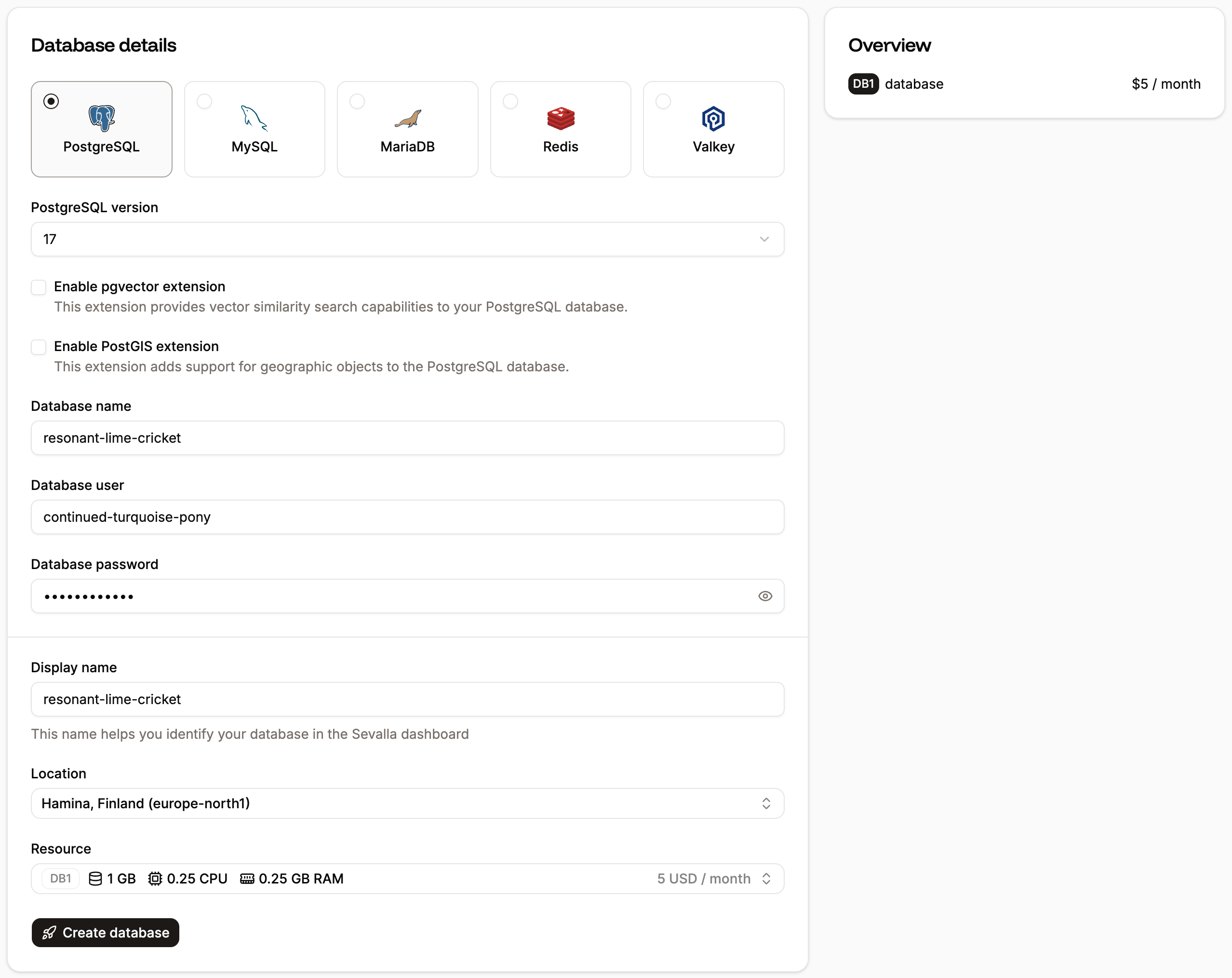
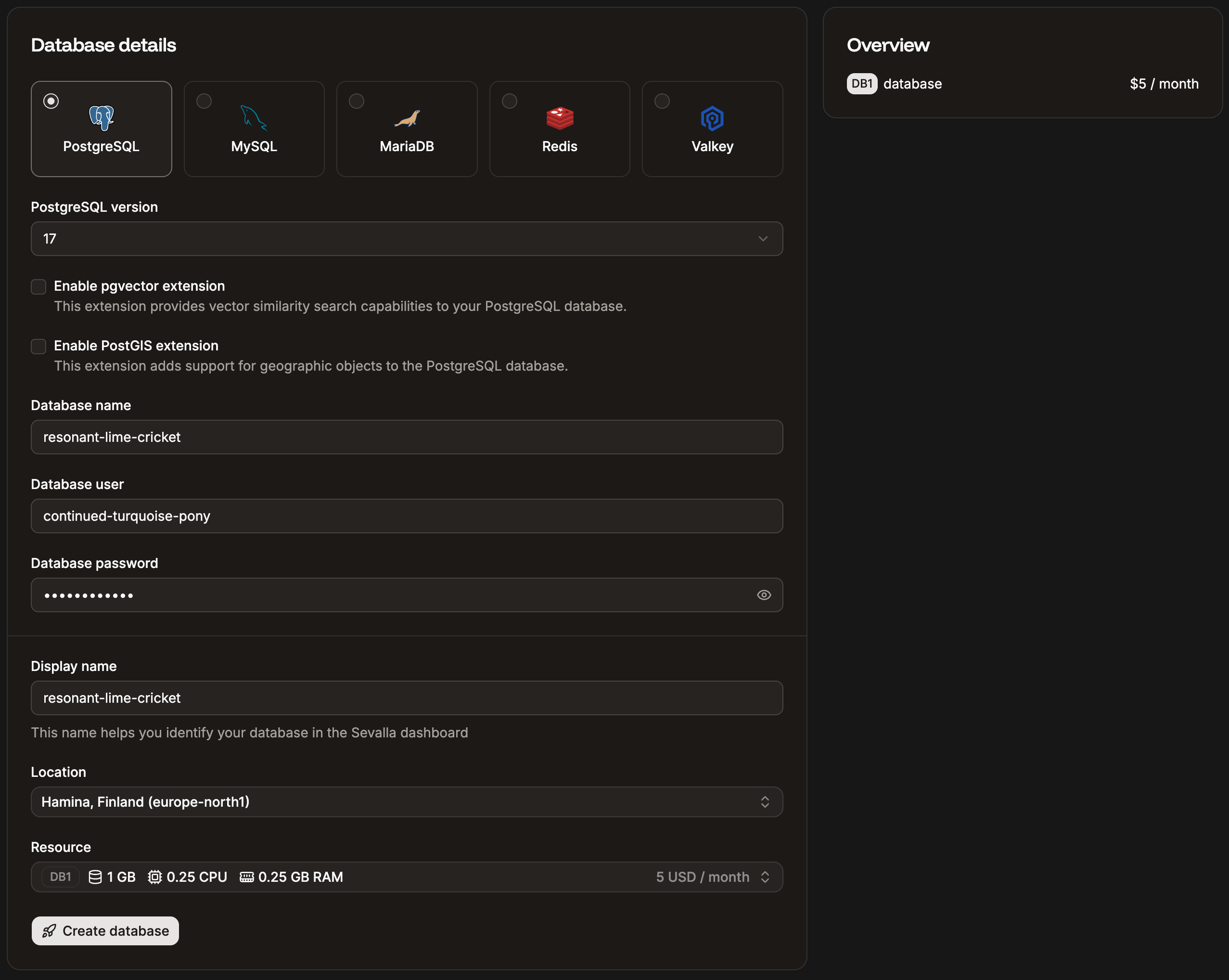 * **Type** and **version:** The database software and version you want to use. Currently, we support:
* **Redis** 5.0, 6.x, 7.x, and 8.x
* **MariaDB** 10.4, 10.5, 10.6, 10.11, 11.0, and 11.1
* **PostgreSQL** 9.6, 10, 11, 12, 13, 14, 15, 16, and 17
* **MySQL** 8.0 and 9.0
* **Valkey** 7.2
* **Enable pgvector extension:** This option is only available for new databases on PostgreSQL. This extension enables fast vector similarity search, making it easy to store and query high-dimensional vectors. Commonly used in AI, machine learning, and recommendation systems, it helps compare vector embeddings efficiently.
* **Enable PostGIS extension:** This option is only available for new databases on PostgreSQL. This adds support for geographic and spatial data types, enabling advanced location-based queries and operations. It allows PostgreSQL to store, query, and analyze geographic objects such as points, lines, and polygons. It adds the following extensions to your database:
* `postgis`
* `postgis_topology`
* `postgis_tiger_geocoder`
* `fuzzystrmatch`
* `address_standardizer`
* `address_standardizer_data_us`
* **Database name:** The name of the database that you will use to connect to it. By default, this is populated with three random words. Some database names are restricted for security reasons. The [full list of invalid database names](#invalid-database-names-and-database-usernames) is shown below.
* **Database user:** This only applies to PostgreSQL, MySQL, and MariaDB. This is the username you want to use to connect to the database. By default, this is populated with a random word. Once tied to an application, we can auto-populate your environment variables with this data. Some database usernames are restricted for security reasons. The [full list of invalid database usernames](#invalid-database-names-and-database-usernames) is shown below.
* **Database password:** The password you want to use to connect to the database. We recommend leaving this as-is. Once tied to an application, we can auto-populate your environment variables with this data.
* **Display name:** The name that will be shown in Sevalla. By default, this is populated with the same three random words as the **Database name**.
* **Project:** This option is only shown if your company already has at least one project. Select the project you’d like to add the database to, or leave it blank to keep the database at the company level instead of assigning it to a specific project.
* **Location:** Choose the [data center](/service-information/data-center-locations/) you want to use for this database. By default, this is populated with the location closest to you.
Currently, internal connections are only supported between applications and databases in the same region. If you’d like to use a database with your application, you can create the database at Sevalla and use an internal connection between the two (on the application’s **Settings** page or the database’s **Info** page).
* **Resource:** Choose the resources you will need for this database. If you need to increase the size in the future, you can do so within **Settings** > **Update details**.
Relational databases such as MariaDB and MySQL organize data in predefined relationships where data is stored in tables (or “relations”) of columns and rows to make it easy to see and understand how different data structures relate to each other. This means the database size includes these relations and, therefore, will always be larger than the actual data in the database.
**Overview** allows you to review your database’s costs. To create the database, click **Create database**.
### Invalid MySQL database names and usernames:
* mysql
* information\_schema
* performance\_schema
* sys
### Invalid PostgreSQL database names and usernames:
* postgres
* template0
* template1
* information\_schema
* performance\_schema
* sys
* **Type** and **version:** The database software and version you want to use. Currently, we support:
* **Redis** 5.0, 6.x, 7.x, and 8.x
* **MariaDB** 10.4, 10.5, 10.6, 10.11, 11.0, and 11.1
* **PostgreSQL** 9.6, 10, 11, 12, 13, 14, 15, 16, and 17
* **MySQL** 8.0 and 9.0
* **Valkey** 7.2
* **Enable pgvector extension:** This option is only available for new databases on PostgreSQL. This extension enables fast vector similarity search, making it easy to store and query high-dimensional vectors. Commonly used in AI, machine learning, and recommendation systems, it helps compare vector embeddings efficiently.
* **Enable PostGIS extension:** This option is only available for new databases on PostgreSQL. This adds support for geographic and spatial data types, enabling advanced location-based queries and operations. It allows PostgreSQL to store, query, and analyze geographic objects such as points, lines, and polygons. It adds the following extensions to your database:
* `postgis`
* `postgis_topology`
* `postgis_tiger_geocoder`
* `fuzzystrmatch`
* `address_standardizer`
* `address_standardizer_data_us`
* **Database name:** The name of the database that you will use to connect to it. By default, this is populated with three random words. Some database names are restricted for security reasons. The [full list of invalid database names](#invalid-database-names-and-database-usernames) is shown below.
* **Database user:** This only applies to PostgreSQL, MySQL, and MariaDB. This is the username you want to use to connect to the database. By default, this is populated with a random word. Once tied to an application, we can auto-populate your environment variables with this data. Some database usernames are restricted for security reasons. The [full list of invalid database usernames](#invalid-database-names-and-database-usernames) is shown below.
* **Database password:** The password you want to use to connect to the database. We recommend leaving this as-is. Once tied to an application, we can auto-populate your environment variables with this data.
* **Display name:** The name that will be shown in Sevalla. By default, this is populated with the same three random words as the **Database name**.
* **Project:** This option is only shown if your company already has at least one project. Select the project you’d like to add the database to, or leave it blank to keep the database at the company level instead of assigning it to a specific project.
* **Location:** Choose the [data center](/service-information/data-center-locations/) you want to use for this database. By default, this is populated with the location closest to you.
Currently, internal connections are only supported between applications and databases in the same region. If you’d like to use a database with your application, you can create the database at Sevalla and use an internal connection between the two (on the application’s **Settings** page or the database’s **Info** page).
* **Resource:** Choose the resources you will need for this database. If you need to increase the size in the future, you can do so within **Settings** > **Update details**.
Relational databases such as MariaDB and MySQL organize data in predefined relationships where data is stored in tables (or “relations”) of columns and rows to make it easy to see and understand how different data structures relate to each other. This means the database size includes these relations and, therefore, will always be larger than the actual data in the database.
**Overview** allows you to review your database’s costs. To create the database, click **Create database**.
### Invalid MySQL database names and usernames:
* mysql
* information\_schema
* performance\_schema
* sys
### Invalid PostgreSQL database names and usernames:
* postgres
* template0
* template1
* information\_schema
* performance\_schema
* sys