> ## Documentation Index
> Fetch the complete documentation index at: https://docs.sevalla.com/llms.txt
> Use this file to discover all available pages before exploring further.

# TablePlus

> Connect and manage databases using TablePlus.

There are many database tools for connecting to and managing your database. TablePlus allows you to manage all the [database types](/databases/get-started/add-a-database) you can host on Sevalla, so we're using it for this guide.

You can use any database client or tool ([including the command line](/databases/manage-data/tableplus)) that supports your database type. While some specifics, like navigation and field names, may vary between database tools, the fundamental concepts are the same.

<Info>
  If you haven't already, download and install TablePlus or the database client of your choice on your local machine.
</Info>

## Connect to a Sevalla database

You can connect to your database with a single click from the database **Overview** page using **Open deeplink**.
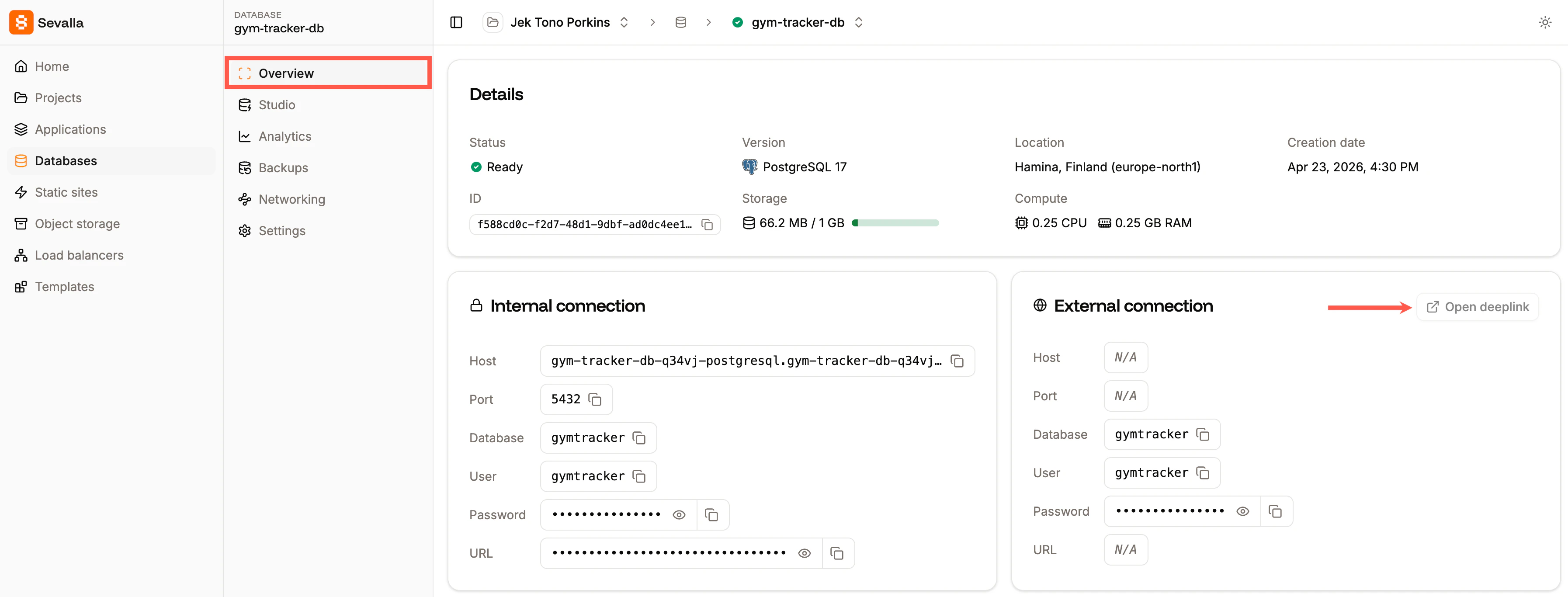
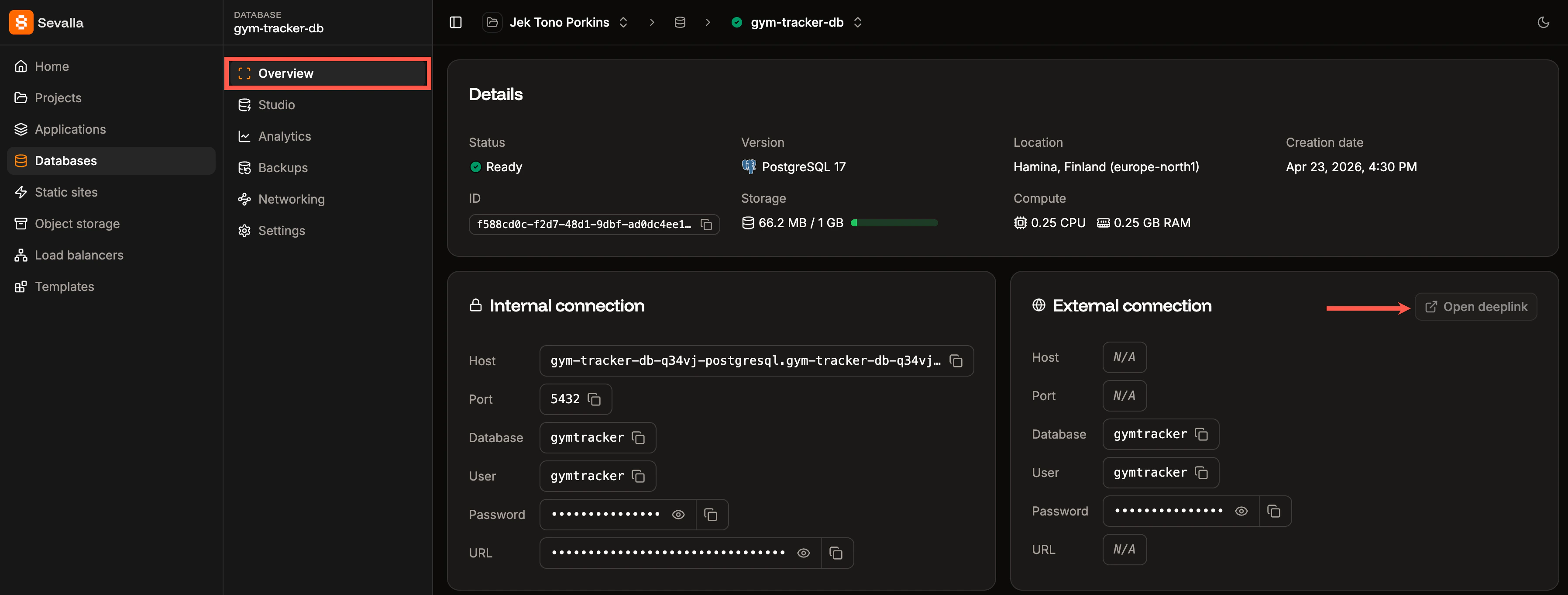
<Frame caption="Connect to your database using Open deeplink.">
  <img className="block dark:hidden" src="https://mintcdn.com/sevalla/xgVrVYuhS59aOzzl/images/open-deeplink-light.png?fit=max&auto=format&n=xgVrVYuhS59aOzzl&q=85&s=b6417cee6c11e95fcc414ee922974969" alt="Connect to your database using Open deeplink" width="3588" height="1366" data-path="images/open-deeplink-light.png" />

  <img className="hidden dark:block" src="https://mintcdn.com/sevalla/xgVrVYuhS59aOzzl/images/open-deeplink-dark.png?fit=max&auto=format&n=xgVrVYuhS59aOzzl&q=85&s=4a43cf267ce8995de6776ce9281b0f19" alt="Connect to your database using Open deeplink" width="3592" height="1362" data-path="images/open-deeplink-dark.png" />
</Frame>

Alternatively, within TablePlus, click **Create a new connection**, choose the database type, and click **Create**.
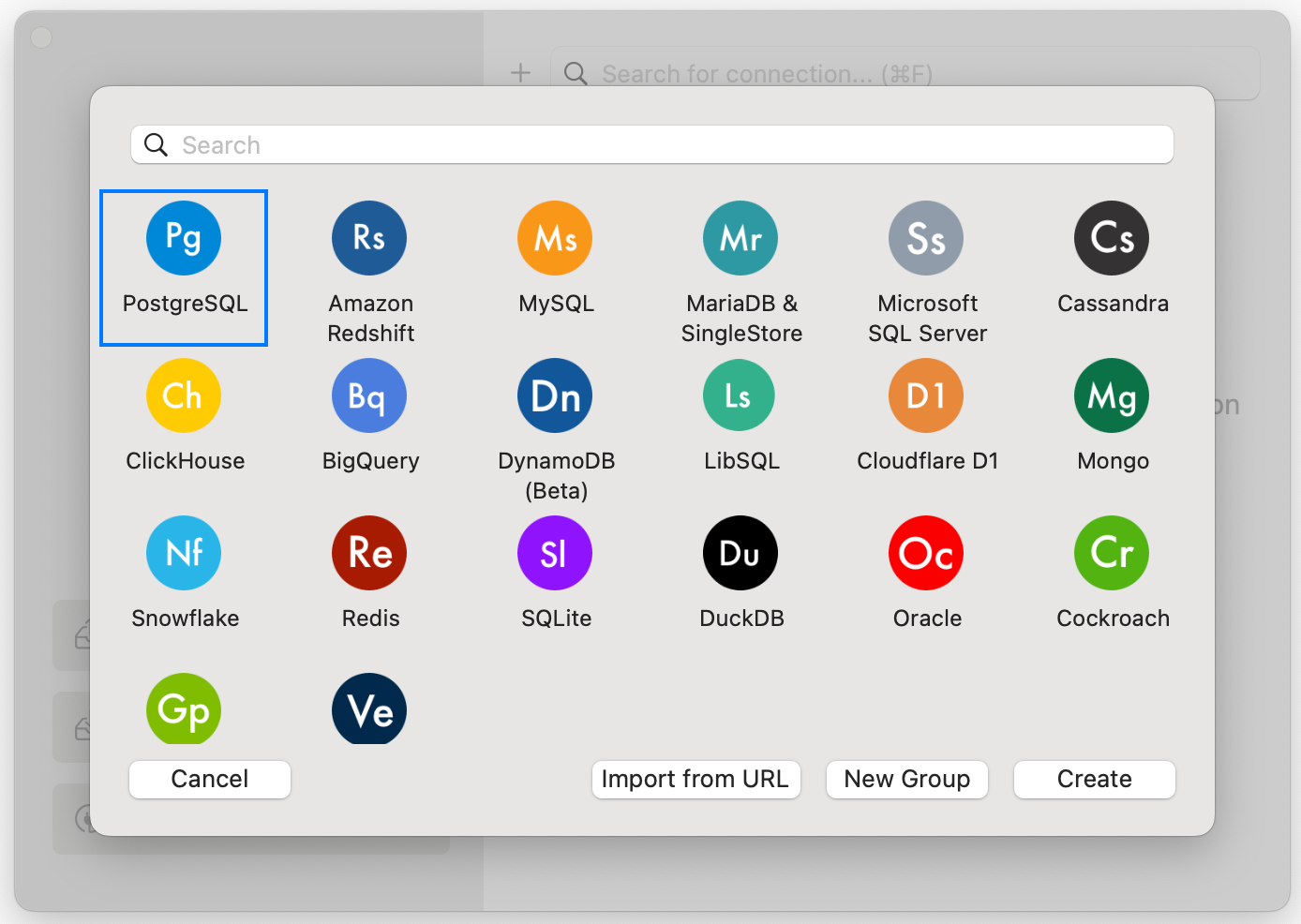
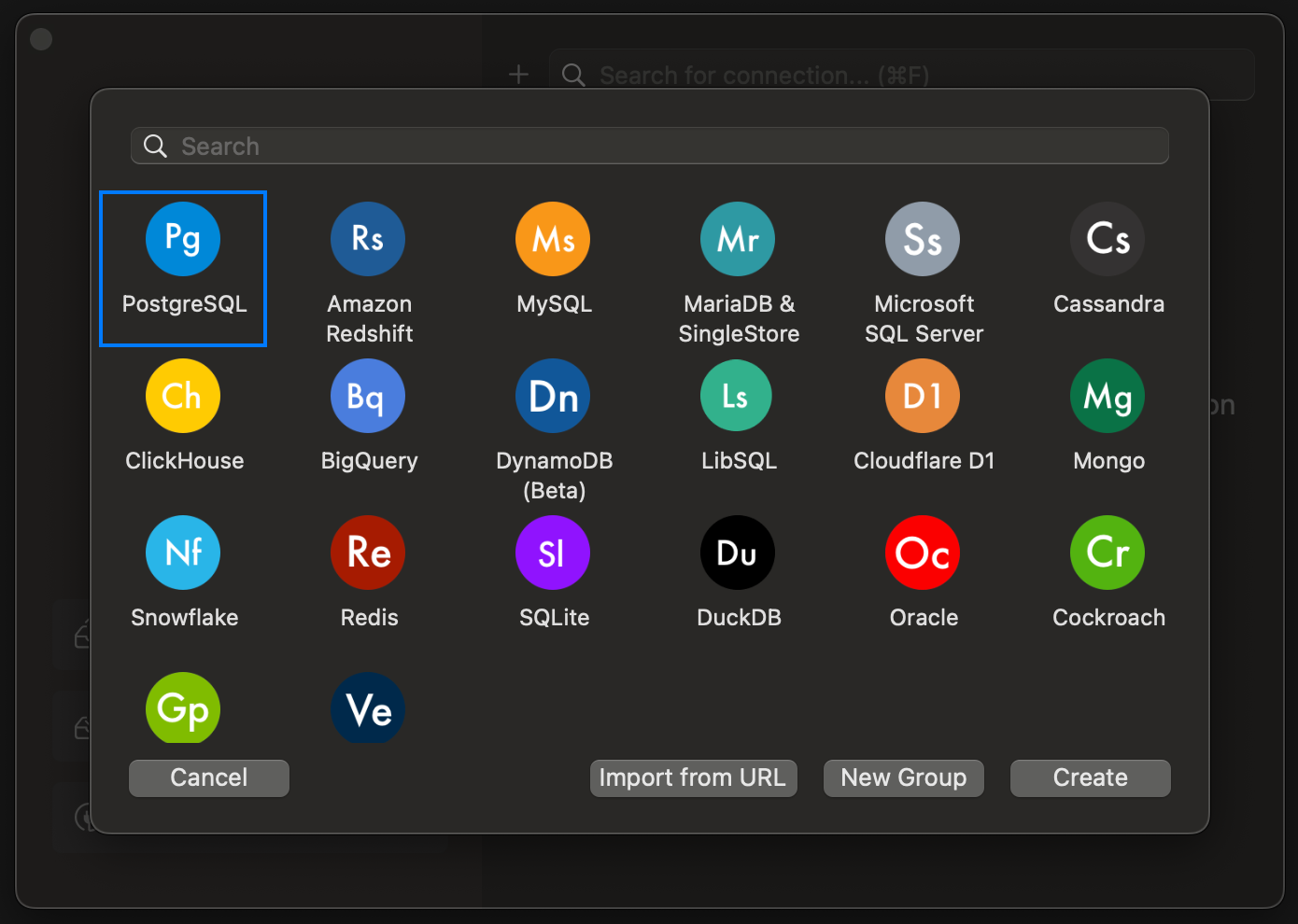
<Frame caption="Create a new database connection in TablePlus.">
  <img className="block dark:hidden" src="https://mintcdn.com/sevalla/9KWG8YmXXZKff_PH/images/tableplus-light.png?fit=max&auto=format&n=9KWG8YmXXZKff_PH&q=85&s=ec36cb42a6031365b5c4b42d28223208" alt="Connect to your database using Open deeplink" width="1388" height="986" data-path="images/tableplus-light.png" />

  <img className="hidden dark:block" src="https://mintcdn.com/sevalla/9KWG8YmXXZKff_PH/images/tableplus-dark.png?fit=max&auto=format&n=9KWG8YmXXZKff_PH&q=85&s=c2b6319a3f7516b6c267cb852112ea18" alt="Connect to your database using Open deeplink" width="1390" height="990" data-path="images/tableplus-dark.png" />
</Frame>

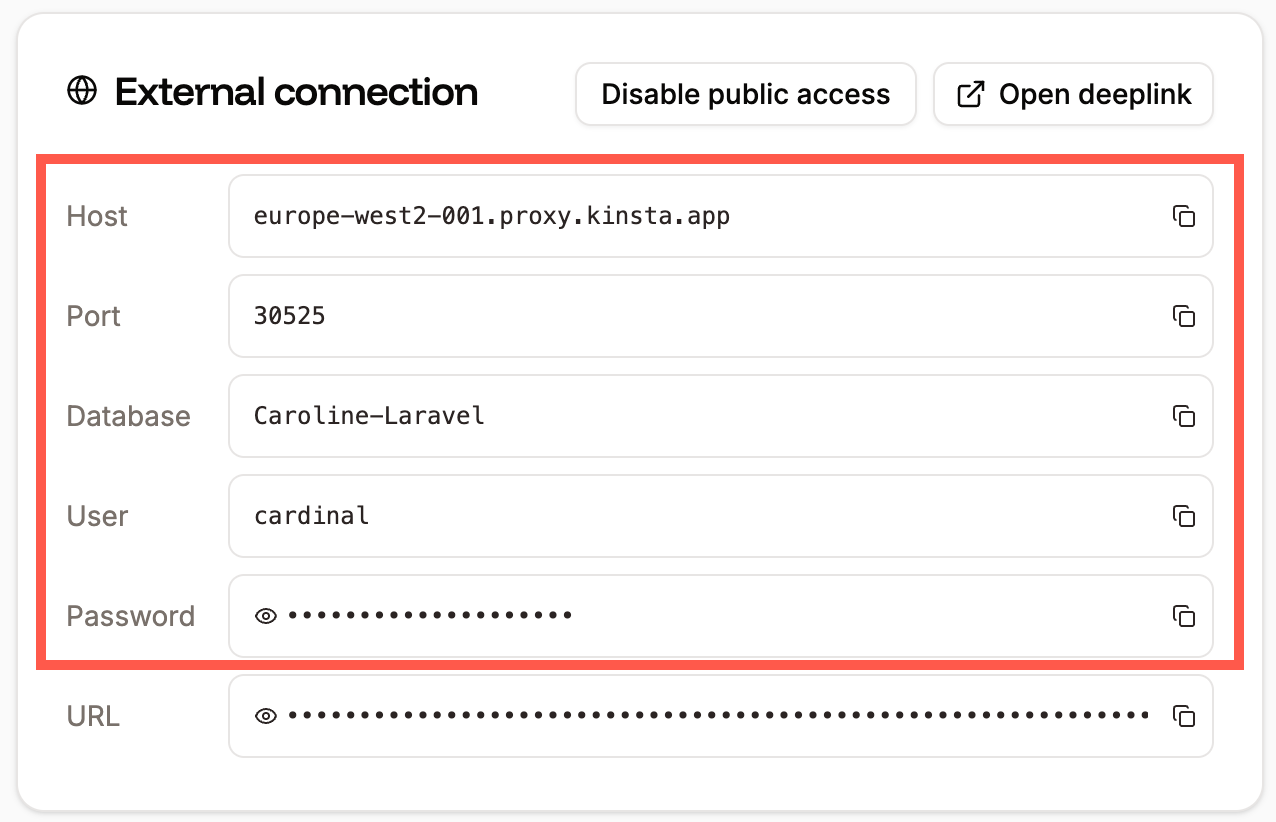
Complete the connection details in TablePlus with the information from your database's [**External connections**](/databases/connections) details in Sevalla, and click **Connect** once you've filled in the following:

* Host/Socket
* Port
* User (This is not required for Redis.)
* Password
* Database (This is not required for Redis.)
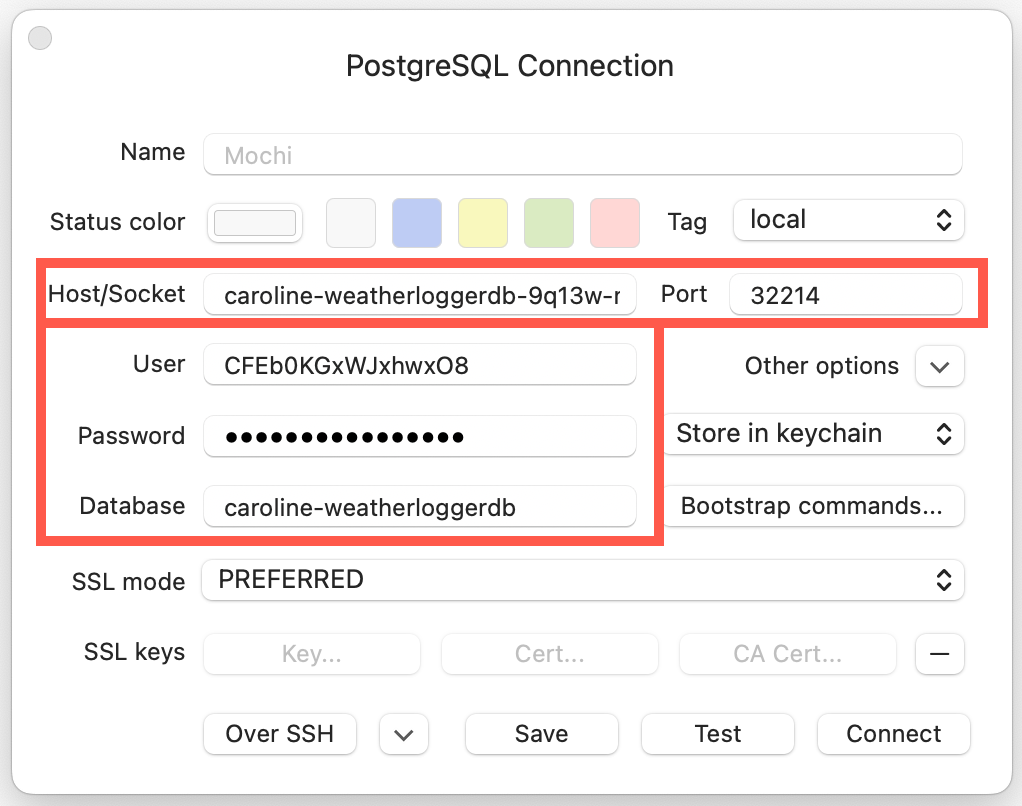
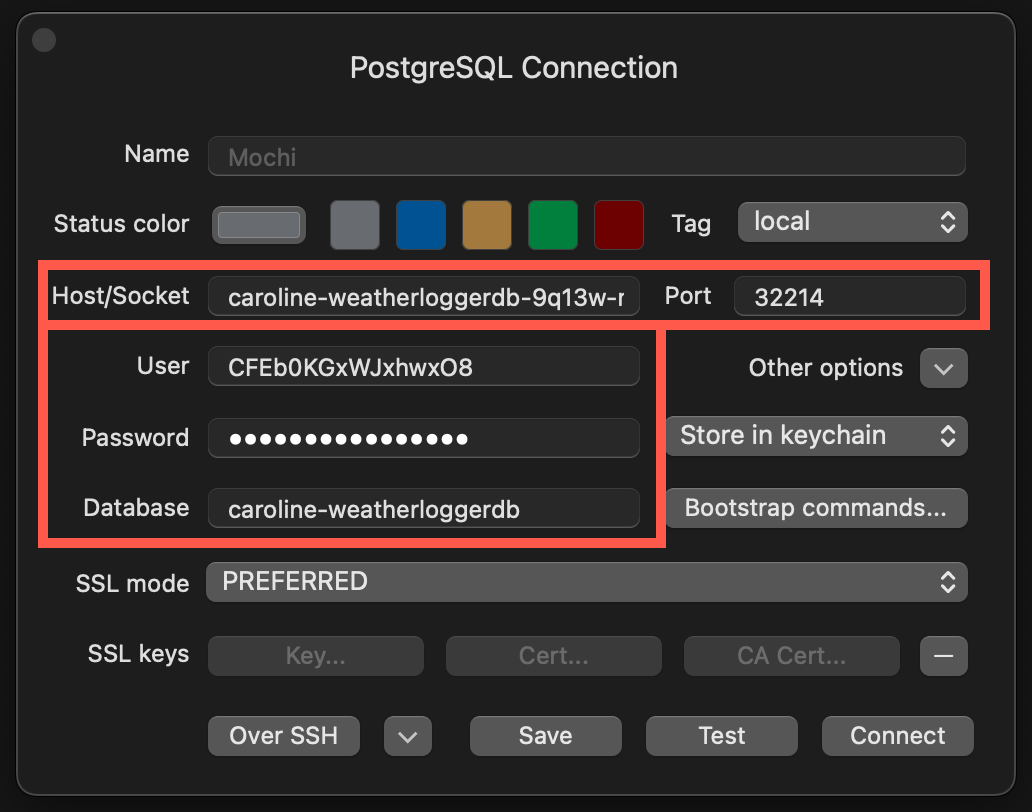
<Frame caption="Database connection details in TablePlus.">
  <img className="block dark:hidden" src="https://mintcdn.com/sevalla/bgLCf4Xd83tbb_SG/images/postgres-connection-light.png?fit=max&auto=format&n=bgLCf4Xd83tbb_SG&q=85&s=002b8740a9b7875ec4ce730a64808aa1" alt="Database connection details in TablePlus" width="1022" height="806" data-path="images/postgres-connection-light.png" />

  <img className="hidden dark:block" src="https://mintcdn.com/sevalla/bgLCf4Xd83tbb_SG/images/postgres-connection-dark.png?fit=max&auto=format&n=bgLCf4Xd83tbb_SG&q=85&s=3bf9cae9cef79c10aada6f84b3a4e469" alt="Database connection details in TablePlus" width="1032" height="812" data-path="images/postgres-connection-dark.png" />
</Frame>

<br />

<Frame caption="Database external connections information in Sevalla.">
  <img className="block dark:hidden" src="https://mintcdn.com/sevalla/Jux_WOUQ8HU0TATP/images/external-connection-light.png?fit=max&auto=format&n=Jux_WOUQ8HU0TATP&q=85&s=bb6473afec45a967991bdb1fc6500773" alt="Database external connections information in Sevalla" width="1276" height="822" data-path="images/external-connection-light.png" />

  <img className="hidden dark:block" src="https://mintcdn.com/sevalla/Jux_WOUQ8HU0TATP/images/external-connection-dark.png?fit=max&auto=format&n=Jux_WOUQ8HU0TATP&q=85&s=cc3277c3904ec3485bc8c9e464345da5" alt="Database external connections information in Sevalla" width="1280" height="830" data-path="images/external-connection-dark.png" />
</Frame>

You are now connected to the Sevalla database, and you can use TablePlus to view and manage the database.

## Backup a database

We provide [automated and manual backups for databases](/databases/backups), but if you need to download a copy of your database, you can export it with TablePlus.

In TablePlus, click **File** > **Backup**, choose your connection and database, and click **Start backup**.
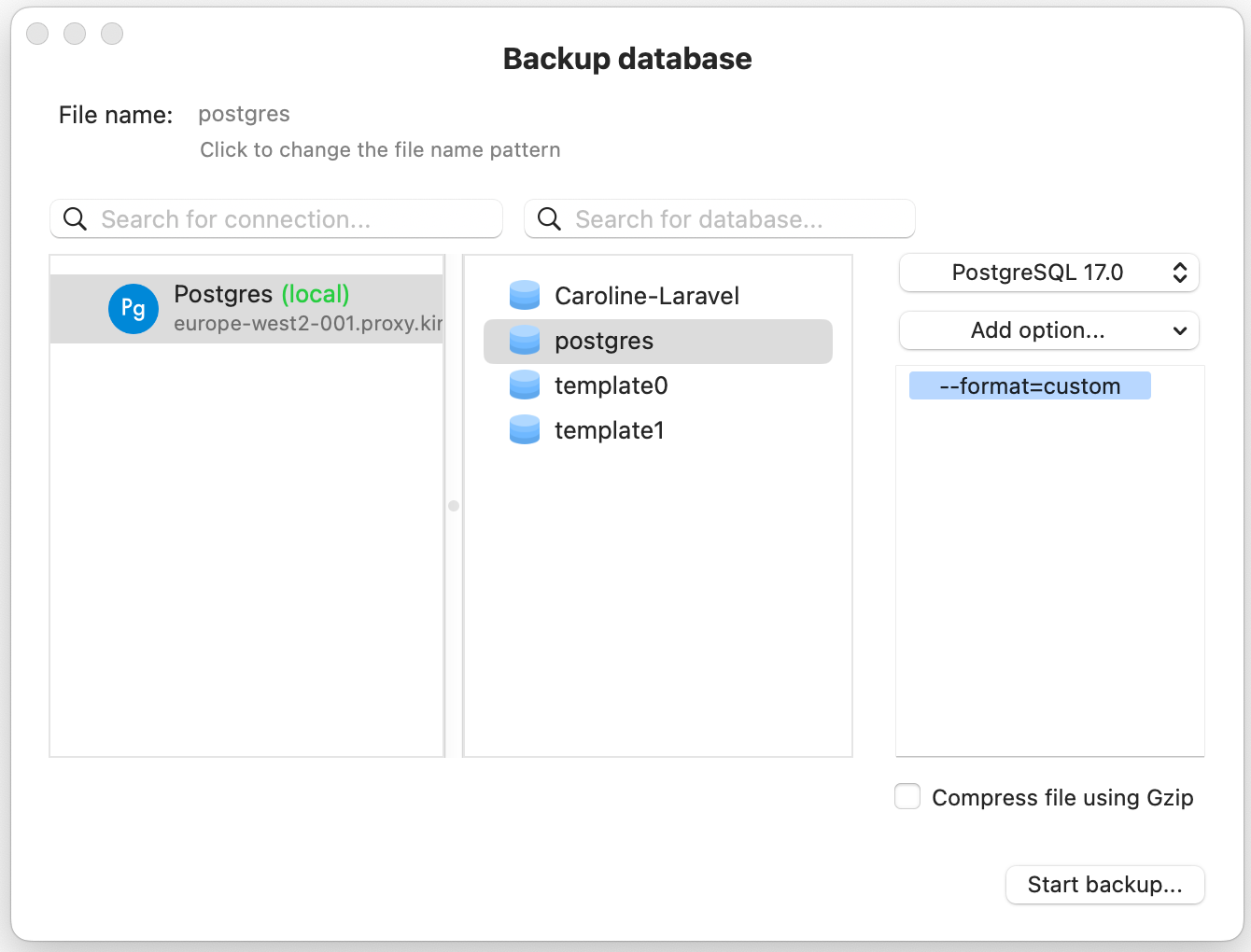
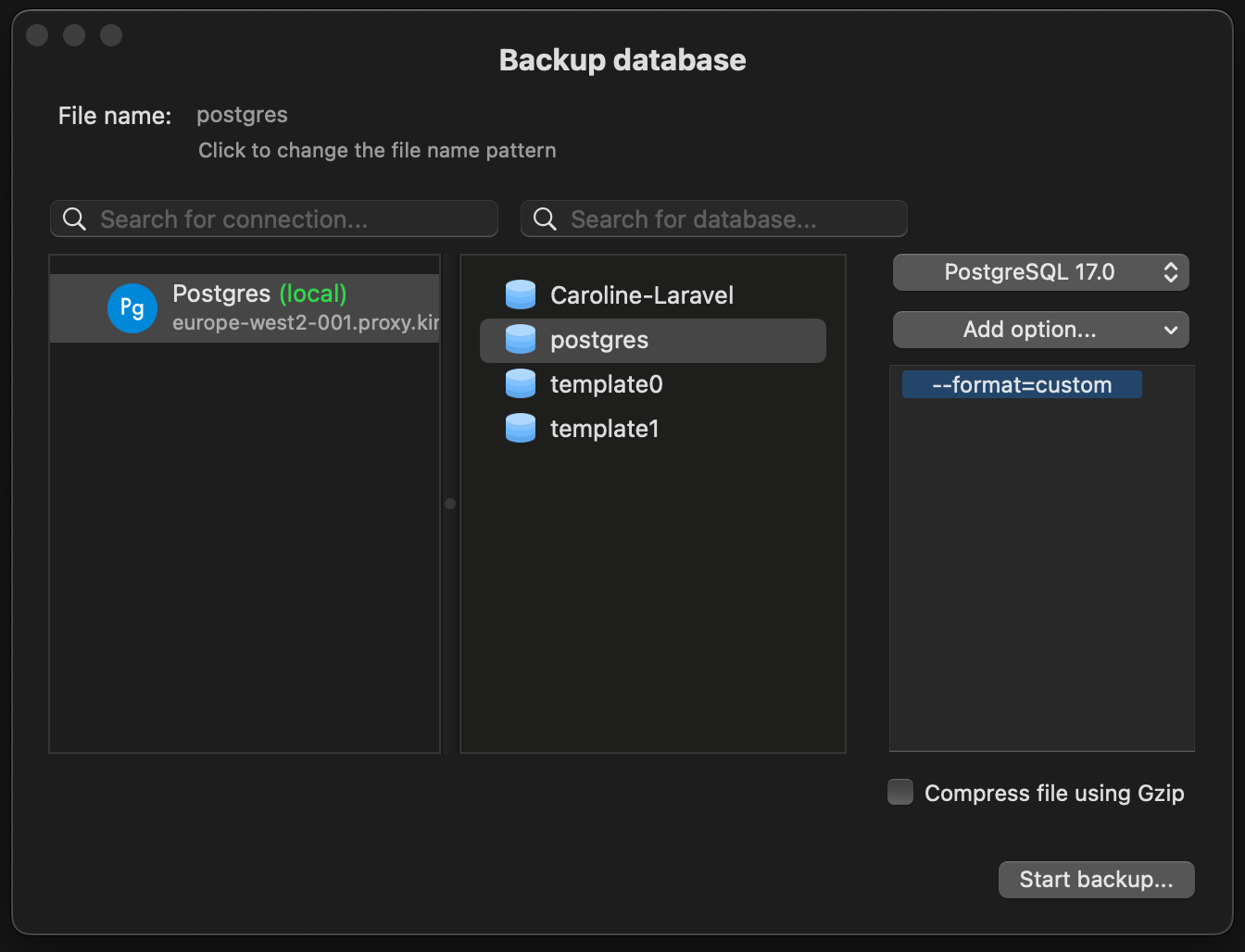
<Frame caption="Back up a database in TablePlus.">
  <img className="block dark:hidden" src="https://mintcdn.com/sevalla/9KWG8YmXXZKff_PH/images/tableplus-backup-light.png?fit=max&auto=format&n=9KWG8YmXXZKff_PH&q=85&s=013e862b514ace2941ad8ec4b9af8e84" alt="Back up a database in TablePlus" width="1340" height="1020" data-path="images/tableplus-backup-light.png" />

  <img className="hidden dark:block" src="https://mintcdn.com/sevalla/9KWG8YmXXZKff_PH/images/tableplus-backup-dark.png?fit=max&auto=format&n=9KWG8YmXXZKff_PH&q=85&s=73b980f54fa5a74e2ae708960e2d057f" alt="Back up a database in TablePlus" width="1344" height="1028" data-path="images/tableplus-backup-dark.png" />
</Frame>

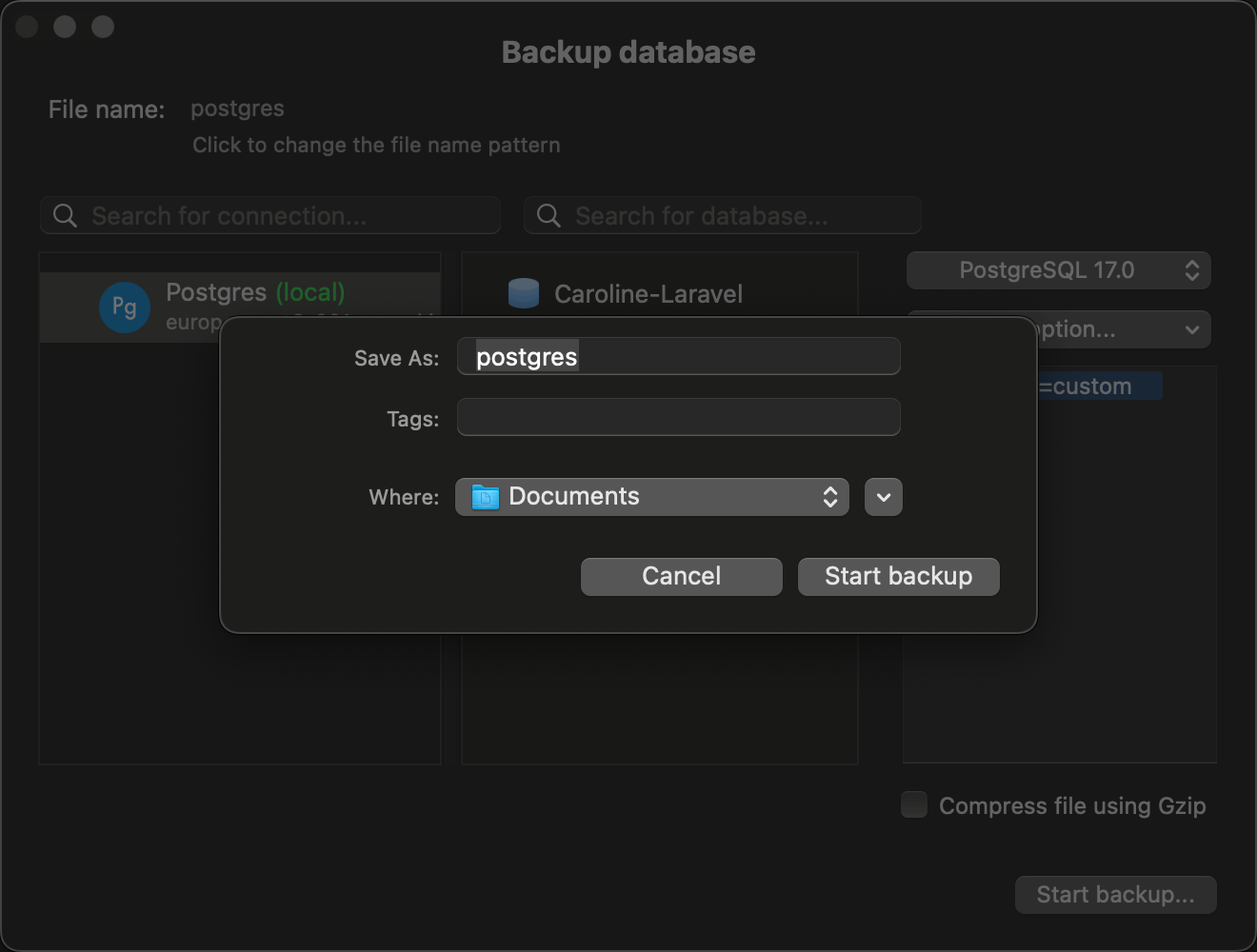
Enter a file name for the backup, choose where you want to save it, and click **Start backup**.
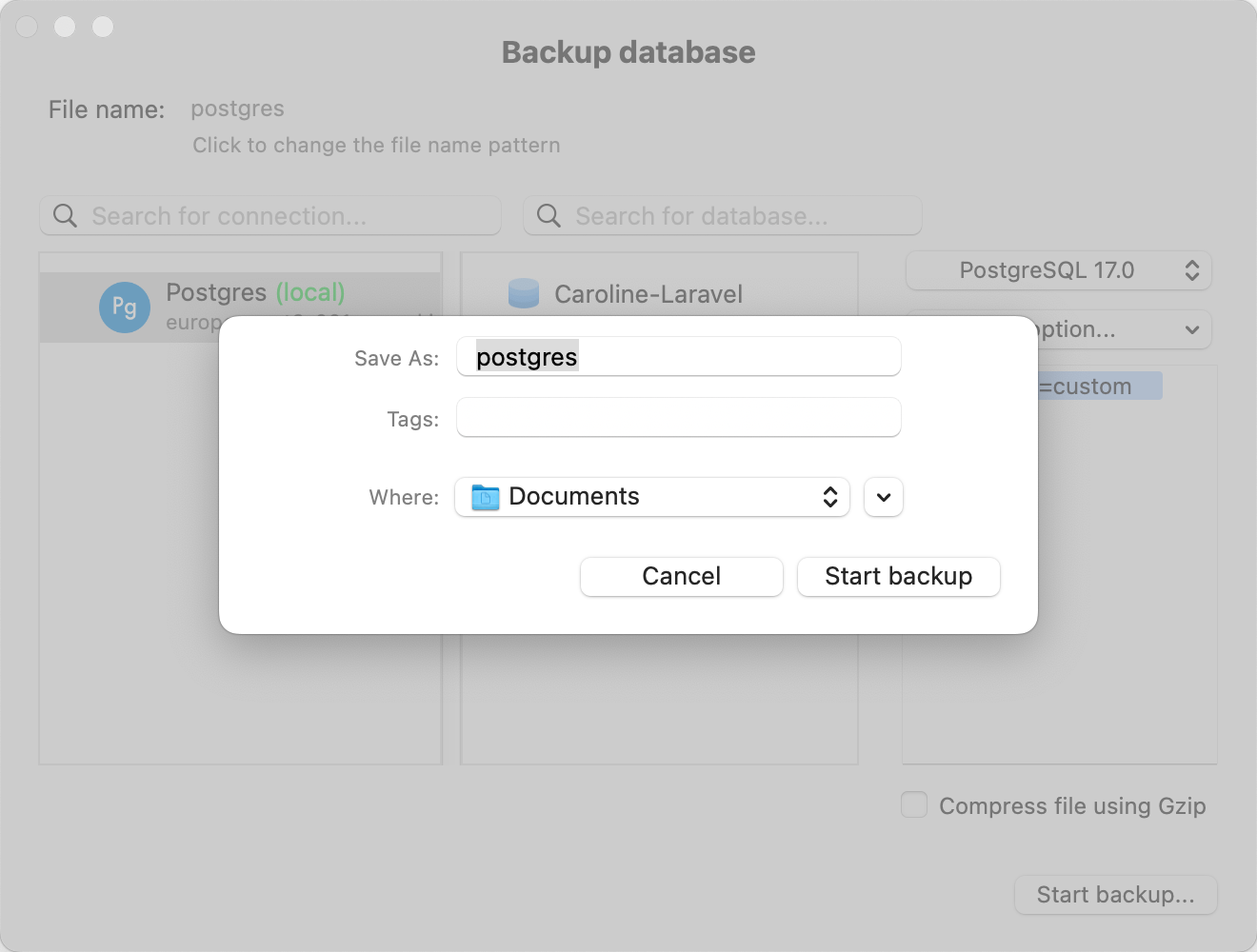
<Frame caption="Start your database backup in TablePlus.">
  <img className="block dark:hidden" src="https://mintcdn.com/sevalla/9KWG8YmXXZKff_PH/images/tableplus-backup-start-light.png?fit=max&auto=format&n=9KWG8YmXXZKff_PH&q=85&s=c6ef0f0747baa5b71a216f621097d005" alt="Start your database backup in TablePlus" width="1320" height="1000" data-path="images/tableplus-backup-start-light.png" />

  <img className="hidden dark:block" src="https://mintcdn.com/sevalla/9KWG8YmXXZKff_PH/images/tableplus-backup-start-dark.png?fit=max&auto=format&n=9KWG8YmXXZKff_PH&q=85&s=c31e1d75c4410a3c918772aaec990c9c" alt="Start your database backup in TablePlus" width="1320" height="1000" data-path="images/tableplus-backup-start-dark.png" />
</Frame>

## Restore a database

You can [restore automatic or manual backups](/databases/backups#restore-a-backup) that are stored in Sevalla, but if you need to restore a backup that isn't in Sevalla, you can restore it with TablePlus.

When a database backup is restored, all changes to the database will be rolled back to the time the backup was created.

In TablePlus, click **File** > **Restore**, choose your connection and database, and click **Start restore**.
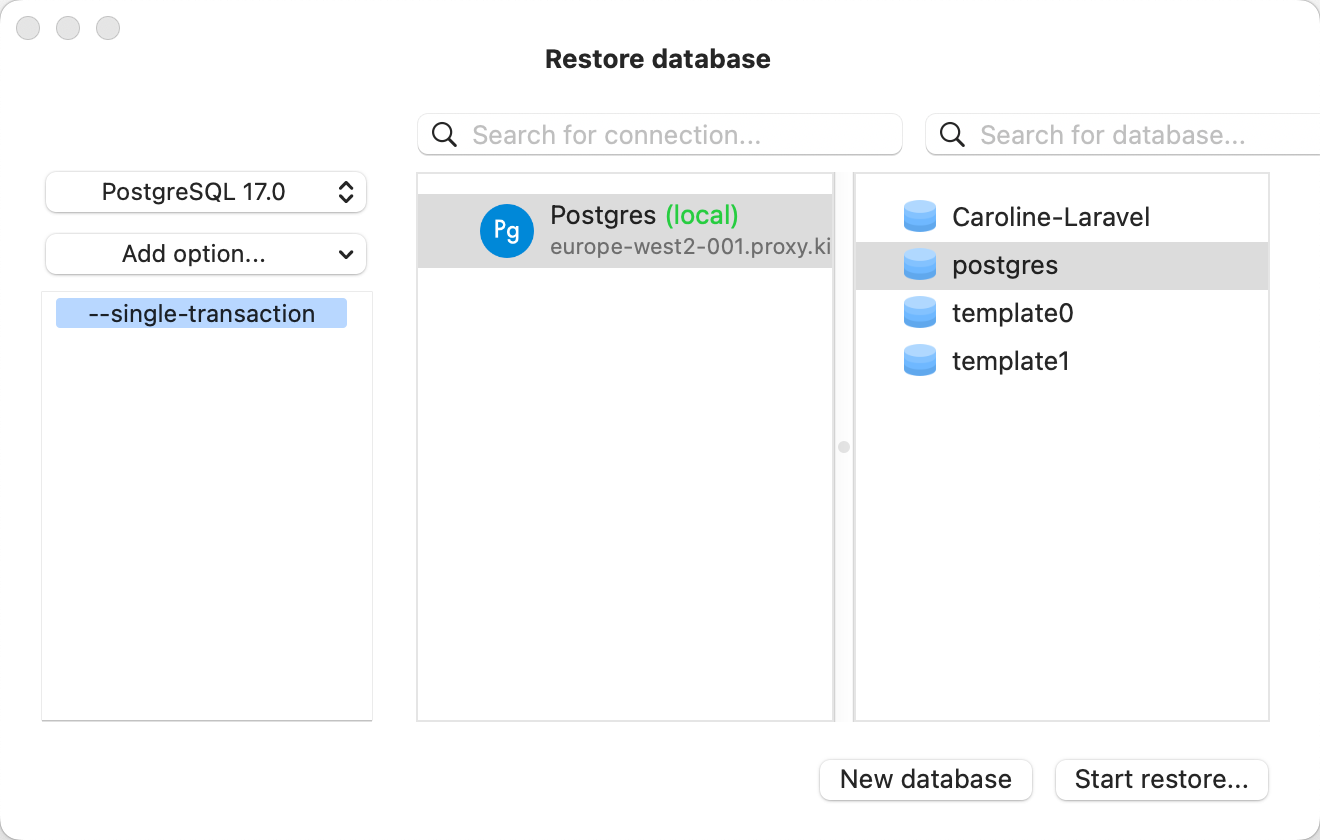
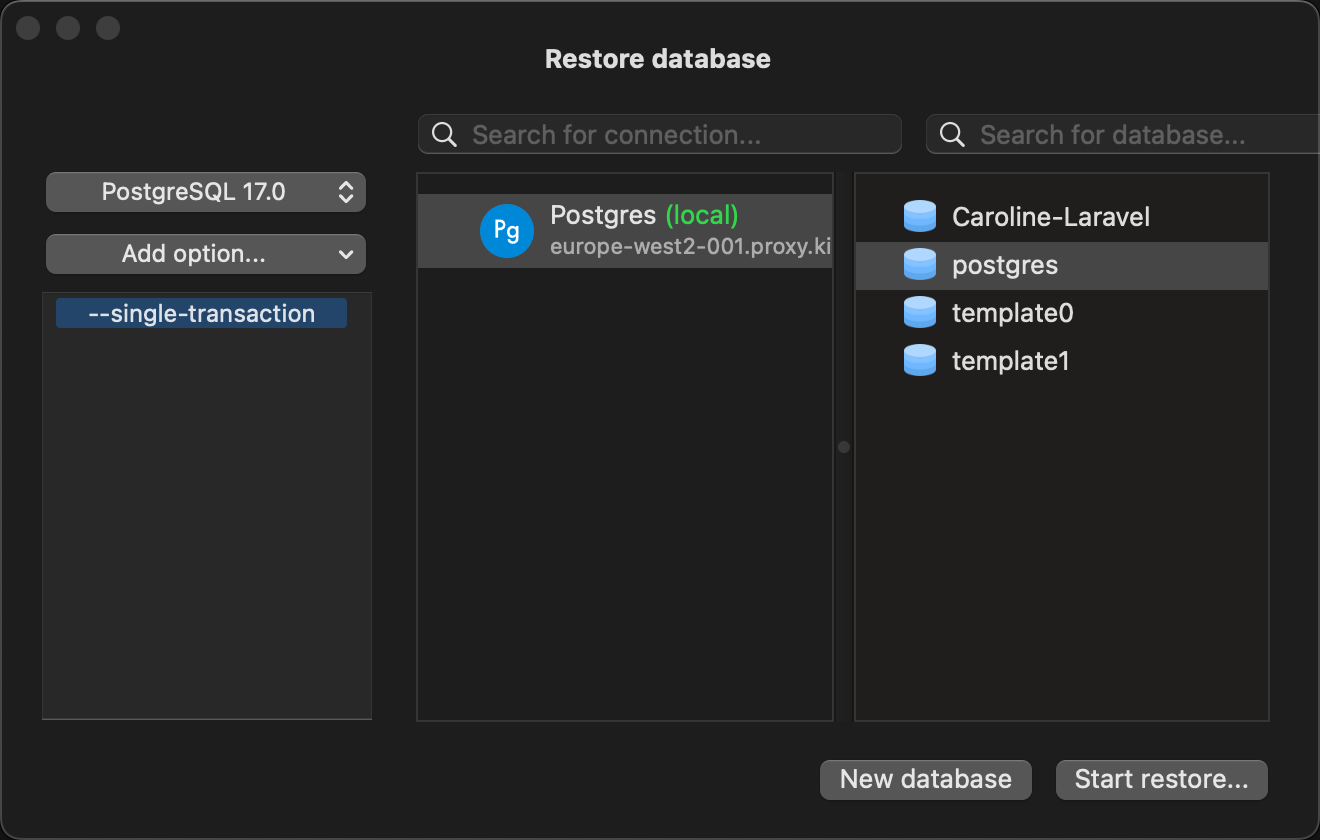
<Frame caption="Restore a database in TablePlus.">
  <img className="block dark:hidden" src="https://mintcdn.com/sevalla/9KWG8YmXXZKff_PH/images/tableplus-restore-light.png?fit=max&auto=format&n=9KWG8YmXXZKff_PH&q=85&s=9b7c2c1492112e6fa6911c00d636adc7" alt="Restore a database in TablePlus" width="1320" height="840" data-path="images/tableplus-restore-light.png" />

  <img className="hidden dark:block" src="https://mintcdn.com/sevalla/9KWG8YmXXZKff_PH/images/tableplus-restore-dark.png?fit=max&auto=format&n=9KWG8YmXXZKff_PH&q=85&s=4b0e517af40aa75b0dce083af78f371f" alt="Restore a database in TablePlus" width="1320" height="840" data-path="images/tableplus-restore-dark.png" />
</Frame>

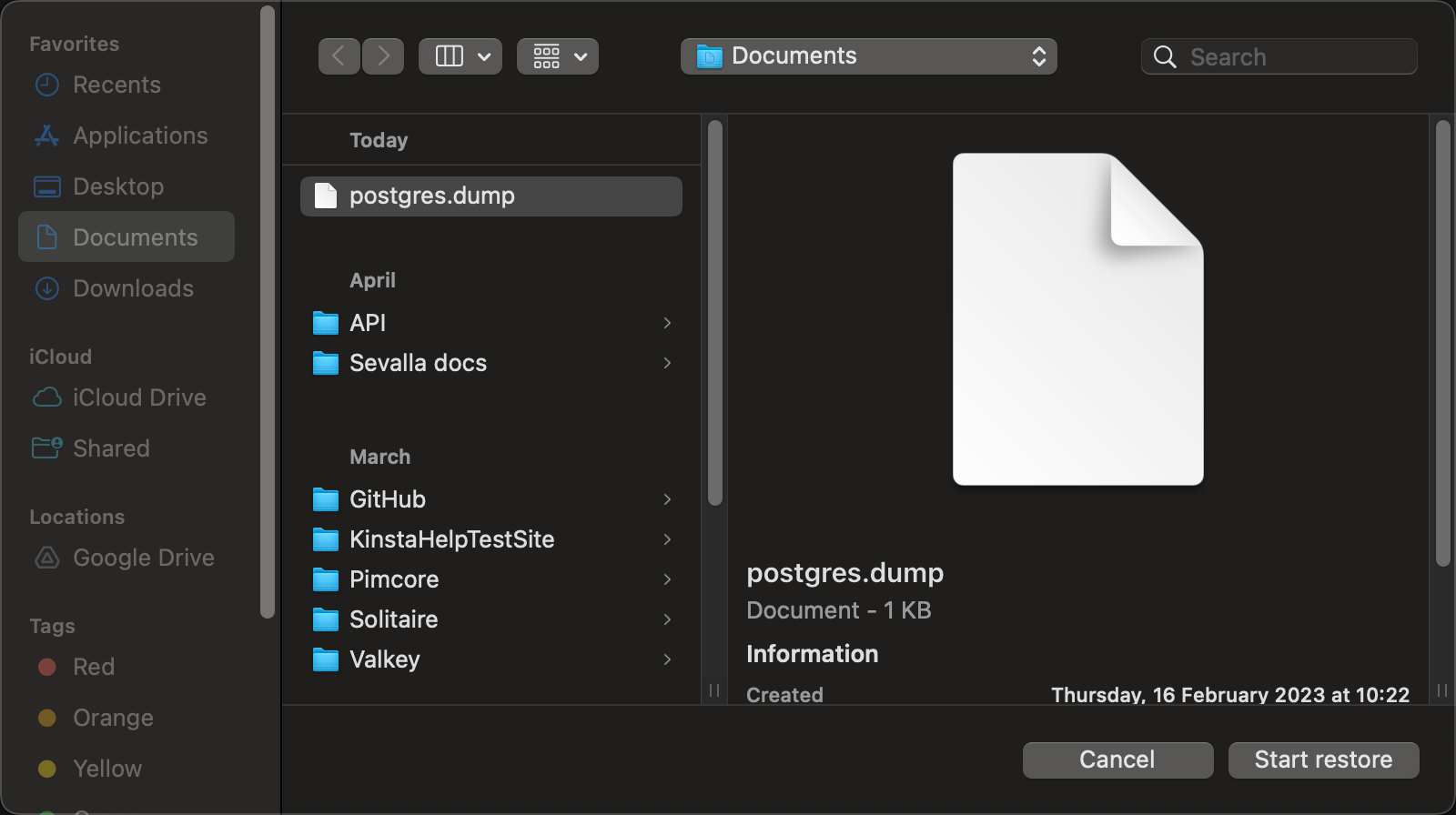
Browse to the file you want to restore and click **Start restore** again.
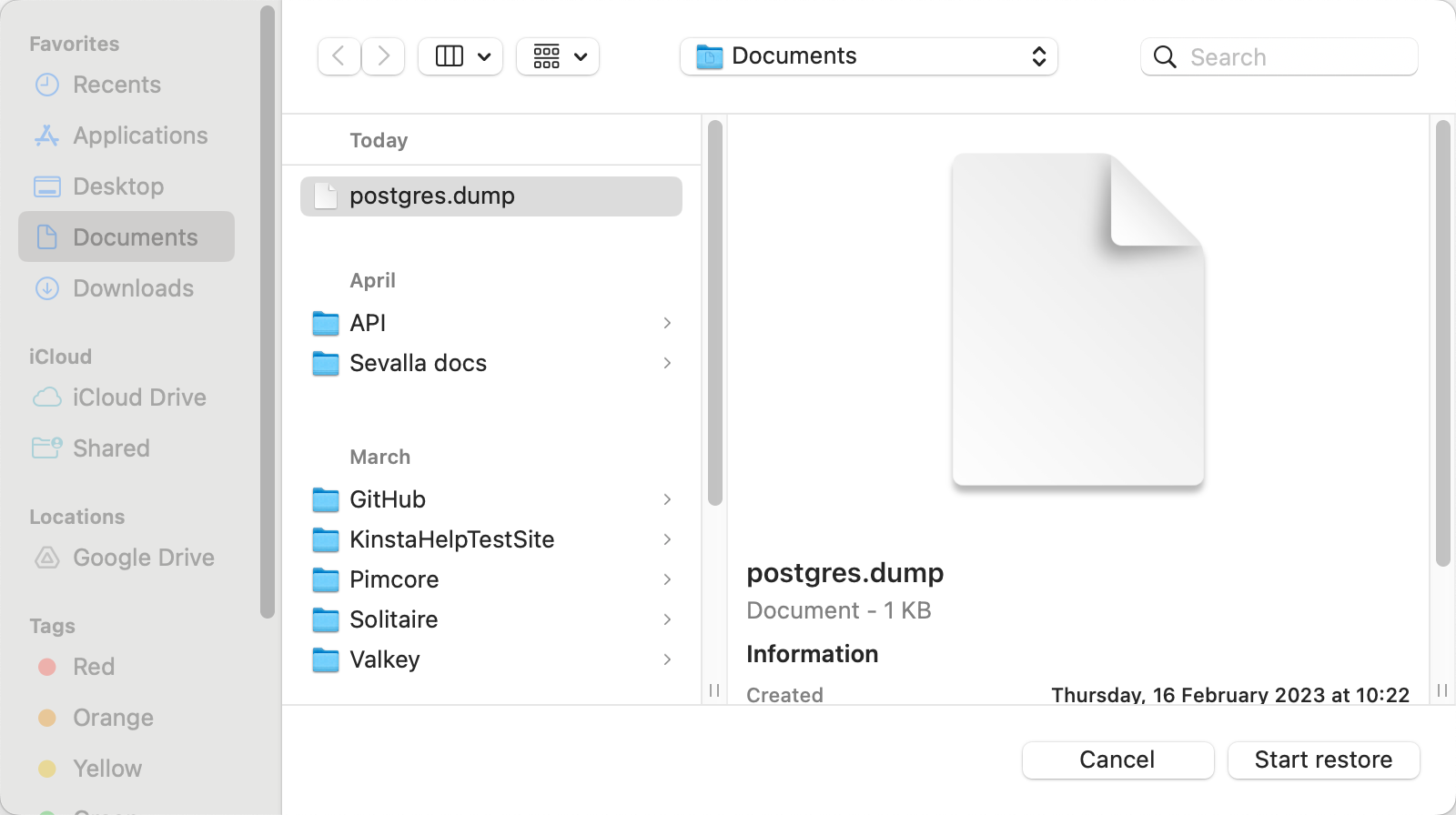
<Frame caption="Start your database restore in TablePlus.">
  <img className="block dark:hidden" src="https://mintcdn.com/sevalla/9KWG8YmXXZKff_PH/images/tableplus-restore-start-light.png?fit=max&auto=format&n=9KWG8YmXXZKff_PH&q=85&s=da6d081bf8f14eeda20ac34ce5235786" alt="Start your database restore in TablePlus" width="1600" height="896" data-path="images/tableplus-restore-start-light.png" />

  <img className="hidden dark:block" src="https://mintcdn.com/sevalla/9KWG8YmXXZKff_PH/images/tableplus-restore-start-dark.png?fit=max&auto=format&n=9KWG8YmXXZKff_PH&q=85&s=bfe1d636679e4966aaa96838f219c9ef" alt="Start your database restore in TablePlus" width="1600" height="896" data-path="images/tableplus-restore-start-dark.png" />
</Frame>