> ## Documentation Index
> Fetch the complete documentation index at: https://docs.sevalla.com/llms.txt
> Use this file to discover all available pages before exploring further.
> ## Agent Instructions
> These are the docs for Sevalla, a platform for deploying applications, databases, static sites, object storage and load balancers. The dashboard is at https://app.sevalla.com.
> Bold text in steps is an exact dashboard label.
> To act on a Sevalla account, prefer the Sevalla MCP server (https://mcp.sevalla.com/mcp, see https://docs.sevalla.com/ai-agents/overview.md), then the Sevalla CLI (https://docs.sevalla.com/developer-tools/cli.md), then the REST API (https://api-docs.sevalla.com, OpenAPI spec at https://api.sevalla.com/v3/openapi.json).
> Every page index is at https://docs.sevalla.com/llms.txt.
# Cache Django with Redis
> Use a Sevalla Redis database as Django's cache backend over an internal connection, cache views with cache_page, and control the CDN and edge cache with Cache-Control.
Django's cache framework keeps computed views and values in a cache backend. On Sevalla, the backend is a Redis database that the application reaches over an internal connection, so every instance of the web process shares one cache. Django includes the Redis backend: it needs only the `redis` package.
## Before you begin
* A Django project deployed on Sevalla, as in [Deploy Django](/guides/python/django/deploy).
## Create a Redis database
In the sidebar, click **Databases**, then click **Create database**. Under **Database**, choose **Redis**, or **Valkey**: the code in this guide works with both. Enter `storefront-redis` as the **Display name**, choose the same **Data center** as the application and a **Size**, then click **Create database**.
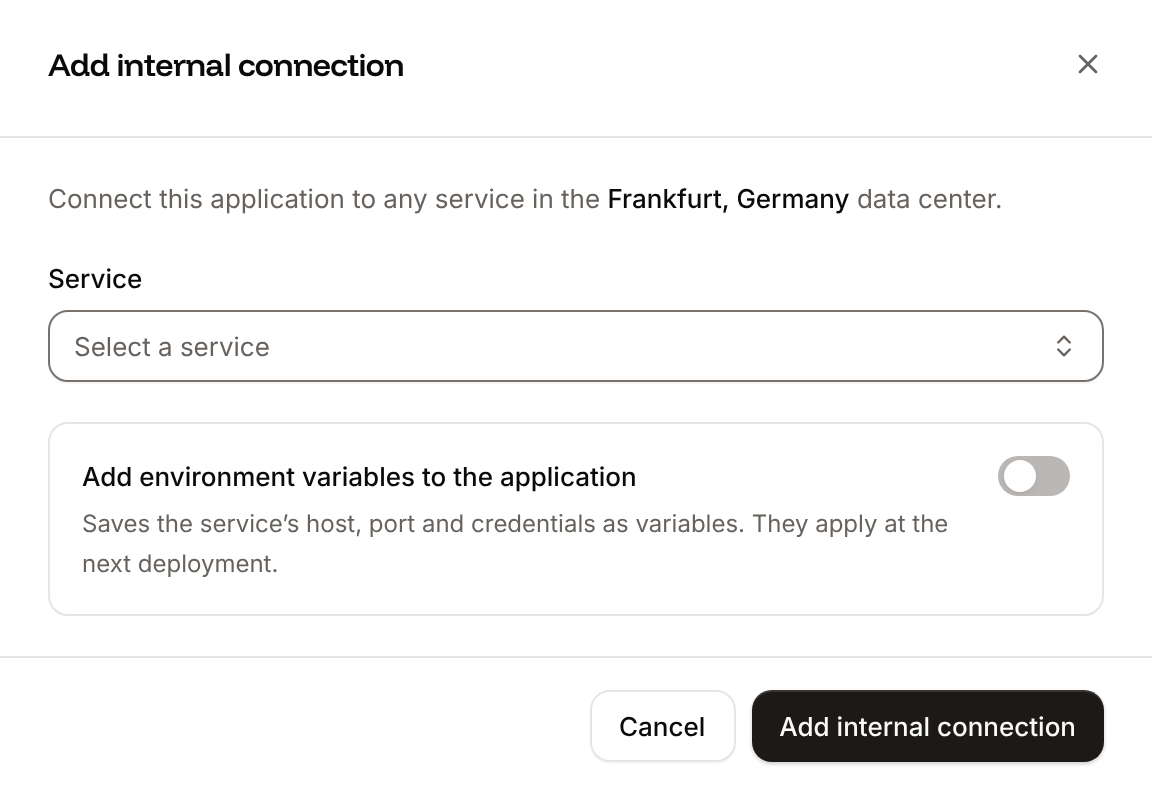
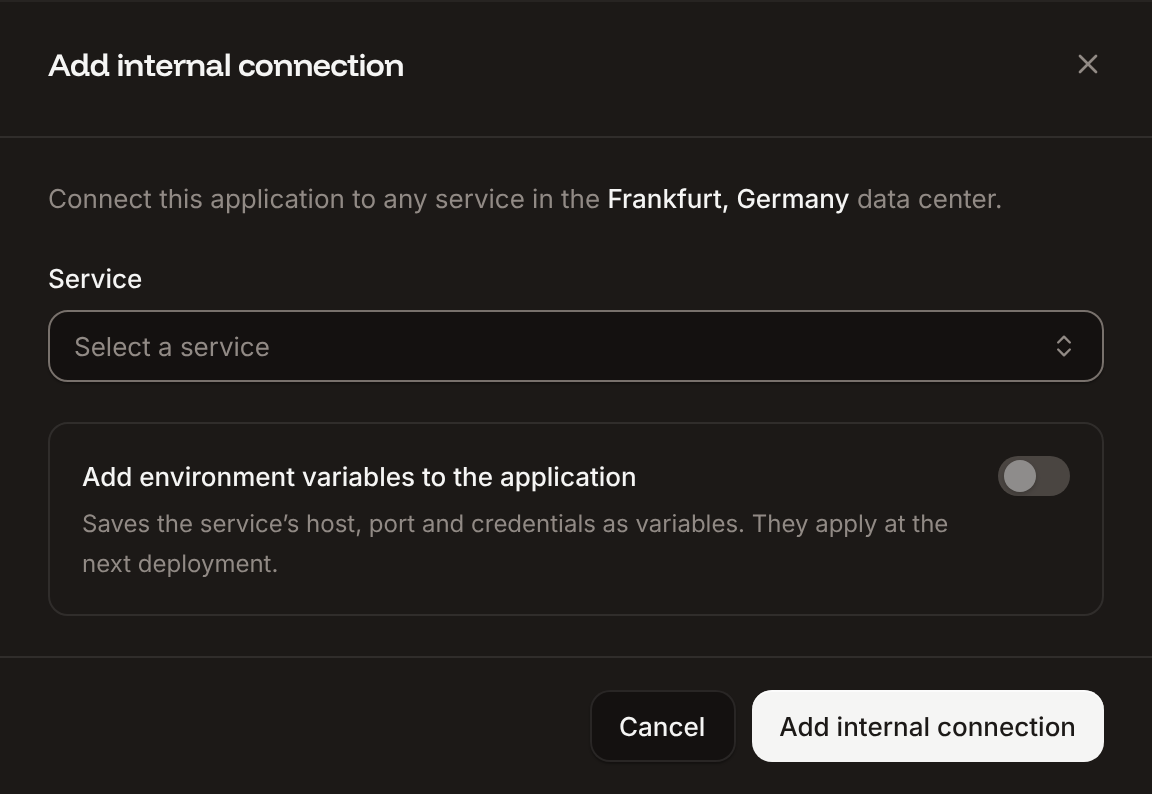
In the sidebar, click **Applications**, then click the application. Click the **Networking** tab. Under **Connected services**, click **Add internal connection**. Choose `storefront-redis` as the **Service**, turn on **Add environment variables to the application**, and click **Add internal connection**. Sevalla adds `REDIS_HOST`, `REDIS_PORT`, `REDIS_PASSWORD` and `REDIS_URL`. See [Connect an application](/databases/connect#connect-an-application).
 ## Configure the cache
Install redis-py and update `requirements.txt`:
```bash theme={null}
pip install redis
pip freeze > requirements.txt
```
In `storefront/settings.py`, use Django's Redis backend with the URL from the internal connection:
```python storefront/settings.py theme={null}
# A Valkey database's URL starts with valkey://, which redis-py doesn't accept.
REDIS_URL = env("REDIS_URL", default="redis://localhost:6379/0").replace("valkey://", "redis://", 1)
CACHES = {
"default": {
"BACKEND": "django.core.cache.backends.redis.RedisCache",
"LOCATION": REDIS_URL,
}
}
```
The same setting serves `cache_page`, template fragment caching (`{% cache %}`) and the low-level API (`django.core.cache.cache`).
## Cache a view
Cache a view's response for 2 minutes with `cache_page`:
```python storefront/views.py theme={null}
from django.http import HttpResponse
from django.utils import timezone
from django.views.decorators.cache import cache_page
@cache_page(60 * 2)
def cached(request):
return HttpResponse(f"Generated at {timezone.now():%H:%M:%S}")
```
```python storefront/urls.py theme={null}
from django.contrib import admin
from django.urls import path
from storefront.views import cached
urlpatterns = [
path("admin/", admin.site.urls),
path("cached/", cached),
]
```
Commit and push the changes. If **Auto-deploy** is off, click **Deploy now** on the application's **Overview** tab.
## Verify
Request the page twice, with your application's domain:
```bash theme={null}
curl https://storefront-x7k2m.sevalla.app/cached/
curl https://storefront-x7k2m.sevalla.app/cached/
```
Both responses show the same time. After 2 minutes, the next request shows a new time. To look at the keys, open the Redis database and click the **Redis studio** tab. See [Database studio](/databases/studio).
## Control the CDN and edge cache
Sevalla can also cache responses at Cloudflare's edge, in front of the application. Turn on the CDN and edge caching on the application's **Networking** tab; see [CDN and edge caching](/applications/caching).
* The CDN caches static files by file extension, such as `.css`, `.js` and images. WhiteNoise's hashed file names make them safe to cache for a long time.
* Edge caching caches pages and other responses too. It caches only `GET` requests, skips requests with an `Authorization` header, and doesn't store responses that set a cookie, such as pages that start a session or set the CSRF cookie.
* When a response has no `Cache-Control` header, Sevalla adds one. With edge caching on, a `200` response without its own header can stay cached for up to 30 days, unless a deployment or a purge clears the cache first. See [Control caching from your application](/applications/caching#control-caching-from-your-application).
So with edge caching on, set `Cache-Control` on every view. `never_cache` keeps a page out of every cache, and `cache_control` sets how long it may be kept:
```python storefront/views.py theme={null}
from django.views.decorators.cache import cache_control, never_cache
@never_cache
def account(request):
...
@cache_control(public=True, max_age=600)
def catalog(request):
...
```
Django's admin views already use `never_cache`. To check what a page sends, run `curl -sI https://storefront-x7k2m.sevalla.app/catalog/` and read the `Cache-Control` header.
This documentation is built and hosted on [Mintlify](https://mintlify.com), a developer documentation platform.
## Configure the cache
Install redis-py and update `requirements.txt`:
```bash theme={null}
pip install redis
pip freeze > requirements.txt
```
In `storefront/settings.py`, use Django's Redis backend with the URL from the internal connection:
```python storefront/settings.py theme={null}
# A Valkey database's URL starts with valkey://, which redis-py doesn't accept.
REDIS_URL = env("REDIS_URL", default="redis://localhost:6379/0").replace("valkey://", "redis://", 1)
CACHES = {
"default": {
"BACKEND": "django.core.cache.backends.redis.RedisCache",
"LOCATION": REDIS_URL,
}
}
```
The same setting serves `cache_page`, template fragment caching (`{% cache %}`) and the low-level API (`django.core.cache.cache`).
## Cache a view
Cache a view's response for 2 minutes with `cache_page`:
```python storefront/views.py theme={null}
from django.http import HttpResponse
from django.utils import timezone
from django.views.decorators.cache import cache_page
@cache_page(60 * 2)
def cached(request):
return HttpResponse(f"Generated at {timezone.now():%H:%M:%S}")
```
```python storefront/urls.py theme={null}
from django.contrib import admin
from django.urls import path
from storefront.views import cached
urlpatterns = [
path("admin/", admin.site.urls),
path("cached/", cached),
]
```
Commit and push the changes. If **Auto-deploy** is off, click **Deploy now** on the application's **Overview** tab.
## Verify
Request the page twice, with your application's domain:
```bash theme={null}
curl https://storefront-x7k2m.sevalla.app/cached/
curl https://storefront-x7k2m.sevalla.app/cached/
```
Both responses show the same time. After 2 minutes, the next request shows a new time. To look at the keys, open the Redis database and click the **Redis studio** tab. See [Database studio](/databases/studio).
## Control the CDN and edge cache
Sevalla can also cache responses at Cloudflare's edge, in front of the application. Turn on the CDN and edge caching on the application's **Networking** tab; see [CDN and edge caching](/applications/caching).
* The CDN caches static files by file extension, such as `.css`, `.js` and images. WhiteNoise's hashed file names make them safe to cache for a long time.
* Edge caching caches pages and other responses too. It caches only `GET` requests, skips requests with an `Authorization` header, and doesn't store responses that set a cookie, such as pages that start a session or set the CSRF cookie.
* When a response has no `Cache-Control` header, Sevalla adds one. With edge caching on, a `200` response without its own header can stay cached for up to 30 days, unless a deployment or a purge clears the cache first. See [Control caching from your application](/applications/caching#control-caching-from-your-application).
So with edge caching on, set `Cache-Control` on every view. `never_cache` keeps a page out of every cache, and `cache_control` sets how long it may be kept:
```python storefront/views.py theme={null}
from django.views.decorators.cache import cache_control, never_cache
@never_cache
def account(request):
...
@cache_control(public=True, max_age=600)
def catalog(request):
...
```
Django's admin views already use `never_cache`. To check what a page sends, run `curl -sI https://storefront-x7k2m.sevalla.app/catalog/` and read the `Cache-Control` header.
This documentation is built and hosted on [Mintlify](https://mintlify.com), a developer documentation platform.