> ## Documentation Index
> Fetch the complete documentation index at: https://docs.sevalla.com/llms.txt
> Use this file to discover all available pages before exploring further.
> ## Agent Instructions
> These are the docs for Sevalla, a platform for deploying applications, databases, static sites, object storage and load balancers. The dashboard is at https://app.sevalla.com.
> Bold text in steps is an exact dashboard label.
> To act on a Sevalla account, prefer the Sevalla MCP server (https://mcp.sevalla.com/mcp, see https://docs.sevalla.com/ai-agents/overview.md), then the Sevalla CLI (https://docs.sevalla.com/developer-tools/cli.md), then the REST API (https://api-docs.sevalla.com, OpenAPI spec at https://api.sevalla.com/v3/openapi.json).
> Every page index is at https://docs.sevalla.com/llms.txt.
# Add Django health checks
> Add readiness and liveness endpoints to Django that pass ALLOWED_HOSTS, and set them as the web process's health checks so deployments send traffic only to healthy instances.
Health checks are HTTP requests that Sevalla sends to each instance of the web process. The readiness probe decides when an instance gets traffic: during a deployment, new instances receive requests only once it passes. The liveness probe restarts an instance that stops responding. A Django project needs two endpoints for them, one that checks the database and one that only checks that Django answers.
## Before you begin
* A Django project deployed on Sevalla, as in [Deploy Django](/guides/python/django/deploy).
## Add the endpoints
The probes call the instance directly, without your domain in the `Host` header, so a normal view would fail Django's `ALLOWED_HOSTS` check with `400 Bad Request`. Answer the probes in a middleware that runs before anything reads the host:
```python storefront/health.py theme={null}
from django.db import connection
from django.http import HttpResponse
class HealthCheckMiddleware:
def __init__(self, get_response):
self.get_response = get_response
def __call__(self, request):
if request.path == "/livez":
return HttpResponse("OK")
if request.path == "/healthz":
try:
connection.ensure_connection()
except Exception:
return HttpResponse("Database unavailable", status=503)
return HttpResponse("OK")
return self.get_response(request)
```
Put it first in `MIDDLEWARE` in `storefront/settings.py`:
```python storefront/settings.py theme={null}
MIDDLEWARE = [
"storefront.health.HealthCheckMiddleware",
"django.middleware.security.SecurityMiddleware",
"whitenoise.middleware.WhiteNoiseMiddleware",
# ...the rest of the middleware...
]
```
* `/healthz` returns `200` when the database accepts a connection and `503` when it doesn't. Use it for readiness: an instance that can't reach the database gets no traffic.
* `/livez` returns `200` whenever Django runs. Use it for liveness, so that a database outage doesn't restart every instance.
Add more checks to `/healthz` for each service the application can't work without, such as `cache.get("health")` for a Redis cache. Commit and push the changes, and wait for the deployment to finish before you turn on the probes.
## Turn on the health checks
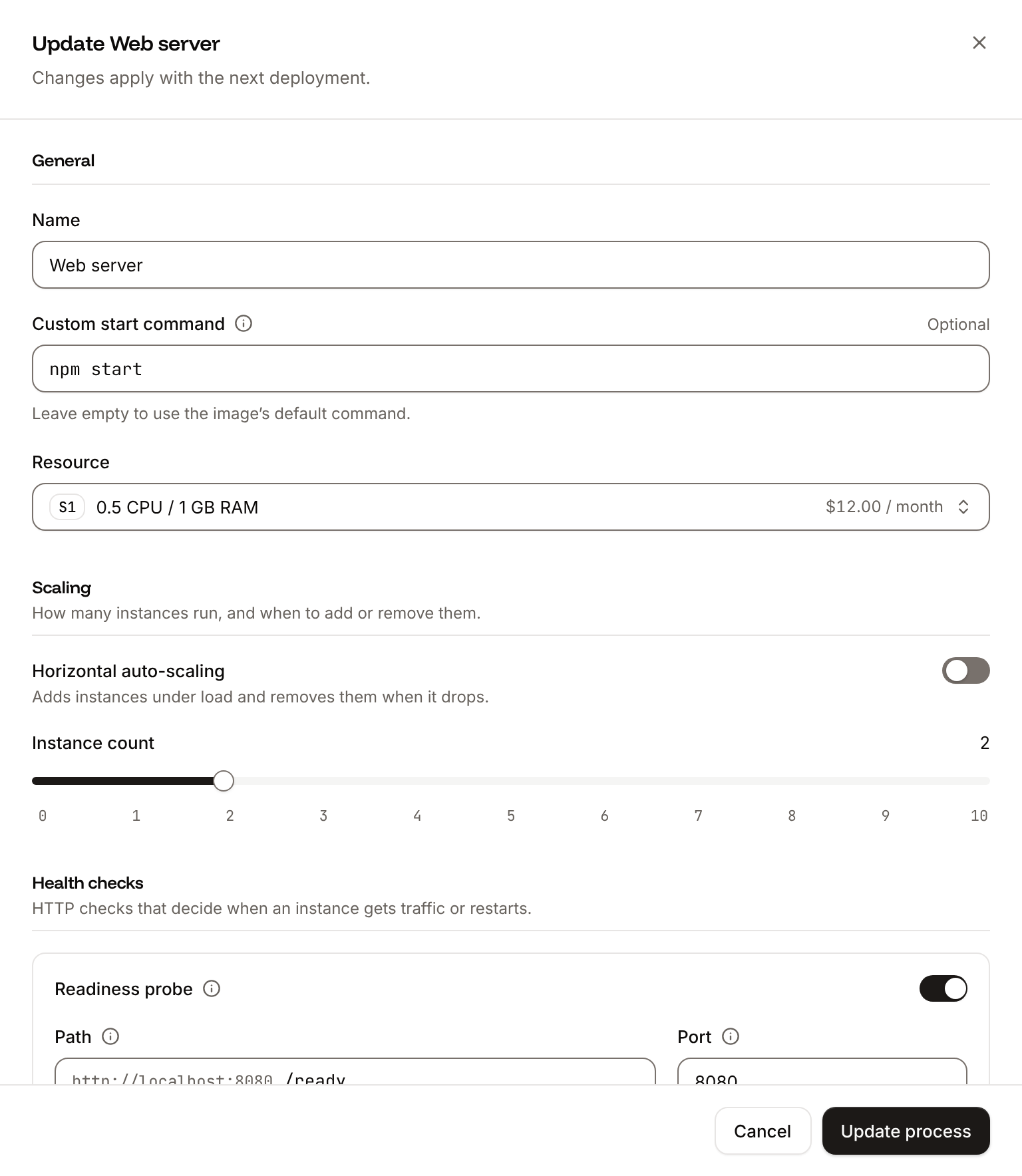
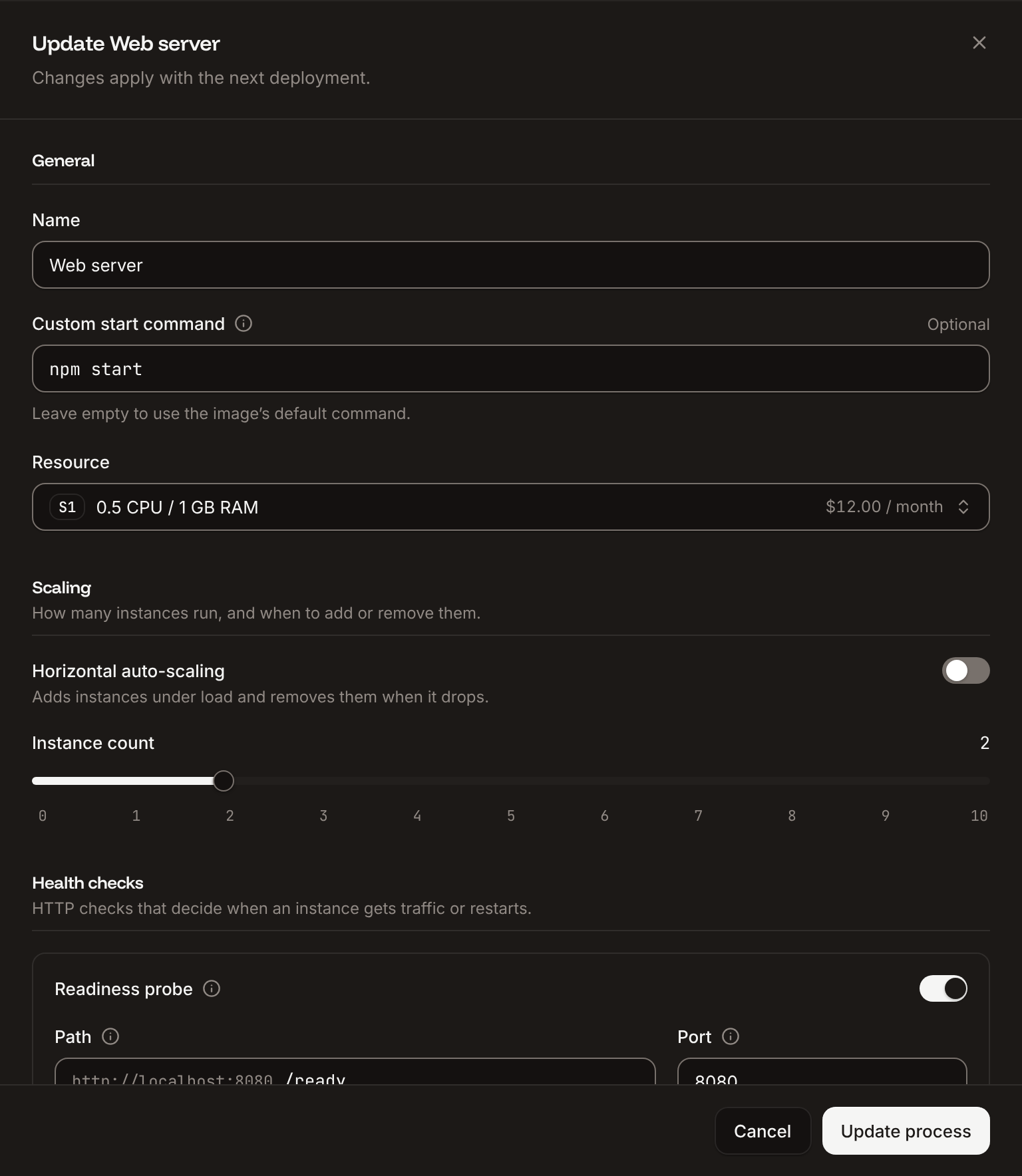
On the application's **Processes** tab, click **⋯** on the **Web** process, then click **Update process**.
Under **Health checks**, turn on **Readiness probe** and set the **Path** to `/healthz`. Keep the **Port** at the web process's port, `8080` unless you changed it.
Turn on **Liveness probe**, set the **Path** to `/livez`, and set the **Initial delay** to `10` seconds, so a slow start doesn't count as a failure.
Click **Update process**, then click **Deploy** in the undeployed changes bar at the bottom of the page.
 A probe passes when the path answers with a status from `200` to `399` within the timeout (1 second by default). Only the web process has health checks. See [Health checks](/applications/processes#health-checks) for every probe setting and its default.
## Verify
1. Request the endpoints through your domain: `curl -i https://storefront-x7k2m.sevalla.app/healthz` returns `200 OK` with the body `OK`. The middleware answers before the host check, so this works from any host.
2. On the **Deployments** tab, the deployment that turned on the probes reaches **Deployed**.
If the deployment doesn't finish, click **App health** on the **Overview** tab to see each instance's status. An instance that fails the readiness probe shows **Unready**: request the path yourself and check that it returns `200`, and that the **Port** matches the port Gunicorn listens on.
This documentation is built and hosted on [Mintlify](https://mintlify.com), a developer documentation platform.
A probe passes when the path answers with a status from `200` to `399` within the timeout (1 second by default). Only the web process has health checks. See [Health checks](/applications/processes#health-checks) for every probe setting and its default.
## Verify
1. Request the endpoints through your domain: `curl -i https://storefront-x7k2m.sevalla.app/healthz` returns `200 OK` with the body `OK`. The middleware answers before the host check, so this works from any host.
2. On the **Deployments** tab, the deployment that turned on the probes reaches **Deployed**.
If the deployment doesn't finish, click **App health** on the **Overview** tab to see each instance's status. An instance that fails the readiness probe shows **Unready**: request the path yourself and check that it returns `200`, and that the **Port** matches the port Gunicorn listens on.
This documentation is built and hosted on [Mintlify](https://mintlify.com), a developer documentation platform.