> ## Documentation Index
> Fetch the complete documentation index at: https://docs.sevalla.com/llms.txt
> Use this file to discover all available pages before exploring further.
# Migrate from Heroku to Sevalla
> Learn how to migrate your applications from Heroku to Sevalla with this step-by-step guide.
Sevalla has the best feature parity with Heroku on the market. No other alternative covers as many Heroku features out of the box.
As of February 2026, Heroku has transitioned to maintenance-focused support. With Sevalla, you get the same workflow you're used to (buildpacks, Procfiles, pipelines, preview apps, 12-factor architecture) without having to rethink how you deploy. Bring your existing Git repos, buildpacks, or Docker images and get running without changes.
This guide explains how Heroku concepts map to Sevalla, enabling you to plan your migration with confidence.
If you encounter any issues during the migration, we've got you covered. [Contact our support team](https://docs.sevalla.com/support/contact-support) using the **chat icon** in the lower right corner of Sevalla.
## Why migrate to Sevalla
Beyond Heroku's shift to maintenance mode, Sevalla provides several advantages:
* **Lower costs** - Competitive pricing with no surprise add-on fees. Databases, object storage, CDN, and DDoS protection are integrated into the platform rather than sold as third-party add-ons.
* **Built-in CDN and edge caching** - Powered by Cloudflare's global network spanning 260+ cities in 100+ countries. Enabled with a single click, no add-on required.
* **DDoS protection included** - Enterprise-level Cloudflare DDoS protection on every application at no extra cost.
* **Private networking** - Internal connections between your applications and databases stay within the network, with no exposure to the public internet.
* **Flexible build options** - Choose between Nixpacks (20+ languages), Heroku Buildpacks, or your own Dockerfile.
* **Preview environments** - Automatically generated for pull requests through pipelines, making it easy to test changes before promoting to production.
* **Persistent storage** - Attach disks directly to your application pods, something Heroku doesn't natively support.
* **Modern analytics** - Built-in compute and web analytics with request metrics, country-level breakdowns, response times, and zoomable charts.
## Feature mapping
The tables below show how Heroku features and terminology map to their Sevalla equivalents.
### Compute
| Heroku | Sevalla |
| --------------------------------------------- | --------------------------------------------------------------------- |
| App | [Application](/applications/get-started/add-an-application) |
| Dyno | [Process](/applications/processes) |
| Dyno type (Eco, Basic, Standard, Performance) | Process size (Hobby, S1, S2, etc.) |
| Web dyno | [Web process](/applications/processes#web-process) |
| Worker dyno | [Background worker](/applications/processes#background-worker) |
| Heroku Scheduler / clock process | [Cron job](/applications/processes#cron-job) |
| One-off dyno (`heroku run`) | [Job process](/applications/processes#job) |
| Config vars | [Environment variables](/applications/environment-variables) |
| Dyno scaling (manual) | [Manual scaling](/applications/scalability) (vertical and horizontal) |
| Autoscaling (Performance dynos) | [Automatic horizontal scaling](/applications/scalability) (CPU-based) |
### Deployment
| Heroku | Sevalla |
| --------------------------------- | ------------------------------------------------------------------------------------------------------------------ |
| Git push deploy | [Git deploy](/applications/git) (GitHub, GitLab, Bitbucket) |
| Container Registry deploy | [Docker image deploy](/applications/docker-images) (Docker Hub, GHCR, GitLab Registry) |
| Buildpacks | [Buildpacks](/applications/build-options/buildpacks) or [Nixpacks](/applications/build-options/nixpacks) (default) |
| Procfile | [Procfile](/applications/processes) (also supported) |
| Release phase (`release` process) | [Job process](/applications/processes#job) (before/after deployment) |
| Preboot (zero-downtime deploys) | [Health checks](/applications/processes#web-process) (readiness and liveness probes) |
| Review apps | [Preview apps](/applications/get-started/pipelines) (via pipelines) |
| Pipelines (dev → staging → prod) | [Pipelines](/applications/get-started/pipelines) with promote support |
| Deploy hooks (HTTP notification) | [Deploy hooks](/applications/settings) (trigger deploys via POST) |
| Automatic deploys from branch | [Automatic deployment](/applications/deployments) on push |
### Networking
| Heroku | Sevalla |
| ------------------------- | ------------------------------------------------------------------------- |
| Custom domains | [Custom domains](/applications/domains) with free auto-SSL via Cloudflare |
| SSL certificates (ACM) | Automatic free SSL (included with every domain) |
| Private Spaces networking | [Private networking](/applications/networking) (internal connections) |
| - | [CDN](/applications/cdn) (Cloudflare, 260+ cities, free) |
| - | [Edge caching](/applications/edge-caching) |
| - | [IP restrictions](/applications/networking) (allowlist/denylist) |
| - | [TCP proxy](/applications/networking) (expose non-HTTP services) |
### Datastores
| Heroku | Sevalla |
| ------------------------------ | -------------------------------------------------------------------------------- |
| Heroku Postgres | [PostgreSQL](/databases/overview) |
| JawsDB MySQL (add-on) | [MySQL](/databases/overview) |
| - | [MariaDB](/databases/overview) |
| Heroku Key-Value Store (Redis) | [Redis](/databases/overview) |
| - | [Valkey](/databases/overview) |
| - | [Database Studio](/databases/database-studio) (built-in management UI) |
| PG Backups | [Automatic daily backups](/databases/backups) (7-day retention) + manual backups |
### Storage and assets
| Heroku | Sevalla |
| ----------------------- | ------------------------------------------------------------------------------------ |
| Ephemeral filesystem | Ephemeral filesystem (default) |
| - | [Persistent storage](/applications/storage) (10 GB-1 TB attachable disks) |
| S3 add-on (third-party) | [Object storage](/object-storage/overview) (S3-compatible, powered by Cloudflare R2) |
### Observability
| Heroku | Sevalla |
| ---------------- | ------------------------------------------------------------------------------------------------------- |
| Application logs | [Runtime logs](/applications/runtime-logs) (up to 30 days, filterable) |
| Log drains | Runtime logs with structured data, JSON/CSV export |
| Heroku Metrics | [Analytics](/applications/analytics) (CPU, memory, RPM, response time, status codes, country breakdown) |
| - | [Webhooks](/company-settings/webhooks) (deployment events, app/database/static site lifecycle) |
### Platform
| Heroku | Sevalla |
| ---------------- | ------------------------------------------------------------------------------------- |
| Heroku Teams | [Company settings](/company-settings/user-management) with role-based user management |
| Heroku API | [Sevalla API](/sevalla-api/api-reference) |
| SSO (Enterprise) | [SSO](/company-settings/sso-login) (Google, Microsoft, Okta, OneLogin, Ping) |
| - | [Static site hosting](/static-sites/overview) (free) |
| - | [Templates](/templates/overview) (one-click deploy) |
| - | [Hibernation](/applications/scalability) (auto-sleep idle apps, wake on traffic) |
### Enterprise and security
| Heroku | Sevalla |
| -------------------------------- | -------------------------------------------------------------- |
| SOC 2 Type II | [SOC 2 Type II](/service-information/soc-2) |
| ISO 27001 | ISO 27001 |
| GDPR | GDPR |
| DDoS protection (Private Spaces) | Built-in Cloudflare DDoS protection (all plans) |
| SSO (Enterprise only) | [SSO](/company-settings/sso-login) (all plans) |
| Team roles | [Role-based access control](/company-settings/user-management) |
| 2FA | [2FA](/user-settings/logging-in) (required for all accounts) |
| 99.9% uptime SLA | [99.9% uptime SLA](/service-information/guaranteed-uptime) |
## Phase 1: Prepare to migrate
Before moving anything, take inventory of your Heroku setup so nothing gets missed.
### Create a Sevalla account
Sign up at [sevalla.com](https://sevalla.com) if you haven't already. You can explore the dashboard and create resources before committing to a migration.
### Catalog your Heroku resources
For each Heroku app, document the following:
1. **Procfile processes** - List every process type and its command. Each one maps to a Sevalla process:
```
web: npm run start
worker: npm run worker
release: npm run migrate
```
* `web` becomes your [web process](/applications/processes#web-process)
* `worker` becomes a [background worker](/applications/processes#background-worker)
* `release` becomes a [job process](/applications/processes#job) with a "Before deployment" start policy
2. **Config vars** - Export all environment variables. You can import these into Sevalla via the dashboard or by uploading a `.env` file.
3. **Add-ons** - Identify your Heroku Postgres, Redis, and any third-party add-ons. Many third-party services (like SendGrid, Mailgun, or Sentry) continue working after migration since they connect via environment variables.
4. **Custom domains** - Note all custom domains and their DNS configuration.
## Phase 2: Recreate your app on Sevalla
### Step 1: Create datastores first
Create your databases before deploying your application so the app can connect immediately on first deploy.
You are not moving data yet. This step creates empty databases for your application to connect to. Data migration happens in Phase 3.
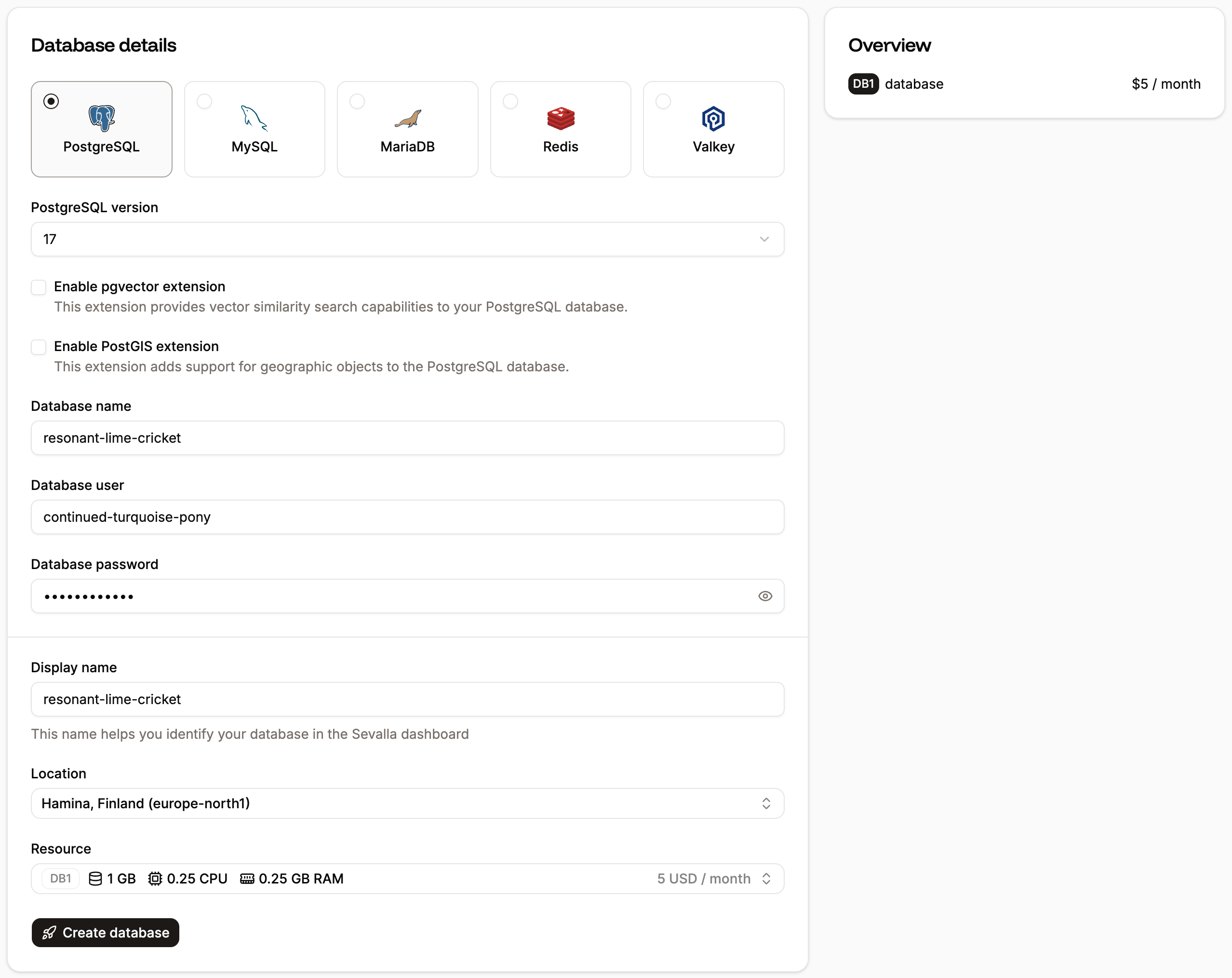
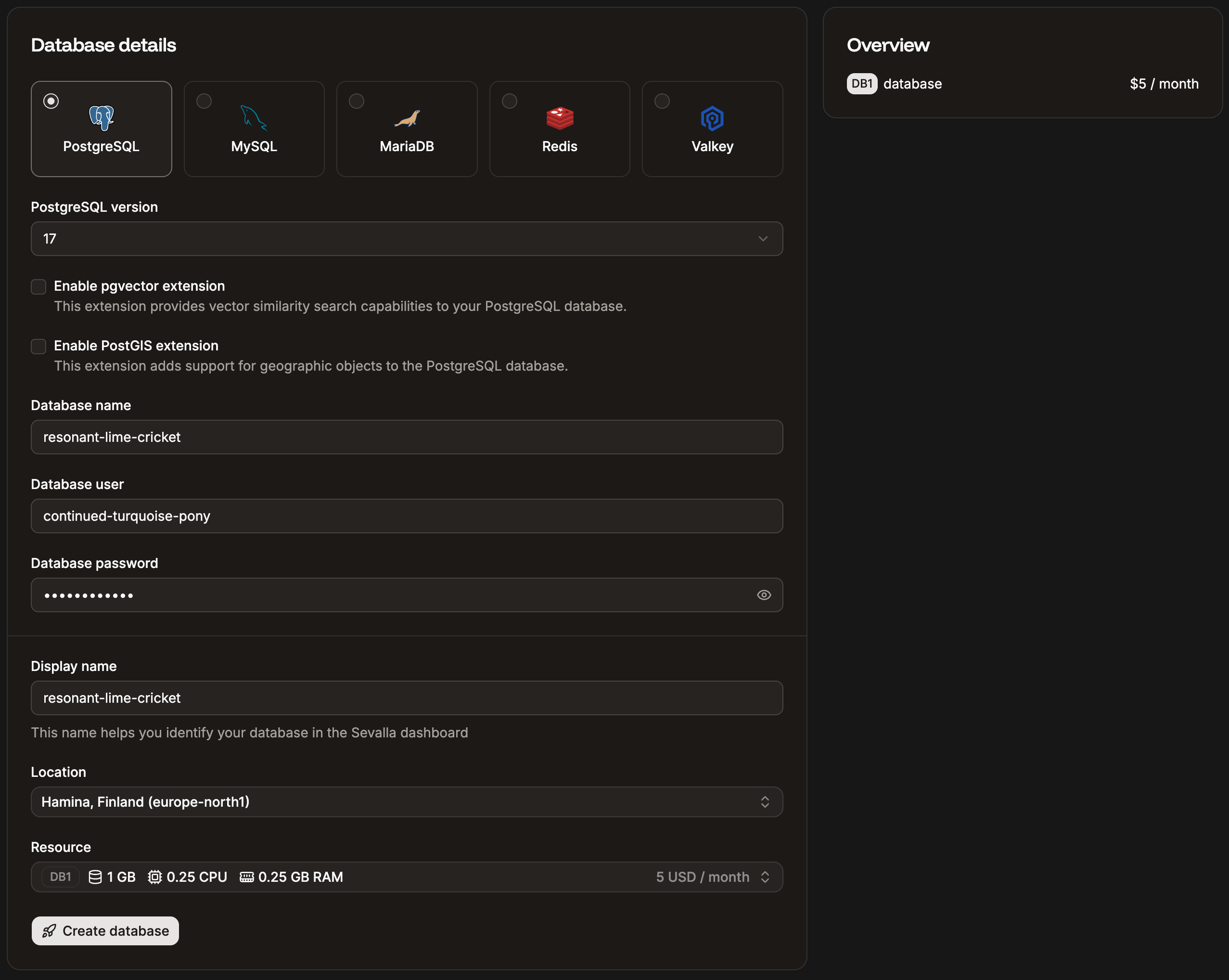
**To create a database:**
1. In the Sevalla dashboard, go to **Databases** > **Create database**.
2. Select the database type and version (PostgreSQL, MySQL, MariaDB, Redis, or Valkey).
3. Configure the database name, user, and password.
4. Select a data center location - this must match the location you choose for your application to enable [internal connections](/applications/networking).
5. Choose a resource size and click **Create database**.
 Repeat for each datastore you need to migrate (e.g. one for Postgres, one for Redis).
### Step 2: Create your application
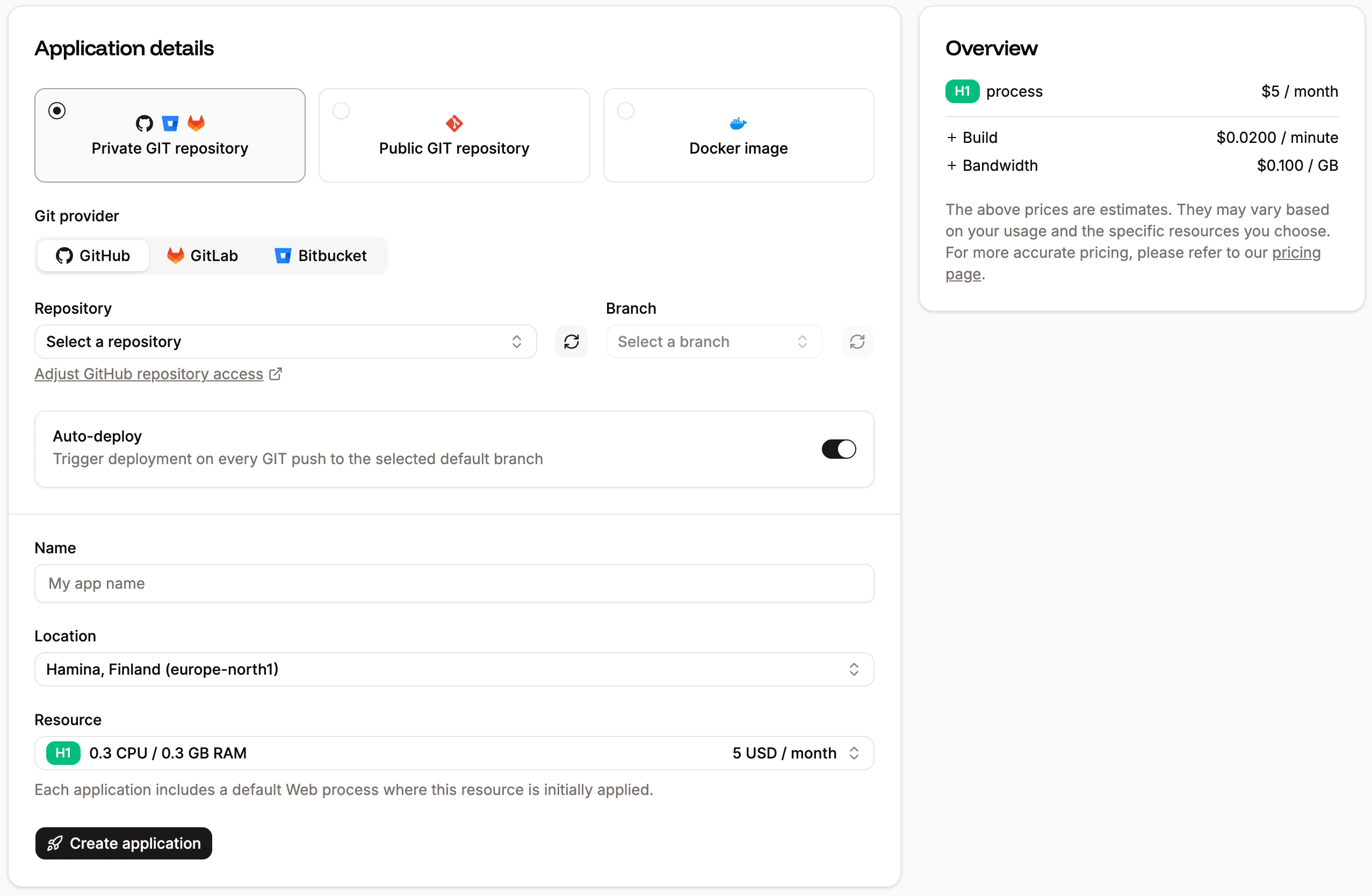
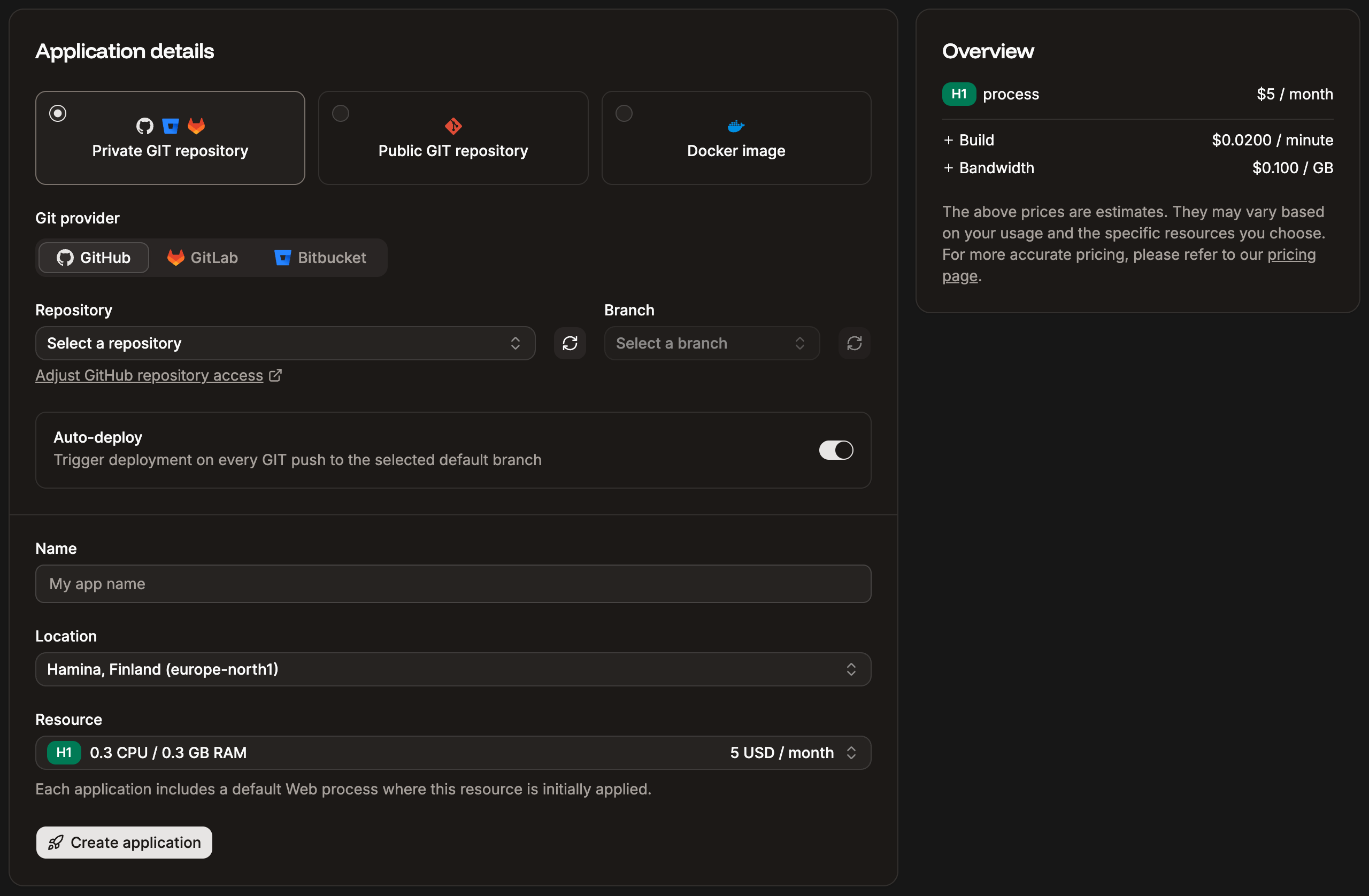
1. In the dashboard, go to **Applications** > **Create** > **Application**.
2. Connect your Git provider (GitHub, GitLab, or Bitbucket) and select your repository, or deploy from a Docker image.
3. Choose the same data center location as your databases.
4. Select a process size.
Repeat for each datastore you need to migrate (e.g. one for Postgres, one for Redis).
### Step 2: Create your application
1. In the dashboard, go to **Applications** > **Create** > **Application**.
2. Connect your Git provider (GitHub, GitLab, or Bitbucket) and select your repository, or deploy from a Docker image.
3. Choose the same data center location as your databases.
4. Select a process size.
 Don't deploy yet. Configure your environment variables and processes first.
### Step 3: Configure environment variables
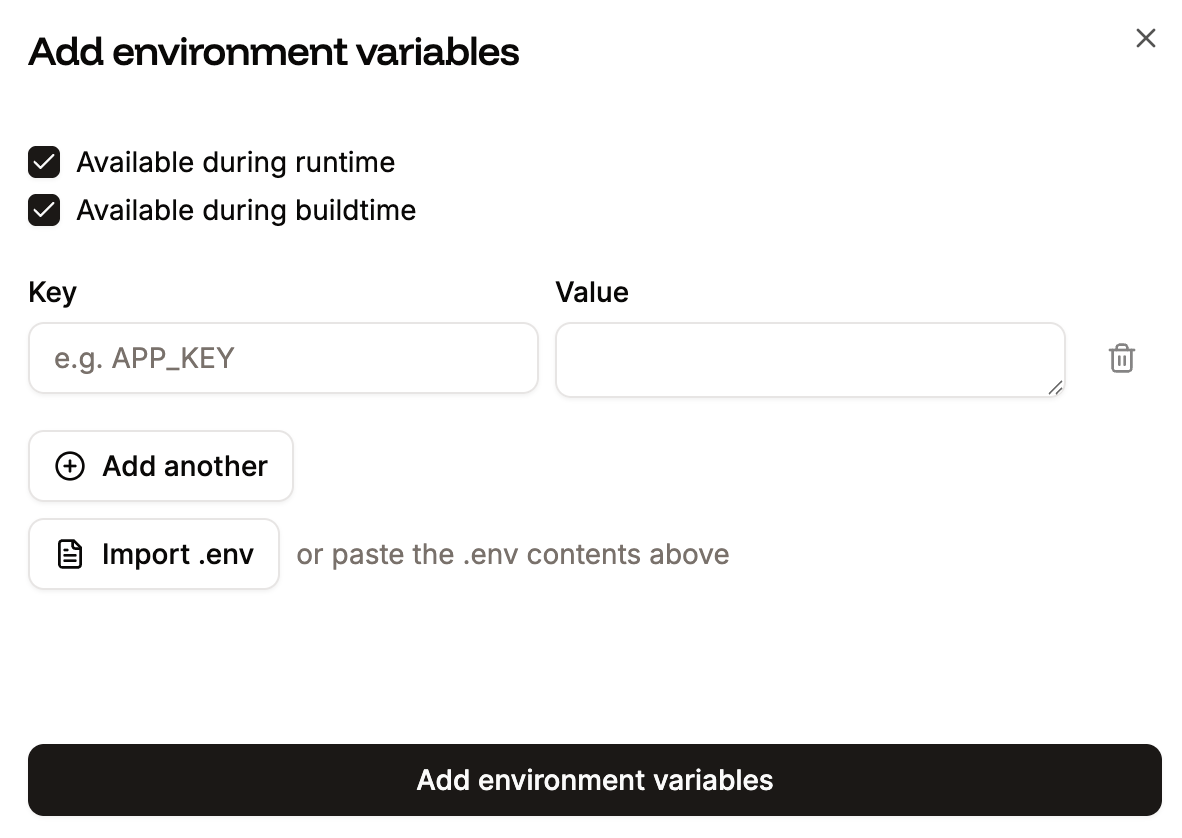
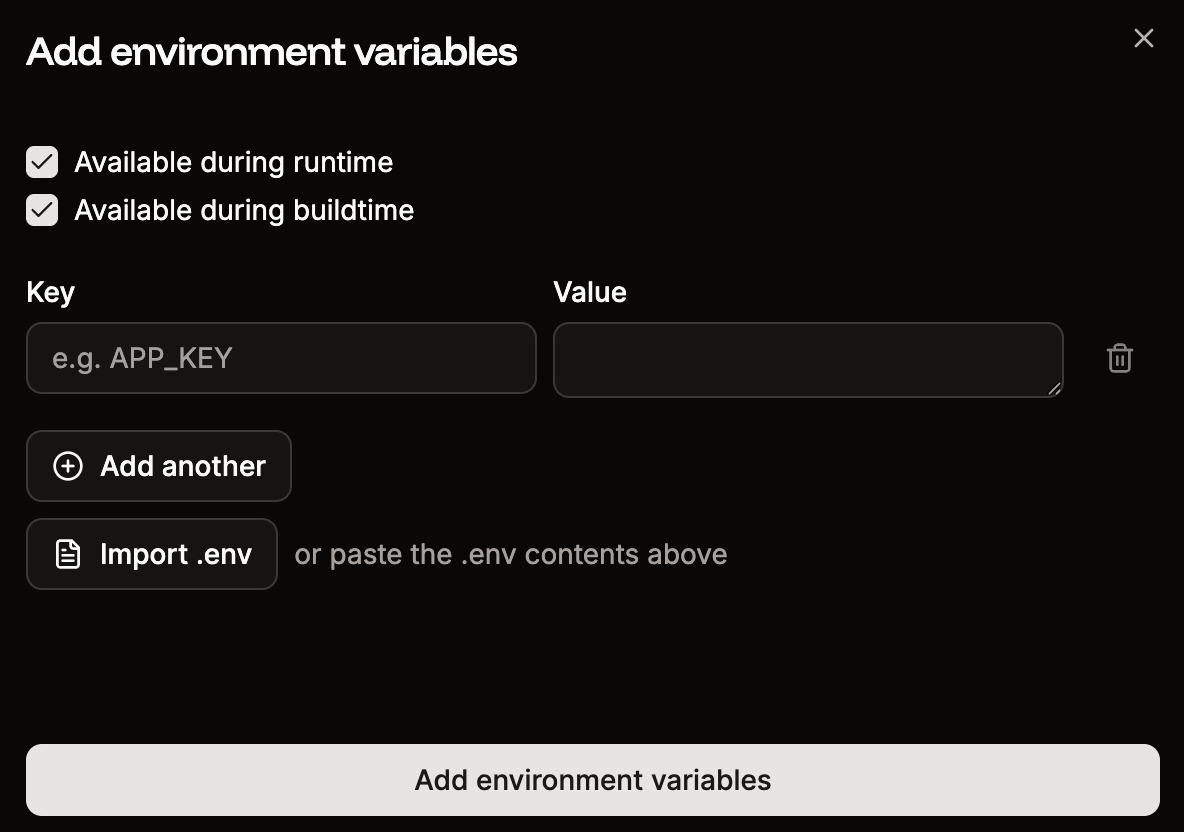
1. Go to your application's **Environment variables** tab.
2. Add your Heroku config vars - you can paste key=value pairs in bulk or import a `.env` file.
3. Set each variable's availability to **Runtime**, **Build**, or both.
Don't deploy yet. Configure your environment variables and processes first.
### Step 3: Configure environment variables
1. Go to your application's **Environment variables** tab.
2. Add your Heroku config vars - you can paste key=value pairs in bulk or import a `.env` file.
3. Set each variable's availability to **Runtime**, **Build**, or both.
 Sevalla does not automatically set `NODE_ENV` to `production`. Add it manually if your application depends on it.
### Step 4: Set up internal connections
Connect your application to the databases you created in Step 1:
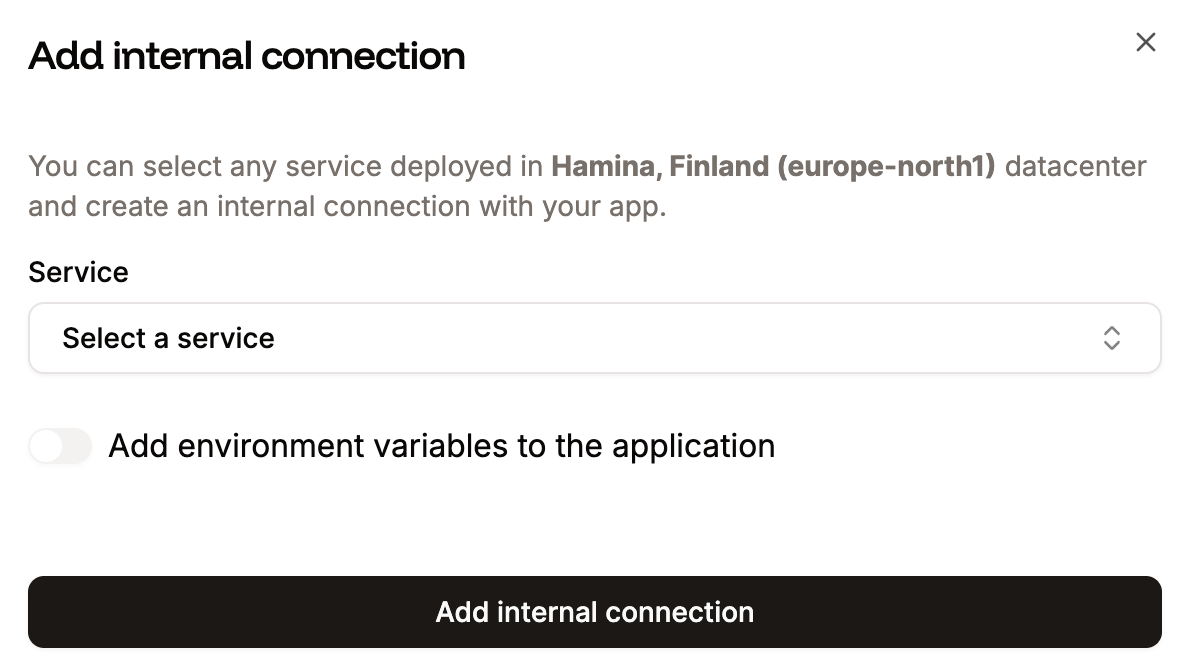
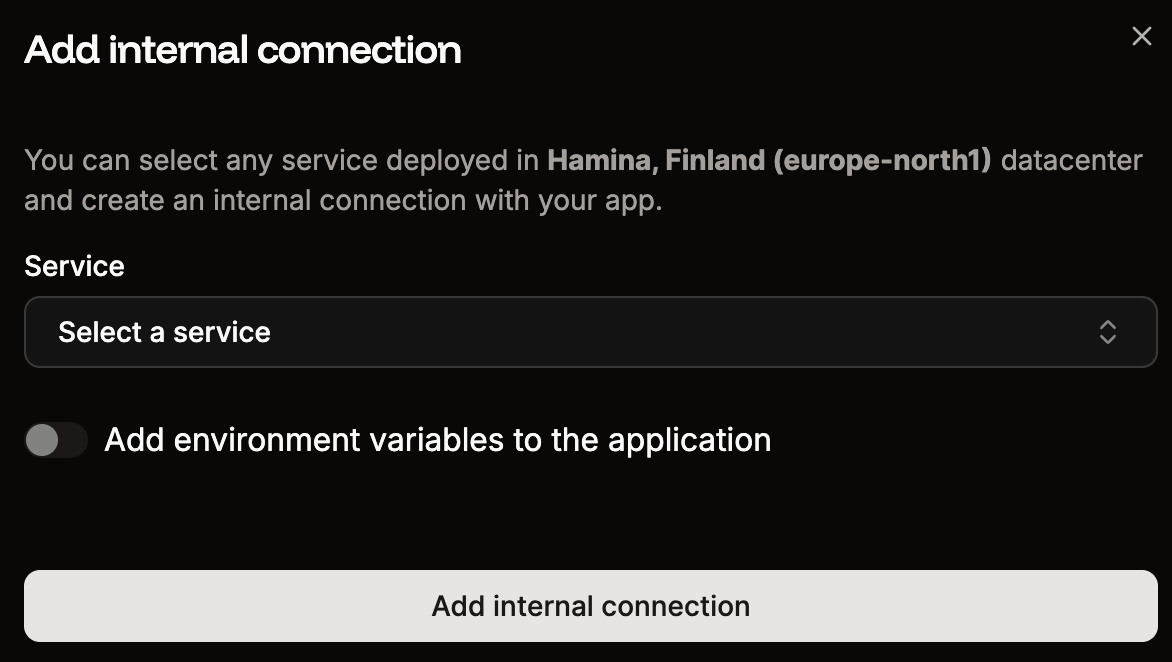
1. Go to your application's **Networking** tab.
2. Under **Connected services**, click **Add internal connection**.
3. Select the database and select **Add environment variables to the application** to auto-populate connection details (e.g. `DATABASE_HOST`, `DATABASE_PORT`, `DATABASE_USER`, `DATABASE_PASSWORD`, `DATABASE_NAME`).
4. Click **Add connection**.
Sevalla does not automatically set `NODE_ENV` to `production`. Add it manually if your application depends on it.
### Step 4: Set up internal connections
Connect your application to the databases you created in Step 1:
1. Go to your application's **Networking** tab.
2. Under **Connected services**, click **Add internal connection**.
3. Select the database and select **Add environment variables to the application** to auto-populate connection details (e.g. `DATABASE_HOST`, `DATABASE_PORT`, `DATABASE_USER`, `DATABASE_PASSWORD`, `DATABASE_NAME`).
4. Click **Add connection**.
 Internal connections stay within the Sevalla network and are faster and more secure than external connections.
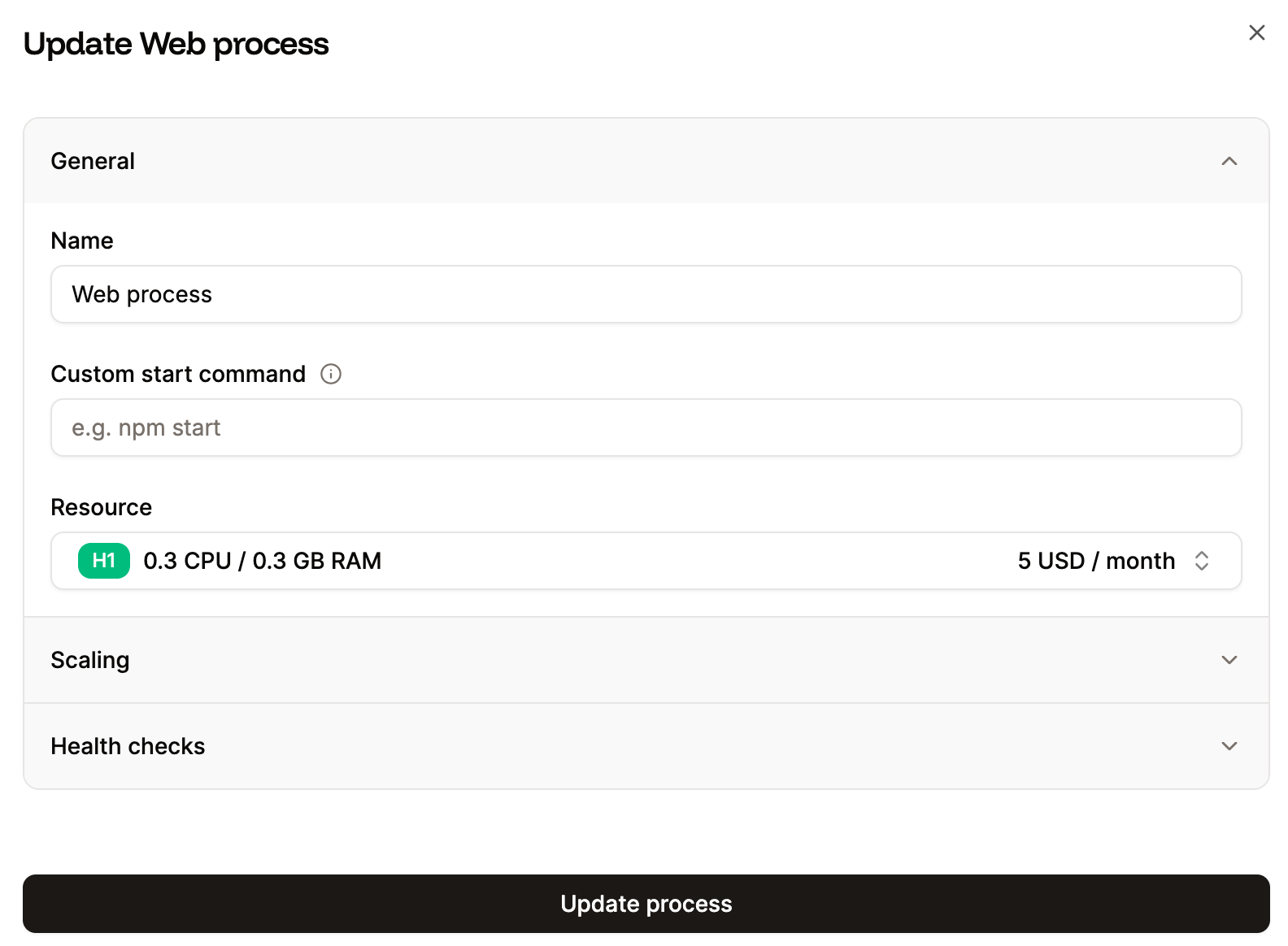
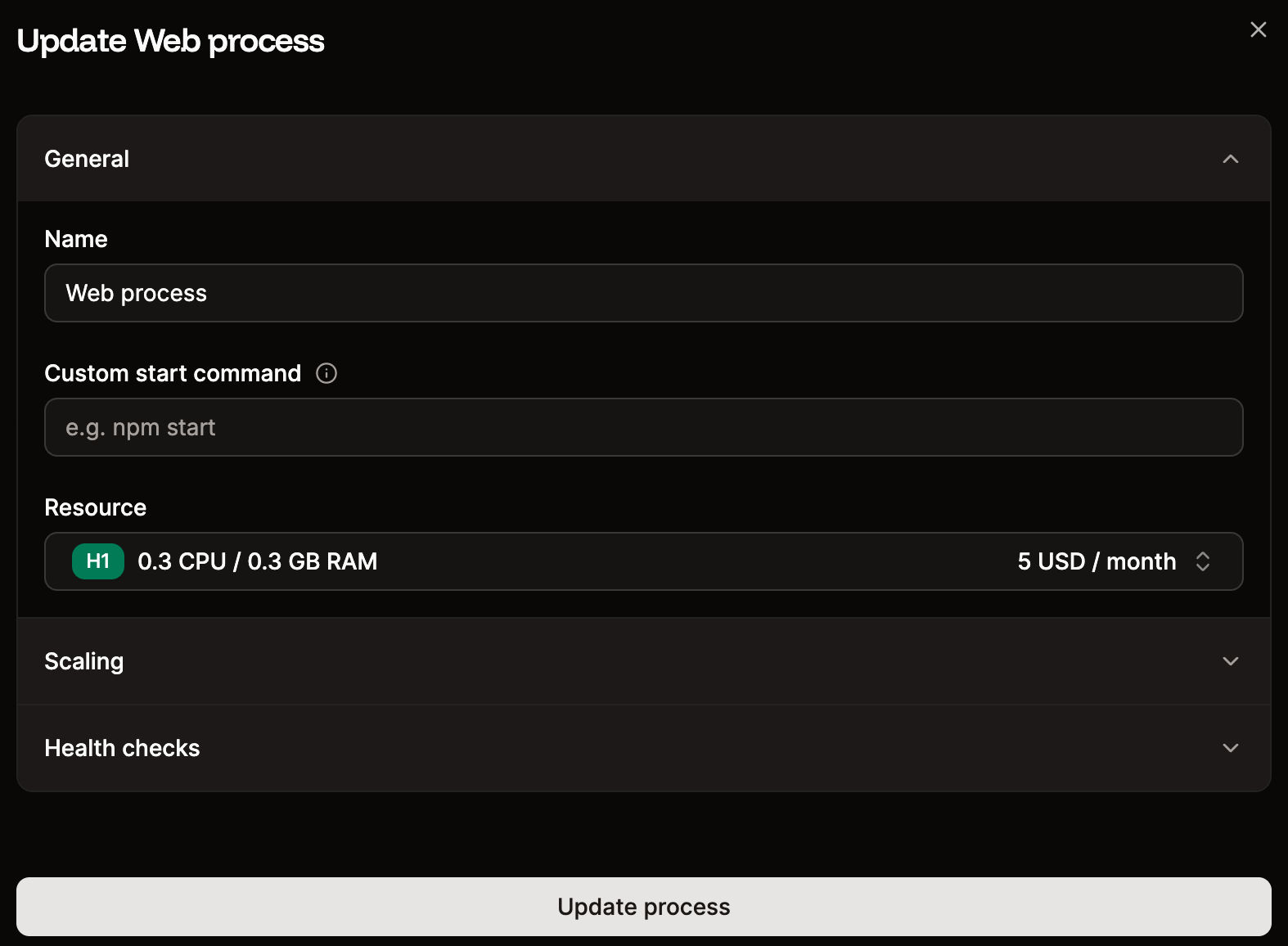
### Step 5: Set up processes
If your Heroku app uses multiple Procfile processes, add the equivalent processes in Sevalla:
1. Go to your application's **Processes** tab.
2. Update the **web process** start command if needed.
3. Click **Create new process** to add background workers, cron jobs, or jobs as needed.
Internal connections stay within the Sevalla network and are faster and more secure than external connections.
### Step 5: Set up processes
If your Heroku app uses multiple Procfile processes, add the equivalent processes in Sevalla:
1. Go to your application's **Processes** tab.
2. Update the **web process** start command if needed.
3. Click **Create new process** to add background workers, cron jobs, or jobs as needed.
 | Heroku Procfile entry | Sevalla process type |
| -------------------------------- | --------------------------------------- |
| `web: npm run start` | Web process (auto-created) |
| `worker: npm run worker` | Background worker |
| `release: npm run migrate` | Job (start policy: "Before deployment") |
| Clock process / Heroku Scheduler | Cron job (with cron expression) |
### Step 6: Configure build settings
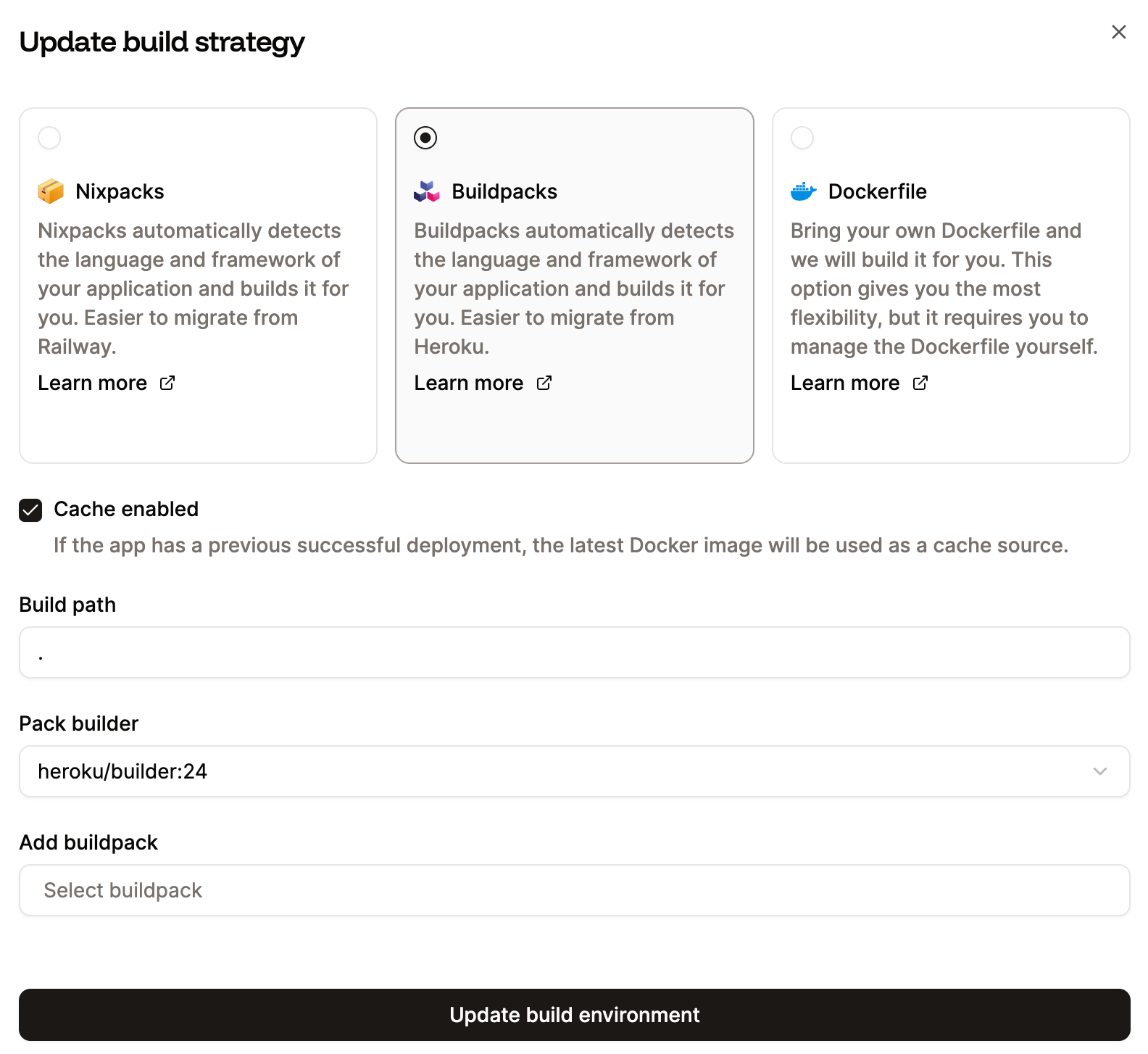
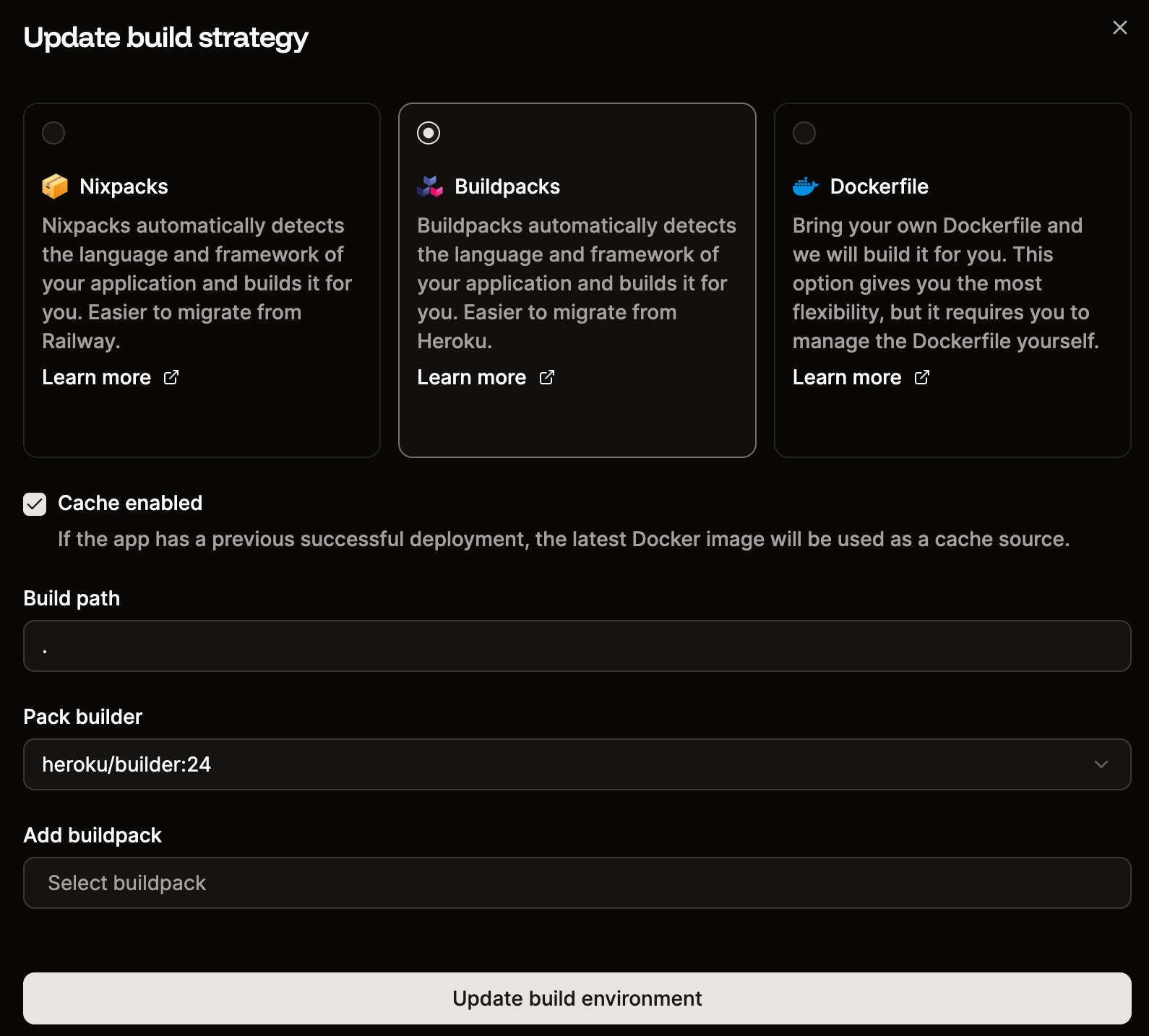
Sevalla defaults to [Nixpacks](/applications/build-options/nixpacks) for builds. If you prefer to keep using Heroku Buildpacks:
1. Go to **Settings** > **Build strategy** > **Update build strategy**.
2. Select **Buildpacks** and choose the appropriate Heroku Pack builder.
| Heroku Procfile entry | Sevalla process type |
| -------------------------------- | --------------------------------------- |
| `web: npm run start` | Web process (auto-created) |
| `worker: npm run worker` | Background worker |
| `release: npm run migrate` | Job (start policy: "Before deployment") |
| Clock process / Heroku Scheduler | Cron job (with cron expression) |
### Step 6: Configure build settings
Sevalla defaults to [Nixpacks](/applications/build-options/nixpacks) for builds. If you prefer to keep using Heroku Buildpacks:
1. Go to **Settings** > **Build strategy** > **Update build strategy**.
2. Select **Buildpacks** and choose the appropriate Heroku Pack builder.
 You can also switch to a [Dockerfile](/applications/build-options/dockerfile) if your project uses one.
## Phase 3: Migrate data and go live
This phase requires brief downtime for your application. Schedule it during off-peak hours.
### Step 1: Enable maintenance mode on Heroku
Prevent new writes to your Heroku database during migration:
```bash theme={null}
heroku maintenance:on --app YOUR_HEROKU_APP_NAME
```
### Step 2: Export your Heroku database
**PostgreSQL:**
```bash theme={null}
heroku pg:backups:capture --app YOUR_HEROKU_APP_NAME
heroku pg:backups:download --app YOUR_HEROKU_APP_NAME
```
This creates a `latest.dump` file locally.
**Redis:**
Export your Redis data using the method appropriate for your dataset size. For smaller datasets, you can use `redis-cli` with the `--rdb` flag or a tool like `redis-dump`.
### Step 3: Import data into Sevalla
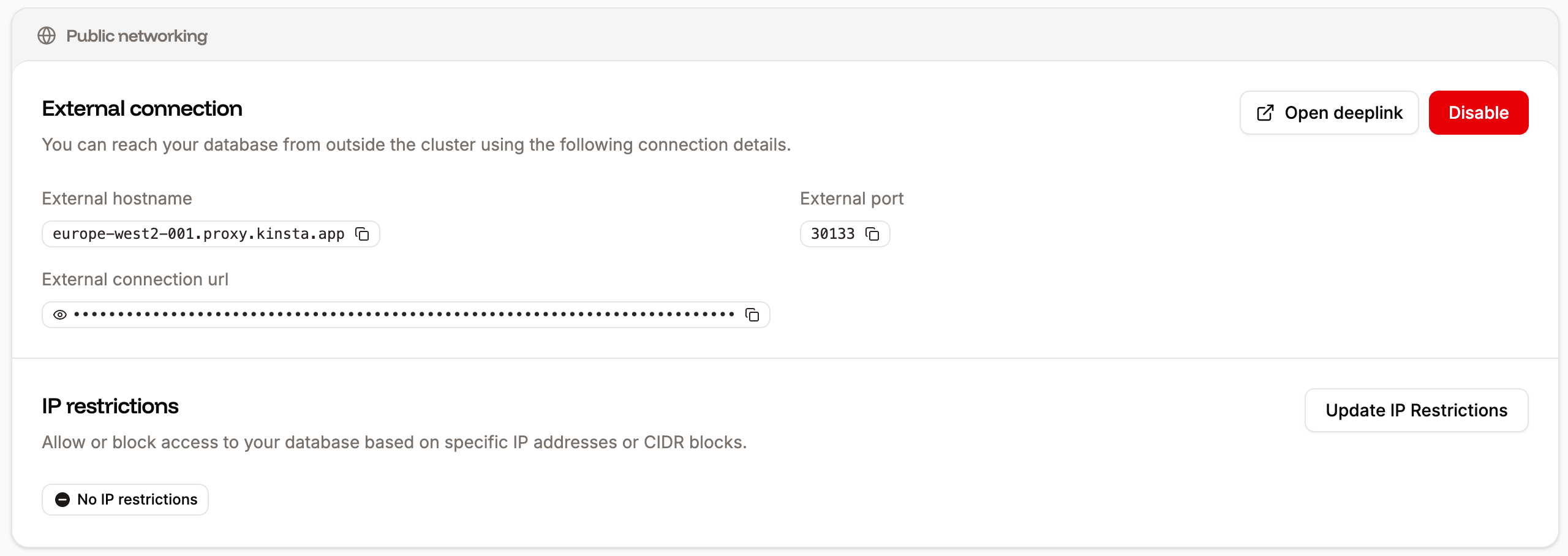
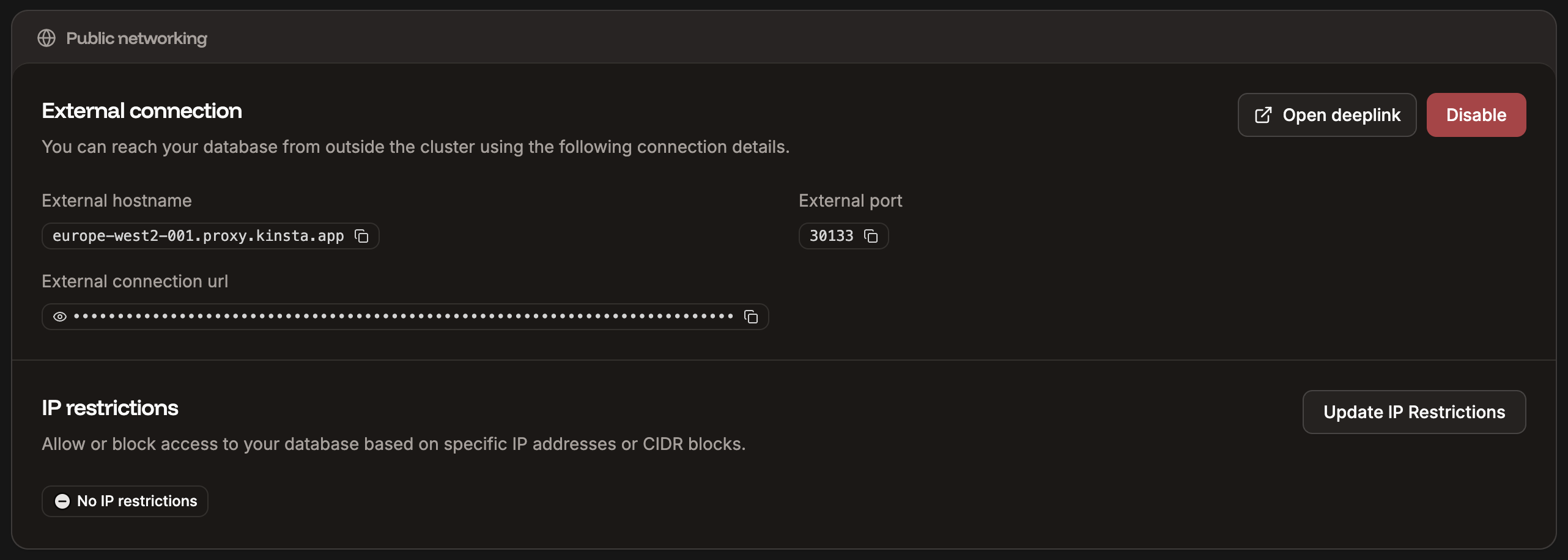
Get your Sevalla database's external connection details from the database's **Networking** tab (enable external connections temporarily if needed).
You can also switch to a [Dockerfile](/applications/build-options/dockerfile) if your project uses one.
## Phase 3: Migrate data and go live
This phase requires brief downtime for your application. Schedule it during off-peak hours.
### Step 1: Enable maintenance mode on Heroku
Prevent new writes to your Heroku database during migration:
```bash theme={null}
heroku maintenance:on --app YOUR_HEROKU_APP_NAME
```
### Step 2: Export your Heroku database
**PostgreSQL:**
```bash theme={null}
heroku pg:backups:capture --app YOUR_HEROKU_APP_NAME
heroku pg:backups:download --app YOUR_HEROKU_APP_NAME
```
This creates a `latest.dump` file locally.
**Redis:**
Export your Redis data using the method appropriate for your dataset size. For smaller datasets, you can use `redis-cli` with the `--rdb` flag or a tool like `redis-dump`.
### Step 3: Import data into Sevalla
Get your Sevalla database's external connection details from the database's **Networking** tab (enable external connections temporarily if needed).
 **PostgreSQL:**
```bash theme={null}
pg_restore --verbose --no-acl --no-owner -d "SEVALLA_EXTERNAL_CONNECTION_STRING" latest.dump
```
**MySQL:**
```bash theme={null}
mysql -h HOSTNAME -u USERNAME -P PORT -p DATABASE_NAME < export.sql
```
For detailed import instructions, see the database-specific guides:
* [PostgreSQL import/export](/databases/import-export/postgresql)
* [MySQL import/export](/databases/import-export/mysql)
* [MariaDB import/export](/databases/import-export/mariadb)
### Alternative: Server-to-server migration without downloading
If downloading the database to a local machine is not an option (e.g. for security or compliance reasons, or the dataset is too large), you can spin up a lightweight Sevalla application that migrates data directly between the two databases. Data flows server-to-server and never touches a local machine.
1. Create a new Sevalla application with a Dockerfile that includes the database client tools you need (e.g. `postgres:17` or `mysql:9` images already have them).
2. Add environment variables for both the Heroku source and the Sevalla target connection strings.
3. Set the start command to pipe the export directly into the import:
**PostgreSQL:**
```bash theme={null}
pg_dump --no-acl --no-owner -d "$SOURCE_DATABASE_URL" | pg_restore --no-acl --no-owner -d "$TARGET_DATABASE_URL"
```
**MySQL:**
```bash theme={null}
mysqldump --no-tablespaces -h $SOURCE_HOST -u $SOURCE_USER -P $SOURCE_PORT -p$SOURCE_PASSWORD $SOURCE_DB | mysql -h $TARGET_HOST -u $TARGET_USER -P $TARGET_PORT -p$TARGET_PASSWORD $TARGET_DB
```
4. Deploy the application and monitor the logs to track progress.
5. Once the migration completes, delete the migration application.
This approach keeps your data in transit between servers only, which is important for large databases and environments with strict data handling policies. Make sure both databases are accessible from the Sevalla application's data center.
### Step 4: Deploy your application
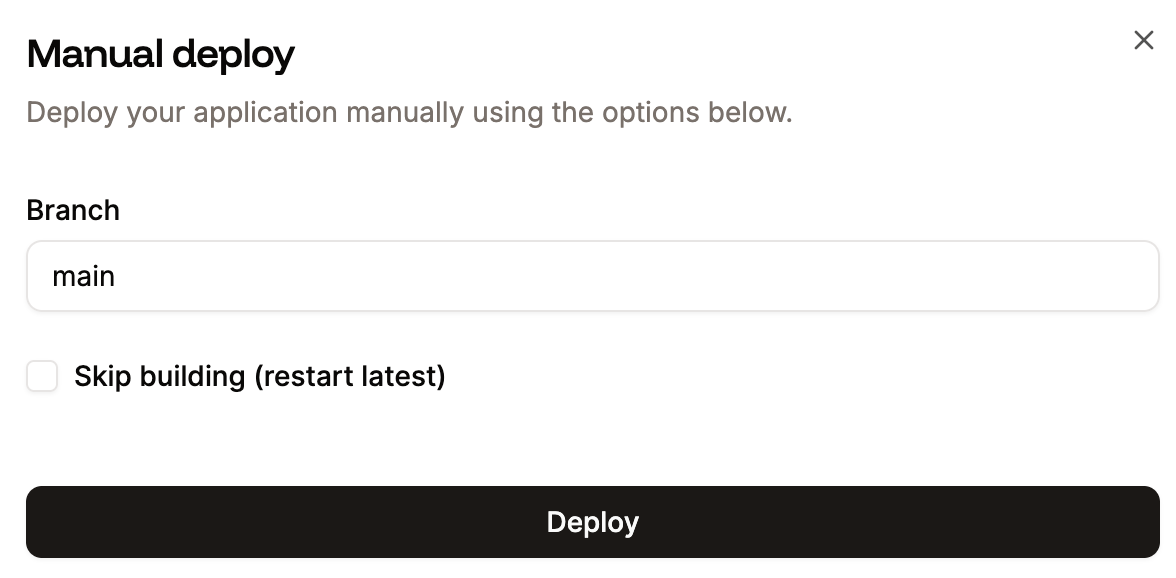
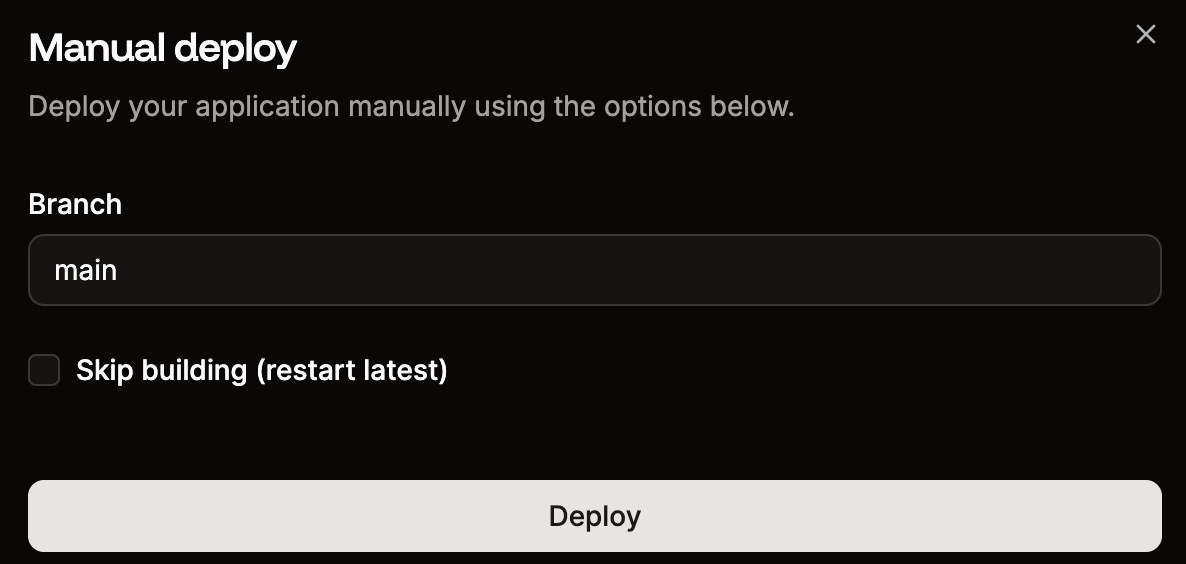
Go to your application's **Deployments** page and click **Deploy now**. Monitor the deployment log to verify everything builds and starts correctly.
**PostgreSQL:**
```bash theme={null}
pg_restore --verbose --no-acl --no-owner -d "SEVALLA_EXTERNAL_CONNECTION_STRING" latest.dump
```
**MySQL:**
```bash theme={null}
mysql -h HOSTNAME -u USERNAME -P PORT -p DATABASE_NAME < export.sql
```
For detailed import instructions, see the database-specific guides:
* [PostgreSQL import/export](/databases/import-export/postgresql)
* [MySQL import/export](/databases/import-export/mysql)
* [MariaDB import/export](/databases/import-export/mariadb)
### Alternative: Server-to-server migration without downloading
If downloading the database to a local machine is not an option (e.g. for security or compliance reasons, or the dataset is too large), you can spin up a lightweight Sevalla application that migrates data directly between the two databases. Data flows server-to-server and never touches a local machine.
1. Create a new Sevalla application with a Dockerfile that includes the database client tools you need (e.g. `postgres:17` or `mysql:9` images already have them).
2. Add environment variables for both the Heroku source and the Sevalla target connection strings.
3. Set the start command to pipe the export directly into the import:
**PostgreSQL:**
```bash theme={null}
pg_dump --no-acl --no-owner -d "$SOURCE_DATABASE_URL" | pg_restore --no-acl --no-owner -d "$TARGET_DATABASE_URL"
```
**MySQL:**
```bash theme={null}
mysqldump --no-tablespaces -h $SOURCE_HOST -u $SOURCE_USER -P $SOURCE_PORT -p$SOURCE_PASSWORD $SOURCE_DB | mysql -h $TARGET_HOST -u $TARGET_USER -P $TARGET_PORT -p$TARGET_PASSWORD $TARGET_DB
```
4. Deploy the application and monitor the logs to track progress.
5. Once the migration completes, delete the migration application.
This approach keeps your data in transit between servers only, which is important for large databases and environments with strict data handling policies. Make sure both databases are accessible from the Sevalla application's data center.
### Step 4: Deploy your application
Go to your application's **Deployments** page and click **Deploy now**. Monitor the deployment log to verify everything builds and starts correctly.
 ### Step 5: Update DNS records
Once your application is running on Sevalla:
1. Go to your application's **Domains** tab and add your custom domain.
2. Add the TXT record for domain verification at your DNS provider.
3. Add the CNAME record for SSL certificate provisioning.
4. Update your A record to point to the IP address provided by Sevalla.
5. Allow time for DNS propagation.
### Step 5: Update DNS records
Once your application is running on Sevalla:
1. Go to your application's **Domains** tab and add your custom domain.
2. Add the TXT record for domain verification at your DNS provider.
3. Add the CNAME record for SSL certificate provisioning.
4. Update your A record to point to the IP address provided by Sevalla.
5. Allow time for DNS propagation.
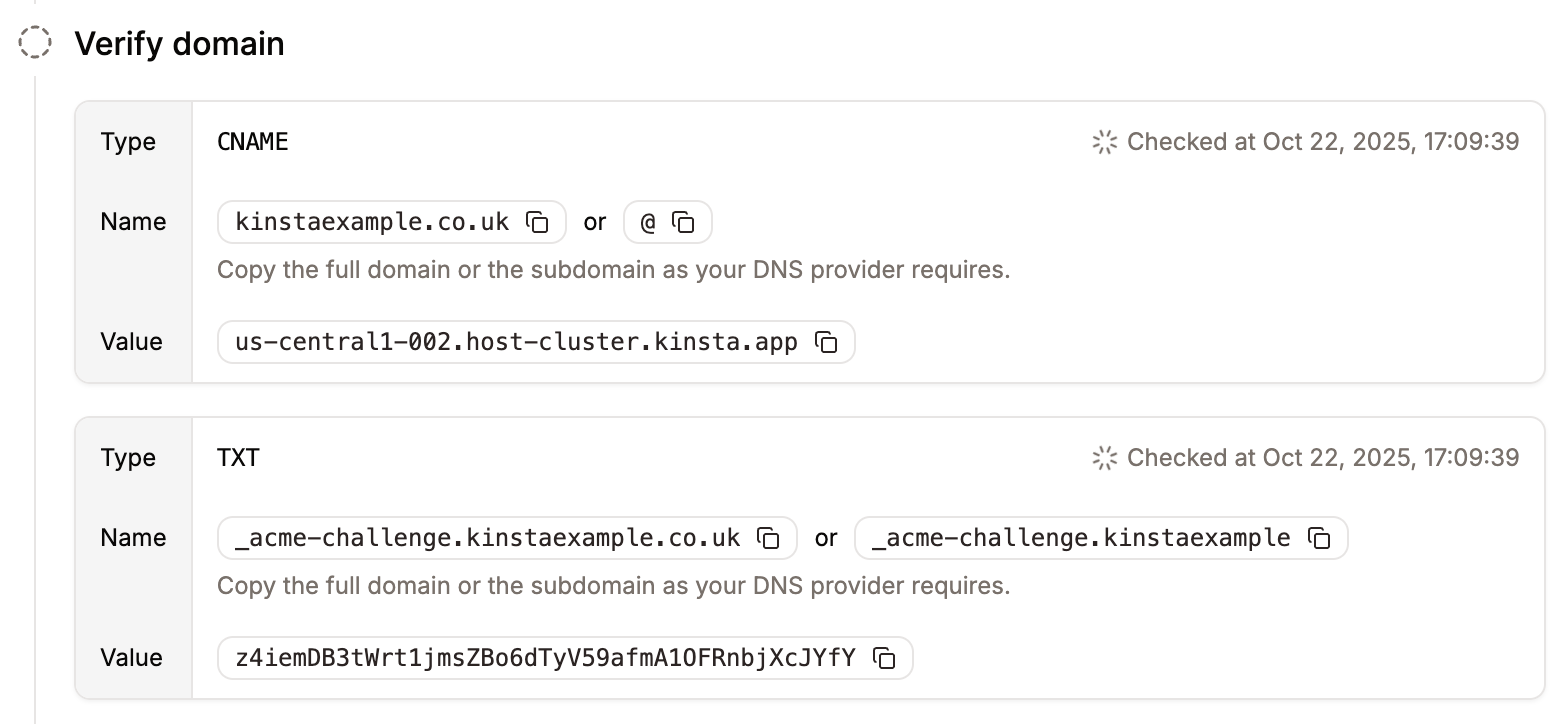
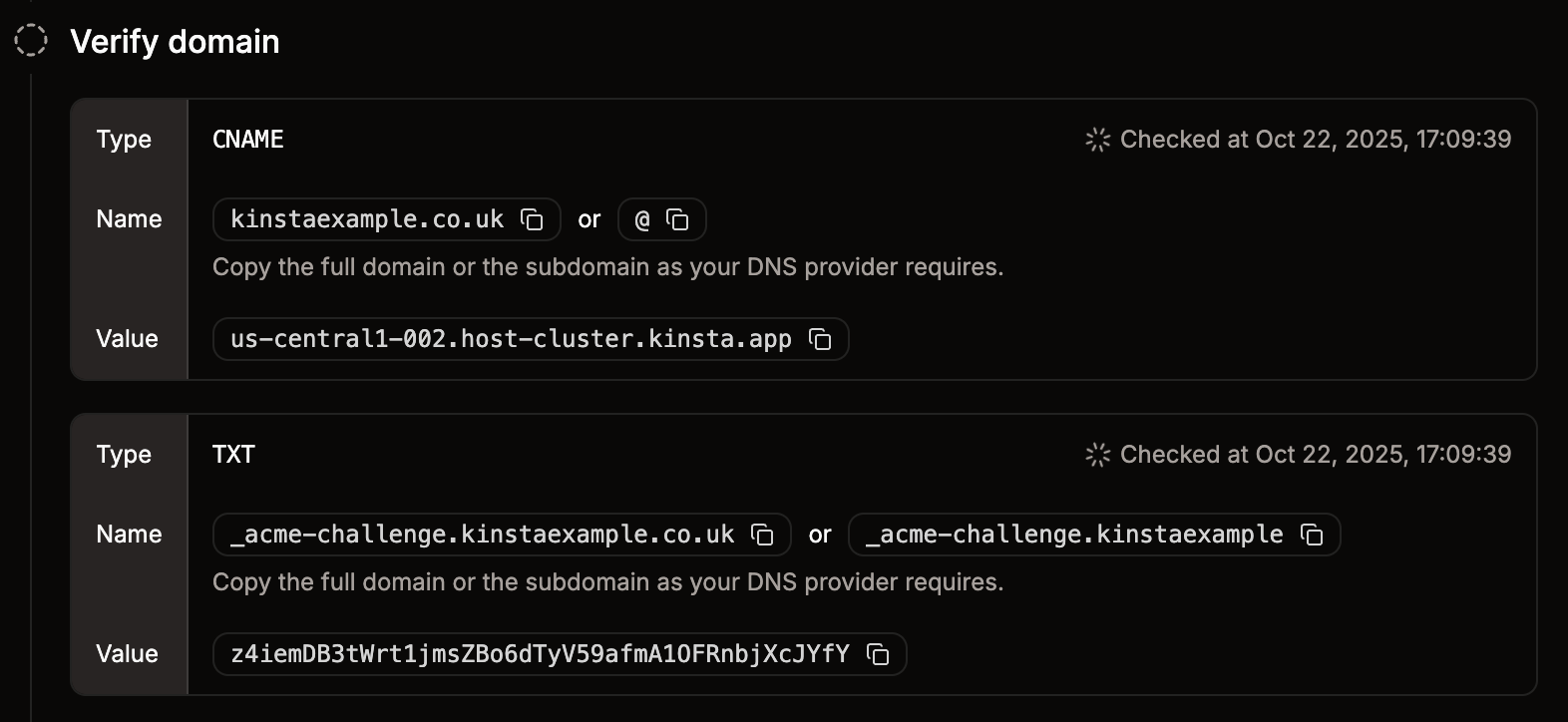 For step-by-step instructions, see [Custom domains](/applications/domains).
### Step 6: Verify and disable Heroku
After confirming your application works correctly on Sevalla:
1. Test all critical functionality.
2. Verify database data integrity.
3. Check that background workers and cron jobs are running as expected.
4. Disable external connections on your Sevalla database if you enabled them for import.
5. Scale down or delete your Heroku resources.
## What's next
Now that your application is running on Sevalla, explore these features:
* [Pipelines](/applications/get-started/pipelines) - Set up dev/staging/production environments with preview apps.
* [CDN and edge caching](/applications/cdn) - Enable the built-in Cloudflare CDN for faster delivery.
* [Analytics](/applications/analytics) - Monitor performance with built-in compute and web analytics.
* [Auto-scaling](/applications/scalability) - Configure automatic horizontal scaling based on CPU usage.
* [Webhooks](/company-settings/webhooks) - Get notified about deployment events and resource lifecycle changes.
If you encounter any issues during the migration, we've got you covered. [Contact our support team](https://docs.sevalla.com/support/contact-support) using the **chat icon** in the lower right corner of Sevalla.
For step-by-step instructions, see [Custom domains](/applications/domains).
### Step 6: Verify and disable Heroku
After confirming your application works correctly on Sevalla:
1. Test all critical functionality.
2. Verify database data integrity.
3. Check that background workers and cron jobs are running as expected.
4. Disable external connections on your Sevalla database if you enabled them for import.
5. Scale down or delete your Heroku resources.
## What's next
Now that your application is running on Sevalla, explore these features:
* [Pipelines](/applications/get-started/pipelines) - Set up dev/staging/production environments with preview apps.
* [CDN and edge caching](/applications/cdn) - Enable the built-in Cloudflare CDN for faster delivery.
* [Analytics](/applications/analytics) - Monitor performance with built-in compute and web analytics.
* [Auto-scaling](/applications/scalability) - Configure automatic horizontal scaling based on CPU usage.
* [Webhooks](/company-settings/webhooks) - Get notified about deployment events and resource lifecycle changes.
If you encounter any issues during the migration, we've got you covered. [Contact our support team](https://docs.sevalla.com/support/contact-support) using the **chat icon** in the lower right corner of Sevalla.