> ## Documentation Index
> Fetch the complete documentation index at: https://docs.sevalla.com/llms.txt
> Use this file to discover all available pages before exploring further.
# Static Sites - Analytics
> See analytics and usage metrics for your static sites.
Static Site Hosting is free for the first 100 GB of bandwidth per month and 600 build minutes per month; after that, pricing is usage-based, and you only pay for resources if your sites exceed the free limits. For more information, refer to [Static Site Pricing](/billing/static-site-pricing).
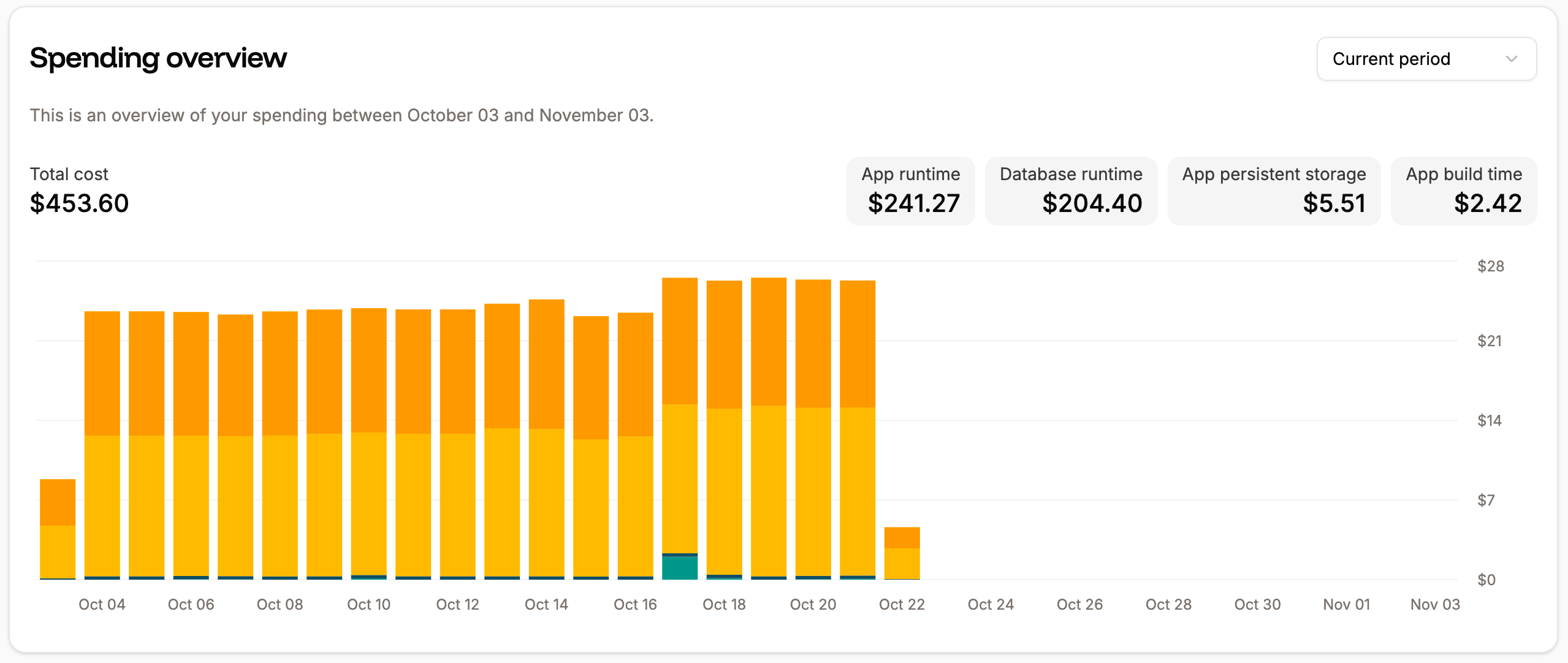
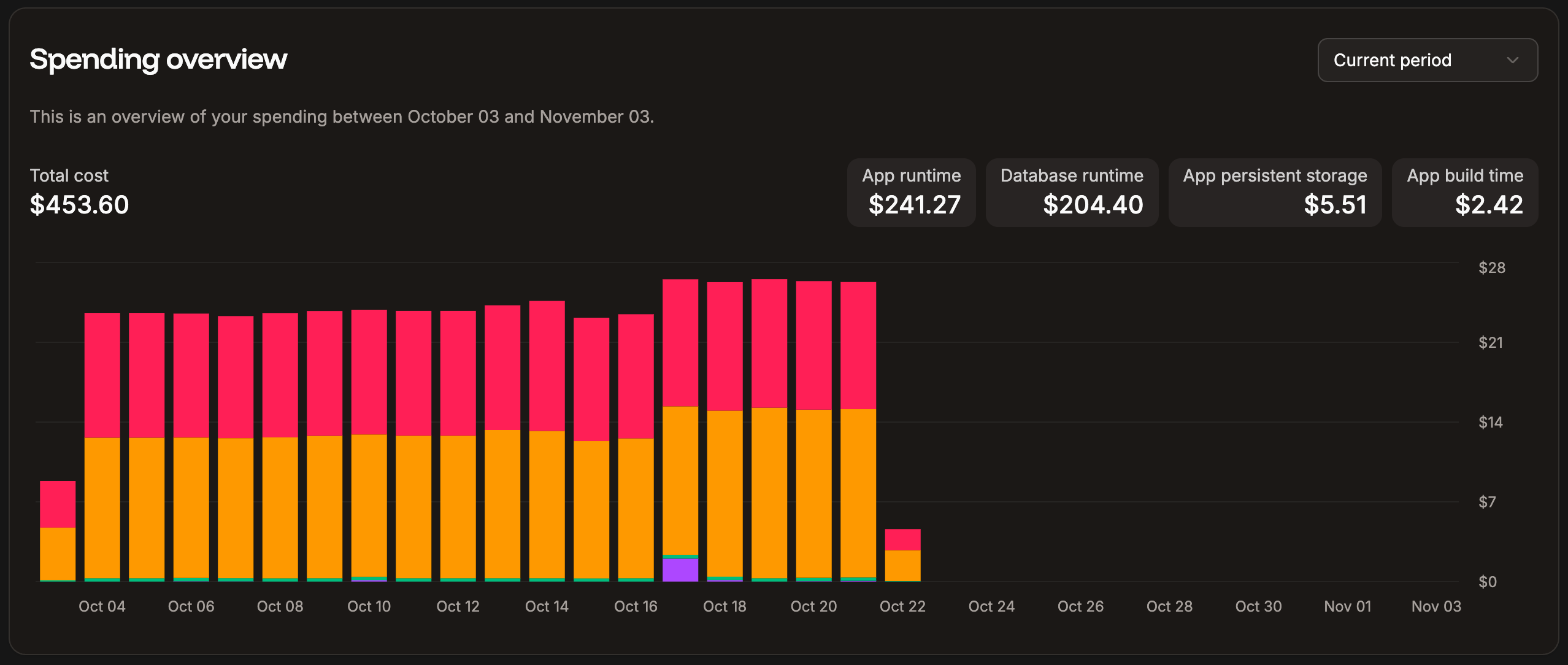
If your static sites exceed the free limits, the billing amounts are also included in the **Spending overview** chart within your Sevalla **Dashboard**. This chart shows the spending overview for all Sevalla services.
 Static site analytics within each site shows you information about HTTP requests to your site.
When viewing the analytics, you can choose to see data for the past 1 hour, 6 hours, 12 hours, 1 day, 2 days, 4 days, 7 days, 14 days, or 30 days, or select a specific date and time period. You can refresh the chart data at any time.
When you hover over a chart, a corresponding reference line appears on the other charts on the same page. You can click and drag this reference line to zoom into a specific time period, and all charts on the page will update to show that same time range.
You can filter the charts using **Add filter**. This filters all of the charts on the page. The following options are available:
* Source IP
* Country
* Device type
* HTTP method
* Path
* User agent
* HTTP version
* Status code
To access these reports, go to your static site's **Analytics** page (**Static sites** > ***sitename*** > **Analytics**).
Static site analytics within each site shows you information about HTTP requests to your site.
When viewing the analytics, you can choose to see data for the past 1 hour, 6 hours, 12 hours, 1 day, 2 days, 4 days, 7 days, 14 days, or 30 days, or select a specific date and time period. You can refresh the chart data at any time.
When you hover over a chart, a corresponding reference line appears on the other charts on the same page. You can click and drag this reference line to zoom into a specific time period, and all charts on the page will update to show that same time range.
You can filter the charts using **Add filter**. This filters all of the charts on the page. The following options are available:
* Source IP
* Country
* Device type
* HTTP method
* Path
* User agent
* HTTP version
* Status code
To access these reports, go to your static site's **Analytics** page (**Static sites** > ***sitename*** > **Analytics**).
 ## Requests volume by country
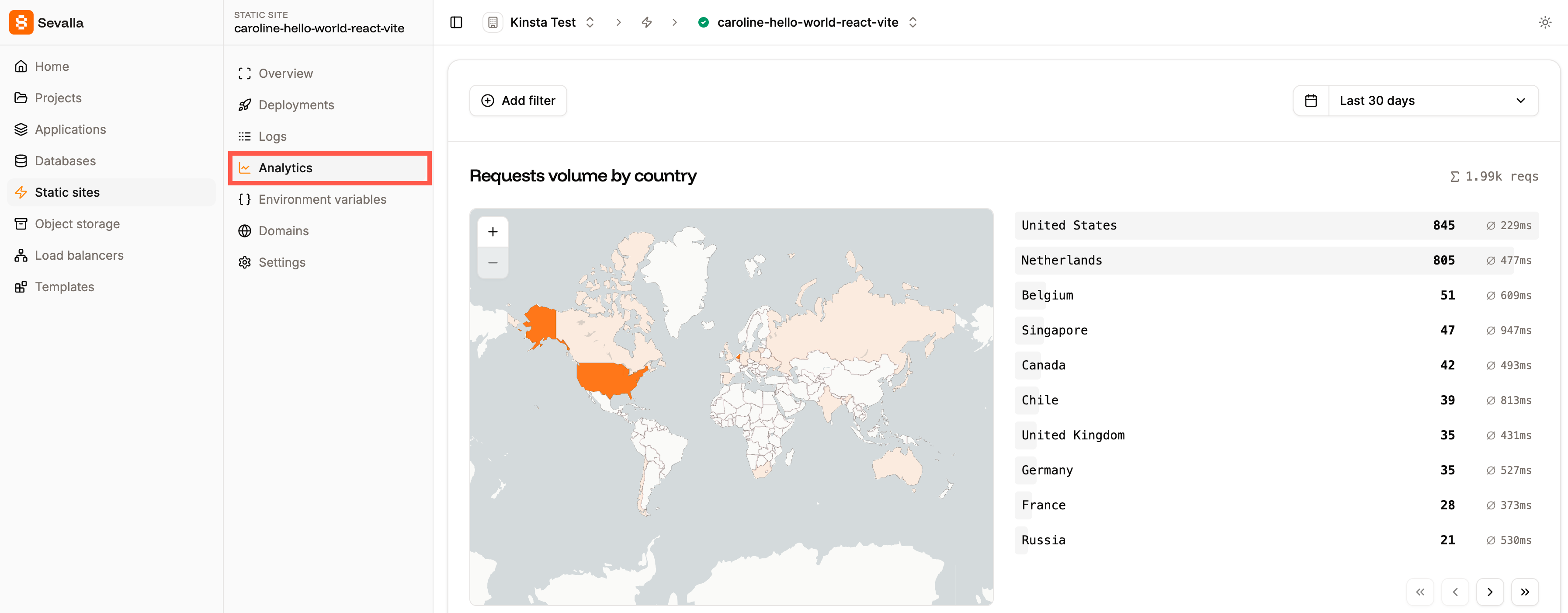
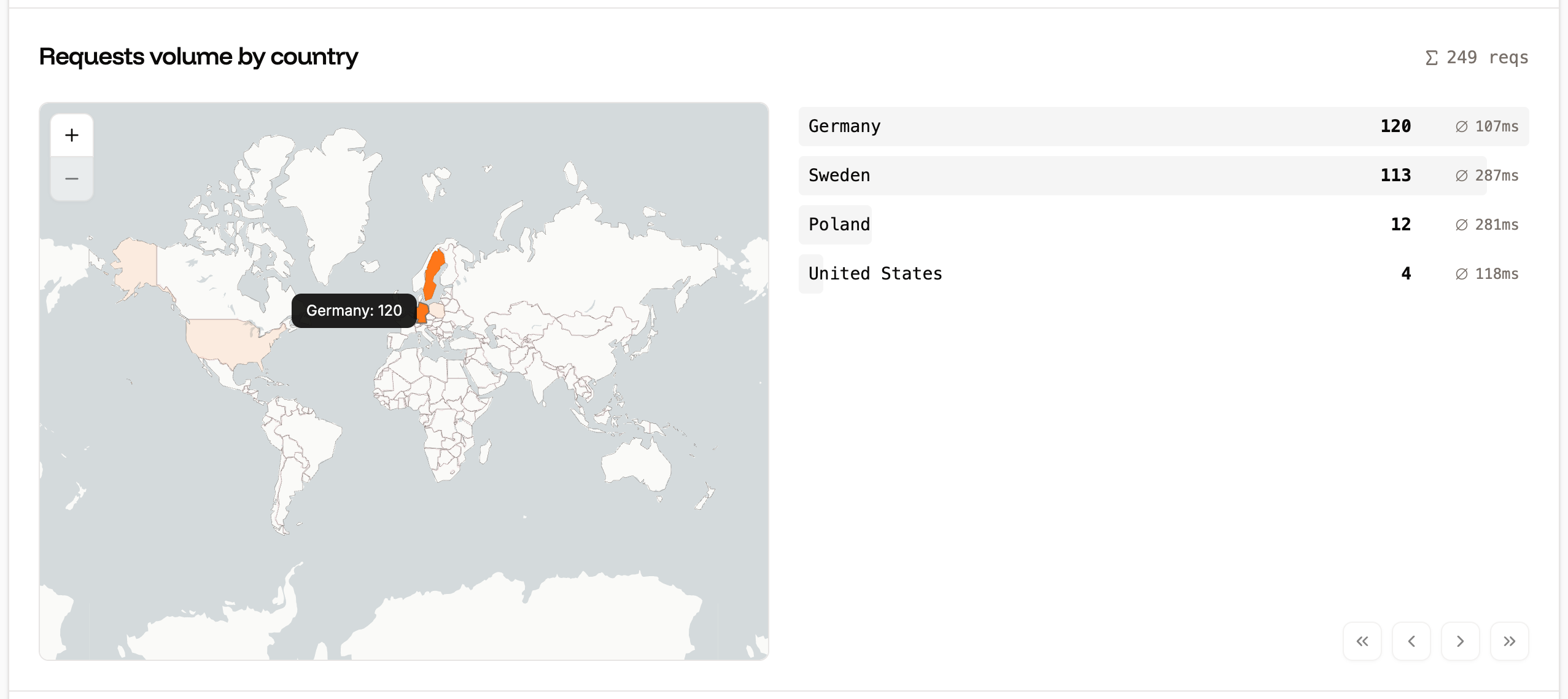
The Requests volume by country chart displays the number of requests, ranked by the country from which they originated. You can zoom in and out of the map, and hover over a country to see the exact number of requests from that location. You can also filter the chart to include or exclude specific countries.
## Requests volume by country
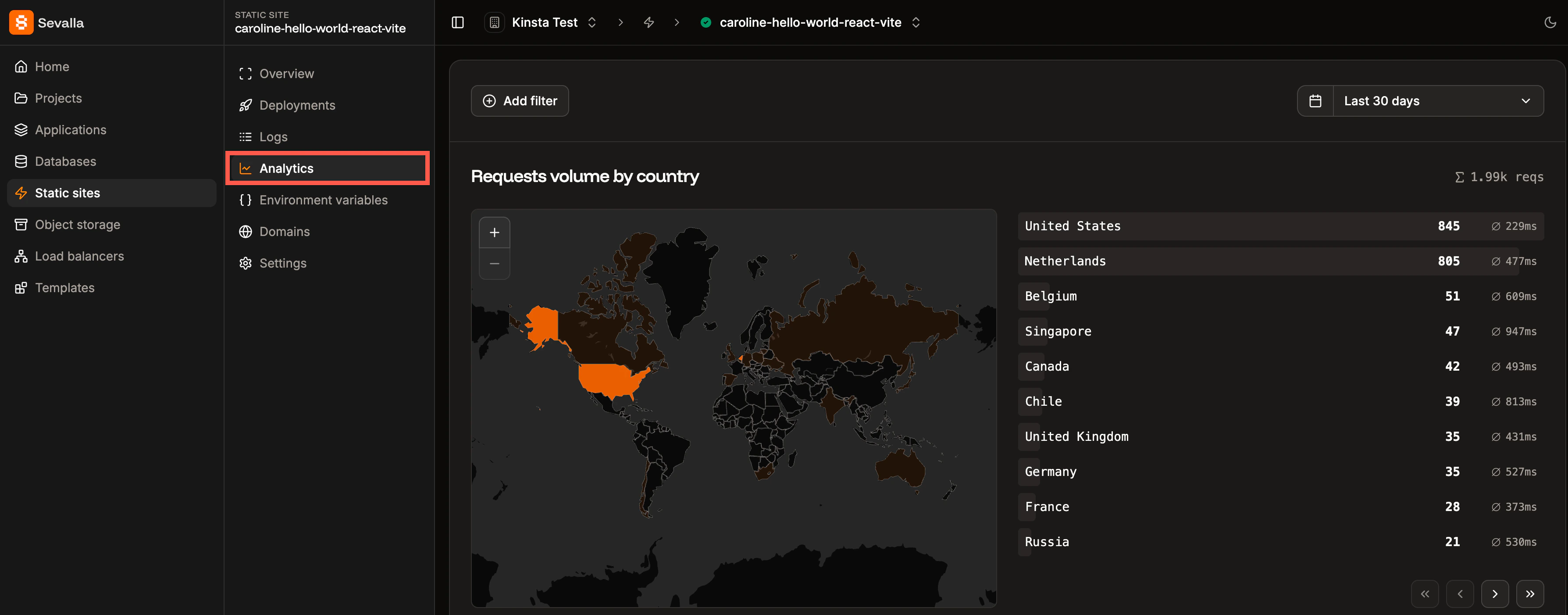
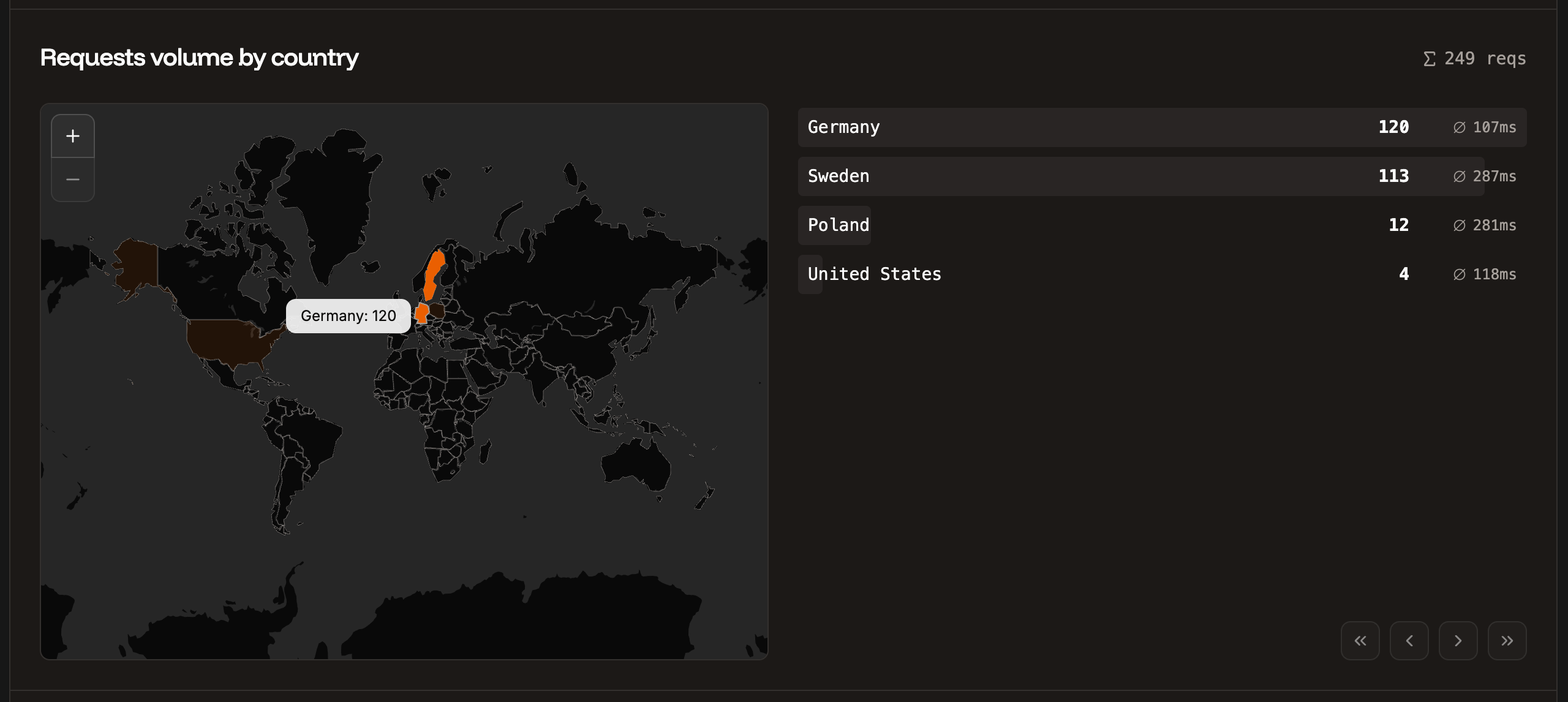
The Requests volume by country chart displays the number of requests, ranked by the country from which they originated. You can zoom in and out of the map, and hover over a country to see the exact number of requests from that location. You can also filter the chart to include or exclude specific countries.
 ## Requests per minute
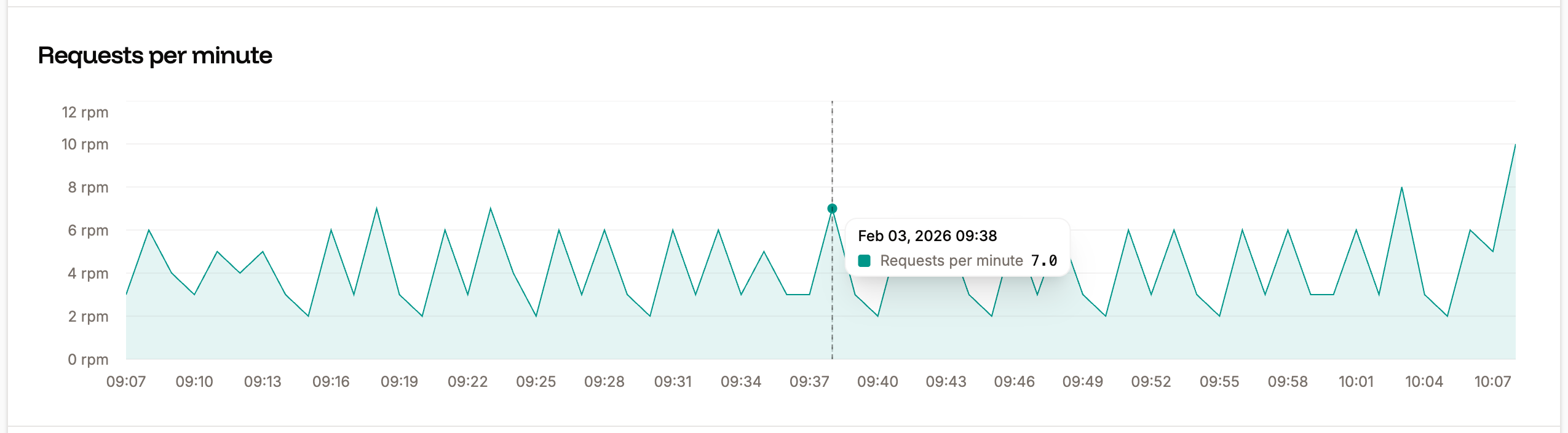
The Requests per minute chart shows the average number of HTTP requests per minute (RPM) of all HTTP requests for the time period selected.
## Requests per minute
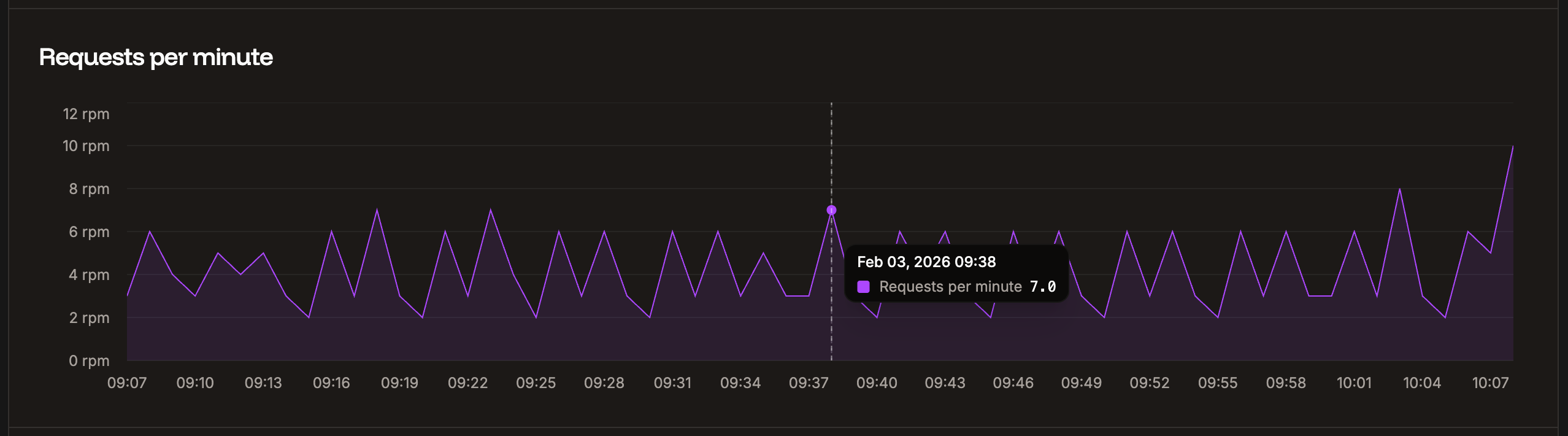
The Requests per minute chart shows the average number of HTTP requests per minute (RPM) of all HTTP requests for the time period selected.
 ## Bandwidth
The Bandwidth chart shows your bandwidth usage over the selected timeframe.
## Bandwidth
The Bandwidth chart shows your bandwidth usage over the selected timeframe.

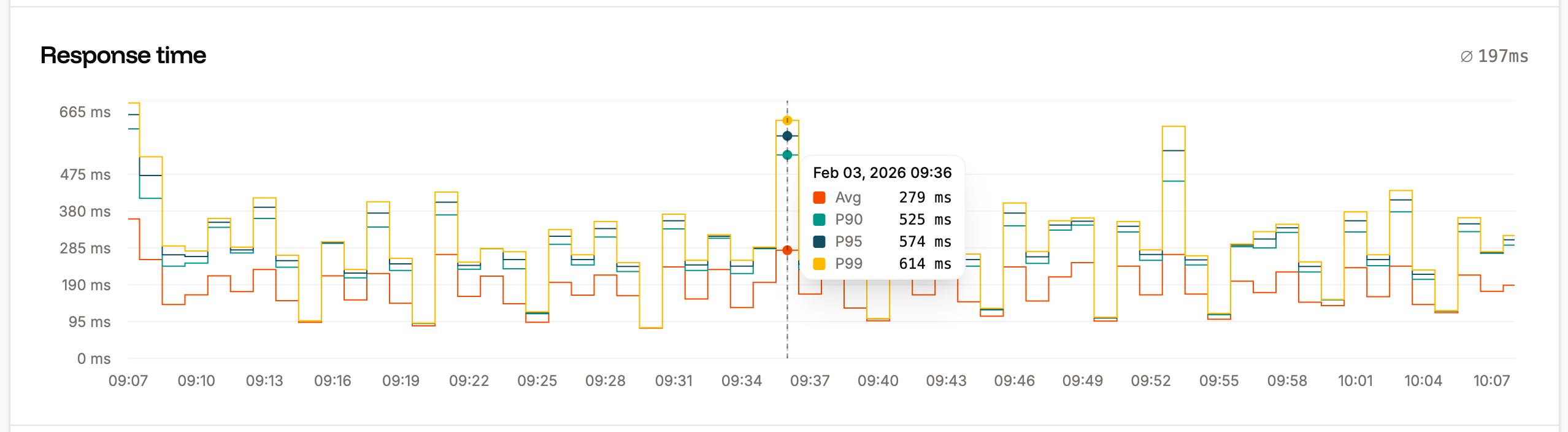
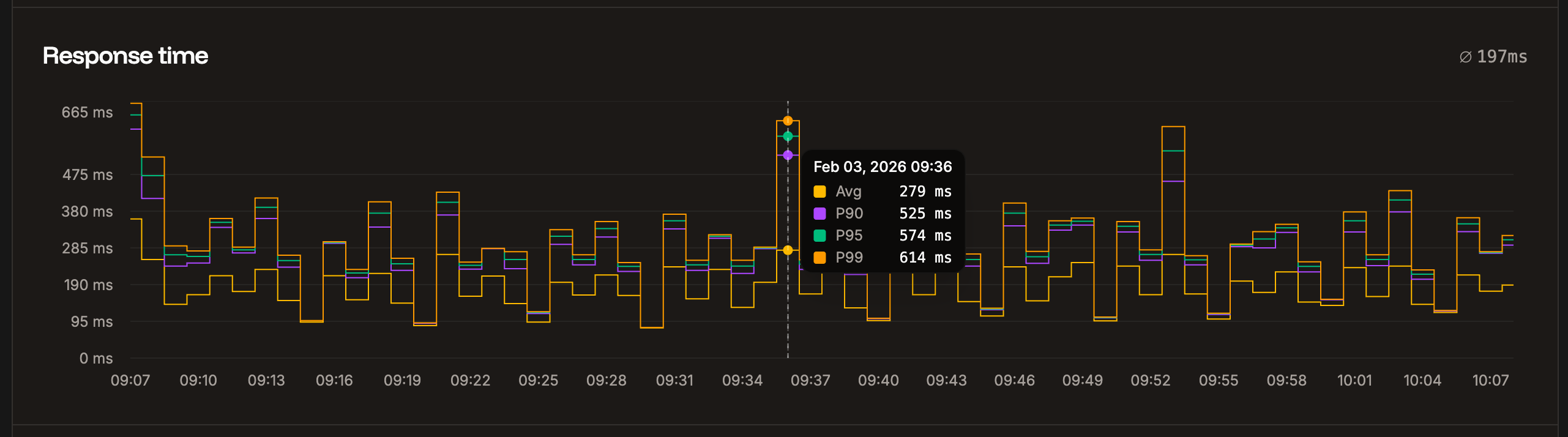
 ## Response time
The Response time chart shows the average response time for all HTTP requests for the time period selected.
## Response time
The Response time chart shows the average response time for all HTTP requests for the time period selected.
 ## Status codes
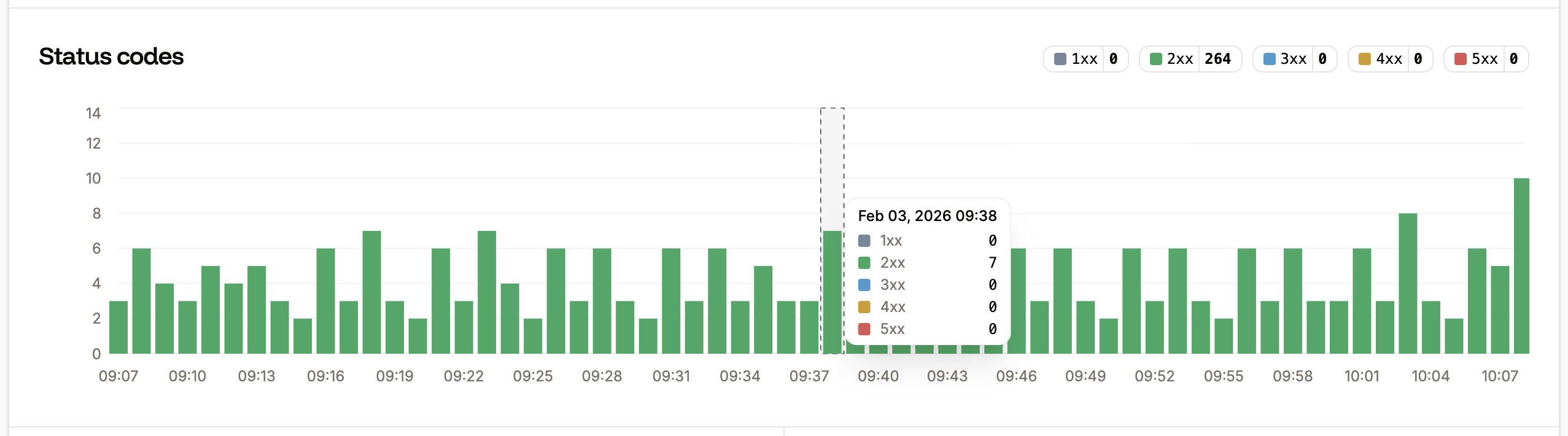
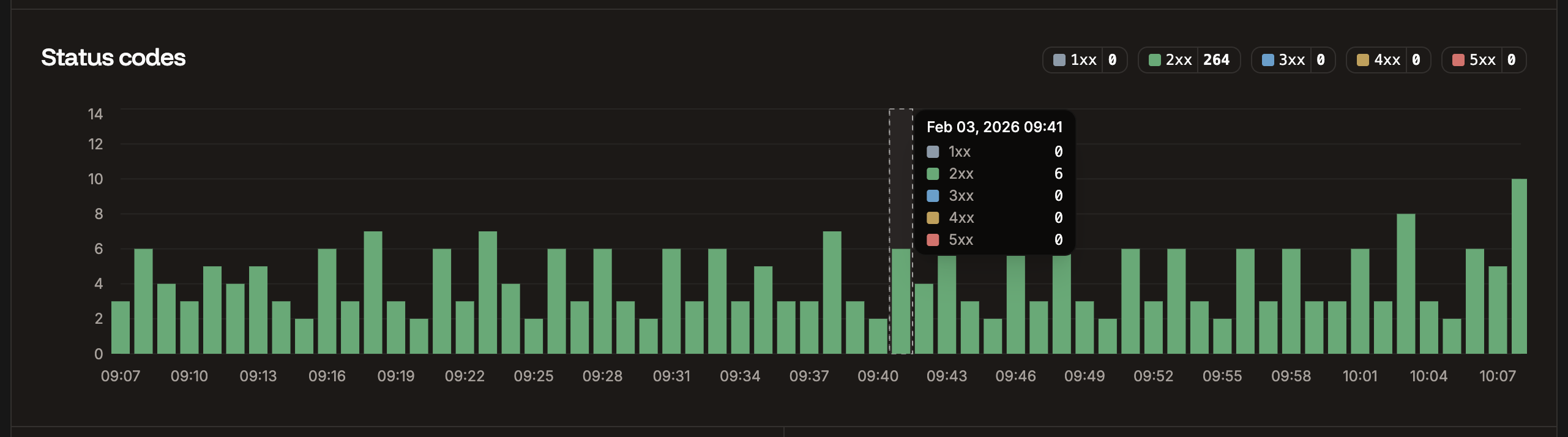
The Status codes chart displays the total number of each status code returned for requests. This is useful for analyzing your site to identify when requests return codes other than 200.
## Status codes
The Status codes chart displays the total number of each status code returned for requests. This is useful for analyzing your site to identify when requests return codes other than 200.
 ## Slowest requests
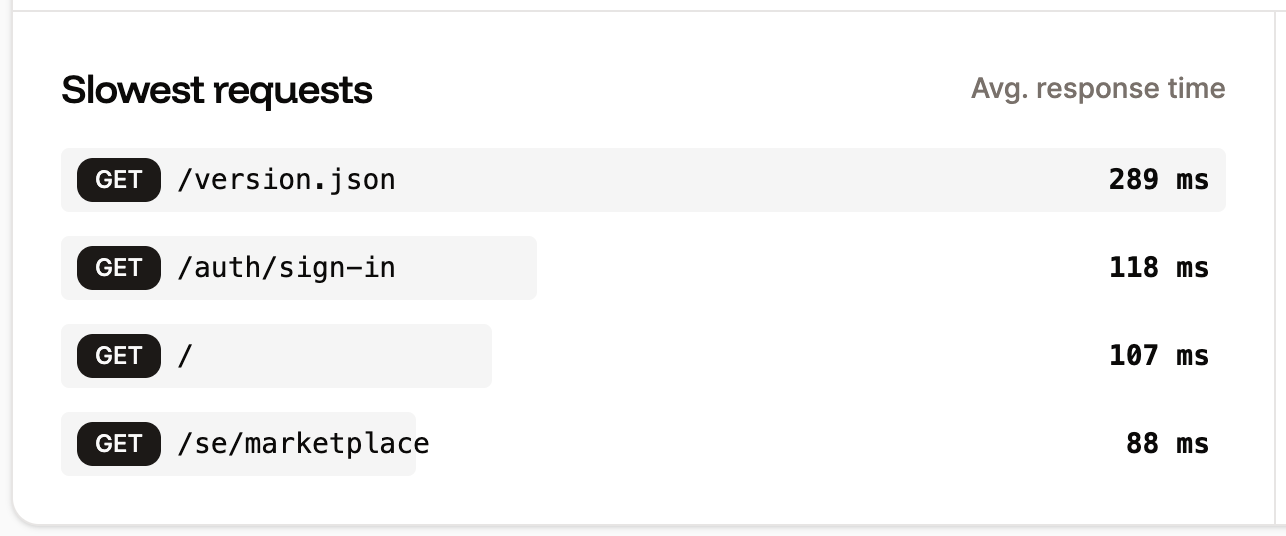
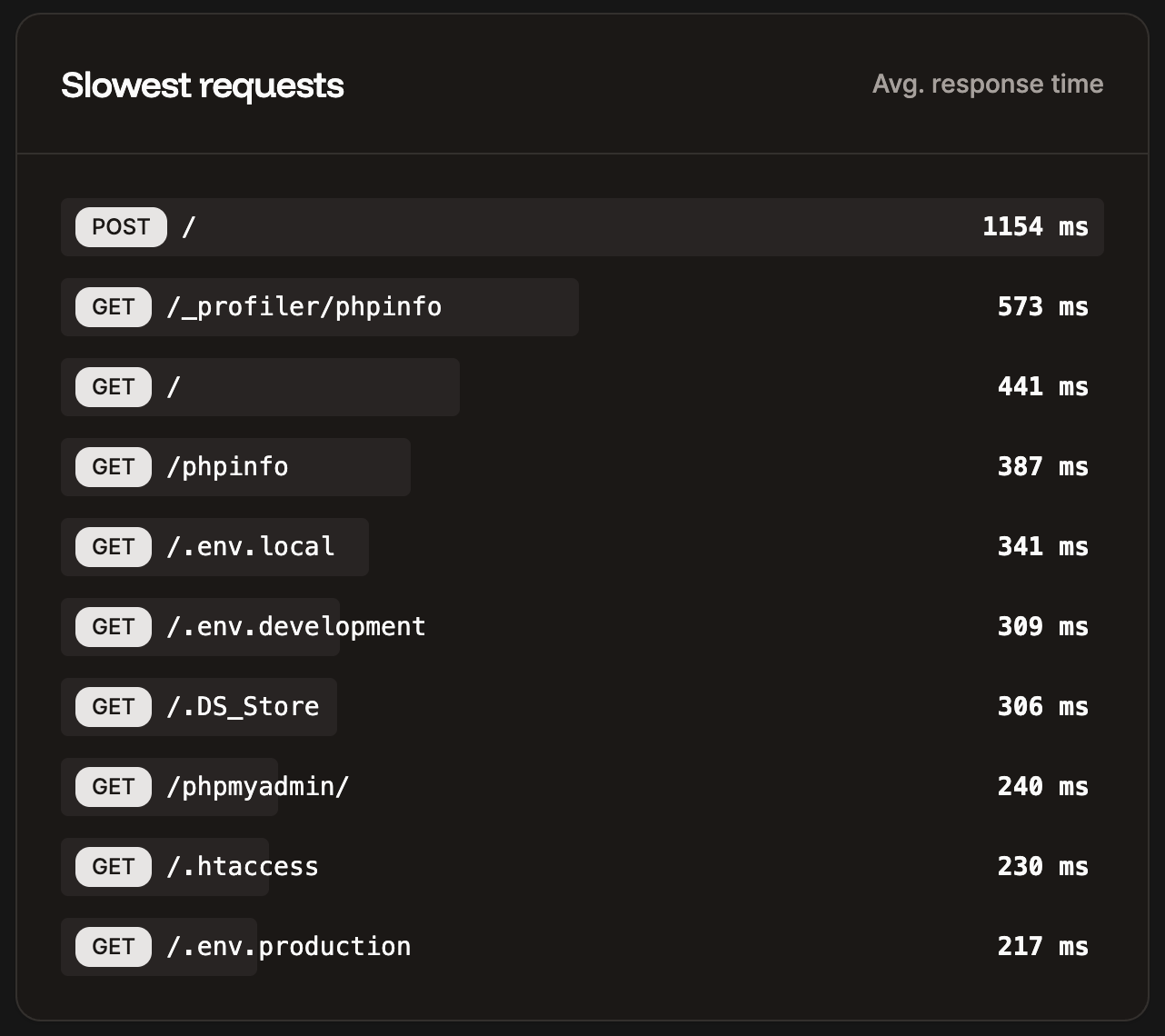
The Slowest requests table shows the 10 slowest requests to your site for the selected time period and the average response time it took to complete.
## Slowest requests
The Slowest requests table shows the 10 slowest requests to your site for the selected time period and the average response time it took to complete.
 ## Top pages
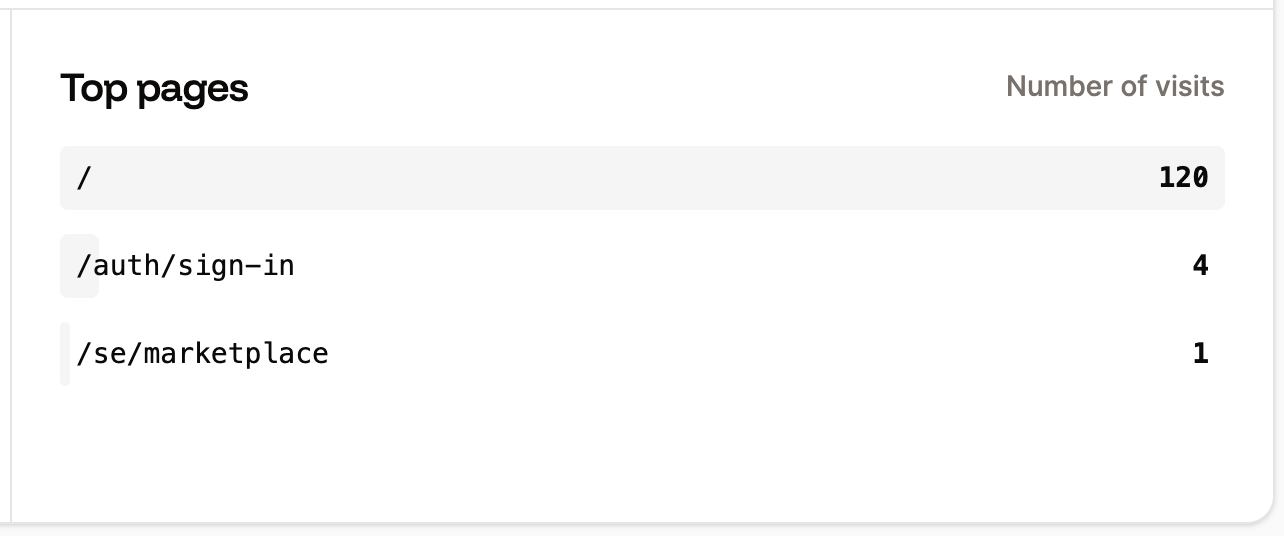
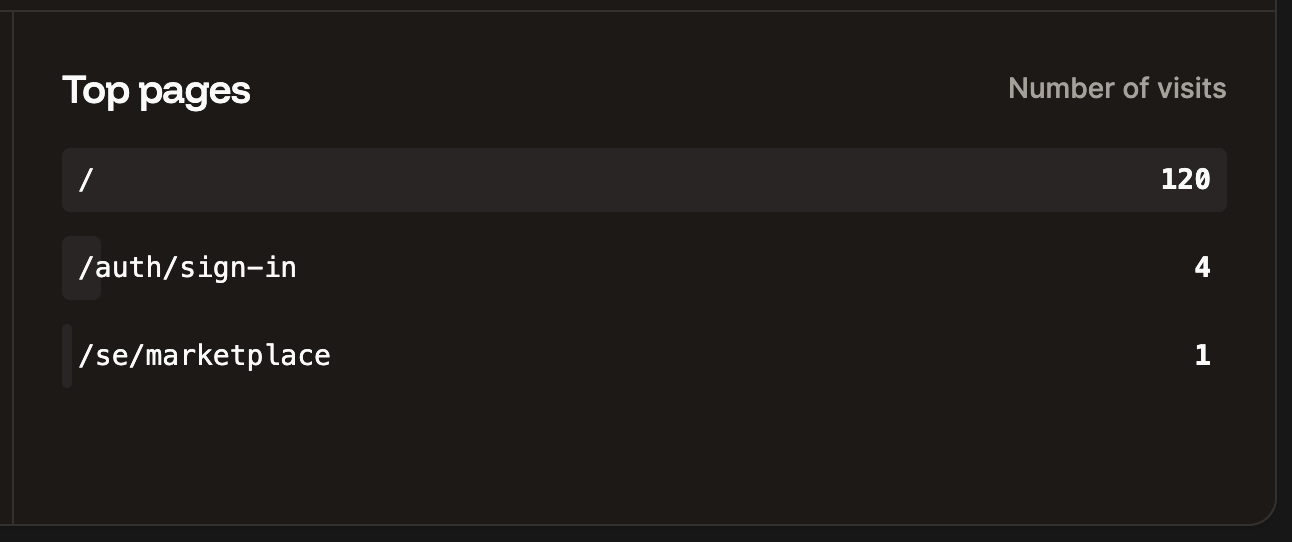
The Top pages table shows the top 10 most requested paths by the number of views for your site.
## Top pages
The Top pages table shows the top 10 most requested paths by the number of views for your site.
 ## Additional notes
Analytics data is retained for 30 days. We suggest checking your **Static Site Analytics** frequently after first deploying to Sevalla and periodically after that. If you see any unexplained analytics data or inconsistencies that concern you, you should further investigate to determine the cause.
## Additional notes
Analytics data is retained for 30 days. We suggest checking your **Static Site Analytics** frequently after first deploying to Sevalla and periodically after that. If you see any unexplained analytics data or inconsistencies that concern you, you should further investigate to determine the cause.