> ## Documentation Index
> Fetch the complete documentation index at: https://docs.sevalla.com/llms.txt
> Use this file to discover all available pages before exploring further.
# Static Sites - Settings
> Configure settings for your static site projects.
On your static site’s **Settings** page, you can view and edit details about your site, enable or disable auto-deploy and pull request previews, update your build strategy, or delete the site.
It also shows that your site is deployed to [the Edge](/static-sites/overview#the-edge). Static sites are pushed to the Edge at 260+ CDN locations. Visitors to your site are served the closest, fastest, and easiest-to-access CDN location.
## General

 This section shows the static site display name, name, and ID. To change the display name, click **Update display name**, enter a new name, and click **Update display name**.
## Deploy
This section shows the static site display name, name, and ID. To change the display name, click **Update display name**, enter a new name, and click **Update display name**.
## Deploy
 ### Source
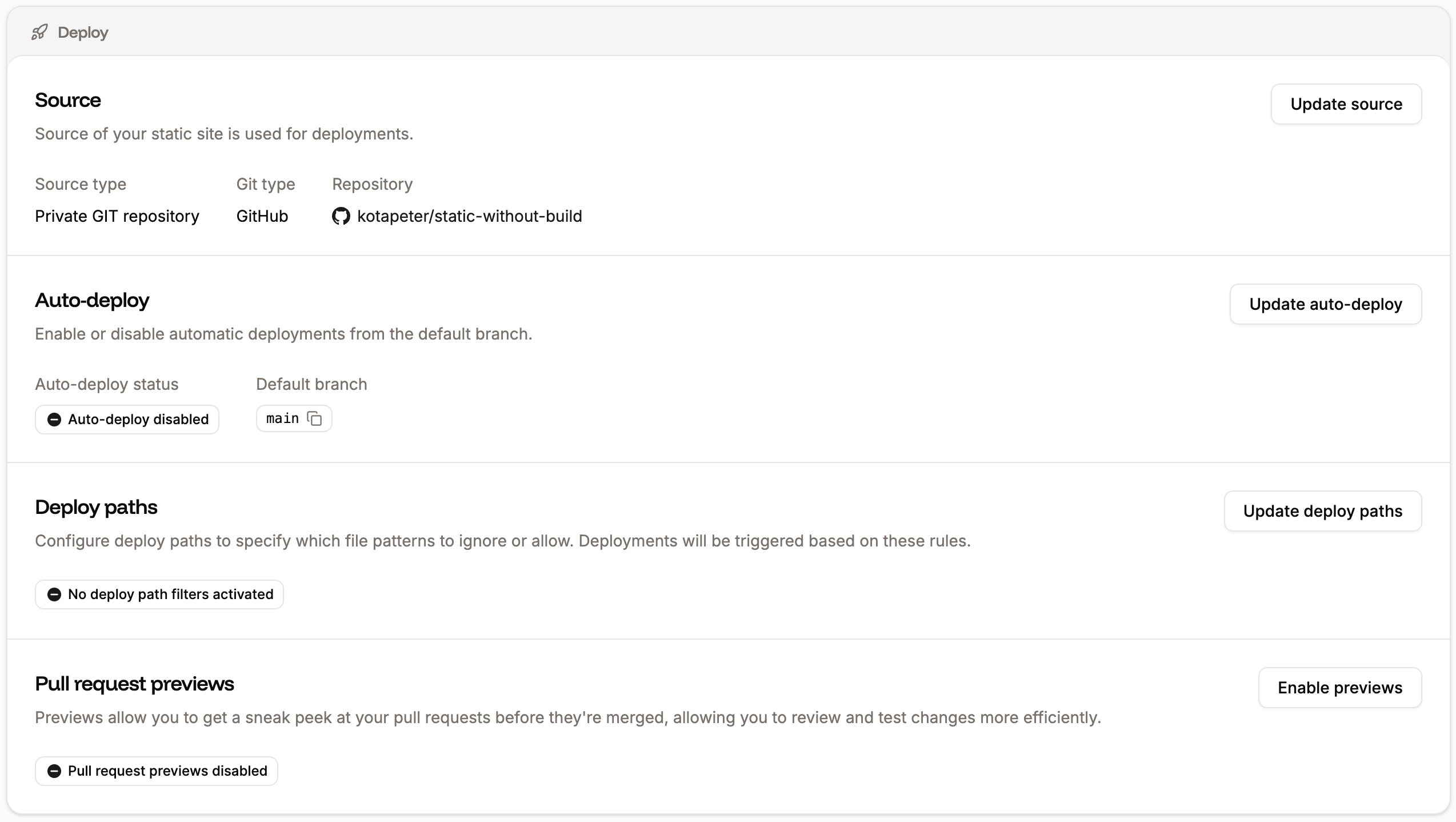
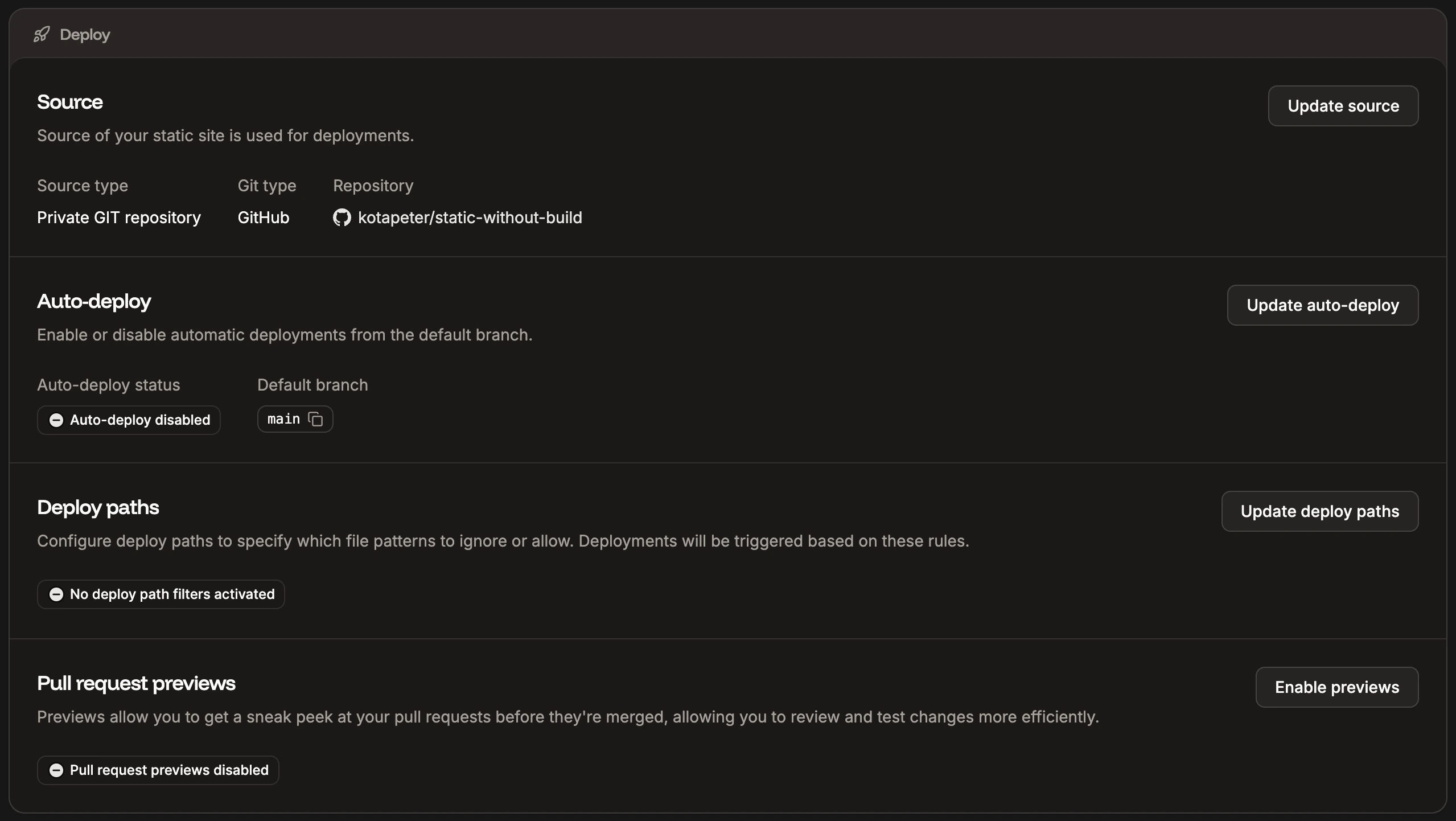
This shows information about the site source, including the following about your Git repository:
* **Source type:** Shows if the repository is private or public.
* **Git type:** Shows which Git provider the site is using.
* **Repository:** The Git repository.
To change any of the details, click **Update source**.
### Auto-deploy
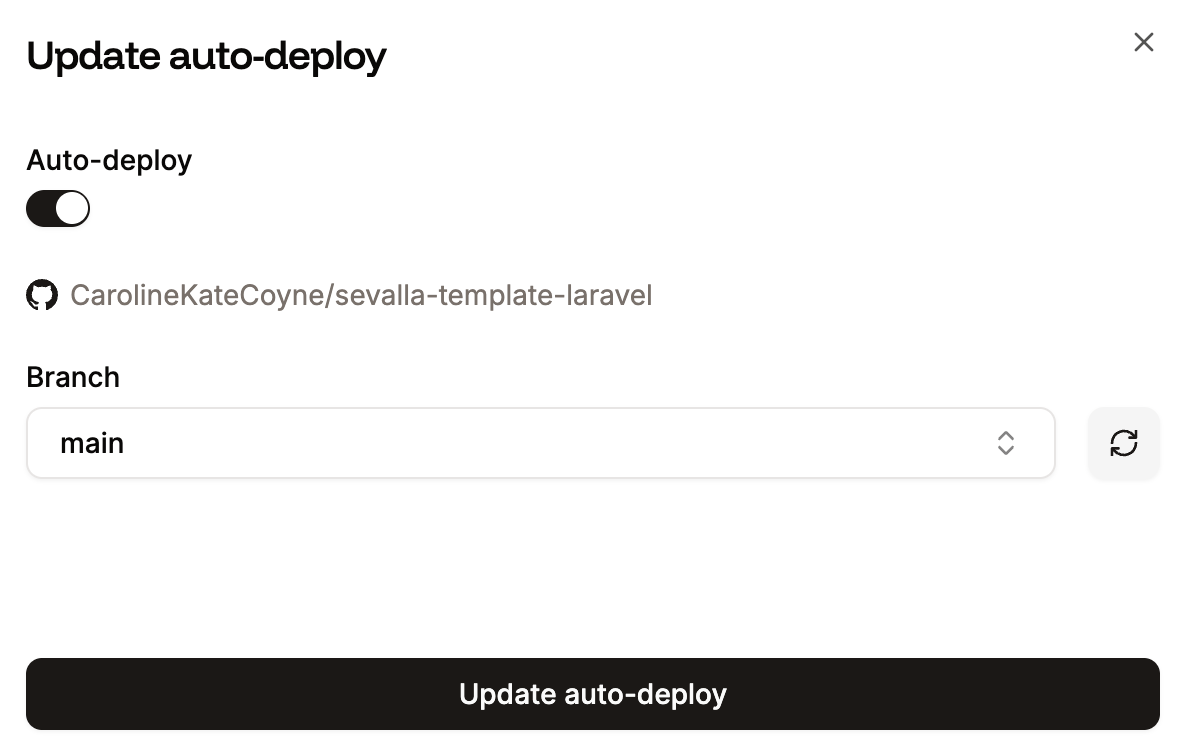
Use this option to automatically deploy each time a commit is made to the selected branch.
To enable or disable automatic deployments or change the branch to automatically deploy from, click **Update auto-deploy**. Select the required options and click **Update auto-deploy**.
### Source
This shows information about the site source, including the following about your Git repository:
* **Source type:** Shows if the repository is private or public.
* **Git type:** Shows which Git provider the site is using.
* **Repository:** The Git repository.
To change any of the details, click **Update source**.
### Auto-deploy
Use this option to automatically deploy each time a commit is made to the selected branch.
To enable or disable automatic deployments or change the branch to automatically deploy from, click **Update auto-deploy**. Select the required options and click **Update auto-deploy**.
 ### Deploy paths
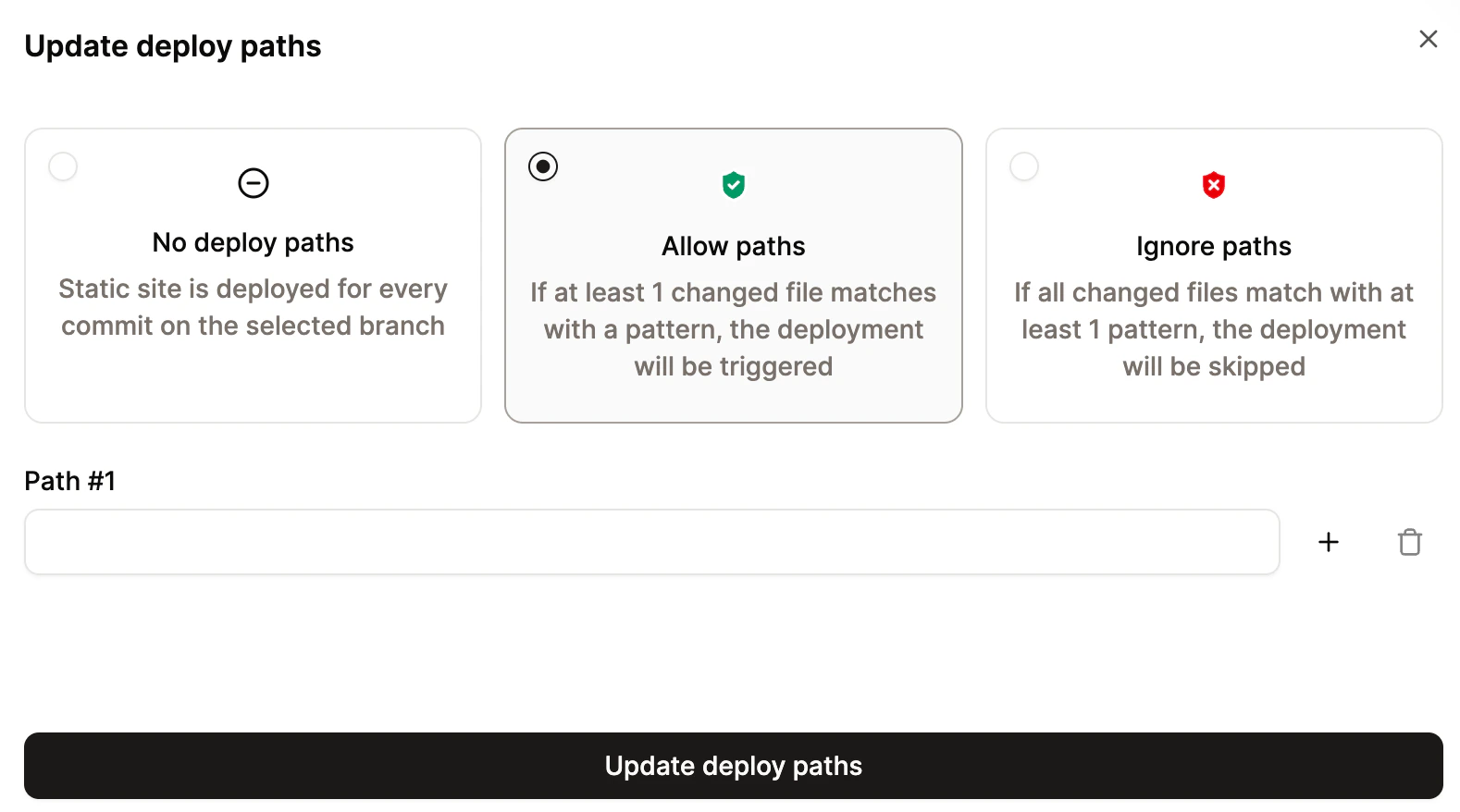
Deploy paths allow you to trigger deployments based on a specific set of rules. You can define which file changes should initiate a deployment and which should be ignored. For example, you can trigger deployments only when files in `/src/frontend/**` are modified or skip deployments if changes are limited to `**/*.md` files. This can be especially useful for monorepos.
To configure deploy paths, click **Update deploy paths**.
To trigger a deployment when a file is changed within a specific path, select **Allow paths**. To skip a deployment when a file is changed in a specific path, select **Ignore paths**.
Add the required path patterns and click **Update deploy paths**.
### Deploy paths
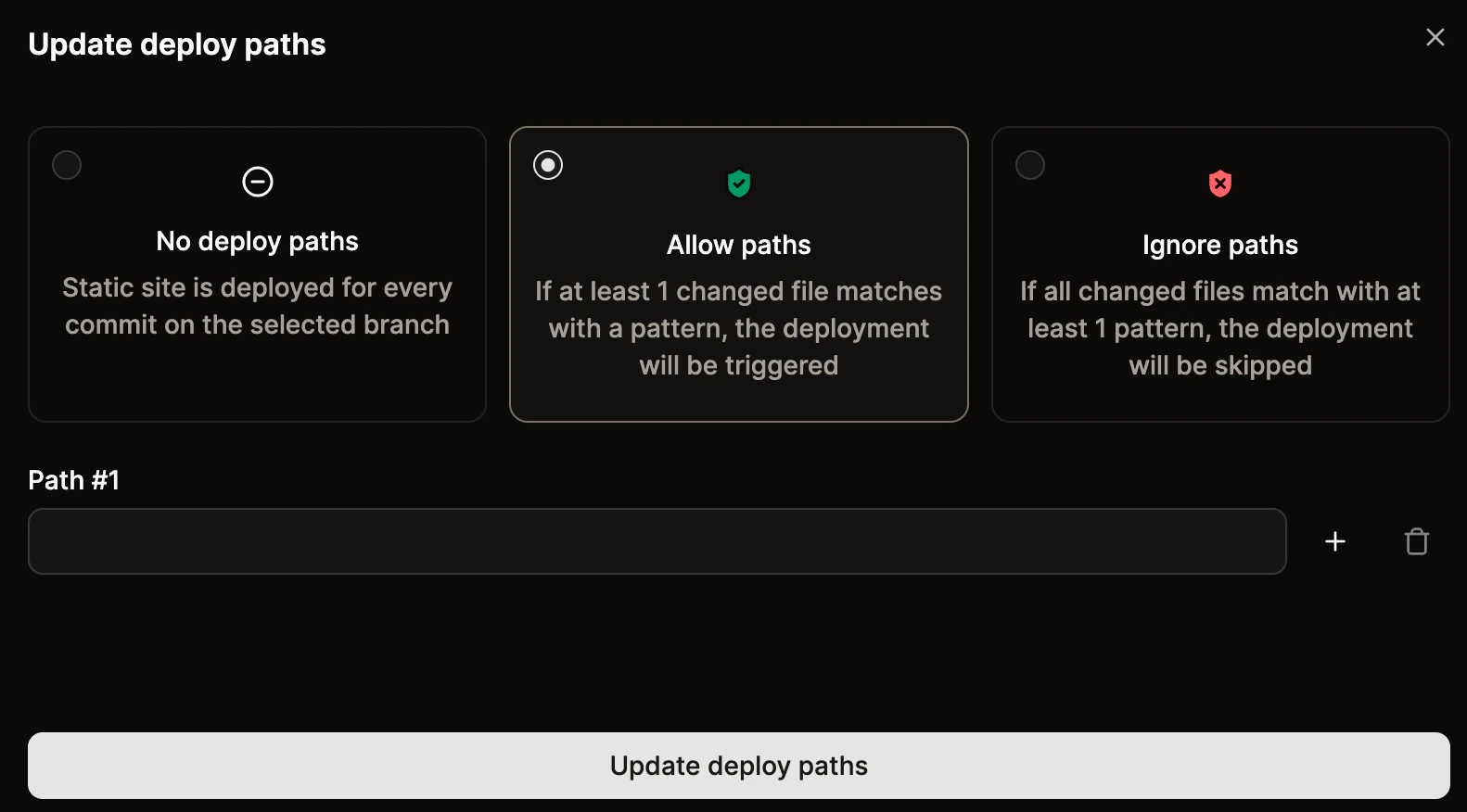
Deploy paths allow you to trigger deployments based on a specific set of rules. You can define which file changes should initiate a deployment and which should be ignored. For example, you can trigger deployments only when files in `/src/frontend/**` are modified or skip deployments if changes are limited to `**/*.md` files. This can be especially useful for monorepos.
To configure deploy paths, click **Update deploy paths**.
To trigger a deployment when a file is changed within a specific path, select **Allow paths**. To skip a deployment when a file is changed in a specific path, select **Ignore paths**.
Add the required path patterns and click **Update deploy paths**.
 ### Git Large File Storage (LFS)
If your repository tracks files with [Git LFS](https://git-lfs.com/), Git LFS support ensures the actual file contents are fetched when the repository is cloned for a build. When disabled, LFS pointers are checked out as-is and the underlying objects are not downloaded.
Git LFS is enabled by default. The current state is shown as a **Git LFS enabled** or **Git LFS disabled** badge. To change it, click **Enable** (or **Disable** if it is already on), then click **Continue**. The change takes effect on the next deployment.
### Pull request previews
Pull request previews allow you to preview your site so you can review the changes before you deploy them to your site. To enable pull request previews, click **Enable previews** > **Continue**.
If you enable pull request previews, this creates a new deployment for each pull request, which will increase your build minutes and bandwidth usage.
When pull request previews are enabled, and you merge a pull request in your Git provider, Sevalla creates a **Preview** environment in your **Deployments**.
### Git Large File Storage (LFS)
If your repository tracks files with [Git LFS](https://git-lfs.com/), Git LFS support ensures the actual file contents are fetched when the repository is cloned for a build. When disabled, LFS pointers are checked out as-is and the underlying objects are not downloaded.
Git LFS is enabled by default. The current state is shown as a **Git LFS enabled** or **Git LFS disabled** badge. To change it, click **Enable** (or **Disable** if it is already on), then click **Continue**. The change takes effect on the next deployment.
### Pull request previews
Pull request previews allow you to preview your site so you can review the changes before you deploy them to your site. To enable pull request previews, click **Enable previews** > **Continue**.
If you enable pull request previews, this creates a new deployment for each pull request, which will increase your build minutes and bandwidth usage.
When pull request previews are enabled, and you merge a pull request in your Git provider, Sevalla creates a **Preview** environment in your **Deployments**.
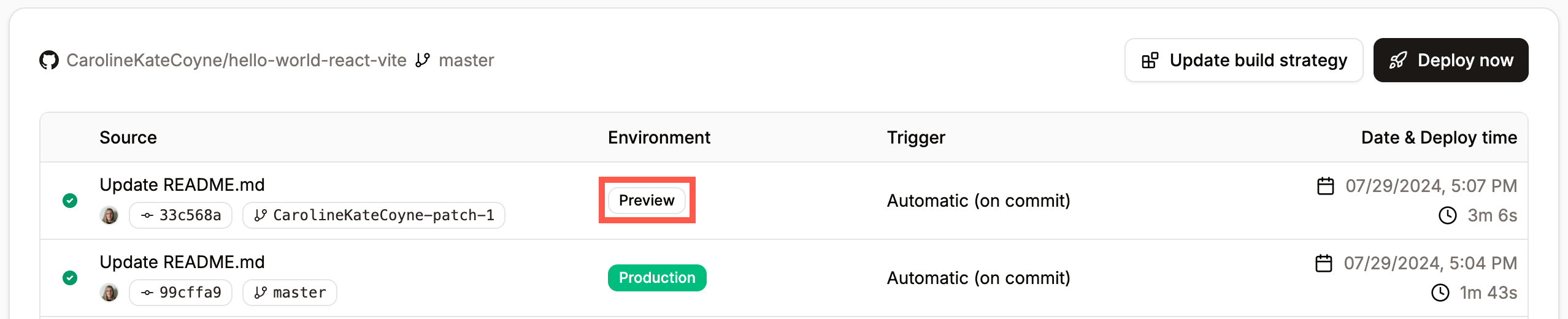
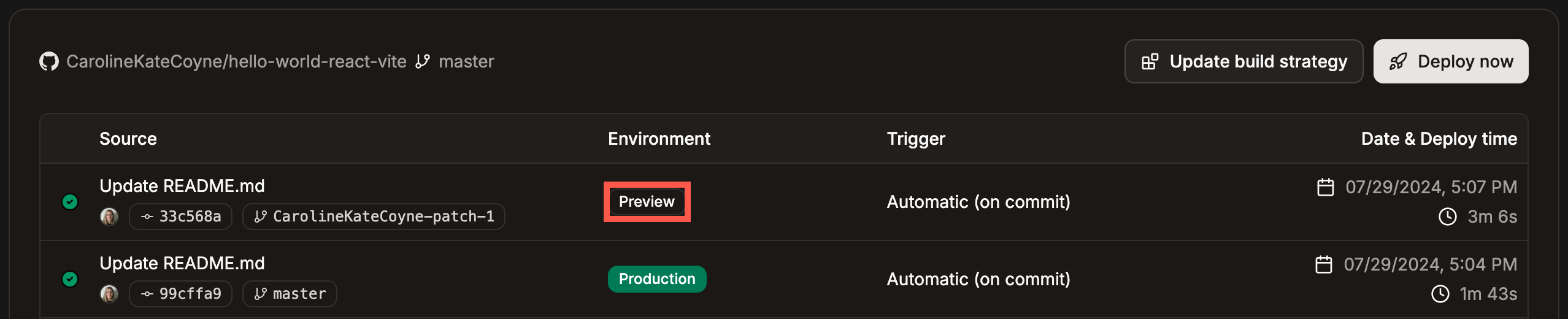 When you select the deployment, click **View previews** to view a preview of the branch or the commit.
If you enable pull request previews, you can select whether to use the [environment variables](/static-sites/environment-variables) in the production environment, preview environment, or both.
Preview deployments are automatically deleted after 30 days.
When you select the deployment, click **View previews** to view a preview of the branch or the commit.
If you enable pull request previews, you can select whether to use the [environment variables](/static-sites/environment-variables) in the production environment, preview environment, or both.
Preview deployments are automatically deleted after 30 days.

 ## Build
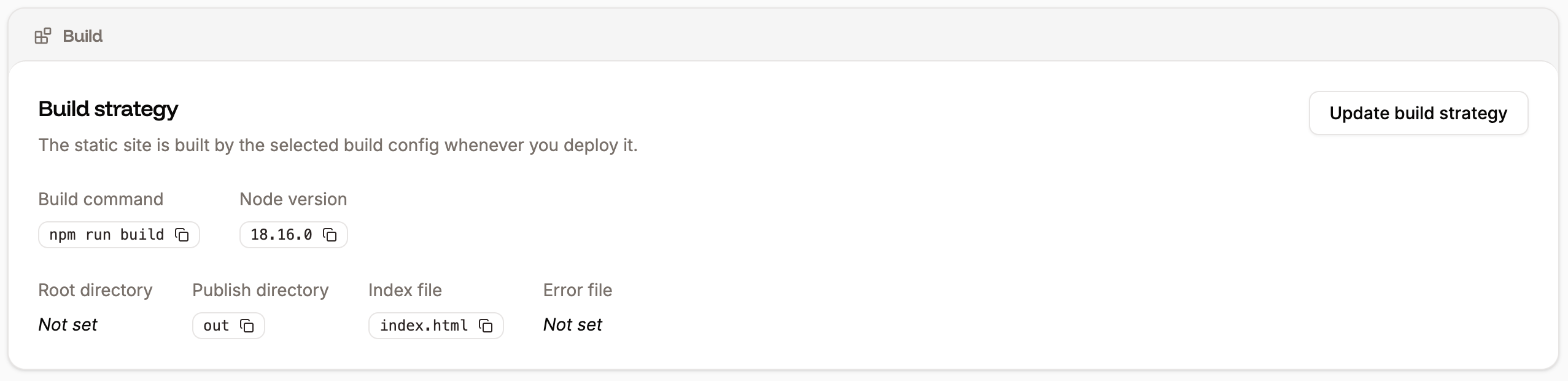
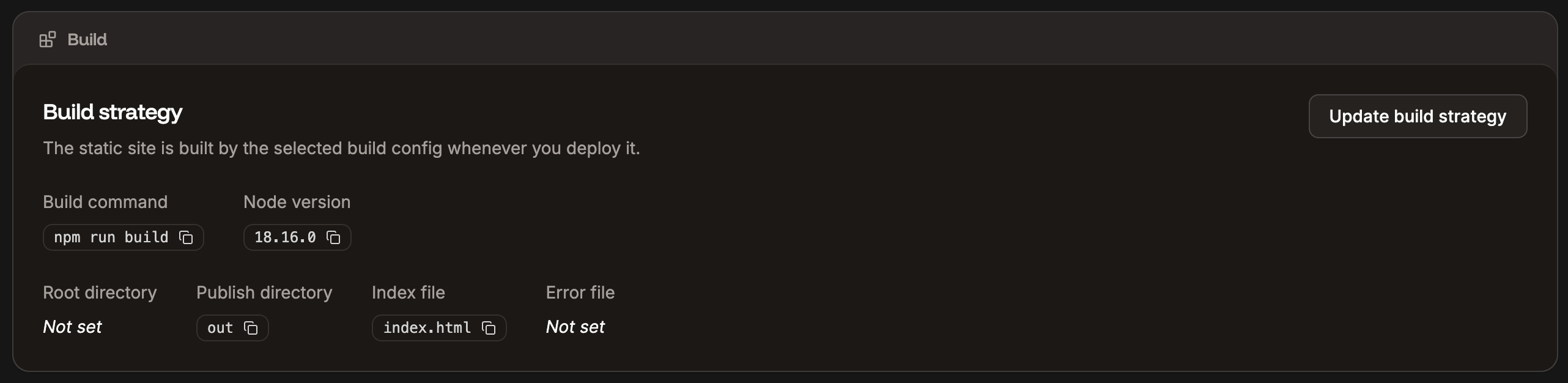 This shows information about your environment's build strategy. To change any of these settings, click **Update build strategy**, and select from the following:
* **Build site before publishing:** Choose if you want Sevalla to build your site before it's deployed or not.
* **Node version:** Optional. If you enter a build command, you can specify which major version of Node.js to use during the build process to ensure compatibility and avoid errors. When you select the major version, Sevalla pulls the latest image for that version during the build. You can also choose, `latest` to use the most up-to-date version and `lts` for the currently active long-term support version.
* **Build command:** Optional. If your static site requires a build command, enter it here.
* **Root directory**: Optional. This field defines the root folder of your static site, which is useful if you have a non-standard folder structure or [monorepo](/applications/reference/glossary#monorepo) setup.
* **Publish directory**: Optional. If this is left blank, it defaults to the root folder. If you want to publish your site to a specific directory, enter it here, relative to the repository root. If you have an HTML site that doesn’t need to be built that you want to run from a specific directory, place your site files in that directory and enter it here, relative to the repository root.
* **Index file**: If you use a single-page application (SPA), enter the site’s default page. SPAs typically use a single HTML file, commonly named `index.html`. When a user enters a URL for your site, all navigation traffic is directed through the index file to ensure seamless navigation within the site.
* **Error file**: If you use a single-page application (SPA), you can specify which file to redirect traffic to if an error occurs in the navigation.
If you change anything beyond the site name, you must manually deploy your site again (click Deploy now on the Deployments page).
## Redirects
This shows information about your environment's build strategy. To change any of these settings, click **Update build strategy**, and select from the following:
* **Build site before publishing:** Choose if you want Sevalla to build your site before it's deployed or not.
* **Node version:** Optional. If you enter a build command, you can specify which major version of Node.js to use during the build process to ensure compatibility and avoid errors. When you select the major version, Sevalla pulls the latest image for that version during the build. You can also choose, `latest` to use the most up-to-date version and `lts` for the currently active long-term support version.
* **Build command:** Optional. If your static site requires a build command, enter it here.
* **Root directory**: Optional. This field defines the root folder of your static site, which is useful if you have a non-standard folder structure or [monorepo](/applications/reference/glossary#monorepo) setup.
* **Publish directory**: Optional. If this is left blank, it defaults to the root folder. If you want to publish your site to a specific directory, enter it here, relative to the repository root. If you have an HTML site that doesn’t need to be built that you want to run from a specific directory, place your site files in that directory and enter it here, relative to the repository root.
* **Index file**: If you use a single-page application (SPA), enter the site’s default page. SPAs typically use a single HTML file, commonly named `index.html`. When a user enters a URL for your site, all navigation traffic is directed through the index file to ensure seamless navigation within the site.
* **Error file**: If you use a single-page application (SPA), you can specify which file to redirect traffic to if an error occurs in the navigation.
If you change anything beyond the site name, you must manually deploy your site again (click Deploy now on the Deployments page).
## Redirects

 Pretty URLs help standardize your site’s URLs and improve SEO. This feature automatically enforces a trailing slash on the path of static site requests using a 301 redirect. For example, `/about` or `/about.html` would be redirected to `/about/`
By ensuring consistent URL structure, pretty URLs prevent duplicate content issues and improve search engine indexing.
To enable pretty URLs, click **Enable pretty URLs** and then click **Continue**.
## Cache
Your static site is served from our global CDN at [the Edge](/static-sites/overview#the-edge). If updated assets aren't showing up after a deploy, you can clear the cached assets yourself instead of waiting for the cache to expire.
To clear the cache, click **Purge cache**. This purges the CDN/Edge cache for your site, so the latest version of your assets is served. The purge takes effect right away, and you'll get a confirmation once the cache is cleared.
Anyone with update access to the static site can purge the cache.
## Danger zone
Pretty URLs help standardize your site’s URLs and improve SEO. This feature automatically enforces a trailing slash on the path of static site requests using a 301 redirect. For example, `/about` or `/about.html` would be redirected to `/about/`
By ensuring consistent URL structure, pretty URLs prevent duplicate content issues and improve search engine indexing.
To enable pretty URLs, click **Enable pretty URLs** and then click **Continue**.
## Cache
Your static site is served from our global CDN at [the Edge](/static-sites/overview#the-edge). If updated assets aren't showing up after a deploy, you can clear the cached assets yourself instead of waiting for the cache to expire.
To clear the cache, click **Purge cache**. This purges the CDN/Edge cache for your site, so the latest version of your assets is served. The purge takes effect right away, and you'll get a confirmation once the cache is cleared.
Anyone with update access to the static site can purge the cache.
## Danger zone

 Only Company Owners and Company Administrators can delete a static site. For information about how to change a user’s access, refer to User Management.
If you no longer need the static site, click **Delete static site**. To confirm the deletion, click **Continue**.
Deleting the site also completely removes all of its associated files and settings. Once it is deleted, you cannot recover a site in Sevalla.
Depending on the site's caching headers and the user’s browser settings, the deleted site may still appear to be available for a few minutes or hours due to caching.
Only Company Owners and Company Administrators can delete a static site. For information about how to change a user’s access, refer to User Management.
If you no longer need the static site, click **Delete static site**. To confirm the deletion, click **Continue**.
Deleting the site also completely removes all of its associated files and settings. Once it is deleted, you cannot recover a site in Sevalla.
Depending on the site's caching headers and the user’s browser settings, the deleted site may still appear to be available for a few minutes or hours due to caching.