

How a load balancer works
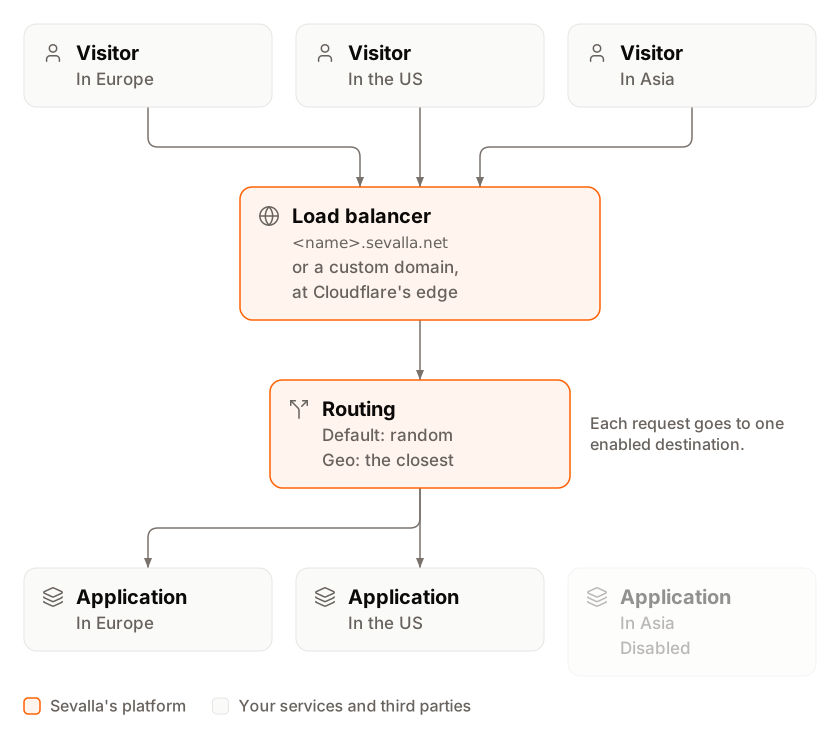
- A request arrives on one of the load balancer’s domains: the
<name>.sevalla.netdomain it gets when you create it, or a custom domain. - Cloudflare’s edge picks one of the enabled destinations, using the load balancer’s routing.
- The request goes to that destination’s address: a domain of the application, static site or load balancer, or the URL you entered for an external service. Each destination’s card on the Overview tab shows its address.
Routing
Every load balancer has one routing type. You choose it when you create the load balancer and can change it any time.
Geo routing compares the visitor’s location with each destination’s coordinates:
- An application’s coordinates are those of its location, such as Frankfurt, Germany. Sevalla sets them for you.
- An external service uses the latitude and longitude you enter when you add it.
- Static sites and load balancers have no location of their own (their cards show Global), because Cloudflare’s edge serves them everywhere.
Destinations
A service can be a destination of the same load balancer only once, and a load balancer can’t be its own destination. The API also accepts an object storage bucket as a destination.
Domains
Every load balancer gets a Sevalla domain when you create it, made from its name, such asedge-network-k2m9x.sevalla.net. It’s the primary domain until you make another one primary. Add your own domains on the load balancer’s Domains tab; Sevalla issues their SSL certificates. See Custom domains.
The Overview tab
The Overview tab shows the load balancer as a traffic diagram: Public internet at the top, the load balancer with its Domain, Routing and Settings, and a card for each destination with its name, status (a green check for Active, a red cross for Disabled), address, location and type. Click a destination’s card to open that service. The diagram shows the average response time over the past hour on top of the load balancer’s card and of each destination’s card. Its toolbar has Create destination, Load balancer settings and More actions. The load balancer’s analytics follow the diagram on the same tab.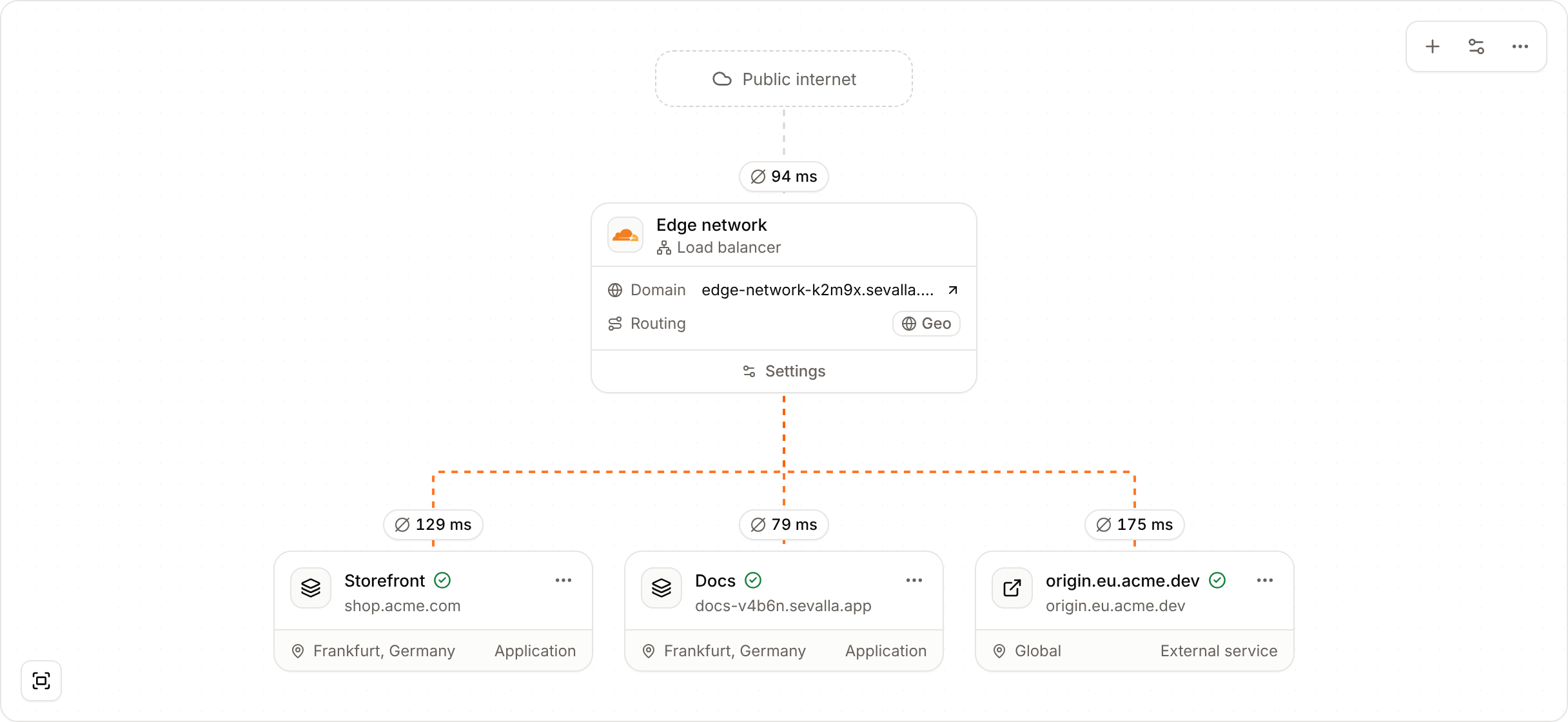
When to use a load balancer
- An application in more than one location. Create a copy of the application in each location, add them all, and choose Geo routing: visitors reach the closest one.
- Two or more copies of a service in one place. Add them all with Default routing to spread traffic over them.
- A move from another host. Add the old host as an External service and the new application as an App, point your domain at the load balancer, then disable the old host when you’re ready.
Pricing
Each load balancer costs a base fee of $40 per month, plus $0.10 per GB of bandwidth, before tax. The create page shows the estimate with your company’s tax. See Pricing, and the Usage page for what each load balancer has cost this period.Access
Company owners, admins and developers can create, update and delete load balancers. To give someone access to specific load balancers only, invite them with the Load balancer administrator role. See Users and roles.Limits
Create a load balancer
Create one, add and manage destinations, update or delete it.
Analytics
Requests, response times, status codes and countries.
Custom domains
Put your own domain in front of the load balancer.