

How projects work
- A service belongs to one project at most. A service that isn’t in a project is a company-level service. To move a service to another project, remove it from its current project first.
- A project only groups services. Adding or removing a service doesn’t change how it runs, its location or its domains. Deleting a project never deletes its services.
- Projects control access. People with a project role (Project admin or Project developer) see and manage only the services in their projects. See Project access.
- Each project has four tabs: Services, Usage, Access management and Settings. Tabs you don’t have access to are hidden.
The Company billing role and service-level roles (such as App administrator) have no access to projects. Users and roles lists every role.
Create a project
1
Open the create sheet
In the sidebar, click Projects, then click Create project.
2
Name the project
In Name, keep the suggested name or enter your own, 1 to 64 characters. You can change it later.
3
Create it
Click Create project.
/project/storefront-a1b2c), which stays the same when you rename the project.
Add services to a project
You can create a new service directly in a project, or add a service that already exists.Create a service in a project
1
Open the project
In the sidebar, click Projects, then click the project.
2
Choose what to create
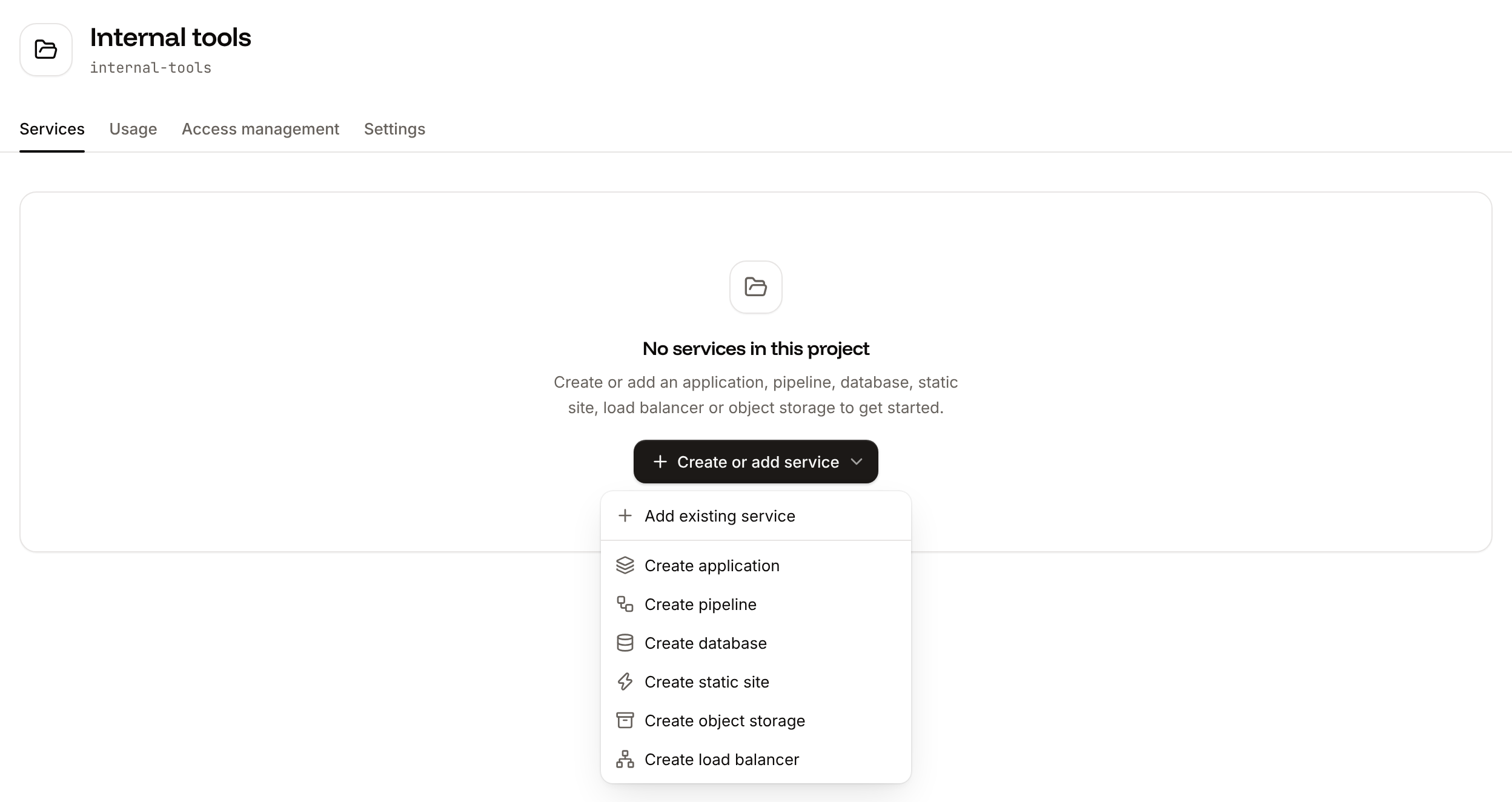
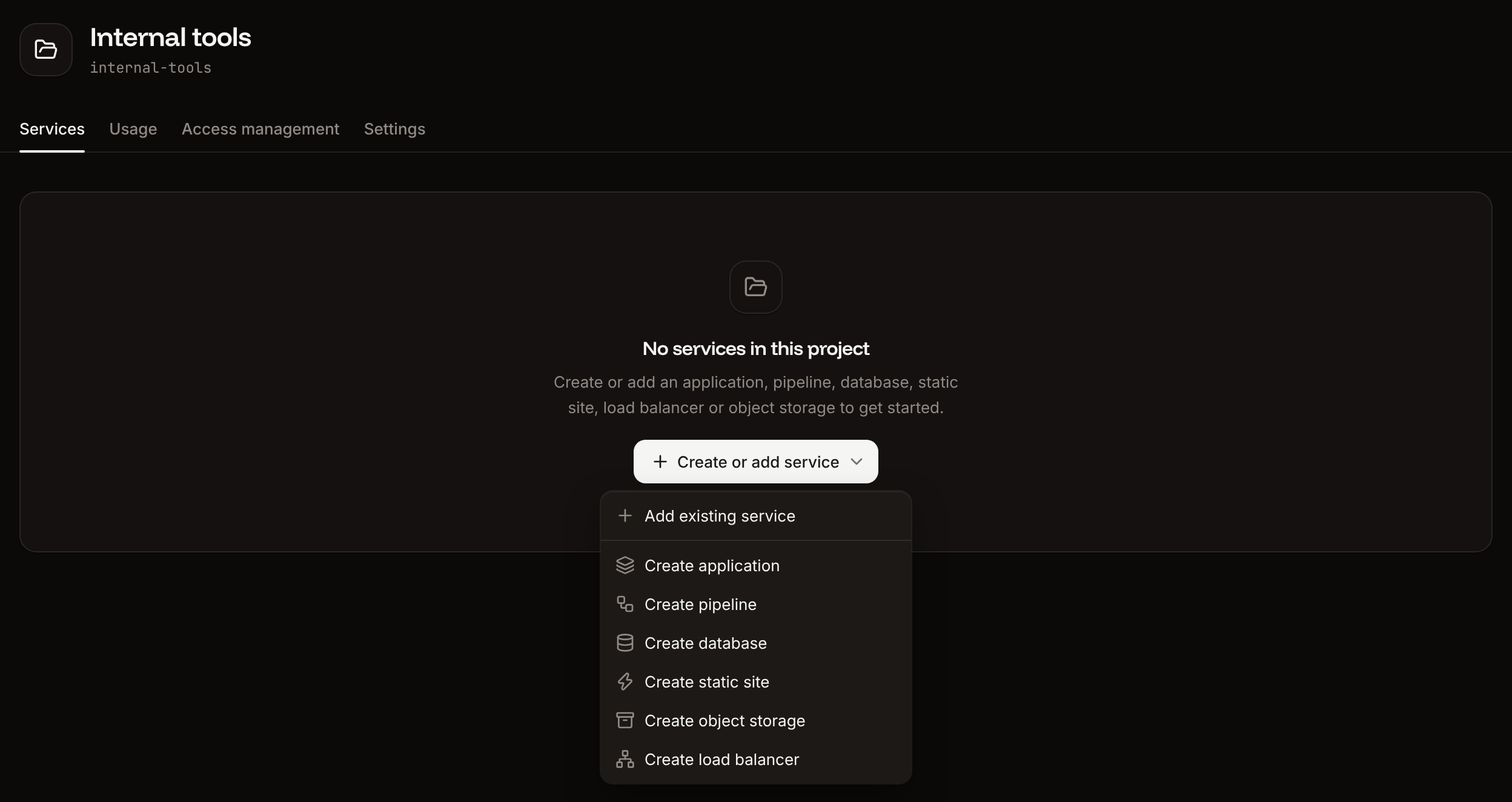
On the Services tab, click Create or add service (or Create service), then click the service to create, for example Create application.
3
Create the service
The create form opens with this project selected in Project. Fill in the form and create the service.
Add an existing service
Only company owners, admins and developers can add existing services to a project.
1
Open the Add services sheet
On the project’s Services tab, click Create or add service, then click Add existing service.
2
Pick the services
Under Service, filter by type if you want, then pick each service to add from Select service. Services that are already in another project aren’t listed.
3
Add them
Click Add service (or Add 2 services, and so on).
Remove a service from a project
Only company owners, admins and developers can remove services from a project.
1
Find the service
On the project’s Services tab, click the actions menu (…) on the service’s row, then click Remove from project.
2
Confirm
Click Remove.
View project spending
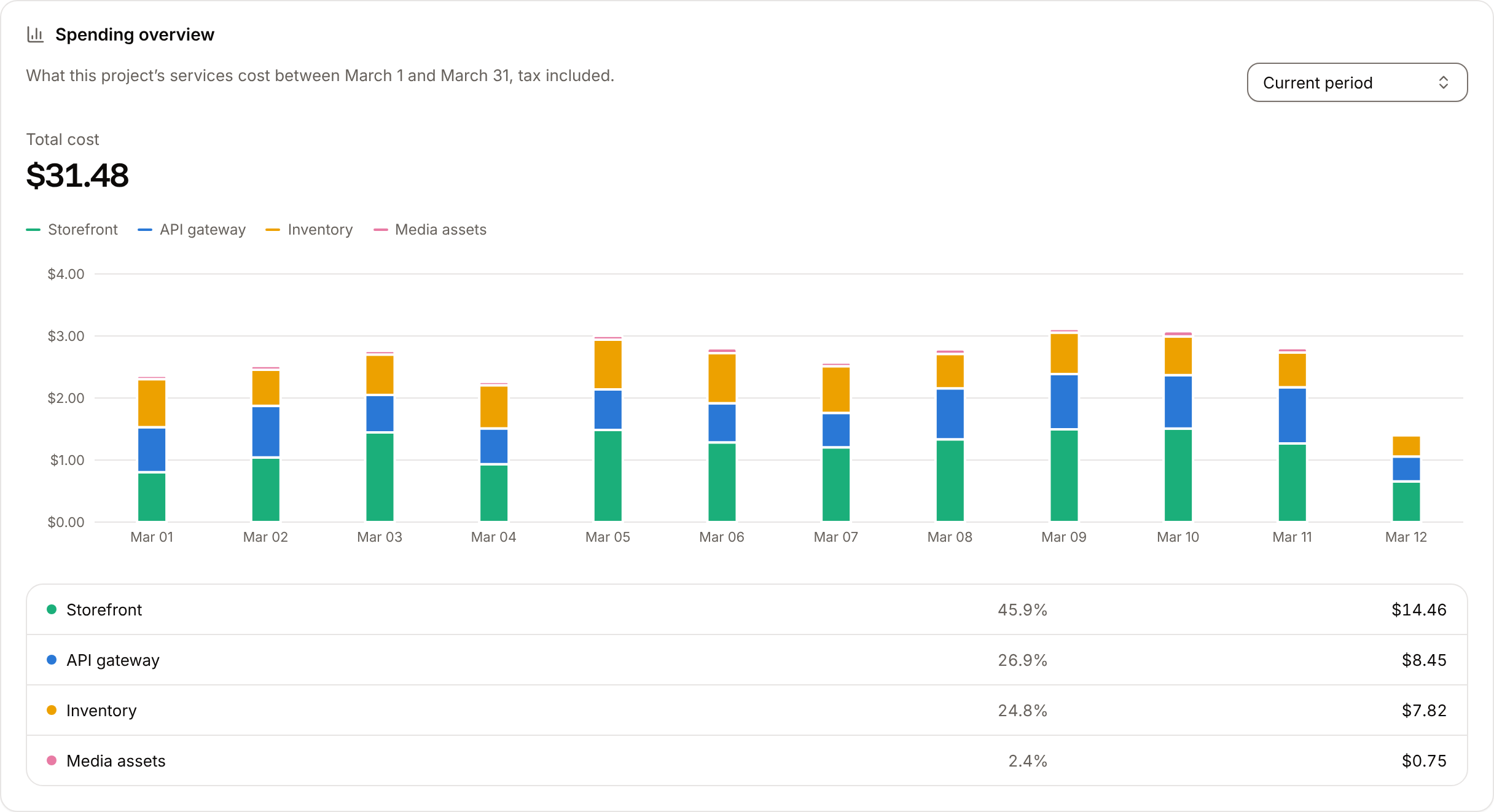
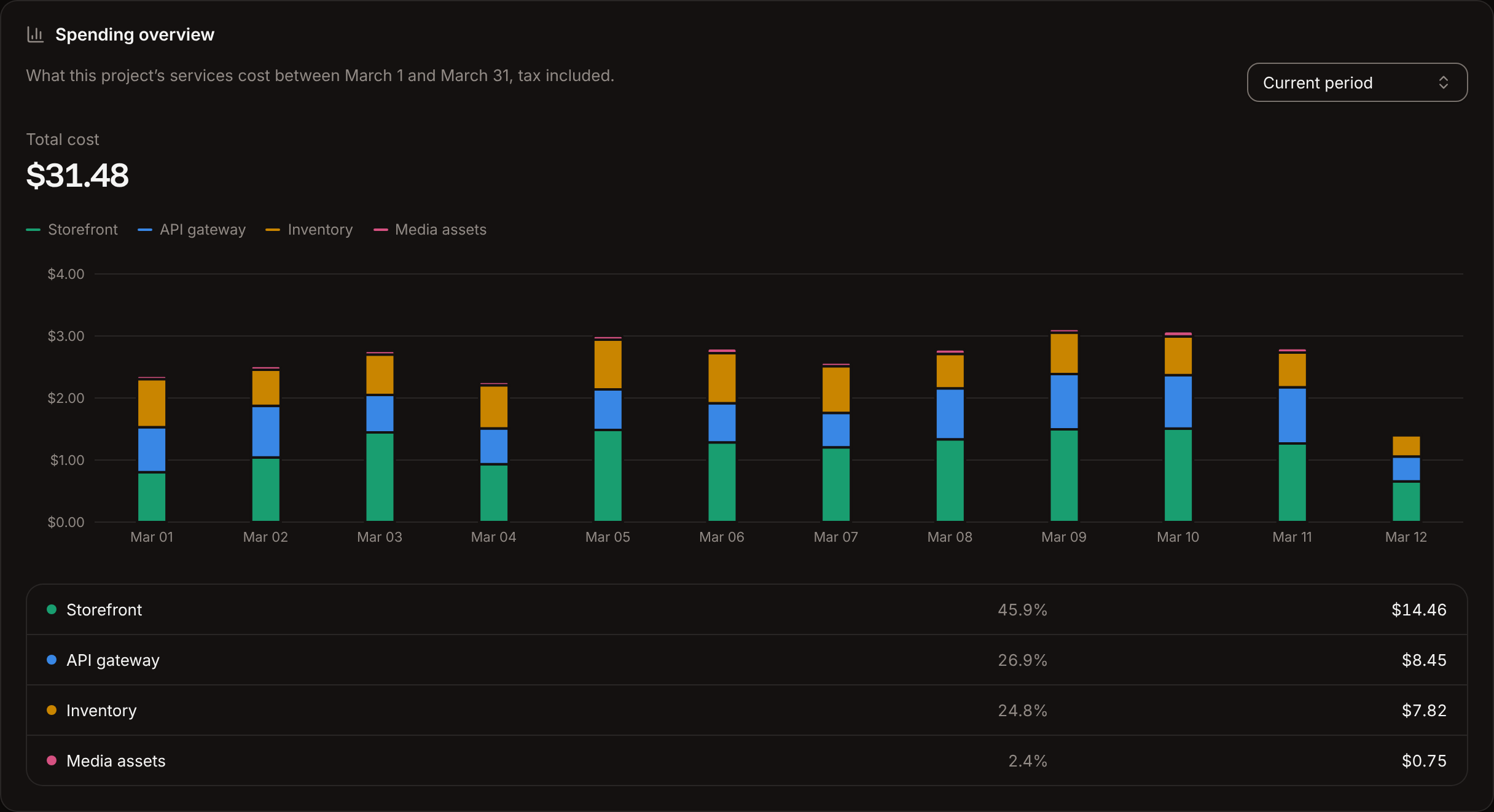
The Usage tab shows what the project’s services cost in a billing period, tax included.- Period: Current period (the default) or Previous period.
- Total cost: the project’s total for the period.
- Chart: one bar per day, split by service. Point at a bar to see each service’s cost that day.
- Breakdown: each service with its share of the total and its cost.
Set a usage alert for a project
A project usage alert emails people when the project’s spending in the current billing period crosses a share of a budget you set. Each project has one alert, separate from the company’s.Only company owners and admins can add, update or delete a project’s usage alert.
1
Open the alert sheet
On the project’s Usage tab, in the Usage alert card, click Add alert.
2
Set the budget and thresholds
In Budget limit (USD), enter the spend that counts as 100%. Under Percentage thresholds, keep the default 80% and 100%, or change them (whole numbers from 1 to 100). Click Add threshold for more.
3
Add recipients
Under Email recipients, enter at least one email address. Click Add recipient for more.
4
Create the alert
Click Create alert.
Rename a project
1
Open the project's settings
Open the project, then click the Settings tab.
2
Update the display name
Under Details, click Update display name, enter the new name in Display name, then click Update display name.
Suspend the services in a project
Suspending a project’s services suspends every running application and database in the project at once. They’re unavailable and their live connections close until you activate them again. Static sites, object storage and load balancers in the project keep running.1
Open the danger zone
Open the project, click the Settings tab, and find Suspend services in the danger zone.
2
Suspend
Click Suspend services, then click Suspend services in the dialog.
Delete a project
Deleting a project removes its services from it and takes away its members’ project access. The services aren’t deleted: they become company-level services and keep running, and you keep paying for them.1
Open the danger zone
Open the project, click the Settings tab, and find Delete project in the danger zone.
2
Confirm
Click Delete project, type the project’s name as shown in the dialog, then click Delete project.
API and CLI
The API and CLI add and remove applications, databases, pipelines and object storage (
--service-type is app, database, pipeline or object-storage). Add static sites and load balancers to a project in the dashboard.