

At a glance
Environment variables
This guide adds no variables. The application uses the ones in Deploy a Flask application.Before you begin
- The
storefrontproject from Deploy Flask, deployed on Sevalla. This guide replaces itsapp/__init__.py.
Add the endpoints
Replaceapp/__init__.py with this version, which adds /healthz and /livez to the application factory:
app/__init__.py
/healthzreturns200when the database answers a query and503with{"status":"database unavailable"}when it doesn’t. Use it for readiness: an instance that can’t reach the database gets no traffic./livezreturns200whenever the application runs. Use it for liveness, so that a database outage doesn’t restart every instance.
/healthz for each service the application can’t work without, such as cache.get("health") for a Redis cache.
Commit and push the changes, and wait for the deployment to finish before you turn on the probes:
Turn on the health checks
1
Open the web process
On the application’s Processes tab, click ⋯ on the Web process, then click Update process.
2
Turn on the readiness probe
Under Health checks, turn on Readiness probe and set the Path to
/healthz. Keep the Port at the web process’s port, 8080 unless you changed it.3
Turn on the liveness probe
Turn on Liveness probe, set the Path to
/livez, and set the Initial delay to 10 seconds, so a slow start doesn’t count as a failure.4
Save and deploy
Click Update process, then click Deploy in the undeployed changes bar at the bottom of the page.
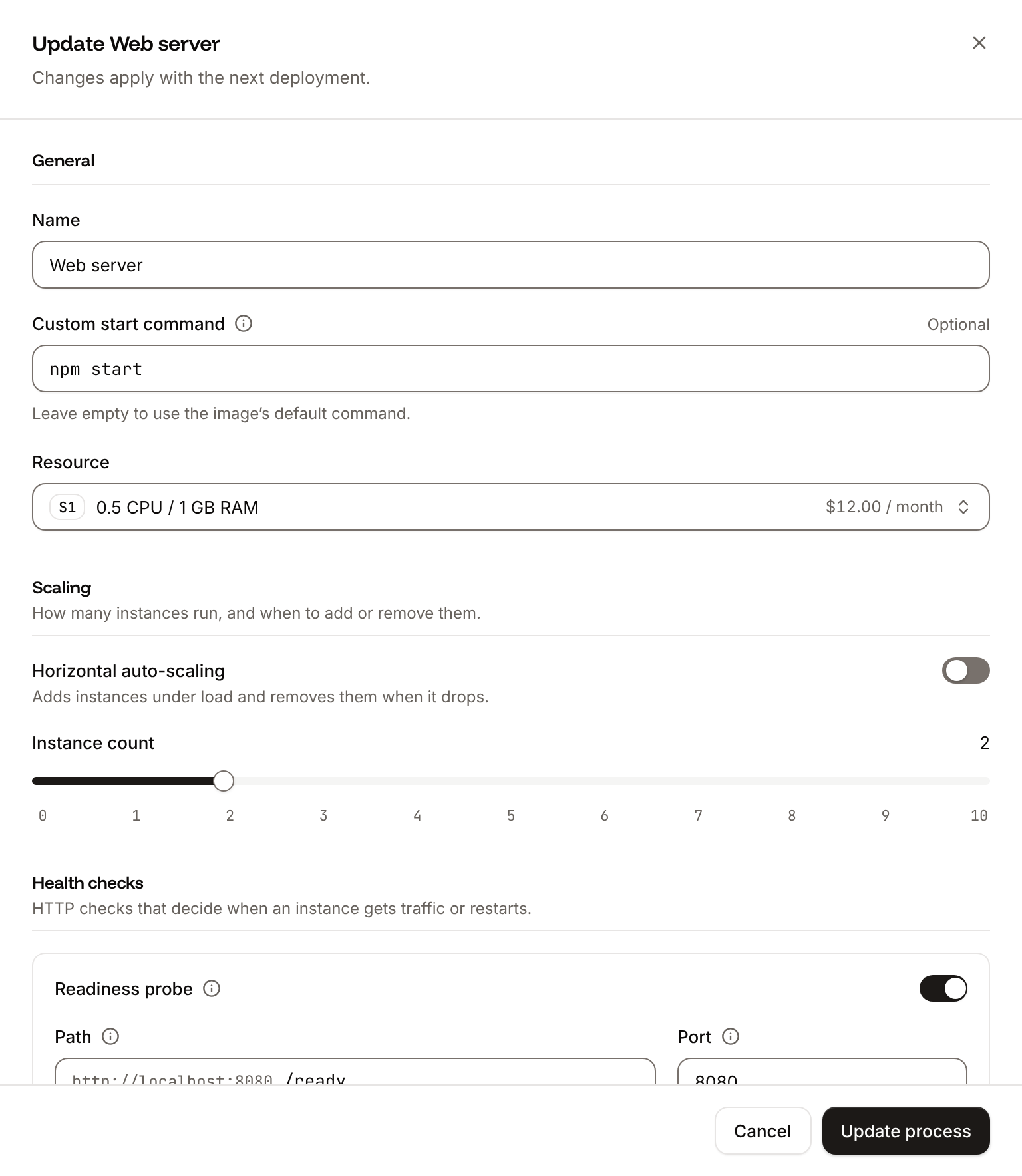
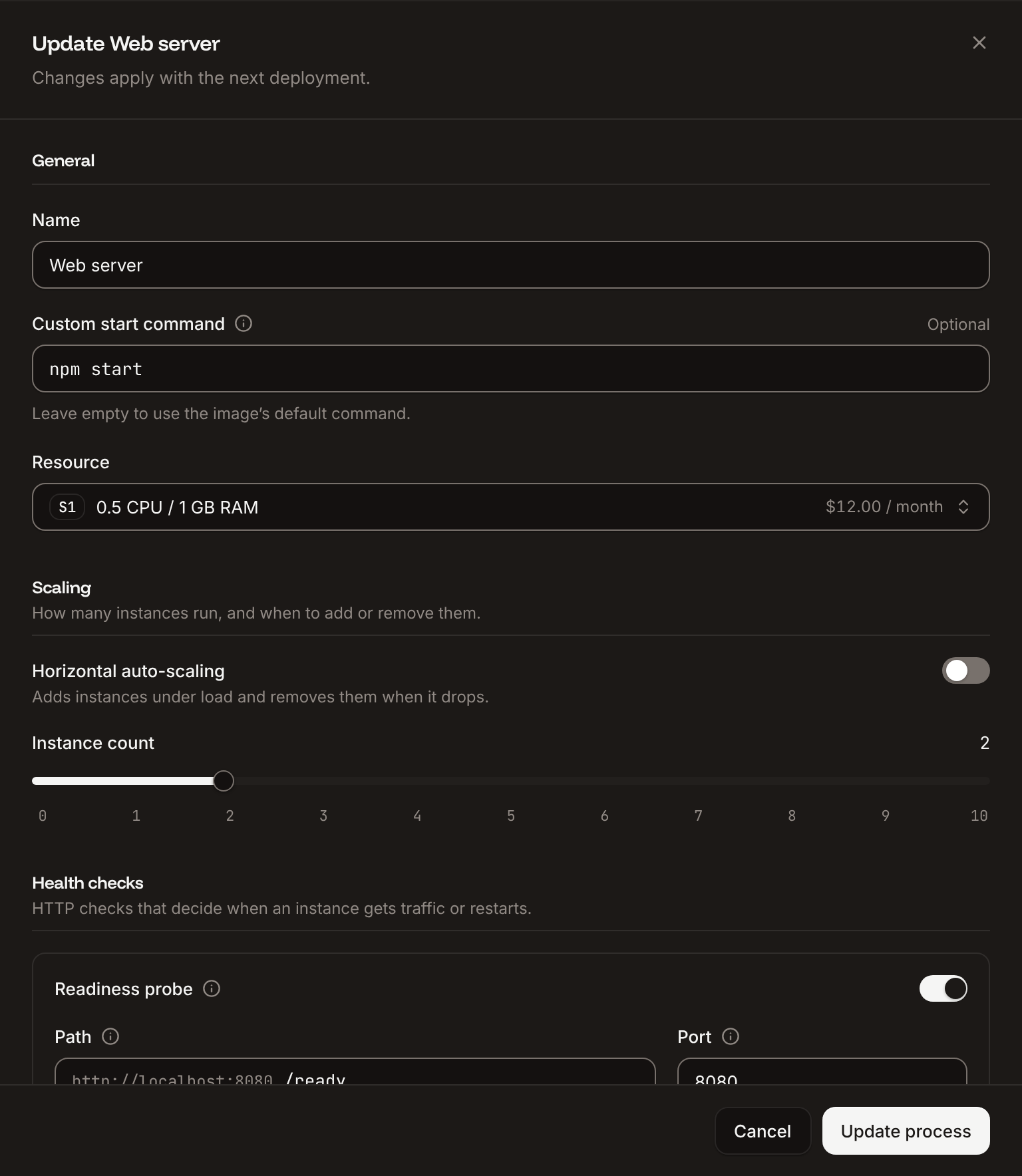
200 to 399 within the timeout (1 second by default). Only the web process has health checks. See Health checks for every probe setting and its default.
Verify
-
Request the endpoint through your domain. The command prints the body, which Flask ends with a newline, then the status code:
- On the Deployments tab, the deployment that turned on the probes reaches Deployed: its new instance passed the readiness probe before it took traffic.
-
To read the probes back, use Get process (
getProcessV3) withAPP_IDandWEB_IDfrom Deploy with the API:The CLI shows the process withsevalla apps processes get "$WEB_ID" --app-id "$APP_ID" --json, and the MCP server withget_application.
200, and that the Port matches the port Gunicorn listens on.
Deploy with the API
These calls deploy the endpoints, then turn on the probes, as the steps on this page do.APP_ID and WEB_ID, the web process, come from Deploy with the API in the deploy guide, which also turned on auto-deploy, and SEVALLA_API_KEY holds the same API key. Commit the code from this page first, without pushing it, and run the commands in the project folder.
1
Push and find the deployment
Push the commit. Auto-deploy starts a deployment of it, and List deployments (With auto-deploy off, start it with Trigger deployment (
listDeploymentsV3), newest first, returns it once it exists:triggerDeploymentV3) instead. CLI: sevalla apps deployments list --app-id "$APP_ID". MCP: list_deployments.2
Wait for the deployment
Get deployment (It prints
getDeploymentV3) until status is success or failed:success when the deployment finishes, or failed; after 30 minutes without either, it prints the status it last read. CLI: sevalla apps deployments get "$DEPLOYMENT_ID" --app-id "$APP_ID". MCP: get_deployment, then get_deployment_logs if it failed.3
Turn on the health checks
Update process (It prints
updateProcessV3) on the web process. Send every probe field, timeoutSeconds included: a probe set through the API without it waits up to 120 seconds for an answer, not the dashboard’s 1 second. The values are the dashboard’s defaults, with the paths from this page and a 10-second initial delay for the liveness probe:{"readiness":"/healthz","liveness":"/livez","timeout":1}. CLI: not available. MCP: sevalla_api_update with updateProcessV3 and the same body.4
Deploy the health checks
The probes apply at the next deployment. Trigger deployment (CLI:
triggerDeploymentV3) with is_restart reuses the last build:sevalla apps deployments trigger "$APP_ID" --restart. MCP: trigger_deployment with restart set to true.5
Wait for the deployment
Get deployment (
getDeploymentV3) until status is success or failed:success means the new instance passed the readiness probe. CLI: sevalla apps deployments get "$DEPLOYMENT_ID" --app-id "$APP_ID". MCP: get_deployment.listApplicationDomainsV3) as in the deploy guide.