

langfuse/langfuse (the web interface and API) and langfuse/langfuse-worker (which processes incoming traces), with a PostgreSQL database, a Redis database, a bucket in object storage, and ClickHouse as a third, private application with a disk.
At a glance
Environment variables
Thelangfuse and langfuse-worker applications get the same variables. Applications from a Docker image have no build, so every variable is available during runtime only.
langfuse-clickhouse application has two variables of its own:
How Langfuse runs on Sevalla
Before you begin
- A Sevalla company with a payment method: sizes above H1 and DB1 need one.
- Python 3.11 or later on your computer, to send a test trace.
openssl, to generate secrets. macOS and most Linux distributions include it.
Create the databases and the bucket
Create the PostgreSQL database
langfuse-db as the Display name, choose the Data center and a Size, then click Create database.Create the Redis database
langfuse-redis as the Display name, choose the same Data center and a Size, then click Create database.Create the bucket
langfuse-blobs as the Name, pick a Location and click Create object storage. On the bucket’s Settings tab, note the Endpoint, the Bucket name (for example langfuse-blobs-q8w2e), the Access key and the Secret key. See Connection values.noeviction memory policy. The Redis 7.2 database in the tests reported maxmemory-policy noeviction and a memory limit of 200 MB on DB1: when it’s full, Redis rejects new writes instead of dropping queued jobs. The guide was tested with DB1 for both databases; for production, Langfuse recommends 2 CPU and 4 GB of memory for PostgreSQL and 1 CPU and 1.5 GB for Redis, which DB4 and DB3 cover. See Database sizes.
One bucket holds everything, in three folders: events/, media/ and exports/.
Run ClickHouse as a private application
ClickHouse isn’t a Sevalla managed database, so it runs as an application from the official image, with a disk for its data and no public traffic. Generate its password first. A hexadecimal password keeps characters that would break Langfuse’s ClickHouse connection URL out of it:Create the application
clickhouse/clickhouse-server:26.8.36.3. Keep None (public image) as the Registry credential. Enter langfuse-clickhouse as the Name, choose the Data center and the S2 size, then click Create application.Add the variables
CLICKHOUSE_USER with the value langfuse, and CLICKHOUSE_PASSWORD with the password you generated, then click Add environment variables.Set the port and turn HTTP traffic off
8123 and click Update port. Then click Disable, and Disable HTTP in the dialog.Expose the native port
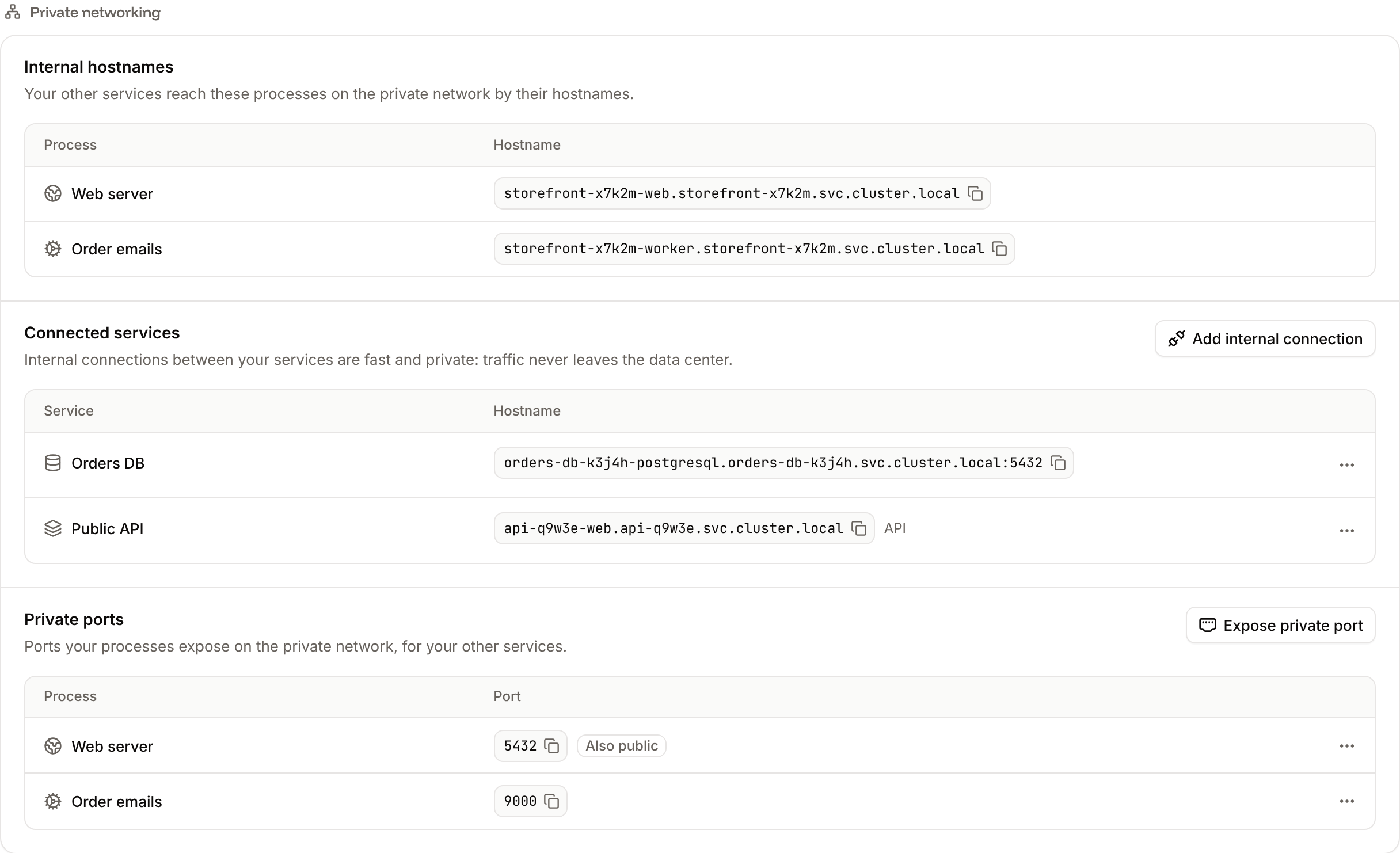
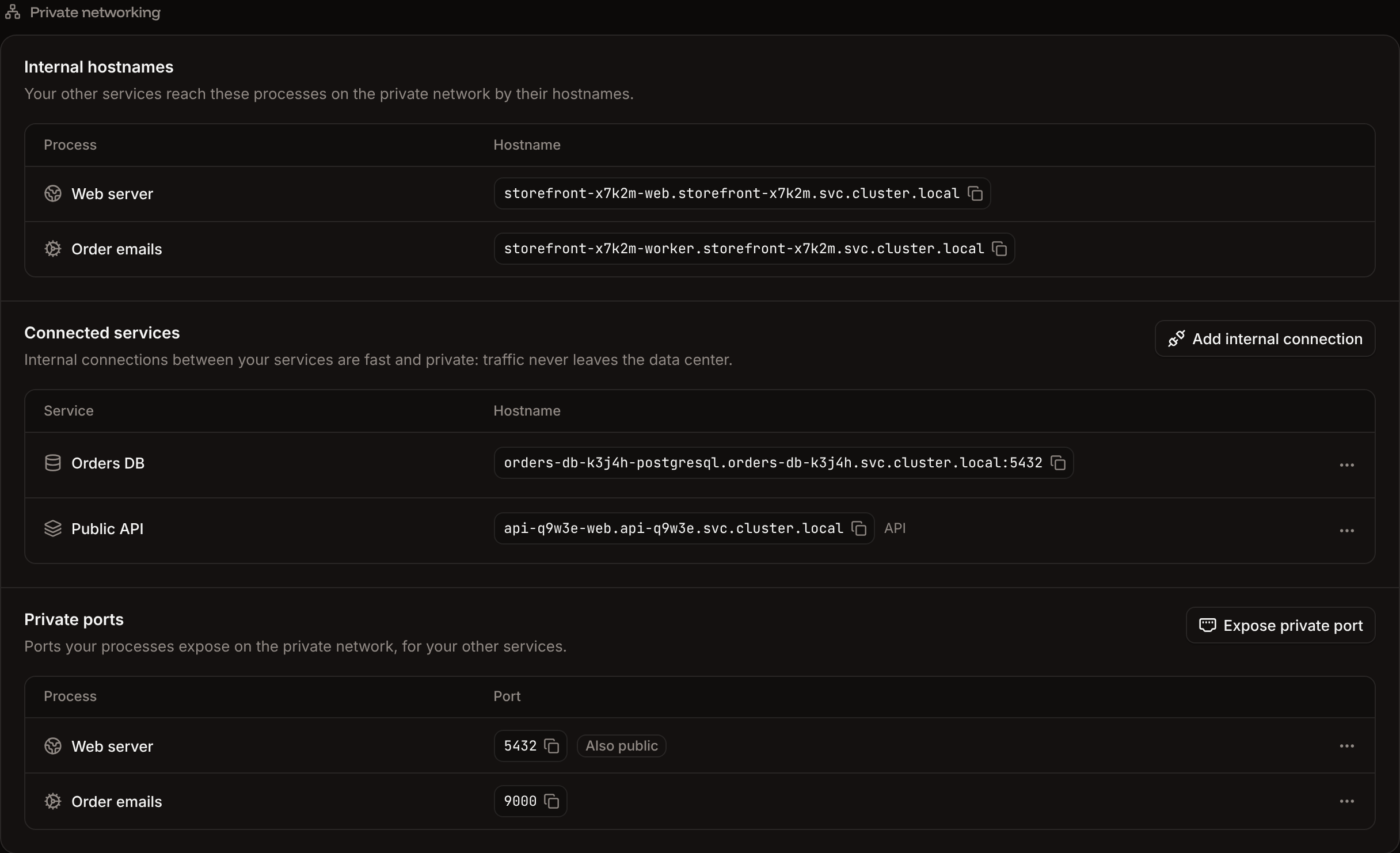
9000 as the Port, and click Expose port.Add the disk
/var/lib/clickhouse as the Path, choose 10 GB and click Create disk.Deploy
26.8.36.3 and UTC. Langfuse needs ClickHouse to run in UTC, which is the image’s default.
Without the dashboard, run the same query with Run a command in a process (execProcessCommandV3), with the IDs from Deploy with the API:
Deploy the Langfuse web application
Generate the secrets
Langfuse needs three secrets. Generate each one and keep them: both Langfuse applications use the same values.Create and connect the application
Create the application
langfuse/langfuse:4.72.0. Enter langfuse as the Name, choose the same Data center and the S2 size, then click Create application. Note the domain under the application’s name, for example langfuse-x7k2m.sevalla.app.Connect PostgreSQL
langfuse-db as the Service and turn on Add environment variables to the application. Rename DB_URL to DATABASE_URL, then click Add internal connection.Connect Redis
langfuse-redis, turn on Add environment variables to the application, rename REDIS_PASSWORD to REDIS_AUTH, and click Add internal connection.Connect ClickHouse
langfuse-clickhouse, turn on Add environment variables to the application, rename APP_HOST to CLICKHOUSE_HOST, and click Add internal connection.Add the Langfuse variables
Add a readiness probe
/api/public/ready, keep the Port at 8080, and click Update process.Deploy
TELEMETRY_ENABLED=false.
When the application starts, it applies the PostgreSQL and ClickHouse migrations; on a new installation that took 15 seconds. The readiness probe keeps the instance out of traffic until Langfuse is ready, so the deployment reaches Deployed only then. Open the domain: Langfuse shows its sign-in page. The health endpoint answers without signing in:
status with Get deployment (getDeploymentV3) until it’s success or failed, and its log with Get application deployment logs (getApplicationDeploymentLogsV3). A Docker image deployment has no build, and its log shows ✅ The image is available., then 🚀 Web has been deployed successfully. The logs operation returns the last hour unless you pass from.
Deploy the Langfuse worker
The worker uses the same variables as the web application. It serves only a health check, so it gets no public traffic.Create the application
langfuse/langfuse-worker:4.72.0, named langfuse-worker, in the same Data center, with the S2 size.Connect the three services
langfuse-db, to langfuse-redis and to langfuse-clickhouse, each with Add environment variables to the application turned off.Copy the variables
langfuse application’s Environment variables tab and click Copy all. On the worker’s Environment variables tab, click Add environment variables, paste into the first key field, and click Add environment variables. The worker now has the same connection variables, secrets and bucket settings.Turn HTTP traffic off
Deploy
Listening: http://...:8080 when it’s ready. Get application runtime logs (getApplicationRuntimeLogsV3) finds the line, with WORKER_APP_ID from Deploy with the API:
Create an account and API keys
Sign up
https://langfuse-x7k2m.sevalla.app/auth/sign-up. Enter a Name, an Email and a Password with letters, numbers and special characters, then click Sign up. Langfuse offers a newsletter; click Skip.Create an organization and a project
Acme, and click Create. Then enter a Project name, for example storefront, and click Create.Create API keys
Copy the keys
.env snippet with LANGFUSE_SECRET_KEY, LANGFUSE_PUBLIC_KEY and LANGFUSE_BASE_URL. Copy them now: Langfuse shows the secret key only once.AUTH_DISABLE_SIGNUP=true to the web application and deploy it: the sign-up form then answers Sign up is disabled. This also blocks invited people who don’t have an account yet, so create their accounts first.
Send a test trace
This script records a trace with a span and a generation, without calling a model, so it needs only the Langfuse keys. In an empty folder:https://langfuse-x7k2m.sevalla.app/project/.../traces/0f90cdc4ea1efdeee7d37a48506ae617. Open it: the trace shows the span answer-support-question with the generation draft-reply under it, 25 tokens, and the cost Langfuse calculates from its price list for claude-haiku-5-5. Tracing in the project’s sidebar lists every observation. The trace also confirms the whole path: the event file is in the bucket under events/, and the worker wrote it to ClickHouse. To check the same from a script, read the trace’s observations with Langfuse’s Observations API, with the trace ID from the address:
Trace your model calls
Langfuse’s integrations record model calls without manual spans. For the OpenAI SDK, import the client fromlangfuse.openai instead of openai:
pip install openai done and OPENAI_API_KEY set next to the three Langfuse variables. The trace shows an OpenAI-generation with the input and output tokens (22 and 12 in the test) and their cost. Change model to the model your application uses. For other frameworks, see Langfuse integrations.
Update Langfuse
Langfuse releases new versions often. Updates within major version 4 apply their own migrations when the web application starts; for a new major version, follow Langfuse’s upgrade guides. Keep the web and worker applications on the same version.Check the backups
langfuse-db on its Backups tab. Newer versions change the database schema when they start, and the backup lets you go back.Update the web application
langfuse application’s Settings tab, in the Source section, click Update source. Change the Docker image to the new version, for example langfuse/langfuse:4.73.0, click Update source, and deploy.Update the worker
langfuse/langfuse-worker:4.73.0, and deploy it.200.
Update ClickHouse
A deployment of the ClickHouse application stops it, and traces the worker can’t write while it’s down are lost after 3 attempts (the worker logsClickhouseWriter: Max attempts reached, dropped 1 events_full record(s)). Stop the worker first, so new traces wait in the Redis queue instead:
Stop the worker
0, click Update process, and deploy the worker.Deploy ClickHouse
langfuse-clickhouse application, and wait for Deployed.Start the worker
1 and deploy it.Back up Langfuse
events/ on the bucket’s Objects tab; Langfuse’s blob storage guide explains how long to keep them.
Size and scale Langfuse
Add a custom domain
To serve Langfuse from your own domain, such aslangfuse.example.com, add the domain on the web application’s Domains tab. Then set NEXTAUTH_URL to https://langfuse.example.com on both Langfuse applications and deploy them: Langfuse builds its sign-in redirects and links from NEXTAUTH_URL. Custom domains need a web process larger than H1.
Troubleshoot
Deploy with the API
This sequence deploys the same Langfuse installation with the Sevalla API, for an agent or a script. It needs:- An API key that can create applications, databases and object storage, in
SEVALLA_API_KEY. curl,jqandopenssl, in a bash shell that keeps variables between commands: each step uses the IDs the earlier ones saved.
null, its call failed: run the call again without the | jq part to read the error.
The sequence also sets the LANGFUSE_INIT_* variables, Langfuse’s headless initialization: the web application creates the first user, the Acme organization, the storefront project and its API keys when it starts, so no step needs the Langfuse sign-up page. It sets the same variables as the dashboard steps, with values in place of the ${...} references. The CLI line of each step names the Sevalla CLI command, and the MCP line the Sevalla MCP server tool that does the same.
Pick the location
listClustersV3) lists the locations; pick one by name:sevalla resources clusters. MCP: get_platform_options.Look up the sizes
listProcessResourceTypesV3), List database resource types (listDatabaseResourceTypesV3) and List disk resource types (listDiskResourceTypesV3) return the size IDs:sevalla resources process-types, sevalla resources db-types, sevalla resources disk-types. MCP: get_platform_options.Generate the secrets
Create the PostgreSQL database
createDatabaseV3):sevalla databases create --name langfuse-db --type postgresql --db-version 17 --cluster "$CLUSTER_ID" --resource-type "$DB1" --db-name langfuse --db-user langfuse --db-password "$PG_PASSWORD". MCP: create_database.Create the Redis database
createDatabaseV3) again:sevalla databases create --name langfuse-redis --type redis --db-version 7.2 --cluster "$CLUSTER_ID" --resource-type "$DB1" --db-name langfuse --db-password "$REDIS_PASSWORD". MCP: create_database.Create the bucket
createObjectStorageV3) returns the endpoint, the bucket name and the keys:sevalla object-storage create --name langfuse-blobs. MCP: sevalla_api_create with createObjectStorageV3.Create the ClickHouse application
createApplicationV3) with a Docker image source, then List processes (listProcessesV3) for its web process and internal hostname:sevalla apps create --name langfuse-clickhouse --cluster "$CLUSTER_ID" --source dockerImage --docker-image clickhouse/clickhouse-server:26.8.36.3, then sevalla apps processes list --app-id "$CH_APP_ID". MCP: create_application with deploy: false, then get_application.Set the port, turn HTTP off and set the size
updateProcessV3). is_ingress_enabled: false is the dashboard’s Disable HTTP. The API creates the web process at S1, so the size is set here:sevalla apps processes update "$CH_PROCESS_ID" --app-id "$CH_APP_ID" --resource-type "$S2" sets the size. MCP: sevalla_api_update with updateProcessV3 and the same body.Expose the native port
createApplicationPrivatePortV3):sevalla apps private-ports create "$CH_APP_ID" --process-id "$CH_PROCESS_ID" --port 9000. MCP: sevalla_api_create with createApplicationPrivatePortV3.Add the disk
updateProcessDiskV3):sevalla apps processes disk update "$CH_PROCESS_ID" --app-id "$CH_APP_ID" --resource-type "$DISK_10GB" --mount-path /var/lib/clickhouse. MCP: sevalla_api_update with updateProcessDiskV3.Add ClickHouse's variables
createEnvironmentVariableV3), once per variable:sevalla apps env-vars create "$CH_APP_ID" --key CLICKHOUSE_USER --value langfuse, once per variable. MCP: set_environment_variables.Deploy ClickHouse
triggerDeploymentV3):sevalla apps deployments trigger "$CH_APP_ID". MCP: trigger_deployment.Wait for the databases
getDatabaseV3) until both are ready, then keep their internal addresses:sevalla databases get "$PG_ID". MCP: get_database.Create the web application
createApplicationV3), then List processes (listProcessesV3) and List application domains (listApplicationDomainsV3) for its address. The domain appears a moment after the application, so the last command waits for it:sevalla apps create --name langfuse --cluster "$CLUSTER_ID" --source dockerImage --docker-image langfuse/langfuse:4.72.0, sevalla apps domains list --app-id "$WEB_APP_ID". MCP: create_application with deploy: false, then get_application.Write the variables file
LANGFUSE_INIT_USER_EMAIL: it signs in to Langfuse with ADMIN_PASSWORD.Connect the web application
createApplicationInternalConnectionV3) to the two databases and ClickHouse. Through the API, a connection adds no variables; the file has them.sevalla apps internal-connections create "$WEB_APP_ID" --target-id "$PG_ID" --target-type database, once per service. MCP: sevalla_api_create with createApplicationInternalConnectionV3.Add the web application's variables
createEnvironmentVariableV3) for each line of both files:41, one per variable. CLI: sevalla apps env-vars create "$WEB_APP_ID" --key <key> --value <value>, once per variable. MCP: set_environment_variables, up to 50 variables per call.Set the size and the readiness probe
updateProcessV3). Send every probe field: without timeoutSeconds, the API stores 120 seconds instead of the dashboard’s 1.sevalla apps processes update "$WEB_PROCESS_ID" --app-id "$WEB_APP_ID" --resource-type "$S2"; not available for the probe. MCP: sevalla_api_update with updateProcessV3.Deploy the web application
triggerDeploymentV3), then Get deployment (getDeploymentV3) until it finishes:success. If it prints failed, read the deployment’s log with Get application deployment logs (getApplicationDeploymentLogsV3). CLI: sevalla apps deployments trigger "$WEB_APP_ID", sevalla apps deployments get "$WEB_DEPLOYMENT_ID" --app-id "$WEB_APP_ID". MCP: trigger_deployment, get_deployment, get_deployment_logs.Create the worker
createApplicationV3) and List processes (listProcessesV3):sevalla apps create --name langfuse-worker --cluster "$CLUSTER_ID" --source dockerImage --docker-image langfuse/langfuse-worker:4.72.0. MCP: create_application with deploy: false.Connect the worker
createApplicationInternalConnectionV3), as for the web application:sevalla apps internal-connections create "$WORKER_APP_ID" --target-id "$PG_ID" --target-type database, once per service. MCP: sevalla_api_create with createApplicationInternalConnectionV3.Add the worker's variables
createEnvironmentVariableV3) for each line of langfuse.env, then delete the files:32. CLI: sevalla apps env-vars create, once per variable. MCP: set_environment_variables.Turn the worker's HTTP off and set its size
updateProcessV3):sevalla apps processes update sets the size. MCP: sevalla_api_update with updateProcessV3.Deploy the worker
triggerDeploymentV3) and wait, as for the web application:success. CLI: sevalla apps deployments trigger "$WORKER_APP_ID". MCP: trigger_deployment, get_deployment.Check the installation
trace.py is the script in Send a test trace, run in its virtual environment. A few seconds later, the Observations API returns the span and the generation from ClickHouse:trace.py printed. Sign in to https://$LANGFUSE_HOST with LANGFUSE_INIT_USER_EMAIL and ADMIN_PASSWORD to see the trace in the interface.