

useChat hook posts each message to a route handler, the route handler streams the model’s answer back as server-sent events, and every conversation is saved in a Sevalla PostgreSQL database. Ingot builds the Next.js standalone server and starts the web process with node server.js, and a job creates the database table before each deployment. This guide covers what a chatbot adds to a Next.js application; for the Next.js basics, see Deploy a Next.js application.
At a glance
Environment variables
Before you begin
- A Sevalla company with a payment method, and a GitHub, GitLab or Bitbucket account for the repository. See Git providers.
- Node.js 24 or later on your computer.
- An Anthropic API key from the Claude Console. Set a spending limit on the account: anyone who can use the chatbot spends from it.
Create the project
Create a Next.js project with the default options, then add the AI SDK, its React hooks, the Anthropic provider, Zod and the PostgreSQL client:Save chats in PostgreSQL
The chatbot keeps each conversation as one row: its ID and its messages, in the formatuseChat uses. Create the file that loads and saves them, using the DB_URL variable that Sevalla adds when you connect the database:
lib/chat-store.ts
scripts/migrate.mjs
Stream answers with a tool
Create the route handler thatuseChat posts to:
app/api/chat/route.ts
- The browser sends only the new message. The route loads the history from the database and treats the new message as the user’s, so a visitor can’t rewrite earlier answers to steer the model.
getTimeruns on the server. The model calls it when it needs the time, the route sends the result back to the model, andstopWhen: isStepCount(5)allows up to 5 model calls per message, enough for a tool call and the answer that uses it.consumeStream()reads the model’s answer to the end even when the browser closes the tab, soonEndstill saves it.createUIMessageStreamResponsestreams the answer as server-sent events with the headers that keep proxies from buffering it:Content-Type: text/event-stream,Cache-Control: no-cacheandX-Accel-Buffering: no.- The model is Claude Haiku 5.5 (
claude-haiku-5-5), the least expensive current Claude model. See Change the model or provider.
Show the chat
Replace the starter page with a page per conversation. Deleteapp/page.tsx:
app/chat/[id]/page.tsx
<Suspense>: Next.js sends the page’s static part first and streams the conversation into it.
Create the chat component, which runs in the browser:
app/chat/[id]/chat.tsx
prepareSendMessagesRequest sends the chat ID and the new message only. The component shows each text part as it streams in, and a Called getTime line where the model used the tool.
Require a password
Every message spends money on your Anthropic account, so the chatbot asks for a user name and password before it shows anything. Createproxy.ts in the root of the project. Next.js runs it before every request:
proxy.ts
- The browser shows its own sign-in dialog and sends the user name and password with every request after that, including the requests
useChatmakes. Sevalla redirects plain HTTP requests to HTTPS, so the password is encrypted on the way. - The proxy reads
CHAT_USERNAMEandCHAT_PASSWORDwhen a request arrives, so you set them as runtime environment variables. WithoutCHAT_PASSWORD, it turns every request away. - A visit to
/starts a new conversation at/chat/<id>. Bookmark that address to come back to the conversation.
Prepare the project for Sevalla
Build the standalone server, and include the migration script in it. Innext.config.ts, replace the /* config options here */ line with two settings:
next.config.ts
The standalone server listens on the port in
PORT, which Sevalla sets to the web process’s port (8080 by default), and Ingot sets HOSTNAME to 0.0.0.0 so that it listens on all network interfaces.
To try the chatbot on your computer, put ANTHROPIC_API_KEY, CHAT_USERNAME, CHAT_PASSWORD and the DB_URL of a local PostgreSQL database in .env.local, which .gitignore keeps out of the repository. Then create the table and start the development server:
http://localhost:3000 and sign in with the user name and password from .env.local. Then commit everything and push it to your Git provider:
Deploy to Sevalla
These steps build with Ingot. To build from your own Dockerfile instead, see Deploy with a Dockerfile. To run them with the API, see Deploy with the API.1
Create the database
In the sidebar, click Databases, then click Create database. Under Database, choose PostgreSQL and the newest version. Enter
chat-db as the Display name, choose a Data center and a Size, then click Create database. See Create a database for every field.2
Create the application
In the sidebar, click Applications, then click Create > Application. Under Source, click Private repository, then choose the Git provider, the Repository and the Branch. Under Location, choose the same Data center as the database. Keep the Size at H1 or choose a larger one, then click Create application. The application opens on its Overview tab with the status Not deployed yet: creating an application doesn’t deploy it.
3
Connect the database
Click the Networking tab. Under Connected services, click Add internal connection. Choose
chat-db as the Service, turn on Add environment variables to the application, and click Add internal connection. Sevalla adds DB_URL and the other connection variables to the application. See Connect an application.4
Add the API key and the password
Click the Environment variables tab, then click Add environment variables. Add these variables, clear Available during buildtime so that they’re available during runtime only, and click Add environment variables:
The build doesn’t need them, and a runtime-only variable never reaches the image.
5
Create the migration job
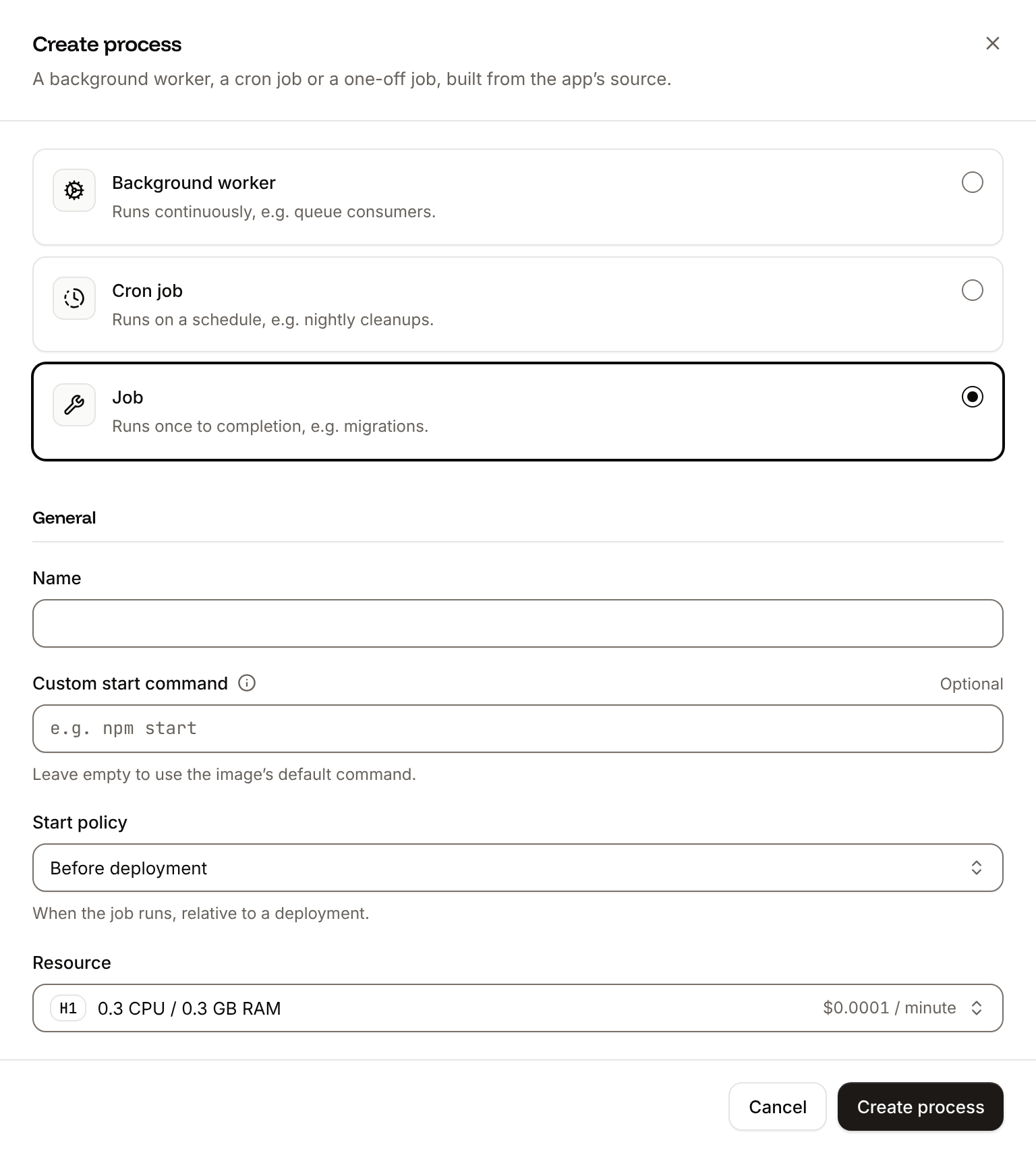
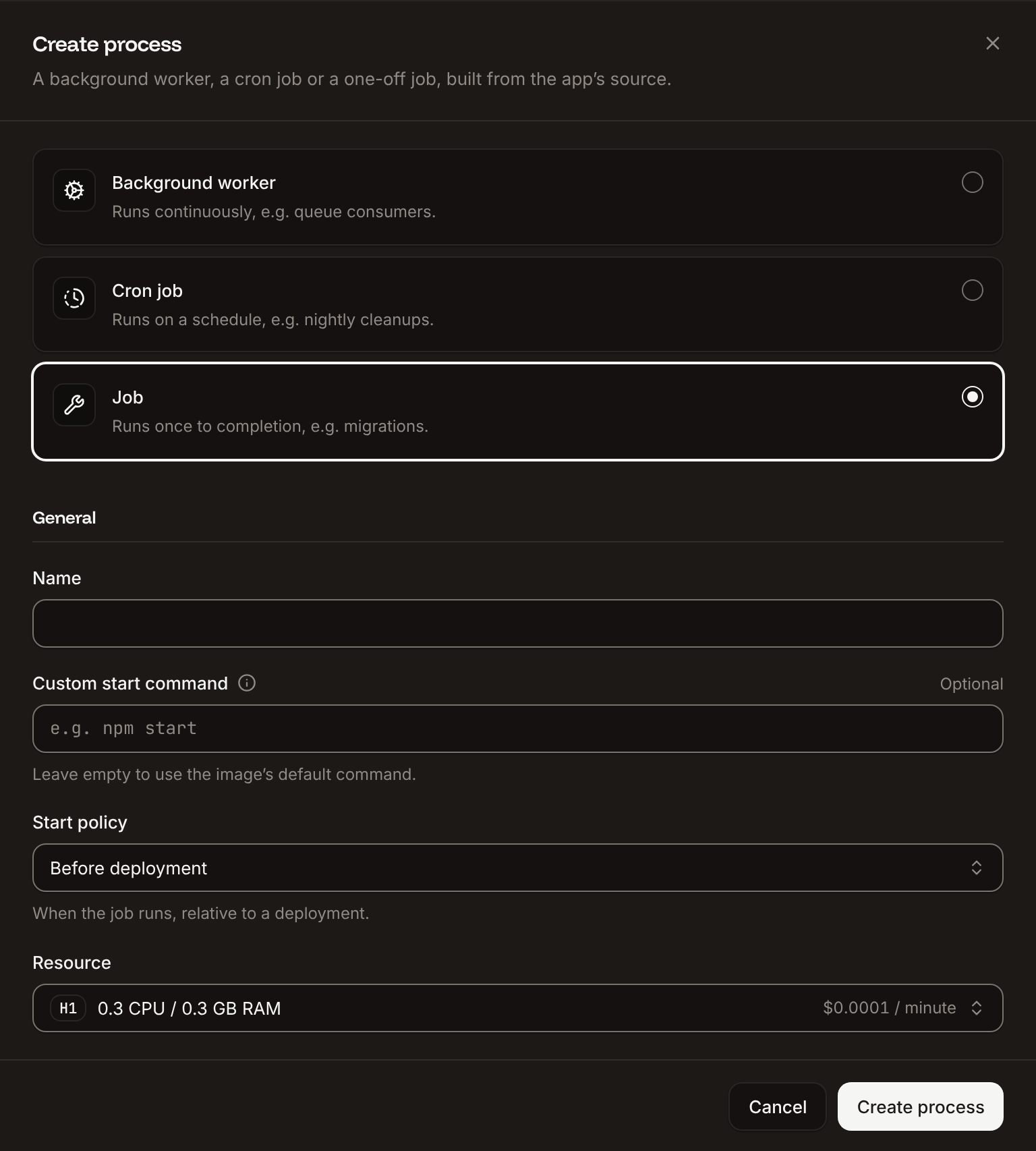
Click the Processes tab, then click Create process. Choose Job, enter
Migrate as the Name and node scripts/migrate.mjs as the Custom start command. Keep the Start policy at Before deployment and the Resource at H1, then click Create process.6
Deploy
Click the Overview tab, then click Deploy now under Recent deployments. Check the Branch and click Deploy.
7
Turn on auto-deploy
To deploy every push to the branch automatically, click the Settings tab, then click Update auto-deploy in the Auto-deploy section. Turn on Auto-deploy and click Update auto-deploy. See Deployments.
Verify the deployment
-
On the Deployments tab, wait for the deployment’s status to change to Deployed. The application’s status next to its name changes to Running. Open the deployment to read its build log. Ingot’s build plan comes first:
During the rollout, the log showsBuild log
Migrate has been successful: the job created thechatstable. -
Click the domain under the application’s name, for example
support-chat-x7k2m.sevalla.app. The browser asks for a user name and password. EnterCHAT_USERNAMEandCHAT_PASSWORD, and the address changes to/chat/followed by the conversation’s ID. -
Ask
What time is it in Tokyo?. ACalled getTimeline appears, then the answer streams in word by word with the time in Tokyo. - Reload the page. The conversation is still there: the page loaded it from the database.


CHAT_PASSWORD in your shell to the password. Without it, the application answers 401:
getDeploymentV3) returns the deployment’s status, success when it’s deployed, and Get application deployment logs (getApplicationDeploymentLogsV3) with search=Migrate has been successful returns the job’s line; see Deploy with the API.
If the browser keeps asking for the password, or an answer shows An error occurred., see Troubleshoot.
Check the stream with curl
Sevalla and Cloudflare pass server-sent events through as they’re written, without buffering the response. To watch the events arrive, send a message withcurl -N, which prints each event as it comes, with CHAT_PASSWORD set in your shell to the password:
data: lines: the tool call and its result, then the answer in small pieces.
curl-test, so the next request with that ID continues it.
Long responses and several instances
Time limits. Cloudflare ends a request with error524 when the application sends nothing for too long. A streamed answer sends data all the time, so it stays open for as long as the model writes. A tool that runs for minutes sends nothing while it runs: start that work in a background worker and have the tool return right away. See 504 Gateway Timeout and Cloudflare error 524.
Deployments. Sevalla sends SIGTERM to each instance it replaces. The Next.js server stops taking new requests, finishes the ones in progress, including a streaming answer, then exits. See Processes.
Several instances. Sevalla spreads requests across the web process’s instances, and two messages of one conversation can reach different instances. The chatbot keeps nothing in memory between requests: each request loads the conversation from PostgreSQL. You can scale the web process to more instances without other changes.
Deploy with a Dockerfile
Ingot needs no Dockerfile. Write one when you want full control of the image: the base image, the system packages and every layer. It runs the same standalone server. Add aDockerfile and a .dockerignore to the root of the repository:
Dockerfile
The API key and the password are runtime-only environment variables, so they never enter the image.
.dockerignore
Dockerfile, so you can keep it in a repository that builds with Ingot, but it adds the .dockerignore patterns to its own: its build plan shows an Ignored row with 7 patterns from .dockerignore. Then switch the application to the Dockerfile build strategy:
1
Choose the Dockerfile build strategy
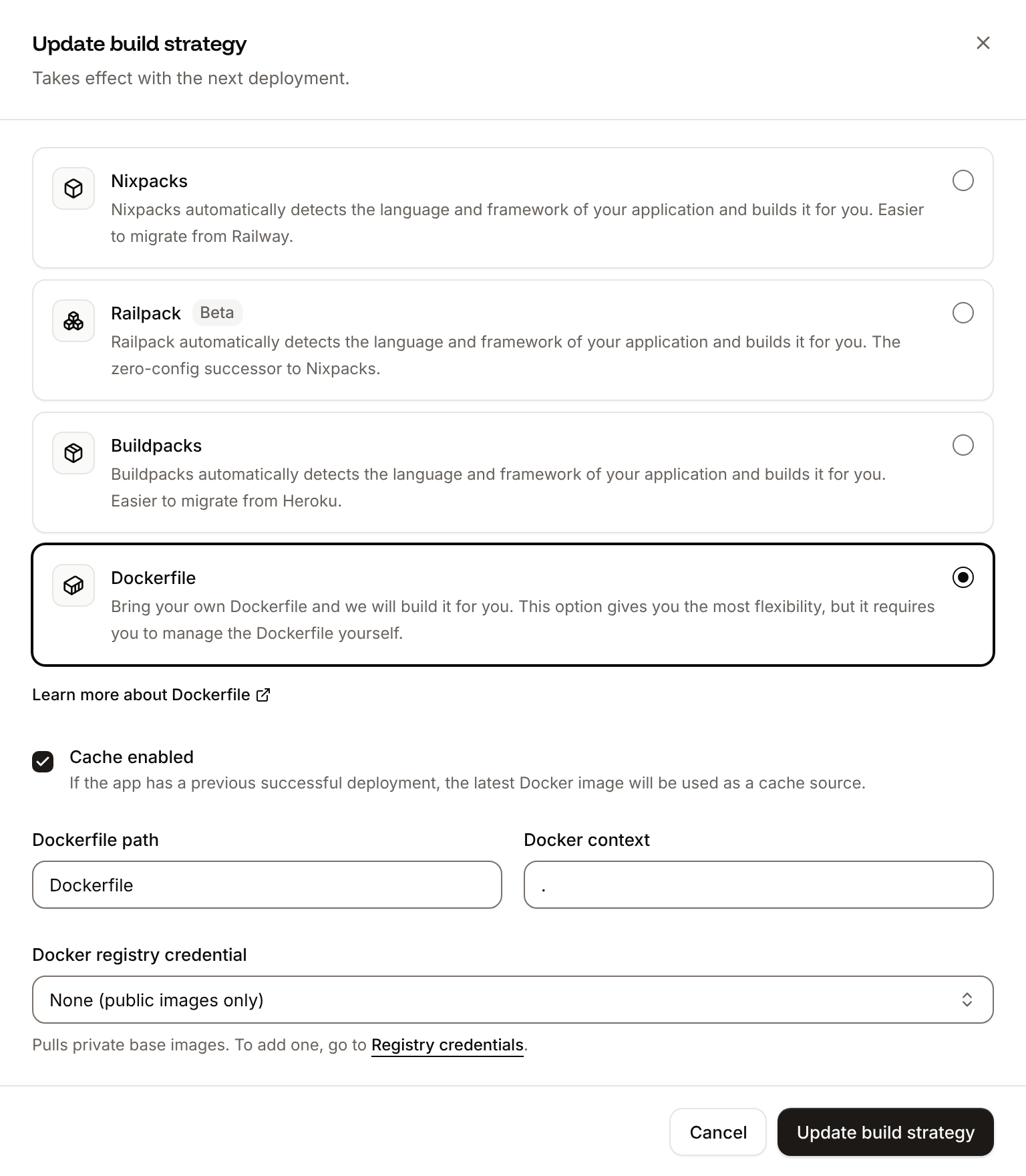
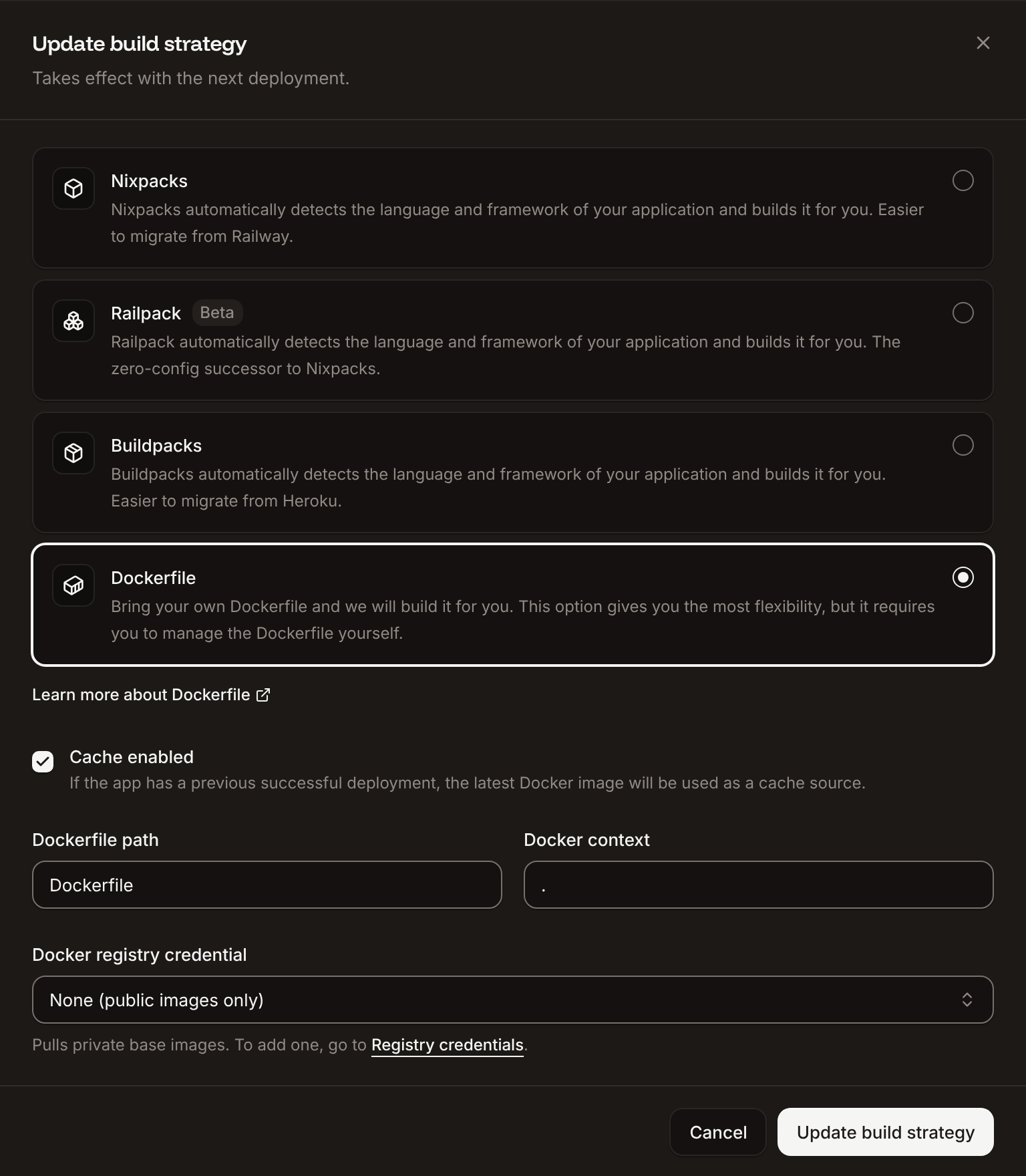
On the application’s Settings tab, in the Build strategy section, click Update build strategy. Click Dockerfile, keep the Dockerfile path
Dockerfile and the Docker context ., then click Update build strategy.2
Deploy
Click the Overview tab, then click Deploy now under Recent deployments. Check the Branch and click Deploy.
📦 Building and pushing docker image using Dockerfile... where Ingot’s build plan was, then Migrate has been successful: the job runs node scripts/migrate.mjs in the new image. The chatbot asks for the password and streams answers as before, and the deployment’s Dockerfile tab shows your Dockerfile. See Dockerfile.
Change the model or provider
The model is set inapp/api/chat/route.ts. For harder questions, change claude-haiku-5-5 to claude-sonnet-5-5, which costs more per token. To use OpenAI instead, install its provider:
app/api/chat/route.ts, import openai from @ai-sdk/openai in place of anthropic, set model: openai("gpt-5.4-mini"), and add an OPENAI_API_KEY environment variable, available during runtime only. The tool, the history and the stream work the same.
To reach models from many providers with one key, use OpenRouter’s AI SDK provider: see Use the AI SDK.
Deploy changes
With Auto-deploy on, every push to the branch starts a deployment; otherwise, click Deploy now for each change. Each deployment builds the image, runs theMigrate job, then replaces the web process’s instances. When you change the table, add the change to scripts/migrate.mjs in a form that’s safe to run again, such as ALTER TABLE chats ADD COLUMN IF NOT EXISTS title text. See Deployments.
Add a custom domain
To serve the chatbot from your own domain, such aschat.example.com, add the domain on the application’s Domains tab and create the DNS records that Sevalla shows. Custom domains need a web process larger than H1, so scale the web process first. See Custom domains.
Troubleshoot
For build failures, see Troubleshoot Ingot builds. To keep a chatbot’s answers grounded in your own documents, see RAG with pgvector.
Deploy with the API
These calls create the same database, application, variables and job as Deploy to Sevalla, and deploy them. Run them in order in one shell: each step saves the IDs that the next steps use. Before you start:- Create an API key that can create applications and databases, and set it as
SEVALLA_API_KEY. SetANTHROPIC_API_KEYto your Anthropic API key andCHAT_PASSWORDto the password people will sign in with. - Push the project to GitHub, GitLab or Bitbucket, and connect that Git account to Sevalla. If Sevalla can’t read the repository, the Create the application step fails with
400andCannot access repository <url>: Repository not found or you don't have access., followed by where to grant access. - Install
curl,jqandopenssl.
1
Find the location
List clusters (CLI:
listClustersV3) returns every location you can use. Pick one by its region ID from Locations, here Frankfurt, Germany:sevalla resources clusters --json. MCP: get_platform_options.2
Find the H1 size
List process resource types (CLI:
listProcessResourceTypesV3):sevalla resources process-types --json. MCP: get_platform_options.3
Find the smallest database size
List database resource types (CLI:
listDatabaseResourceTypesV3):sevalla resources db-types --json. MCP: get_platform_options.4
Create the database
Create database (The database starts with the status
createDatabaseV3). The API doesn’t generate a password, so generate one:creating. CLI: sevalla databases create --name chat-db --type postgresql --db-version 18 --cluster $CLUSTER_ID --resource-type $DB1_ID --db-name support_chat --db-user support_chat --db-password $DB_PASSWORD. MCP: create_database, which generates the password and doesn’t return it.5
Create the application
Create application (CLI:
createApplicationV3) creates the application with a web process and doesn’t deploy it:sevalla apps create --name support-chat --cluster $CLUSTER_ID --source privateGit --git-type github --repository https://github.com/acme/support-chat --branch main. MCP: create_application with deploy: false.6
Find the web process
List processes (CLI:
listProcessesV3):sevalla apps processes list --app-id $APP_ID --json. MCP: get_application.7
Set the web process to H1
The API creates the web process at S1, where the dashboard defaults to H1. Update process (It prints
updateProcessV3):h1. CLI: sevalla apps processes update $WEB_ID --app-id $APP_ID --resource-type $H1_ID. MCP: scale_process with size_id and apply_now: false.8
Connect the database
Create internal connection (CLI:
createApplicationInternalConnectionV3). Unlike the dashboard, it adds no environment variables:sevalla apps internal-connections create $APP_ID --target-id $DB_ID --target-type database. MCP: sevalla_api_create with createApplicationInternalConnectionV3 and the same body.9
Build the database URL
Get database (CLI:
getDatabaseV3) returns the internal hostname and port. Build DB_URL in the format the dashboard uses:sevalla databases get $DB_ID --json. MCP: get_database.10
Add the environment variables
Create environment variable (It prints the four keys. CLI:
createEnvironmentVariableV3), once for each variable, available during runtime only:sevalla apps env-vars create $APP_ID --key CHAT_USERNAME --value acme makes a variable available during build and runtime, with no option for runtime only. MCP: set_environment_variables with runtime: true and buildtime: false.11
Create the migration job
Create process (CLI:
createProcessV3) needs a size and a scaling strategy for every process, and a start policy for a job:sevalla apps processes create $APP_ID --name Migrate --type job --resource-type $H1_ID --command "node scripts/migrate.mjs" --job-start-policy beforeDeployment. MCP: sevalla_api_create with createProcessV3 and the same body.12
Wait for the database
Get database (CLI:
getDatabaseV3) until its status is ready:sevalla databases get $DB_ID --json. MCP: get_database.13
Deploy
Trigger deployment (CLI:
triggerDeploymentV3) deploys the latest commit of the branch:sevalla apps deployments trigger $APP_ID. MCP: trigger_deployment.14
Wait for the deployment
Get deployment (It checks every 15 seconds for up to 30 minutes, keeps going when a request fails, and prints
getDeploymentV3) until its status is success or failed:success when the deployment is done. While the deployment runs, its status is waiting, then inProgress. CLI: sevalla apps deployments get $DEPLOYMENT_ID --app-id $APP_ID. MCP: get_deployment.15
Check the migration job
Get application deployment logs (It prints
getApplicationDeploymentLogsV3) with a search returns the job’s line from the build log:✅ Migrate has been successful, between color codes. If the deployment failed, run it without --data-urlencode to read the whole log. CLI: sevalla apps deployments logs $DEPLOYMENT_ID --app-id $APP_ID --search "Migrate has been successful". MCP: get_deployment_logs with search.16
Get the domain
List application domains (CLI:
listApplicationDomainsV3):sevalla apps domains list --app-id $APP_ID --json. MCP: get_application.17
Turn on auto-deploy
Update application (It prints
updateApplicationV3):true. CLI: sevalla apps update $APP_ID --data '{"auto_deploy": true}'. MCP: sevalla_api_update with updateApplicationV3 and the same body.https://$HOST: