

swift image compiles it into one executable, and the web process runs it on the image’s slim variant, which has the Swift runtime libraries but no compiler. Ingot, Sevalla’s default builder, has no Swift provider, so you choose the Dockerfile build strategy before the first deployment: with Ingot, the build stops with Ingot couldn't tell what kind of application this is. This guide deploys the Vapor 4 template with Fluent and a Sevalla PostgreSQL database, and runs the Fluent migrations in a job before each deployment.
At a glance
Environment variables
The Dockerfile sets
VAPOR_ENV to production in the image, so you don’t add it on Sevalla.
Before you begin
- A Sevalla company with a payment method, and a GitHub, GitLab or Bitbucket account for the repository. See Git providers.
- Swift 6.4 on your computer, and the Vapor toolbox 20, which creates projects:
brew install vaporon macOS. See Vapor’s installation guide for Linux. - Docker, to run the template’s PostgreSQL database and the image locally.
Create the project
Create a project namedstorefront with Fluent and PostgreSQL, without the Leaf templating library:
Todo model, its CreateTodo migration, and routes to list, create and delete todos under /todos. GET / answers It works!. vapor new also creates a Git repository with a first commit, a Dockerfile and a docker-compose.yml with a PostgreSQL 18 service for local development.
Resolve the dependencies, which writes the exact version of each package to Package.resolved:
Package.resolved: the Dockerfile builds exactly these versions.
Prepare the project for Sevalla
ReplaceSources/storefront/configure.swift with this version, which reads the port and the database URL that Sevalla sets:
Sources/storefront/configure.swift
The rest of the project already has what Sevalla needs:
Deploy with a Dockerfile
Ingot has no Swift provider, so Sevalla builds this application from a Dockerfile. Replace theDockerfile and the .dockerignore that vapor new wrote with these:
Dockerfile
.dockerignore
.dockerignore keeps the Git history, Swift’s local build folders, local environment files and logs out of the build. The image serves no files from Public: if you turn on FileMiddleware in configure.swift, add COPY Public ./Public to the final stage.
To run the image locally, use the template’s docker-compose.yml, which builds it and starts PostgreSQL:
docker compose down to stop both containers. Commit everything and push it to your Git provider:
Deploy to Sevalla
These steps build from the Dockerfile in Deploy with a Dockerfile. A new application builds with Ingot, which can’t build a Swift project, so choose the Dockerfile build strategy before you deploy.1
Create the database
In the sidebar, click Databases, then click Create database. Under Database, choose PostgreSQL and the newest version. Enter
orders-db as the Display name, choose a Data center and a Size, then click Create database. See Create a database for every field.2
Create the application
In the sidebar, click Applications, then click Create > Application. Under Source, click Private repository, then choose the Git provider, the Repository and the Branch. Under Location, choose the same Data center as the database. Keep the Size at H1 or choose a larger one, then click Create application. The application opens on its Overview tab with the status Not deployed yet: creating an application doesn’t deploy it.
3
Choose the Dockerfile build strategy
Click the Settings tab. In the Build strategy section, click Update build strategy. Click Dockerfile, keep the Dockerfile path
Dockerfile and the Docker context ., then click Update build strategy.4
Connect the database
Click the Networking tab. Under Connected services, click Add internal connection. Choose
orders-db as the Service and turn on Add environment variables to the application. Clear Available during build, rename DB_URL to DATABASE_URL, the name configure.swift reads, then click Add internal connection. See Connect an application.5
Create the migration job
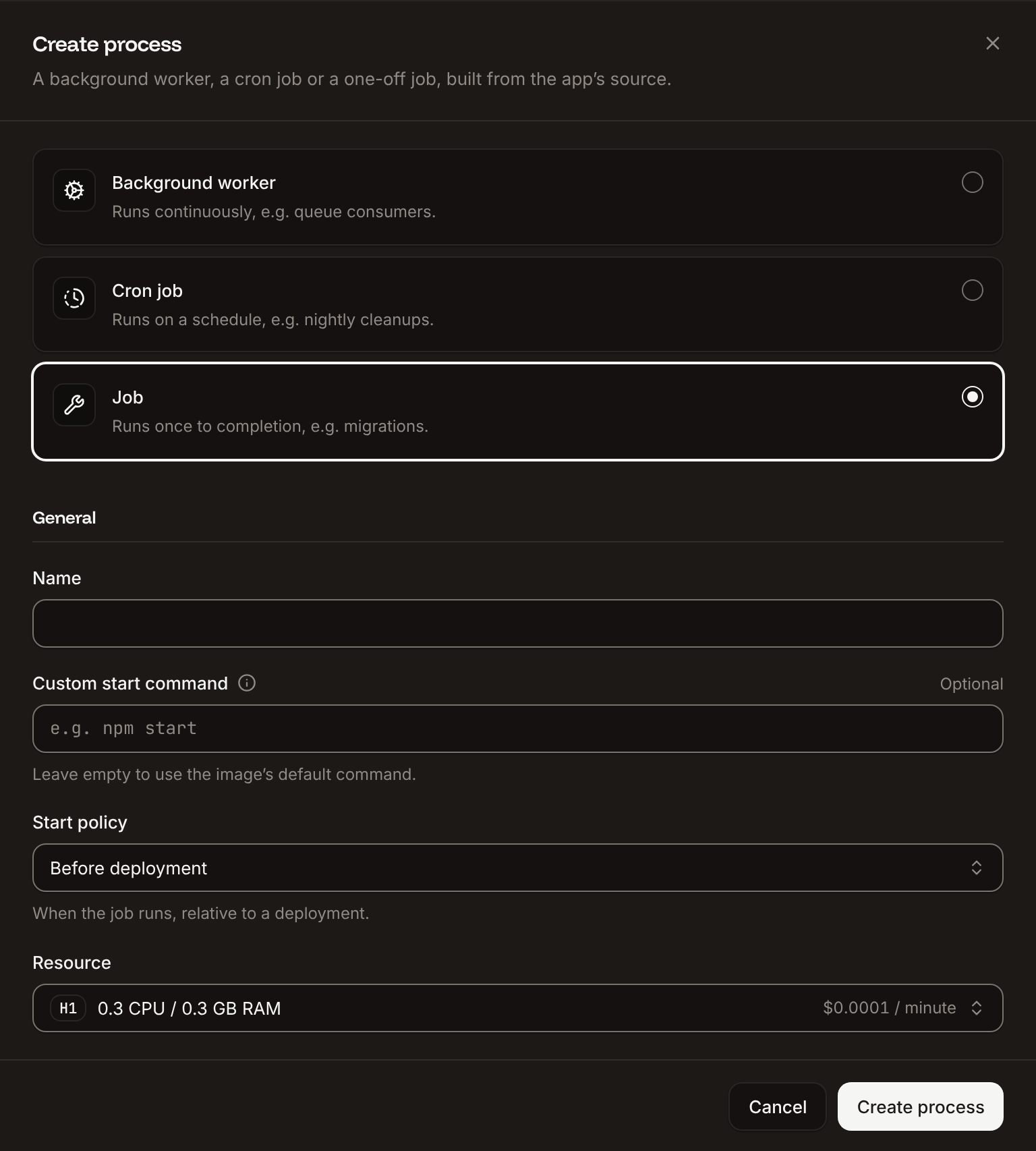
Click the Processes tab, then click Create process. Choose Job, enter
Migrate as the Name and /app/storefront migrate --yes as the Custom start command. Keep the Start policy at Before deployment and the Resource at H1, then click Create process.6
Deploy
Click the Overview tab, then click Deploy now under Recent deployments. Check the Branch and click Deploy.
7
Turn on auto-deploy
To deploy every push to the branch automatically, click the Settings tab, then click Update auto-deploy in the Auto-deploy section. Turn on Auto-deploy and click Update auto-deploy. See Deployments.
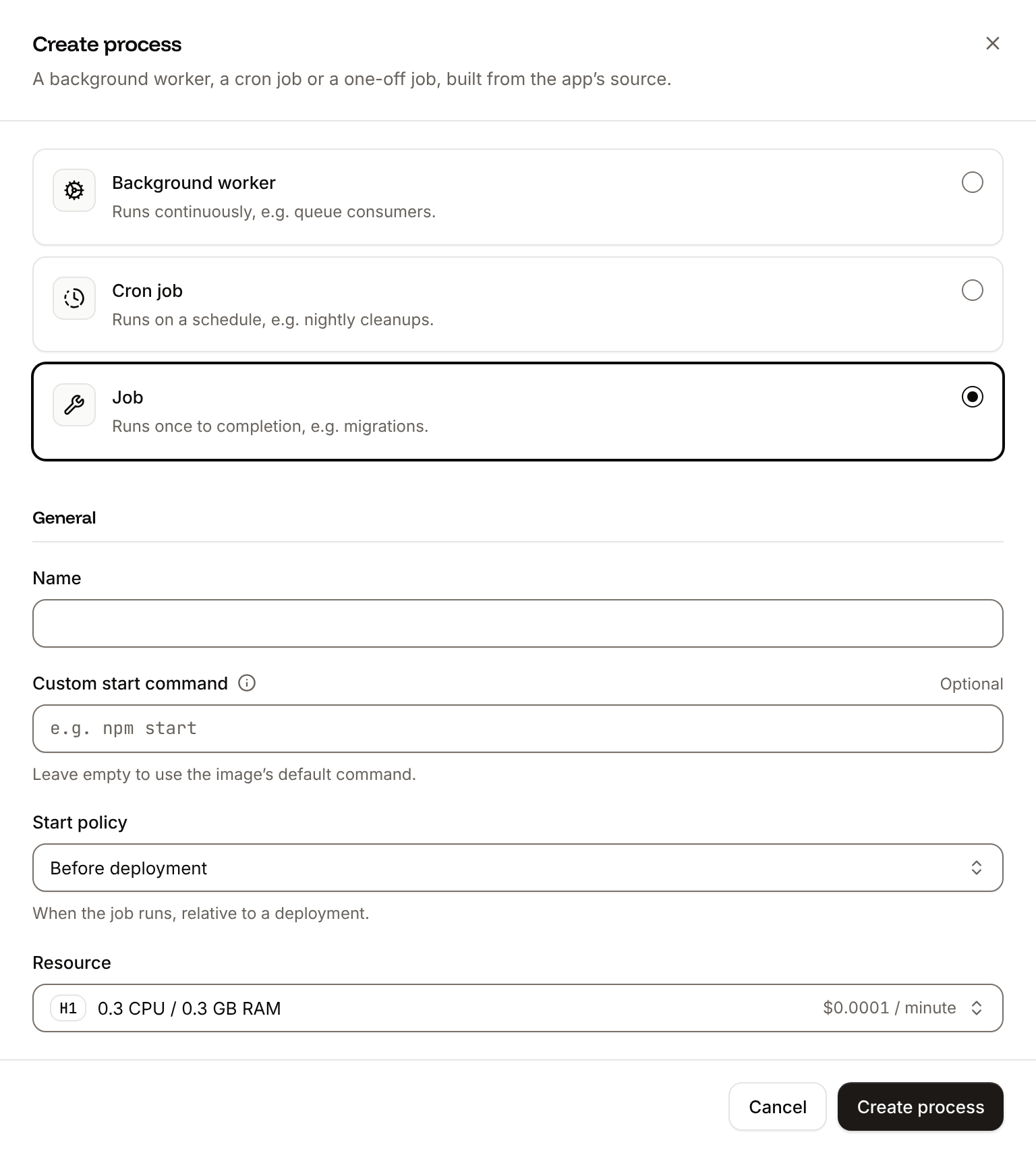
--yes answers Vapor’s Would you like to continue? prompt, which a job can’t answer. The job runs once per deployment, before the new version starts; when it fails, the deployment fails and the previous version keeps running.
Verify the deployment
- On the Deployments tab, click the deployment. Its Build log starts the build with
📦 Building and pushing docker image using Dockerfile..., then shows⏩ Running Migrateand✅ Migrate has been successful. The first deployment takes about 7 minutes. The deployment’s Dockerfile tab shows the file the image was built from. - Wait for the deployment’s status to change to Deployed. The application’s status next to its name changes to Running.
- Click the domain under the application’s name, for example
storefront-x7k2m.sevalla.app. The page showsIt works!


[ NOTICE ] Server started on http://0.0.0.0:8080. If the deployment fails, read its build log and the Migrate process’s runtime logs, then see Troubleshoot.
To check the deployment from a terminal or an AI agent, read its status with Get deployment (getDeploymentV3) until it’s success, and its build log with Get application deployment logs (getApplicationDeploymentLogsV3), as in Deploy with the API. Then create a todo and list them. Each todo gets a random id, which jq leaves out:
todos table that the Migrate job created. Get application runtime logs (getApplicationRuntimeLogsV3) with search finds the job’s result:
No new migrations. until you add one.
Shut down gracefully
When Sevalla stops an instance, during a deployment, a restart or a scale-down, it waits 5 seconds, sendsSIGTERM, and stops the instance if it’s still running 30 seconds after the shutdown began. See How processes run.
Vapor’s serve command handles SIGTERM: the server stops accepting connections, waits up to 10 seconds for the requests in progress (app.http.server.configuration.shutdownTimeout), and the process exits with code 0. In production, Vapor logs the shutdown at the debug level, so the runtime logs show no line for it. To see it, set the LOG_LEVEL environment variable to debug.
Deploy changes
With Auto-deploy on, every push to the branch starts a deployment; otherwise, click Deploy now for each change. Each deployment builds the image, runs theMigrate job, then replaces the web process’s instances. When only your code changes, the build log shows CACHED for the swift package resolve step, and swift build compiles the dependencies and your code again: a code change takes about as long to deploy as the first build. For a schema change, add a migration to Sources/storefront/Migrations, register it with app.migrations.add in configure.swift, and commit both. When you add a package, commit the updated Package.resolved. See Deployments.
Use environment variables
Add configuration on the application’s Environment variables tab and read it withEnvironment.get, as configure.swift reads PORT and DATABASE_URL. Variables apply at the next deployment. Vapor also reads LOG_LEVEL, for example debug or info. Variables marked Available during buildtime arrive in the Docker build as build arguments, which a stage reads only after an ARG line for each one. See Environment variables.
Add a custom domain
To serve the application from your own domain, such asshop.example.com, add the domain on the application’s Domains tab and create the DNS records that Sevalla shows. Custom domains need a web process larger than H1, so scale the web process first. See Custom domains.
Troubleshoot
A Swift program that stops on an error prints
Program crashed: and a stack trace for each thread to the runtime logs, which takes Swift’s backtracer about 20 seconds on H1. Read the lines before it for the error. For more causes, see Troubleshoot builds and deployments.
Deploy with the API
These calls make the same deployment as Deploy to Sevalla, in an order that a script or an AI agent runs as it is. Each step names the Sevalla API operation, then the CLI command and the MCP server tool that do the same. You need:- An API key with the Company developer role, or the
APP:CREATE,APP:READ,APP:UPDATE,DATABASE:CREATE,DATABASE:READandDATABASE:UPDATEpermissions, in theSEVALLA_API_KEYenvironment variable. The CLI reads the key fromSEVALLA_API_TOKEN. - The repository on a Git provider that’s connected to your Sevalla account. See Git providers. Creating the application checks it: when Sevalla can’t read the repository, the call returns
400withCannot access repository https://github.com/acme/storefront: Repository not found or you don't have access., followed by where to grant access. curl,jqandopenssl.
1
Choose the location
List clusters (CLI:
listClustersV3) returns the locations your company can use, each with its id, the display_name that the dashboard shows and its region ID in location. Keep the ID of the one you want by its region ID, such as eu-frankfurt-1 for Frankfurt, Germany. Locations lists them all. The database and the application must be in the same location:sevalla resources clusters. MCP: get_platform_options.2
Find the newest PostgreSQL version
List database versions (CLI:
listDatabaseVersionsV3) returns the versions you can create in the location:sevalla resources db-versions --cluster $CLUSTER_ID --type postgresql. MCP: create_database picks the newest version when you leave version out.3
Find the DB1 size
List database resource types (CLI:
listDatabaseResourceTypesV3) returns the database sizes by name. DB1, the smallest, is the dashboard’s default:sevalla resources db-types. MCP: get_platform_options.4
Create the database
Create database (CLI:
createDatabaseV3) needs a password: generate one and keep it, because Get database (getDatabaseV3) doesn’t return it. The call returns at once, with the status creating:sevalla databases create --name orders-db --type postgresql --db-version $PG_VERSION --cluster $CLUSTER_ID --resource-type $DB_SIZE_ID --db-name orders --db-user storefront --db-password $DB_PASSWORD. MCP: create_database with connect_to_application_id and env_var_name set to DATABASE_URL also connects the application and stores the URL, with the scheme postgresql://, which configure.swift accepts as well as postgres://.5
Wait for the database
Get database (CLI:
getDatabaseV3) returns the status, creating and then ready, and the internal hostname and port that the application connects to. Poll it for up to 10 minutes:sevalla databases get $DB_ID. MCP: get_database.6
Create the application
Create application (CLI:
createApplicationV3) creates the application with a web process. It isn’t deployed yet:sevalla apps create --name storefront --cluster $CLUSTER_ID --source privateGit --git-type github --repository https://github.com/acme/storefront --branch main. MCP: create_application with deploy set to false.7
Choose the Dockerfile build strategy
The application builds with Ingot (CLI:
build_type is ingot), which can’t build a Swift project. Update application (updateApplicationV3) switches it to the Dockerfile at the root of the repository:sevalla apps update $APP_ID --data '{"build_type":"dockerfile","dockerfile_path":"Dockerfile","docker_context":"."}'. MCP: sevalla_api_update with updateApplicationV3 and the same body.8
Find the domain
List application domains (CLI:
listApplicationDomainsV3) returns the domain that Sevalla gives the application. It appears a few seconds after the application is created, so ask until it’s there:sevalla apps domains list --app-id $APP_ID. MCP: get_application.9
Connect the database
Create internal connection (CLI:
createApplicationInternalConnectionV3) connects the application to the database over the private network and returns the connection’s id. Unlike the dashboard, it doesn’t add environment variables:sevalla apps internal-connections create $APP_ID --target-id $DB_ID --target-type database. MCP: sevalla_api_create with createApplicationInternalConnectionV3.10
Add the database URL
Create environment variable (CLI:
createEnvironmentVariableV3) adds DATABASE_URL in the format of the dashboard’s internal connection, available at runtime only:sevalla apps env-vars create $APP_ID --key DATABASE_URL --value postgres://storefront:$DB_PASSWORD@$DB_HOST:$DB_PORT/orders; it always makes a variable available during the build and runtime. MCP: set_environment_variables with buildtime set to false.11
Find the web process
List processes (CLI:
listProcessesV3) returns the web process that the application was created with:sevalla apps processes list --app-id $APP_ID. MCP: get_application.12
Find the H1 size
List process resource types (CLI:
listProcessResourceTypesV3) returns the sizes by name, in lowercase:sevalla resources process-types. MCP: get_platform_options.13
Create the migration job
Create process (CLI:
createProcessV3) creates the Migrate job. The API needs the size, a scaling_strategy and the job_start_policy, which the dashboard fills in for you:sevalla apps processes create $APP_ID --name Migrate --type job --command "/app/storefront migrate --yes" --resource-type $H1_ID --job-start-policy beforeDeployment. MCP: sevalla_api_create with createProcessV3 and the same body.14
Set the size
The API creates the web process at S1, where the dashboard’s default is H1. Update process (CLI:
updateProcessV3) sets the size:sevalla apps processes update $WEB_ID --app-id $APP_ID --resource-type $H1_ID. MCP: scale_process with size_id.15
Turn on auto-deploy
Update application (CLI:
updateApplicationV3) turns on automatic deployments for every push to the branch:sevalla apps update $APP_ID --data '{"auto_deploy":true}'. MCP: sevalla_api_update with updateApplicationV3.16
Deploy
Trigger deployment (CLI:
triggerDeploymentV3) deploys the latest commit on the branch:sevalla apps deployments trigger $APP_ID --branch main. MCP: trigger_deployment.17
Wait for the deployment
Get deployment (CLI:
getDeploymentV3) returns the deployment’s status: waiting and inProgress while it runs, then success, failed, cancelled or skipped. Poll it until the status is final, for up to 30 minutes. The first deployment takes about 7 minutes:sevalla apps deployments get $DEPLOYMENT_ID --app-id $APP_ID. MCP: get_deployment.18
Read the build log
Get application deployment logs (CLI:
getApplicationDeploymentLogsV3) returns the build log, oldest line first: the checkout, the Docker build, the Migrate job and the rollout. When the status is failed, the last lines say why. Without limit, it returns the latest 1,000 lines. With search, it finds the job’s result. The line has terminal color codes, which gsub removes:sevalla apps deployments logs $DEPLOYMENT_ID --app-id $APP_ID --limit 5000. MCP: get_deployment_logs.19
Check the application
Request the home page from the application’s domain:Then run the other checks in Verify the deployment.