

Before you begin
- A Django project deployed on Sevalla, as in Deploy Django.
Add the endpoints
The probes call the instance directly, without your domain in theHost header, so a normal view would fail Django’s ALLOWED_HOSTS check with 400 Bad Request. Answer the probes in a middleware that runs before anything reads the host:
storefront/health.py
MIDDLEWARE in storefront/settings.py:
storefront/settings.py
/healthzreturns200when the database accepts a connection and503when it doesn’t. Use it for readiness: an instance that can’t reach the database gets no traffic./livezreturns200whenever Django runs. Use it for liveness, so that a database outage doesn’t restart every instance.
/healthz for each service the application can’t work without, such as cache.get("health") for a Redis cache. Commit and push the changes, and wait for the deployment to finish before you turn on the probes.
Turn on the health checks
1
Open the web process
On the application’s Processes tab, click ⋯ on the Web process, then click Update process.
2
Turn on the readiness probe
Under Health checks, turn on Readiness probe and set the Path to
/healthz. Keep the Port at the web process’s port, 8080 unless you changed it.3
Turn on the liveness probe
Turn on Liveness probe, set the Path to
/livez, and set the Initial delay to 10 seconds, so a slow start doesn’t count as a failure.4
Save and deploy
Click Update process, then click Deploy in the undeployed changes bar at the bottom of the page.
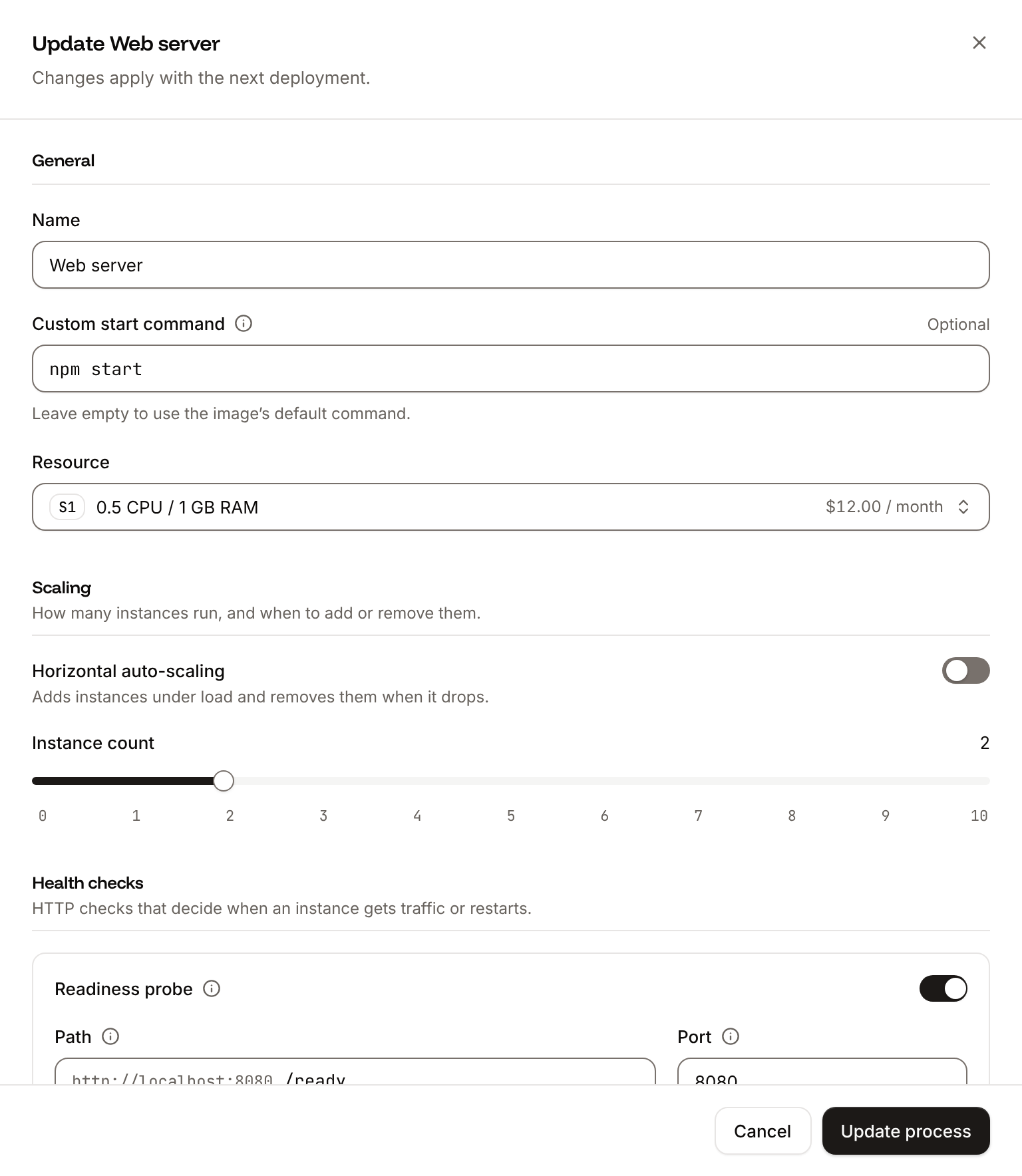
200 to 399 within the timeout (1 second by default). Only the web process has health checks. See Health checks for every probe setting and its default.
Verify
- Request the endpoints through your domain:
curl -i https://storefront-x7k2m.sevalla.app/healthzreturns200 OKwith the bodyOK. The middleware answers before the host check, so this works from any host. - On the Deployments tab, the deployment that turned on the probes reaches Deployed.
200, and that the Port matches the port Gunicorn listens on.