

Dockerfile in your repository with Docker, exactly as written: you choose the base image, the system packages and the language. Use it when your language or setup isn’t detected by Nixpacks, Railpack or Buildpacks, or when you want full control over the image. To deploy an image you’ve already built elsewhere, use a Docker image source instead.
How Sevalla builds your Dockerfile
Sevalla clones the repository and runs a Docker build with:- the Dockerfile path as the Dockerfile,
- the Docker context as the build context, with its
.dockerignore, - every environment variable marked Available during buildtime, and the variables Sevalla sets, as build arguments,
- a
docker loginwith the Docker registry credential first, when you choose one.
--target, so you can’t build an earlier stage of a multi-stage Dockerfile.
Use a Dockerfile
1
Open the build strategy
In the sidebar, click Applications, then click the application. On the Settings tab, in the Build strategy section, click Update build strategy.
2
Choose Dockerfile
Click Dockerfile. Enter the Dockerfile path and the Docker context, both relative to the repository root.
3
Add a registry credential if the base image is private
In Docker registry credential, choose the registry credential for the registry your
FROM images come from. Leave None (public images only) for public base images.4
Save and deploy
Click Update build strategy, then deploy the application.
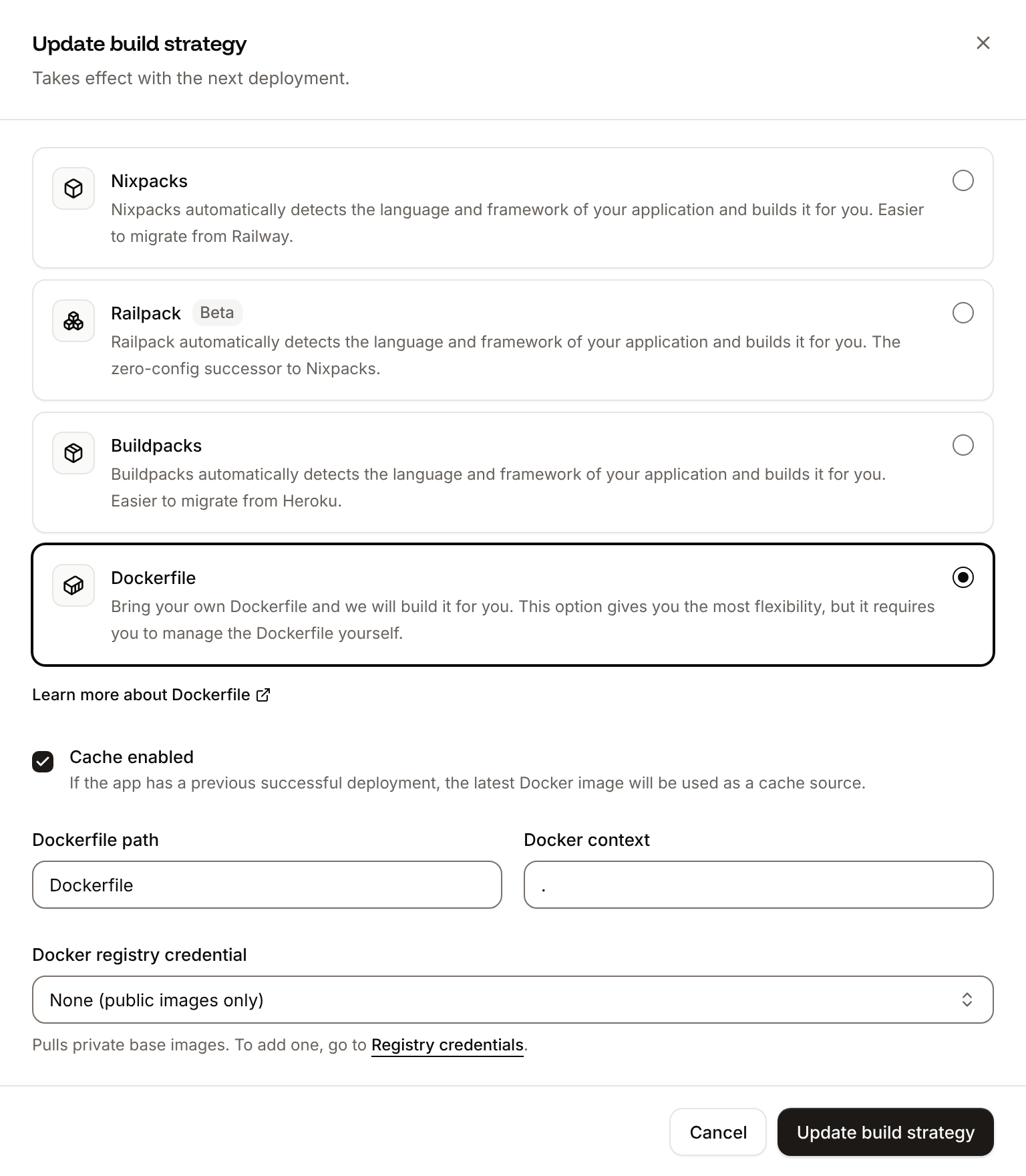
In a monorepo, point both at the application’s folder, for example Dockerfile path
apps/storefront/Dockerfile and Docker context apps/storefront. If the build fails to log in with the credential, the log says Docker registry authentication failed and the build continues without it.
Make the image run on Sevalla
Use build arguments
Every build-time environment variable is passed as a build argument. Declare it withARG in the stage that needs it:
Dockerfile
ARG is available only in the stage that declares it. Don’t copy secrets into ENV or into files in the final stage: anyone who can pull the image can read them. Runtime-only variables don’t need to be in the Dockerfile; Sevalla sets them in the running container.
Example Dockerfile
A multi-stage Dockerfile for a Node.js application that builds in one stage and runs a smaller image in the last one:Dockerfile
process.env.PORT. Add a .dockerignore with node_modules and .git so the context stays small and the build fast.