

Companies, projects and services
Everything you create on Sevalla belongs to a company:- A company owns services, people and billing. Each company has its own payment method, invoices and usage. You can belong to more than one company and switch between them in the dashboard. See Companies.
- A project groups services inside a company, with its own spending view and its own members. A service belongs to one project at most. See Projects.
- A service is anything that runs or stores something for you:
People get access to a whole company, to some projects, or to some services, with a role at that level. See Users and roles.
How an application runs
An application goes from source code to running processes in five steps.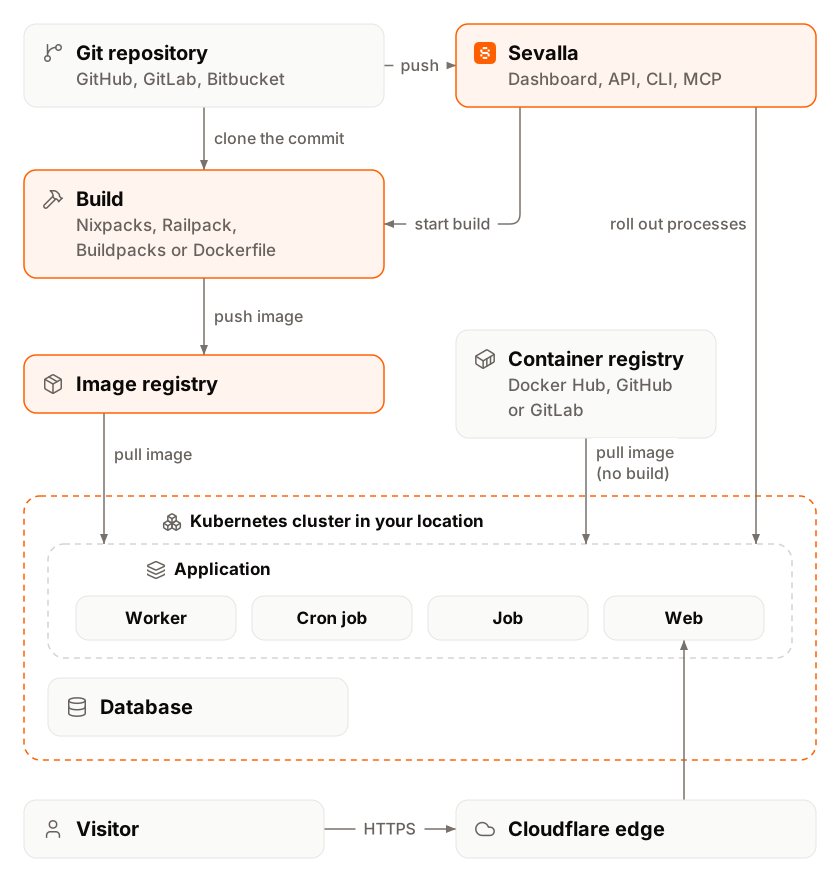
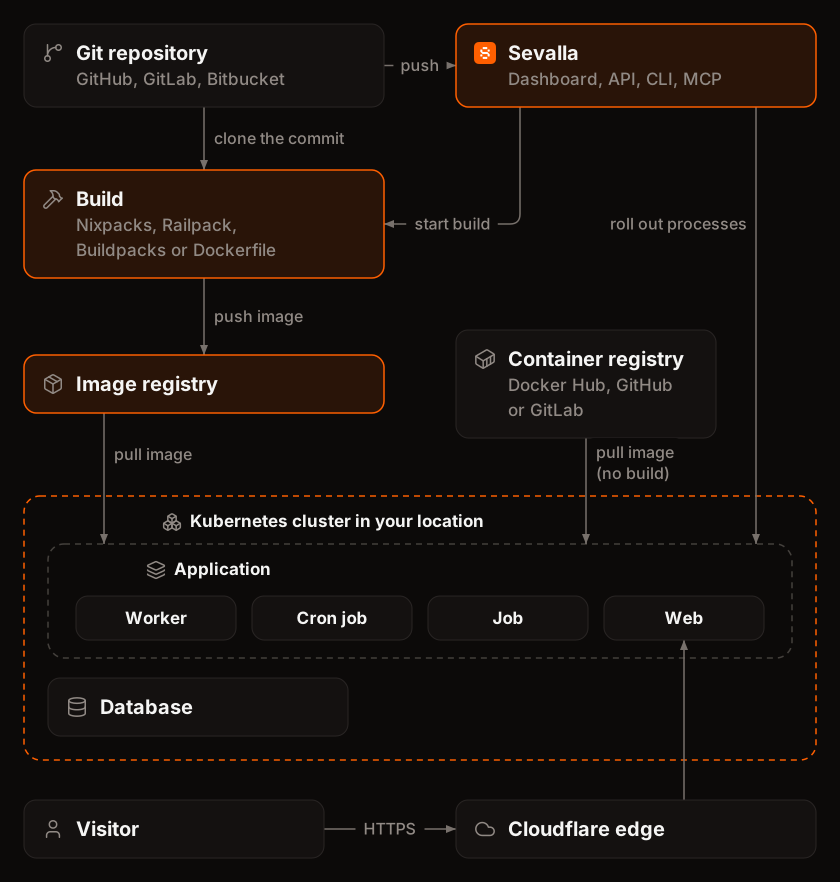
- Source. You connect a repository on GitHub, GitLab or Bitbucket, use a public Git URL, or point Sevalla at a Docker image. See Git providers and Deploy a Docker image.
- Deployment. A deployment starts when you push to the application’s branch (with automatic deployments on), when you click Deploy now, when something calls the application’s deploy hook, or from the API, the CLI or an AI agent. See Deployments.
- Build. Sevalla builds a container image from the commit, on the cluster in the application’s location, with the application’s build strategy: Nixpacks (the default), Railpack, Buildpacks or a Dockerfile. Applications from a Docker image skip this step.
- Rollout. Sevalla stores the image in a private registry and updates every process of the application. Web processes and background workers run continuously, cron jobs run on their schedule, and jobs run once before or after the deployment. New instances start before the old ones stop (a process with a disk restarts instead), and if the rollout fails, the previous version keeps running.
- Traffic. Requests to the application’s
sevalla.appaddress or its custom domains reach Cloudflare first. A worker that Sevalla runs on Cloudflare applies IP restrictions, caching and maintenance mode, then forwards the request to the web process in the application’s cluster. See How a request reaches an application.