

Before you begin
- The company needs a valid payment method. Without one, creating fails with
No valid payment method found. Add one at https://app.sevalla.com/billing/payment-methods to continue.See Payment methods and invoices. - You need permission to create object storage in the company, or in at least one project. See Users and roles.
Create the bucket
1
Open the create sheet
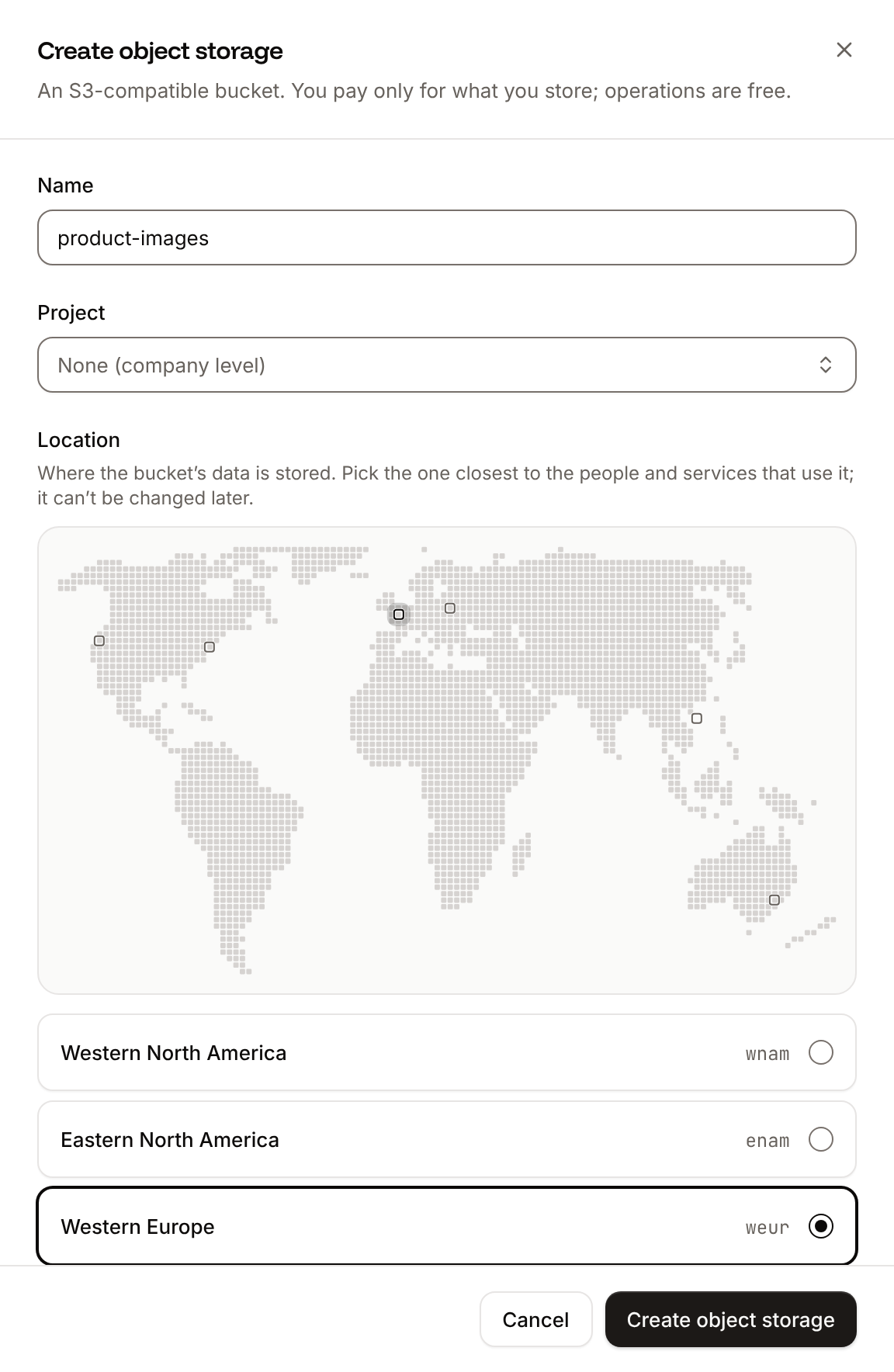
In the sidebar, click Object storage, then click Create object storage.
2
Name the bucket
In Name, enter how the bucket appears in Sevalla, such as
Product images. Sevalla generates the bucket name S3 clients use from it.3
Choose a project
If your company has projects, pick one in Project, or keep None (company level). The field only appears when there’s a project you can create in.
4
Pick a location
Under Location, click the location closest to the applications and people that will use the bucket, on the map or in the list. You can’t change it later.
5
Create the bucket
Click Create object storage.
Fields
What Sevalla sets up
- A bucket name. Sevalla turns the name into lowercase, replaces spaces with hyphens, removes special characters and leading digits, keeps the first 27 characters and adds a hyphen and 5 random characters. Product images becomes a bucket name like
product-images-x7k2m. S3 clients must use this name, never the display name. It can’t be changed. - An endpoint and access keys. They’re on the bucket’s Settings tab. See Connect with the S3 API.
- No public access. The bucket is private until you enable public access.
If creating fails
Most errors appear in a notification titled Couldn’t create the object storage, with the reason under it.API and CLI
The API creates the bucket in Eastern North America (
enam) when you leave out location, and can turn on public access in the same request with public_access.